Hi everyone. Super excited to be to be here with you all today. We have great speakers for a big topic. Know, it's a topic you will see about simplification.
Simplification in our industry on how we manage workflows. And it's really important. So I have some great speakers with me today.
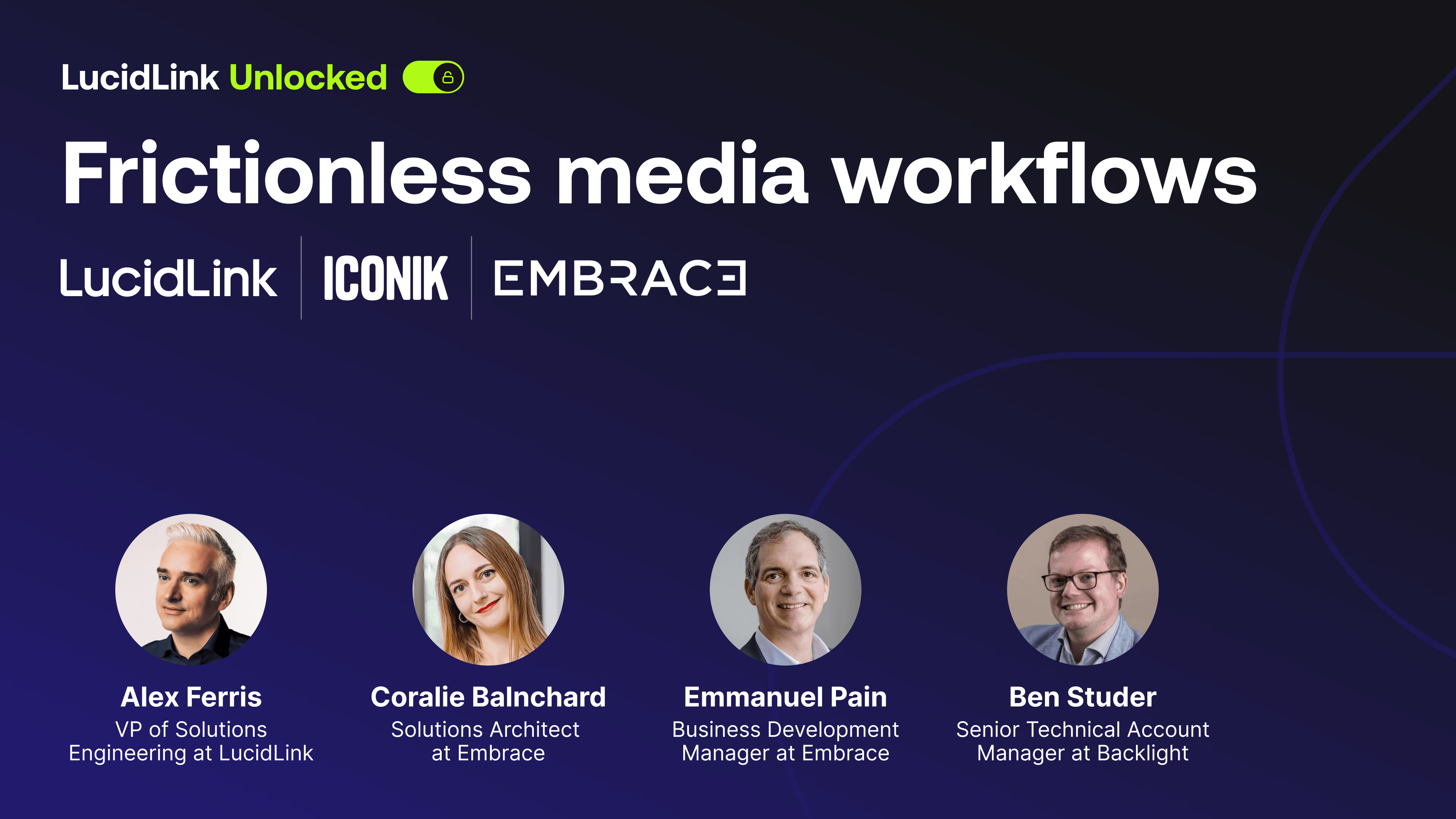
Let's get started with Alex. Alex, you want to present yourself?
Thank you, Emmanuel. Yeah, good to be here today and welcome to everybody from the chat from all over the world. So very exciting to see you all. I'm not sure what I'm looking at in that photo of me, but whatever it is, it's it's quite interesting, I I assure you.
So like Emmanuel said, my name is Alex Ferris, and I lead the solutions engineering team here at Lucid Link. I'm an AWS certified solutions architect with a background in cloud architecture, media asset management, workflow automation, mostly in the media and entertainment industry. I've been at Lucid Link for over four years now, and my team and I speak with customers and partners about the challenges they face with collaborative content production workflows. And after that, we usually demonstrate how Lucid Link can help.
So today, I'll be talking about how we do that, and I'll give you a quick demo of our latest version as well. But very good to be here. Thank you, Emmanuel.
Thank you, Alex. Ben?
Yeah. Well, hello, everyone. It's great you can all join us here today. Some of you will have heard more about the product, which is Iconic, that we'll be talking about today. Like, Iconic belongs to Backlight, that brings together several different solutions for the media creative world.
And, essentially, my background is in media production. I used to be a video editor, and I've turned my hand more to the archive and media management space more recently. And so you'll be able to see that, actually, Iconic is less about just the dusty notion of your archives, but actually, it's a place to collaborate, surface, to visualize, to preview your content as well. And it really sits within a very sort of comfortable ecosystem, together a LucidLink and the Embrace solution too.
So, yeah, I'm really excited to show you a few of the ways that it could help enhance your media workflows if you're not yet using Thank you, Ben.
Coralie?
Yes. Hi, everyone. I'm very glad to be here. I'm Coralie. As you can probably tell, I'm French.
I've been at Embrace for over a year now. I'm a solutions architect here. I come from the field.
Like Ben, I'm a former editor and I've been working essentially in pre sales with Embrace.
And I'm really glad to be speaking today. I'll give you a quick overview of what Embrace Post it is and how we can orchestrate your workflows very easily.
Thank you, Coralie. Thank you. Thank you all. And I'm Emmanuel Papp, the business development manager here at Embrace. I specifically overview all the tech alliance and the partnership that we have with with AWS. And that brings me before I go into the the why we're doing this together about the quick overview on the agenda for today.
So we'll cover basically why a joint solution. This is really an important an important factor and how we solve the the the problems of our users on a on a daily basis from real time file access to managing all your assets, to orchestrating workflows, and basically implement efficiency.
And we will give you a kind of an overview of where we're going with that with a joint architecture overview. We'll take a lot of time today for your questions.
It's a journey, and we acknowledge that. But the path forward is typically to deliver frictionless media workflows. Because one of the questions you might ask is, okay, why? Why now?
Why these partners together? And reality is that we acknowledge as vendors that you need we need to simplify things.
You need solutions that work in a frictionless, that are easy to implement. And we really believe that what LucidLink, Bikelite and Embrace are bringing together is something that will really help you. Because the reality is that today, we really have the feeling that the M and E industry is undergoing a massive transformation. Organization changes, cloud adoption, multiplatform delivery becoming really the new normal. We were, for some of you, at the recent events like the DPP, where we see the massive shift to online, where linear is being one channel among others.
We see workflows were massively distributed, but at the same time fragmented. So it's really hard today to find vendors that can super easily answer to some specific pain points.
And in reality, there is no single vendor that will cover storage, media management, and end to end orchestration. So we believe that today, organization cannot afford that complexity and that we wanted to reunite maybe sometimes those disconnected parts to simplify execution.
And the way we wanna simplify things is basically to remove friction, avoid having tools in isolation.
And basically, we together, Lucid Link, Iconic and Embrace, we solve not only critical part of workflows, but we are really a combined solution that can combine everything around content creation and content preparation workflows. So that enables team to collaborate, number one, in real time with a solution where cloud is on your device. At the same time, we solve a big problem around collaboration around your assets and how managing all your assets with very high volume of content, where high volume content is really there. And at the same time, where you need efficiency.
And for efficiency, you need orchestration and you need that entire embedded integrated solution to be able to speak with other elements of your media supply chain. The second reason we want to simplify how we want to simplify execution is, and the reason for this, is that we want to accelerate time to value for media companies. And this is why we work with AWS to jointly serve customers on a proven architecture with validated integrations. So instead of having long projects, we provide ready, tested, an integrated starting point that will help you modernize your supply chain for all the users and deliver value for editorial, creative, technical teams without the traditional complexity of coordination across multiple partners.
So let's cover before we begin into the different type of the different aspect of the solution itself about the key customer pain points And Alex, Ben, Coralie, do not hesitate to jump in at some point here. But I think that one of the key some of the key customer problems that we see are, number one, slow and painful access to large media files.
Teams wait for transfer, downloads, syncs. Sometimes they are under using VPNs. They have a bad internet connection. Files leaving too many places. That's really an issue. In some cases, you have fragmented media storage and inconsistent metadata, which adds to difficulties.
We see issues around collaboration between creative, production, and operation teams.
We see a lot of manual tasks, still a lot of repetitive, mountain tasks where teams need to manually do stuff between ingesting, renaming, metadata management, metadata enrichment, moving files, QC versioning, publishing, managing archives, all these type of workloads that are too often done manually.
The lack of orchestration then in that case is really becoming an issue because you need to have all all your different elements working in sync and at the same time providing what we hear an expression that we hear a lot these days is about human coordination. In a context, at the same time where you see an increase content volume and multi platform pressure. As I said earlier, online and digital platform is really critical and and and this is also it's an opportunity, but at the same time it's also a difficulty. A difficulty also that can be combined with AI with at the same time seen as an opportunity, but very hard to industrialize. You will see how we can easily help in that area as well. So these are some of the key customer pain points that we cover, and I will let now Alex specifically talk about the one around the distributed teams.
Thank you very much Emmanuel. Yeah, I'm sure looking at the attendees we've got here, mix of creative, technical and project and people managers are quite familiar with some, if not all of these challenges.
You know, one of the most fundamental ones for our customers is simply getting fast, efficient access to those data sets, as you say, wherever their people and services might be. I mean, they sort of say, what's the point in storing something access it? You know, if you can sort of see it but you can't use it, it can be quite frustrating and introduce a lot of these delays that you talk about. So traditionally for them, you know, data has meant creating copies, as you said, of files across locations or systems or platforms. And in the cloud that often translates, you know, to the people we talk to into time consuming upload, downloads or moving assets between different platforms and different systems and managing multiple versions of the same file as well just to get it into the hands of the right people. You know this leads to significant delays, version control issues, branding consistency, people working with different versions of the same assets.
And it has complexity as well when trying to meet strict internal or customer led enterprise security requirements regarding where your data is and where you keep it and who's got access to it and so on. So LucidLink is a SaaS platform that eliminates those barriers. We'll talk a little bit about the specifics of how LucidLink fits into this kind of multi vendor workflow. And looking at the poll as well, twenty three percent of you are LucidLink users already, which is great.
But thirty percent haven't used any of these systems. So I definitely think you're going to find the content today interesting. For those of you that haven't heard about LucidLink or used it, you can think of it as a storage collaboration platform.
And what we do is allow customers to use hyperscale cloud object storage, so in this case AWS S3, but they can access it as though it's a local disk. And that's because Lucid Link streams data instead of making users download it, which is huge. It sounds simple but it makes a huge difference and we'll dive into the specific efficiency and cost benefits of that approach a bit later. But at its core, Lucid Link provides teams with instantly accessible, globally available and virtually limitless storage which is both high performance and collaborative.
And it can be used in any application or any service anywhere in the world. Like I said, it's a SaaS platform so we eliminate the administrative overhead of managing multiple storage silos, whether they're in the cloud already or on prem. And that gives customers time back essentially to do what they actually want to be doing. We like to think that, you know, your most valuable assets are your data and your people, and Lucid Link exists to seamlessly and securely connect those two things.
So let's take a look at how Lucid Link solves those challenges for our customers.
This is a simple way to visualize Lucid Link. Okay? Basically, the users around the world and you can see some example personas there. Maybe some of the creative members of of the audience can kind of see themselves in this animation, motion graphics, editorial, whatever it might be.
They install a very lightweight LucidLink client that connects them to what we call a file space, represented here by that LucidLink logo. Now behind that logo sits the global scale, the availability, the resilience, the performance of AWS S3. But remember, the key differentiator is that those users that have the LucidLink client don't have to download files from the cloud to work with them. They don't have to make their own copies and link to their own versions. So this gives them instant access, basically to data sets of any size. And our customers, our biggest customers, have multiple petabytes of data, thousands of users working globally. And they're all able to start working straight away.
So some of the key things I want to mention before we have a quick five minute look at the platform is that when connected, a file space essentially appears like a local disk to your operating system. We support Windows, Mac OS, Linux, and we've got apps for iOS and Android now as well. And by doing that, by presenting as the local disk, all of the applications on those operating systems can access the data in real time without creating copies.
What this does is it enables true real time collaboration between all of your users. They can work on the same files simultaneously, whether they're in the office or at home, like I am at the moment, across different countries and looking at the audience today, know, we've got people all over the world. This is a truly global workflow that we're operating in now. And they can access that data securely, like Emmanuel said earlier, without needing VPNs or additional network hops or connectivity systems like that.
Remember that key differentiator is that Lucid Link streams the data on demand so users don't have to download the files. Their applications, whether it's something like Premiere or a service based like Transcode or whatever it might be, doesn't know the difference. It looks like the data is local. It performs like the data is local. And that means you can access massive files instantly.
It's important as well to make sure you can control what people and what services have access to. So LucidLink has very secure granular permissions that can be managed by administrators, no human, both the people and project managers in the audience. You can very easily decide, you know, what people can see wherever they are. But also from a service based as well through automation with APIs, often via partner systems like single sign on providers, project management tools, media asset management platforms like we'll see from Ben and Iconic a bit later.
But a helpful way to think about this workflow is instead of moving data to the users, you simply grant the users access from where the data already is, which is in, you know, a globally available AWS data center. So let's take a really quick look at what this looks like before I pass over to Ben to talk about the Backlight and Iconic side. I'm going to seamlessly swipe. Look at that, it worked.
I wasn't sure that was going to work. Seamlessly swipe to my desktop to give you a very quick high level overview. As we get into the more end to end workflow a bit later, you'll see how Iconic and Automate It kind of wrap into this workflow. But from the end user perspective, here I am.
I'm a user, I'm sat at home, on my MacBook and I've got that LucidLink client installed that I mentioned earlier. I'm logged into that client as a user and it's presenting to me what we call workspaces and then inside those workspaces, file spaces. You can think of these as disks, basically. It looks like a disk to the operating system, but it's not a disk.
It's an AWS data center, in this case in Frankfurt, Could be anywhere in the world.
But despite the fact I've got a terabyte, and again these things scale to petabytes, right? I can open that file space just like it's any other disk on my operating system. I can see it here in my sidebar.
And Finder is a simple application example, can interact with it just like a local disk. Now I've been given, through the granular permission model, restricted access to a single folder here.
But I can access it just like I've already downloaded those files.
And the application, so again Finder, start with a simple example here, can just start streaming that data on demand. So when I hit play, think about that data coming down from the data center. If I press pause, the data stops coming. I could load it up in a finder preview window. I could jump to any part of any file without the need to make that full copy. So this is speeding up the workflow. It's removing the need to make another copy of the asset and potentially reducing the egress or the cost of bringing that data down from the cloud as well.
So really simple from an end user perspective, but you can also change what the different users can see. So I'm just going to show you very quickly here the concept of permissions, right? Remember I'm not an administrator, I've been invited to collaborate on this file space, but there might be other file spaces within this workspace that you might want to give me access to. So through our APIs or through the administrative portal, I can simply change what this user who's logged in as is able to see.
And I can say, right, I'm going to make another file space available to them. Perhaps it's an entire file space or perhaps it would be a subset, a single folder kind of within that file space. And by doing that, it simply presents, as you saw, another disk. I can choose to connect that just like I have with the other file space.
This particular one is in a completely different AWS region. So this is North Virginia. And again, can have multiple petabytes, hundreds of terabytes in here. I could choose to connect that. And just like we saw with the other one, I'd have instant access to all of the data that you wanted me to see. But not only that, you can change what people can see within the file space. So if I change what level of access the user has within that team file space, in fact what I'll do is put them in a group that has a predefined set of permissions.
I can very easily make, you know, multiple folder hierarchies appear to the end user without needing to move data around.
And what that will do is drop onto this virtual disk that I have the folders and the files that I need access to to complete my job. So there we go, a couple of folders have appeared. If I look at that, Not massive but you know eighteen gigs of data. That's just appeared without me having to download it.
And just like I showed you with the other one, I can jump in here and start playing back these files and interacting with with the data. If that's been used in a project, I could double click that and load it into a client side application. I'm double clicking Premiere. It's probably going to load up on my other screen.
I'm going drag it over if it does.
There it is. And what this has done is it's connected to the media without the need to replicate it. And now I'm streaming into Premiere instead of Finder because Premiere thinks the data is local. And this will work in any part of this application, because Premiere doesn't know the data isn't local.
And we've been able to do that instantly, wherever I am in the world, just make it appear on my desktop. And just as easily, you can remove permissions as well. If I close that and I take the user out of the group or I remove their ability to access an entire file space, you're going to see the disks and the folders that I've got access to update in real time. And there's no residual data.
You can see I've lost access to that project now. There's no residual data. So I haven't used up any of my local disk space. I'm not worried about unencrypted versions of my content existing on people's drives or desktops once the project is finished.
And you can see there as well, my access to the other file space has been removed. So we're going to learn more about how this fits into the wider workflow of automating, creating permissions, groups, and facilitating access to data. But for the Lucid Link bit, remember, we're just connecting the people or the services to the data without having to move that data around.
So that's my bit done now. I think I came just under ten minutes. I'm going to hand over to Ben now, I think, if you want to switch to his screen.
Oh, you are on mute, Ben.
The classic mute button. Thank you very much there, Alex. And I am always impressed with the speed at which you can bring up data that basically has never existed on your device before, and yet you can just access it immediately. And that's a great sort of notion, being able to access the content.
But ultimately, you're wanting to exploit your content. And data for data's sake is useless. Right? You want to be able to find it, surface it, collaborate on it.
And you can see sort of on the first slide that we're showing here, this sort of pain point two, which is the discoverability of files, which is sort of sharing files between sort of stakeholders in that way.
And trying to understand, wait, where were we at with this? Why is this version two, why is this version three? What's the latest version over here?
If you've ever received a retransfer file link, a transfer link, nothing against retransfer, but it's just a way of working, Or sort of you've received emails and then attachments and then Slack messages or Teams messages about sort of the feedback that somebody's got on that sort of edit. That's all the collaborative notion of it and being able to essentially work remotely in that way. And that's where the media asset management piece comes into play, which is you've got all your media assets, but how do you actually manage them? Providing access is great, but you wanna be able to organize them for the long term. What are you doing with those assets once they are created, once they are sort of finished, once they're finalized?
How are you providing access to them? How are you sharing them outside of your organization, if that's your intention? And that's where a solution like Iconic comes into play. And Iconic essentially is a web based platform that allows you to essentially see and collaborate content easily, regardless of your level of Internet connection, because you can see proxies online and previews. You can mark up things. You can have all of your history, essentially, of your content in that way within the sort of iconic experience.
And so that is the key idea, which is how do we keep tabs, not on what people are doing with it, on what's been done already or sort of how we are moving forwards with this content here, the notion of review and approve, of comment tracking, things like this. And so, ultimately, Iconic is shaving off the time spent on trying to essentially find your content and more on making sure that you can do what's important with your content, which is essentially allowing you to have sort of that creative flare rather than having to worry about, hey, where is the file that I'm looking for? Lucid Link's fantastic.
You've got access to that file. But actually, do you want to be going through folder structures to find your content of an edit that you made six months ago or eight months ago? No. You just want to search into the search bar like the word helicopter and find your content in that way.
The other powerful element of Iconic is that you can think of it as brain, essentially, being connected up to your media wherever it's living. It could live within the Lucid Link storage. It could live within your own sort of S3 buckets. It could even live on devices on premise, which are where we have a client to scrape those and so leave them there, but send the proxies and all the metadata you need into Iconic in that manner.
And so that's how, ultimately, we're fueling a powerful search and discovery experience in that way. I will jump into a demo, and I'll be able to show you sort of what that looks like.
But you can already see here some notions of being able to filter through content, being able to sort of understand, okay, well, let's see when these things were created by date, or let's see if it's a desert sort of landscape or in that manner. So really, really powerful to be able to find that content easily. And then, ultimately, it's what you do with the content that matters. And so, yes, you're working in creative spaces.
Yes, you're manipulating media files for any number of reasons. But, ultimately, it's because several people need to be able to leave comments, exchange, share in that way. And there are many different tools, and I'll walk you through a few of them that are available within Iconic to be able to essentially say, yep. Well, do these things.
And so it's less about managing. It's more about collaborating on your content easily in that manner.
That was the last slide there. So I will just dive into the system to show you very quickly. So that should have just swapped over seamlessly, hopefully. And what you're seeing here is a an iconic system.
I'm in my web browser. I haven't installed anything on my device here, and I can sort of instantly start searching for content here. Now I believe there's content that was filmed in Amsterdam in this system. If there isn't, it'll tell me there hasn't been.
But here, you can see there are many different types of things that are coming up with Amsterdam. That's my first search time. I've just put that in. I didn't need to know where that stuff was living or where the content was living.
I can already see there's a number of different results If I want to have a bit of a better preview of them, I can just sort of scale up, and I can already start seeing some of the metadata. So some of that lovely information that is helping categorize the content in that way appear below. I can also scrape over like this to start having a look to see at the content that way. Again, no data is actually being streamed to my device.
It is literally just through the web browser here that I can preview all of this loveliness. If you're more of a list sort of person, you can do that as well. And you can actually see in these examples here, it's highlighting where the word Amsterdam sort of appears. Of course, in these ones here, there's maybe the word Amsterdam somewhere in the metadata, because perhaps it was, I don't know, Louis Amsterdam, a photographer who took those pictures in that way in Paris.
And so here, you can actually sort of start to understand that there. Now, when you look at sort of the filters on the side, this is where it comes into its own. The Iconic platform lets you really sort of tailor the structure of the information that you want against your content. And you can see here that we've got some AI tags.
So this is using AWS recognition in this instance here to actually add in sort of keywords based on what it understands within your content.
But you can also have this structure of metadata sort of to allow you to tag things in the right way. So if it's your documentary team, for instance, now I can just see all the documentary team in that way.
Or if I just want to see the approved content, I can just toggle on Approved, and I can see the approved content there.
Now, you may be thinking, that's great, but it's a mess when I look at all my content. Well, fear not. We do have the notion of collections as well. Collections allow you to organize your content within folders.
And essentially, the power here is that they're not necessarily folders. They can also be sort of just pointers to whichever structure you want to have them live in. So in this particular example, if I look at my marketing team sort of content here, I can see some a bit of turtle content here. I'm actually gonna drag this into the documentary team. So so for everyone's benefit, we're in the sizzle reels of the marketing or in the marketing team. We're gonna drag this into the documentary team here.
And here, if I just do this, you'll see that now I've been able to add it there. If I bring this up, I can have this web preview. Now, this is a preview that's been generated specifically for web playback.
Sharing audio right now, but I can hear that audio back here. And you can sort of see that sort of turtle sort of fly floating about there. You can see the structured metadata on the side here as well with everything that's been informed in that way.
And the UI gives you some really easy tools to be able to access sort of what you need in the way of interactions with the content. I'm actually gonna start off with the very last one down here, is the relations. And you can actually see that here, we have this in the marketing team content, and I moved into documentary team. And you can see it lives in both of these collections at the same time.
And as I mentioned, Iconic can also scrape sort of your local storages as well. And in that case, it will actually replicate those folders and present them to you as well. So if you're used to working in that way, that's not a problem. You can keep working way.
I need to focus on a few key features here around that collaborative notion.
So the first thing I'm gonna show is here. So if we are working on a piece of content together, I can jump to wherever I want in the content. And if I wanted to, I could even decide to highlight a segment of this content in particular. And I can say, okay.
Well, actually, I'd like to add a comment specifically here at this on this piece of content. So I can say shell is a bit too shiny. And this is where, as working in the system goes, you can also decide to add and tag other users. So here, I can actually tag my colleague Charlotte, and Charlotte will get a notification by email if she's chosen to have emails or within the platform.
And she will be able to see sort of this comment. Now before I submit this comment comment, I need to say exactly what I think is too shiny on the shelf. So you'll actually be able to see that as I sort of hover over, I have sort of these crosshairs, And I can even decide to draw on the content here if I wish to in that way. And that creates an annotation on the preview in that way to submit a comment.
Now I can also choose for this to be internal only. If I do this, it means that within this system, I share the content out, no one will be able to see that comment, just our internal teams and registered users in the system. So really powerful to be able to have functionality like this. And Charlotte can come in.
She'll get pinged about this. I'll apologize to her later.
But essentially, here, you can see that if I show the annotation, I can see exactly what that's referring to there. And I can also decide to complete this if I'm marking it as complete and I'm working on it offline. And I can also decide to respond to the comments if I wish to here in that way. You can also decide to add new versions as well.
So an asset entry is that metadata entry, and then after the idea is you can add in new versions of it. And when you start adding new versions in, that will multiply the number of files against that asset entry, but you will see you will always see an original and then the proxy, what is being stored, which we do not change or destroy in any way, shape, or form. You can see here this is stored in the cloud under the files directory, and then this is under the proxies directory here. Those can live in different areas if you wanted.
So your users don't need to care about where the content is. They just need to care about what the content is and what needs to be done with it. If I did need approval on this content, I can set the approval myself, or I can decide to request that approval from somebody else. And I can say, okay.
Who needs to approve this? Well, let's go with the supervising producer here as the user. And then I can just say, okay. Send it off for validation.
And they will get an email. They'll be asked, hey. Can you approve this? And so, ultimately, it means that it's streamlining that process.
No longer the need to receive an email to download it on sort of if you're on the move on your on your five g and then view it on a mobile phone, you can just load this browser up within sort of your ecosystem like that. There is also a beautiful element of interaction. Know that, Alex, you showed the Premiere Pro workflow there. We do have a very advanced Premiere Pro panel as well, where you can actually browse Iconic from within your Premiere Pro instance, and then you can decide to say, okay.
We'll bring down just the proxies or consolidate with the originals. And what that does is that would actually mean that over time, you'd it'll be creating relationships between your content. So I believe we have a couple of project files here. So if I just go into this untitled project here, and I can see the relations, you can actually see this particular project file, which is just the project file, actually knows within Iconic what else is being used in that project.
So it's using the giraffe. It's using some stock footage there, and it belongs in a couple of collections. If I click on the giraffe, you can see here that the giraffe has the parent relation of saying what is being used in this project in that way, too. So really nice to have that sort of history and tracking that way.
And very much like LucidLink, you can also decide at this level here to establish that access to content if you want. You can do this per asset. You can do this per collection.
And if you do it per collection with the access control, you can actually decide if I decide to add in some permissions here. So I'll just do the Business Admin Team. This propagates to all of the content within as well. So really, really powerful to be able to better control and better preview your content within sort of your ecosystem in that way with a platform like Iconic to make sure that you don't lose track of it wherever it may be, but also to ensure your teams can collaborate on that.
So with that in mind, I'm going to stop sharing. And I've been showing you sort of one off tasks or things that you do left and right in that way across these systems. And I'm going to hand the microphone over to Coralie because Coralie it's all about repeatability, scale and essentially efficiency in that way. So Coralie, over to you.
Exactly. Thank you, Ben.
I think Emmanuel already explained really well at the beginning what were the pain points we're trying to solve with the joint solution we're presenting here. So I'm just going to do a quick overview in ten minutes of the capabilities of Perseat, the product by Embrace.
It's web based, and it's globally helps you to orchestrate to connect everything in your ecosystem, and to get rid of everything that's repetitive, that's non creative. And yeah, basically allows you to connect everything. So what it allows you to do is to manage your media business processes.
What's a media business processes? Basically, it's a combination of human interaction and technical tasks and what it looks like in our product. I won't jump into a live demo.
Don't want to risk this. So it will essentially be slides to go over the product a little bit.
So in the product, it looks like this. So this would be basically a workflow, a sequence we call it in the product. So the blue boxes here would be technical tasks, things that are triggered, happening automatically behind the curtains. Users would know it's happening. And the purple boxes would be human interaction. It is the part when user needs to maybe take decisions to review content, to verify maybe what's in the AI proposed, anything.
So I'm going to show you a little bit of the three key features we have in the product. And we will start with the blue boxes, the technical workflow. So for that, we have a low code workflow engine. So it's very straightforward.
You have the boxes, you just drag and drop them, you can configure them very highly. You have the ability to inject Python code into a lot of the configurations. So what it allows you to do is to go very deep into configuration. So if you have, I don't know, maybe an in house traffic systems tool that only your businesses use, it can be really useful to have this potential with Python code into the configurations.
Why it's really powerful? It's because when you start with the product, you have about one hundred and forty pre build tasks that are given to you. It's pretty generic. You can move files around, you can send notification, you can connect with a REST API, a task that is a REST API to connect with any AI services, you name it. And as you start building your own workflows within the product, you might think, I need this for other use cases.
What you can do in our product is transform the workflow you built into tasks that adds up to the list you already have. So in this example here, I have tasks. I named it iconic. And those tasks basically are workflows I built with the generic ones I have in the beginning.
So on the left, can see I have a task, Iconic AWS Upload Media. I created this one. Basically, it's identifying myself into my Iconic instance. It uploads a file, update metadata, triggers the proxy generation.
I created this workflow for a demo, and I can transform it into a task that adds up to the list, and then I can reuse it in some other sequences. So that's really powerful. You could have listed tools that only you use for your business. That's really what it's about.
What it allows you to do, and that's why it's really powerful, is to have your own ecosystem in the Perseid platform. So here are some of the tasks we could create in a platform. Those are all tasks that are available by API on Lucid Link, on Iconic.
We can build them pretty easily and reuse them anywhere in your business.
The second part I wanted to talk about is the human interaction. Remember, I told you at the beginning that a media business process is a succession of technical workflow and human interaction. And how we managed to put that in the product is we created a form designer. So you have in the product the ability to build your own interface, to build the UI you will present to users to do certain tasks.
You can basically, it's the same philosophy as the workflow engine. You have generic bricks. You can see them on the right here. So checkboxes, radio buttons, dropdown menus, you could have a player, you name it.
If it's a simple task, you would build a simple form. Users only need what's needed for their daily job. So you could build forms specifically tailored for their job on a daily basis. But you could do really powerful forms.
This one is one we use in the product. You can do a lot of configuration. You can make them look and feel as your business is with the colors, with the logos.
You have a lot of CSS options to make them fit what you want for your users, give them the experience that they deserve, basically.
So we have the technical workflow. We have the user form. And we thought those users need somewhere to log on to when they start the job in the morning, somewhere to monitor everything, somewhere that would be the cockpit of their daily tasks. So we have the third part in the product that we call the dashboards.
This core capability is the third part that we try to make tailored for each user needs as the two previous ones. So you can create dashboards that are specifically designed for any job. You could have dashboards that are essentially for editorial work, so you would have widgets that you can configure with filters, you could do task management, you could see users, you could see where your workflow's at, you can do a lot of things here, you could trigger workflows, you could also have dashboards to operate the, mean, to own an administrative view, you can see how wealth, 's the wealth of your system, you can do support, you can have a bit of analytics on those dashboards.
And that's the third part I wanted to show you in the product. Of course, I only had ten minutes, and I didn't want to go too deep into the demo. So if you want a full demo of the product, because this is probably the more complex to show, I really incline you to set up a demo with one of our SA, Adam Brace, to see a little bit more what we can do with the product. But basically, that's it for Perseids.
And I'm giving the mic back to Emmanuel to tell us a little bit how it makes sense as a joint solution.
Yes, thank you very much, Coralie. Thank you. You. Thank you, Ben. Thank you, Alex, for those presentations.
I think that what we have in front of us now is to give you the big picture on how it works together. So at the core, we have Iconic, where you index, you review, you search, you manage all your assets. All around it, you have LucidLink, where people collaborate on those storage that are accessible to a click of a mouse, and they can collaborate from everywhere where wherever they are in the world, working from their editing shoots, working working super super easily, super fast, and and in a very convenient way and and very transparently. And, obviously, you have all these people working together, but you have now the the question is about the volume, you know, the scale.
It's it's a lot of content, a lot of files, a lot of people, twenty four seven, multiple geos, time difference, etcetera. In that case, obviously, you need a little bit of help. And this is where a pulse, and orchestration system comes into play in connected to the new ceiling spaces, knowing very well the architecture of iconic managing from complex ingest to distribution to metadata enrichment, QC processes. We have not talked about many other components like from transcoding.
We have not talked a lot about AI here, but obviously AI enrichment is a very important aspect. Another aspect that is also important is promoting your content, packaging that content, managing promo versioning, managing content generation to promote your content on social media, on platforms. So this is where an orchestration comes into play. And this is what you have in front of you.
This connected media ecosystem combining into a powerful solution.
What we wanted to a lot of problems that we we wanted to solve. But I have a question maybe for for for Ben regarding the use cases that you see on the ground from your perspective. You know what? What are these type of architecture, this type of solution? I mentioned a few examples, but from your perspective, what is this type of solution like this is solving mainly for your customers?
Yeah, I mean, I think I mentioned at the beginning of the iconic sort of piece is that time saving, right? And I think it's that time saving across the board. And I think that's the key notion here. We're all given the same currency in the universe, which is time, right?
And ultimately, here, every single one of these tools is shaving down the time that it takes for the tasks that you need to do. If it's receiving that file from a partner, if it's leaving a comment on there and having someone else pick that up, or if it's sort of orchestrating or sort of delivering multiple versions or multiple steps of a process that you can anticipate. And that is the key notion across the board. This you as an individual can would it's much more valuable to use your time in a way that is creative than technical troubleshooting, ultimately.
So, hey, media offline, of the past, sort of, if you're using LucidLink because it can just go and pull that file down in that way. Hey. Oh, I can't remember which film shoot we we charted the helicopter for to get the city views. Well, you don't need to worry about that anymore.
You don't need to go through folders to understand with, oh, it's a twenty nineteen shoot and whatnot. Not. You just search helicopter, and you'll be able to find it within the asset management system. And when it comes to sort of delivering sort of the the the content out as well, like sort of it's the idea of saying, well, actually, we know that we work with these sponsors or these partners, and they all need a different version in a different way according to their rules in that in that manner.
That's where the combined ecosystem is the real benefit, is that time saving ultimately.
Yeah, just to add to that, Ben, you're absolutely right. I love to think about it in two short sentences. And I know we've got a lot of QA and about ten minutes left so we will get to that in a minute.
But you know what's the point in finding something if you then can't use it? You know you're prevented from accessing it quickly and having to make copies or transfer it, download it. And similarly, what's the point in storing something if you can't find it and wondering which folder is it in, which project was it in? And that's why these two platforms are so complementary, is you can use Iconic to find what you want. And then once you've found it, Lucid Link means you can access it immediately. So it's all about that time saving, yeah, really. And then automating obviously, you know, joining these systems together and removing those manual steps as well.
So it's a a great thing. Do we wanna move on to QA? I'm just wondering how much we've got about eight minutes.
Yeah. We need to we need before we do that, just a quick info for everyone about where to meet us, you know, at upcoming events. So if you're in the US, SVG, the Silicon Valley SVG Summit, that comes very quickly early early in Jan.
For those of you who are going to be at HPA Tech Retreat, we will be there and obviously expect some even more integrations and demos, you know, around around NAB time frame.
So that that's one thing. But we also want you to give you the ability to really drill down into into all this based on your use cases, based on your specific workflows and and and businesses. So please book a private demo session with us and you will have the right group of people you know to to help you and to to tell you more about about all this.
Let's move to q and a.
Amazing. Okay. Thank you all so much. That was a lot of good stuff.
So I'm not shocked that took a little longer than we thought.
Okay.
I'm just gonna I'm gonna propose that we do kind of like a rapid fire here. So I'm sure there's a lot of detail we could get into, but let's try to keep it moving so we can get to as many of these as we possibly can.
All right, so first one, can the Embrace components transcode files?
Carly, you want to take that one?
Yeah, no problem. We have a task that controls FFmpeg, so you could transcode with the product as it is, but we also have a lot of integrations with products from the market. It could be Telesframe, you could connect to AWS, MediaConvert, a lot of things. So basically, it's up to you if you want to connect to some transcoder, external transcoder, or use the FFmpeg that's built in.
Fantastic. Okay. Next. Okay.
I don't know what Kyle asked about.
I think this is that one was for me, Marcy. I'm happy to take that. Okay.
It ties in with another one from Kyle. So Kyle was asking about bandwidth, and this question is about latency. So Lucid Link mitigates the challenges of high latency or low bandwidth by whilst we don't download the big file data, we do localize the metadata. Not metadata like iconic, descriptive metadata. It's data that tells the applications which bits of the file it needs in order to access the data. And because that part of the data is local and it's very small, about zero point five percent of an overall file will be metadata, Applications like Media Composer get very high speed, low latency lookup for what bit of data do I need and then the internet connection will deliver the file data into the client side cache, which again is stored client side to mitigate low bandwidth or high latency connections.
You know it's physics, we will work with whatever connectivity you give the client and if you try and stream a five hundred megabit per second video file through a fifty megabit per second internet connection it can't fit. But because of the pre caching and the client side caching and some of the workflow opportunities that things like Iconic give you in terms of proxy linking and that kind of thing, you can get a great user experience across NLEs and other applications that that need it. So that was quick fire.
I'm kind of went a bit quick there, but on to the next one.
Awesome. Thanks, Alex. This one is for Ben. Does Iconic follow the user access permissions as set by LucidLink?
It can do. So you can you you can set access control as sort of ACLs through the APIs as well for all your content. So you could easily use a solution like Embrace to essentially mirror that out across both systems in that manner. That's where the power of the three technologies comes together in that way, living in that one sort of ecosystem in the cloud.
So it can do, but you could also think of it a different way, which is perhaps the teams accessing your Lucid Link sort of files need a certain permission structure, whereas those who are accessing in Iconic need a different permission structure as well. So in that way, it's not because you have a whole project folder that is available within your Lucid Link drive that necessarily that whole folder needs to be available to your producers once the project is over. So in that way, you can just reveal the finalized asset just to the audience that needs it in that manner. So you can tailor the window that you're seeing into your content differently across both platforms, Or you can use a solution like Embrace to mirror that out and make sure that, hey.
Whenever a new folder is added over here, make sure the ACLs match over there.
Perfect. Ben, we're gonna stay with you. How does iconic video review and approval compare to Frame? Is that a comparable alternative?
Well, Frame is definitely a tool that sort of mirrors some of the review and approvals within Iconic. Right? So there's many different ways to achieve what you want.
In that way. You could also say, is sending an email off to someone to say, do you approve this link here for this unlisted YouTube file in the same way?
It's similar. The difference really is that it's only a part of the whole Iconic system as opposed to being the core of the Iconic system. So we're enabling that collaboration in that manner there. And one thing I didn't actually touch upon at all is that we've recently rolled out the sync review functionality, which is directly inspired by one of the sister products within a backlight, which is SynoSync, which is Academy Award and Emmy Award winning technology used in major Hollywood productions that allows users remotely to be viewing the same content at the same time from a high resolution original if you have that, and that's what Iconic is referencing on a connected storage against web proxies.
So I could be here in London sort of marking things up, and Corie will be seeing exactly what I'm marking up at that point in time on her monitor. She's joined that sync review session. So the comparison is definitely there, but of course, all harks back to what you want to achieve and what you want to achieve beyond just review and approval in that manner there, because they're also talking about sharing. So we had a few questions around that as well that can sort of be leveraged within Iconic, which through Frame is a little bit different.
I believe Frame, no criticism whatsoever, but because of the platform that it is, you're sharing your content within that platform there, so it's leaving your ecosystem to go somewhere else, whereas with Iconic, it can stay within your ecosystem. And it's just that proxy essentially, which is made available outside of it.
Great.
I'm not quite sure who wants to answer this one, but can the collections be shared oh, great. Go for it.
So, yeah, I I actually just queued myself up for this one because I saw there was another question about sharing. So, essentially, sharing. I didn't really touch much about it, so it was more about, like, collaborative sort of notion internally. But within Iconic, you can create and you can cap this permission, of course, across users, and you can also block assets and not be shared as well.
But you can create share links. And share links are unlimited, and each share link you create can have different controls on it. Is the user allowed to download the original, the proxy? Am I displaying a watermark?
When's the sunset on this particular link? So it's only live for, let's say, two weeks or one week or five days.
And all these options essentially are available per share link in that way. And you can also create a share link across a collection. So as I showed you, that sort of structure with several assets within it. And if you do that, the person receiving that collection link will be able to see all of the assets contained within that. Of course, you can also, once again, restrict download, allow download, allow comments as well, or restrict comments.
So you could use it as a sales catalog, but, ultimately, the objective is more as a sort of collaborative and sharing sort of ecosystem like that. So for instance, you're working with a third party who has access to content. You could send them a share link, and every time you had a new piece of content to the collection, that would appear in that catalog automatically because you've added it to that collection in that way. So it can be something that lives and grows in that manner. So, absolutely, you could use it in that way if you wanted to, but ultimately, the the objective is more to be on the collaborative side rather than having a full sort of singing and dancing sort of sales portal for your content for anyone on the Internet to to hit.
Great. Alex, this one's for you. How do I copy media from s three to LucidLink?
Well, you can there there's a a number of ways to answer this. Basically, you can use any service that can write data to a local disk, any way you can install the LucidLink client, and anything that can read from s three. For example, a media asset management solution like Iconic perhaps. You know, you can move things between different storage tiers.
You can use anything you want, basically, as long as you can install today the Lucid Link client, which will mount the local disk onto the the service host. You would get from s three and write to what looks like a local disk without it actually being a local disk. So you could move a petabyte of data through a one hundred gigabyte local disk, and it will just flow up to the cloud. Or, of course, you could use systems like Iconic to automate that based on conditional logic or through a manual task or even configured to do something like automate it based on a number of rules or conditions being met. So it's lots of different ways to do it. It's very, yeah, very scalable.
Perfect. I do wanna acknowledge we are at time for today out of respect for the audience's time. If you need to drop off, thank you so much for coming. That also goes for our speakers. If you have a meeting you need to get to, do not feel bad. We do have a lot more questions. So if you can stick around, I would love to keep rapid firing these just so we have a great recording for later and we we get all of these answered for our audience.
So I'm gonna keep going, but thank you so much for joining if you do need to leave.
Okay. Alex, I'm gonna keep going with you for a little bit.
For Lucid Link, are there recommended minimum Internet connectivity speeds for optimal performance?
Yeah. This was the other question that the previous Oh, yes.
Okay.
Thing was referencing. So this one's about bandwidth rather than latency. Right? So this is how fast do you need it to go?
And there is no minimum. Alright? You can work with any as long as you have an Internet connection, you can work with it. And like I said, it's physics, right?
The connection you give us is the connection we use. We are able to saturate that connection and use all of it, but we can only use the connection that you give it. So you have to think about what your workflow is. You know, if you're working with UHD, four ks, eight ks, like multi hundred megabit per second video, you can't expect to connect to Starbucks Wi Fi and and double click and get a get a a smooth stream.
However, any data that you pull down through LucidLink, remember, we're not egressing the full file, just the bits that you access will be stored in a client side cache. So, on subsequent reads, will come from the speed of the local disc without needing to make a full copy of the file and without removing it from the centralized store as as Ben was saying. Some of the other ways to mitigate the challenges of low bandwidth would be through things like proxy workflows.
A lot of people might do that, you know, generate a frame accurate low bit rate video proxy which you can open in your NLE and you can then even remote render on a, you know, faster connected Lucid and client because remember, the data is accessible there as well.
Some of the other aspects I think would be interesting to enterprise customers is we've got this new thing called team cache which means any data that has been previously accessed by another user of the system that's within the same network as you, so imagine an office building perhaps with a shared internet connection, that data and only the encrypted blocks of data that each user is allowed to see can be served from that team cache rather than from the internet.
So you can get multiple gigabit per second read speeds in that way as well. So no minimum, but there are ways to optimize your configuration for best performance. I'd say reach out to the Lucid Link solutions engineering team for some guidance there.
Yeah, great segue to this next question too. Very excited about team cache. Is there a size limit for your local cache for LucidLink?
There is. I actually typed an answer to this one. The local cache, meaning the bit of your local machine that you're using to store encrypted blocks of data, can go from one hundred megabytes to ten terabytes. And that can be put on an external disk as well if if you wanted to do that.
So you know you can populate that on demand as you play through a file. Think about you know that that data coming down. It will sit there. So if you rewind or seek back the second time it will come from the local cache up to ten terabytes.
Or you can augment that with a secondary cache called the team cache which can be whatever you want, one hundred terabytes. And that could be, you know, a device to service multiple users that will improve performance, it will reduce the resource requirements for your local machines and potentially reduce egress charges from your cloud provider as well because you're not having to pull down the same data twice to multiple users.
And I will point out actually, on the previous question, there's one other thing that these platforms help with in that. Think about, you you've got a sequence in your Premiere timeline or whichever NLE. That sequence might be three minutes long, But the source assets that you've clipped it from might each be an hour long. So three, you know, three hours of clips for for three clips on a timeline even though your timeline's only thirty seconds long. Think about sports highlights, things like that.
With traditional upload download workflows, you would need to bring down each full one hour file onto a local disk in order for your render engine, Adobe Media Encoder, whatever, to output just that three minutes. But with Lucid Link you own, so this is the export question which might be coming up next actually. You only process the kind of three minutes of the sequence without needing to bring it all down. That reduces the load on the cache and the requirement for a fast Internet connection as well.
Fantastic.
Ben, this one is for you. In addition to metadata, does Iconic introduce IA AI features within the search engine?
I suspect that IA and AI is maybe the French words of of of of as opposed to artificial intelligence. So, essentially, within Iconic, I'm I'm sure you might just saw you, I showed you a few tags there, we've rolled out two major aspects of AI, and we've actually built our own as well. The first one is tagging, so using sort of AWS recognition to be able to identify within a system, of within an asset, sort of what's happening sort of on screen in that way, to get those lovely tags to say, actually, you didn't know what this was previously. Now you have this searchable metadata.
The second one is actually to do with transcription, so the spoken word, and translation as well. And you can actually search through your transcriptions to be able to find exactly what you need. There's a stark difference between someone talking about a topic or a picture of a topic. So being able to target that is really handy.
And then the third one that we've developed is the notion of facial recognition. This is a powerful one. And so we've developed our own models to essentially allow you to identify faces across your content within Iconic. And what that does is it groups together all of the assets where that face is represented.
It also works within video clips as well. So if you have a two hour documentary and you have someone speaking, if we have Alex, for instance, speaking, our system will have said, Okay, well, I've already detected this person elsewhere. We know that now Alex is in this piece of content here on screen for these parts of it in that way, in those sort of highlighted segments that I was able to show earlier on.
The system won't be able to tell you it's Alex, but you can then inform that name against that, absolutely. So that means that you can then also search within your content for Alex in that way, another lovely way of having artificial intelligence has helped you find your content and better tag it in that way.
Great. AI is evolving, and there are new tools out there on the market, and there are new things all the time. We're keen to properly evaluate the ones that make the most sense for our clients and make sure that those are completely sort of logical in the way that we apply them as well. So watch this space.
There may be more ways that AI can be incorporated into helping you find your content, tag it better, or even manipulate your content coming in the future. That would be one for higher grades than me within the business to sign on, maybe our CBTO and the likes. Yeah. So absolutely, are some there's some AI when it comes to sort of being able to tag your content and find it.
Great. Okay. Last question for today. I don't wanna keep us over too long. Are APIs available for incorporating external processes and systems?
Coralie, I think this might be a good one for you to think.
Yeah.
Actually, we build a lot of demos that connects to Lucy Link and Iconic. We can trigger workflow from from Iconic into Embrace Automated. That is really easy. A lot of things that are available by API and we can connect to any API that is available. So yes.
And talking about API, Koli, maybe we can say a word also about AI is the fact that we can we there there is a one sentence that we and one expression that we use a lot is is AI brokering with the capability also with our standard task and LLM task to basically trigger any type of AI services out there and enhance also the capabilities of the joint solution. So today, we know, as Ben was mentioning, you know, you have a new AI services pretty much every week or another or one will be better from the other one away from another. So the idea is to be able to combine them, to test them, to evolve also with your use cases.
It's a it's a combination of making industrializing that process around AI, at the same time driving innovation, making it, you know, actionable. And to that case, we have we have in the orchestration engine and and through the the web forms and the deep integration that we have with with ICONIC that capability to trigger any type of AI services. I saw questions around detecting some specific images or or even, you know, combining them because we've talked a lot about the cloud. But one important aspect is the hybrid capabilities of our solutions.
And we start also to see more and more models who are running on prem. So this is also an important aspect of what an orchestration engine needs to be able to do. And this is what we offer with strong API capabilities.
I think it's a lovely note to sort of wrap up on as well, because we are talking here about a joint solution.
And APIs are that language that helps unify all these different sort of platforms together in that way. So I don't know if it was just Kismet that essentially meant that question was the last one there, but I think it's a it's a lovely one to end on and to say, if you have a question around, hey, can we make this system here communicate with that system there? That's precisely what each one of our solutions individually is about, having the ability to live within your ecosystem.
And the reason for that is to make sure that the benefit of the system in using it is very sort of applicable to your business use case in particular. So so with that in mind, APIs, yes, Iconic is API driven, everything I showed you in the UI, maybe with the exception of drawing up little circles on the video. But everything else, setting ACLs, sharing links, all these things can be triggered through APIs, that's the sort of thing that Embrace can sort of easily help sort of orchestrate in that manner.
Well said. Okay. That is gonna bring us home for today. I put the Ditto request form in the chat. Please sign up for that. We would love to talk to you individually about how this could work for you.
Emmanuel, Corielly, Alex, Ben, thank you all for being here today and sharing your expertise.
And we hope to either see you at an in person event very soon or another virtual event. And I will let you all go for today. All right. Thank you.
Thanks a lot. Bye. You.
Join Embrace, LucidLink and Iconik for a live virtual demo of the cloud media pipeline built for speed, collaboration and control.
Broadcasters, studios and sports organizations need to get content to air faster than ever — without sacrificing quality or security. This joint solution, developed through the AWS BOX initiative, brings together best-of-breed technologies to eliminate friction and manual steps across the entire workflow:
Ingest & orchestration: Embrace's Pulse-IT and Automate-IT manage complex steps like auto-QC, localization and delivery at scale through a low-code automation layer.
Instant file access: LucidLink delivers secure, real-time streaming of large media assets directly from Amazon S3. No downloads, no syncing and no VPNs required.
Media management: Iconik unifies your on-premises and cloud content with powerful search, AI metadata and innovative collaborative review.
This combination means globally distributed teams can finally work from the same source of truth in the cloud. We’re removing manual handoffs and speeding up your time-to-air, letting your team deliver more content in less time.
What to expect:
Learn how instant file access powers real-time creative collaboration.
Automated content generation and AI-powered metadata-driven workflows in action.