Widseth is a full-service AEC firm with 12 offices and 15 disciplines serving municipal, education, faith and residential clients. Its sister company, 95WAerial, delivers LiDAR and aerial imagery for design and survey workflows.
Background
For Widseth’s teams, collaboration is constant. Every day, architects, civil engineers and surveyors work together across 12 offices, opening massive CAD and BIM files to keep projects moving — from new schools and churches to municipal roads and residential developments.
Behind the scenes, IT Manager Brent Morris makes sure the team’s tools can keep up. After nearly three decades at Widseth, starting in the architecture group before moving into IT, Brent understands both the production realities of CAD/BIM and the infrastructure needed to support it.
He shared how Widseth modernized its workflows, cut costs and gave every office a faster, more reliable way to work together with LucidLink.
Our users are on tight deadlines. They want to turn on the computer, open Civil 3D or MicroStation, and get to work. LucidLink makes that possible — without us babysitting storage.
Brent Morris,IT Manager, Widseth
Key outcomes
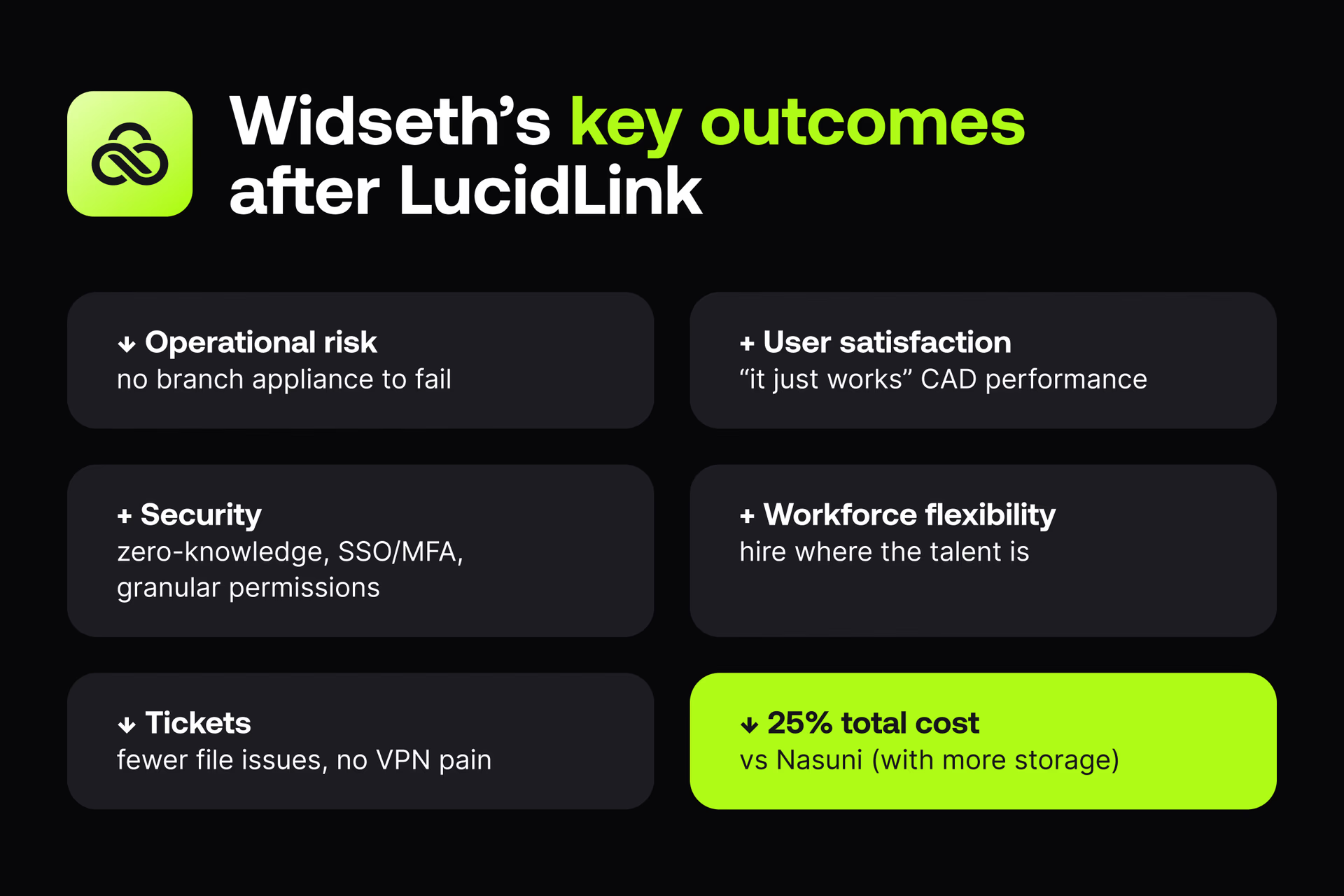
↓ 25% total cost vs Nasuni (with more storage) + User satisfaction: “it just works” CAD performance ↓ Operational risk: no branch appliance to fail ↓ Tickets: fewer file issues, no VPN pain + Security: zero-knowledge, SSO/MFA, granular permissions + Workforce flexibility: hire where the talent is
The challenge: performance pain and appliance dependency
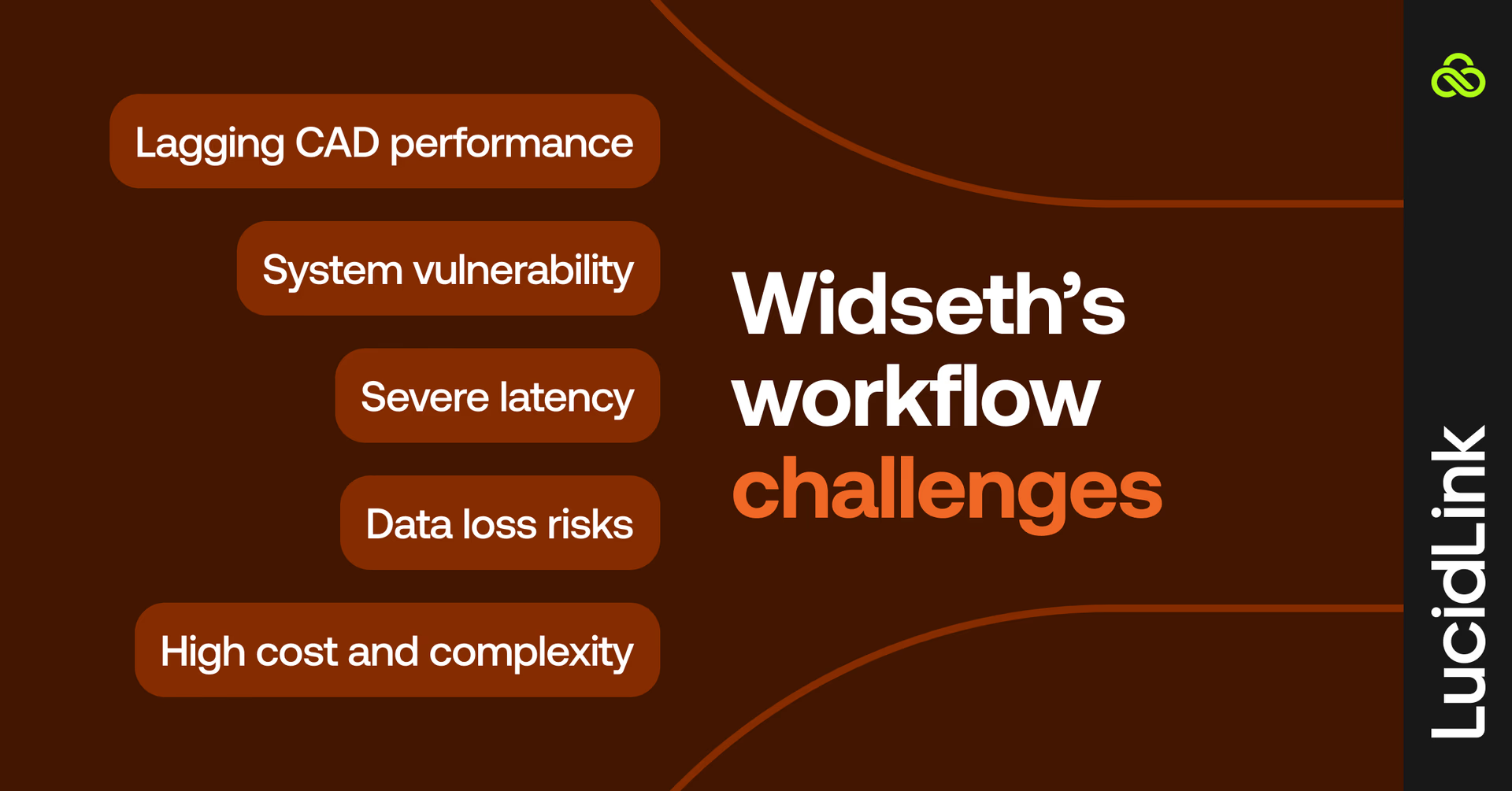
Widseth previously relied on Nasuni with on-site caching appliances at each office. But as the firm grew and cross-office collaboration increased, so did the problems:
Slow CAD performance: large CAD files were slow to open and save. Brief service hiccups could corrupt files.
Single point of failure: if a branch appliance went down, the whole office went offline.
Remote bottlenecks: VPN sessions were fragile, with poor performance for distributed teams.
Overwrite risk: multiple users in different locations could open the same file, with the last save overwriting changes.
Complex operations & cost: maintaining appliances at every office strained IT staff and budgets.
Widseth considered going “back” to on-prem NAS/SAN or using other WAN acceleration approaches. But every potential solution needed more hardware and didn’t meet the team’s collaboration needs.
Why LucidLink
After hearing about LucidLink from peers in an AEC IT forum, Widseth piloted the platform. Four requirements drove the decision:
Local-like performance anywhere
Seamless remote workflows without VPN gymnastics
Reliable file locking for safe multi-user collaboration
Zero-knowledge security with SSO/MFA and simple, granular permissions
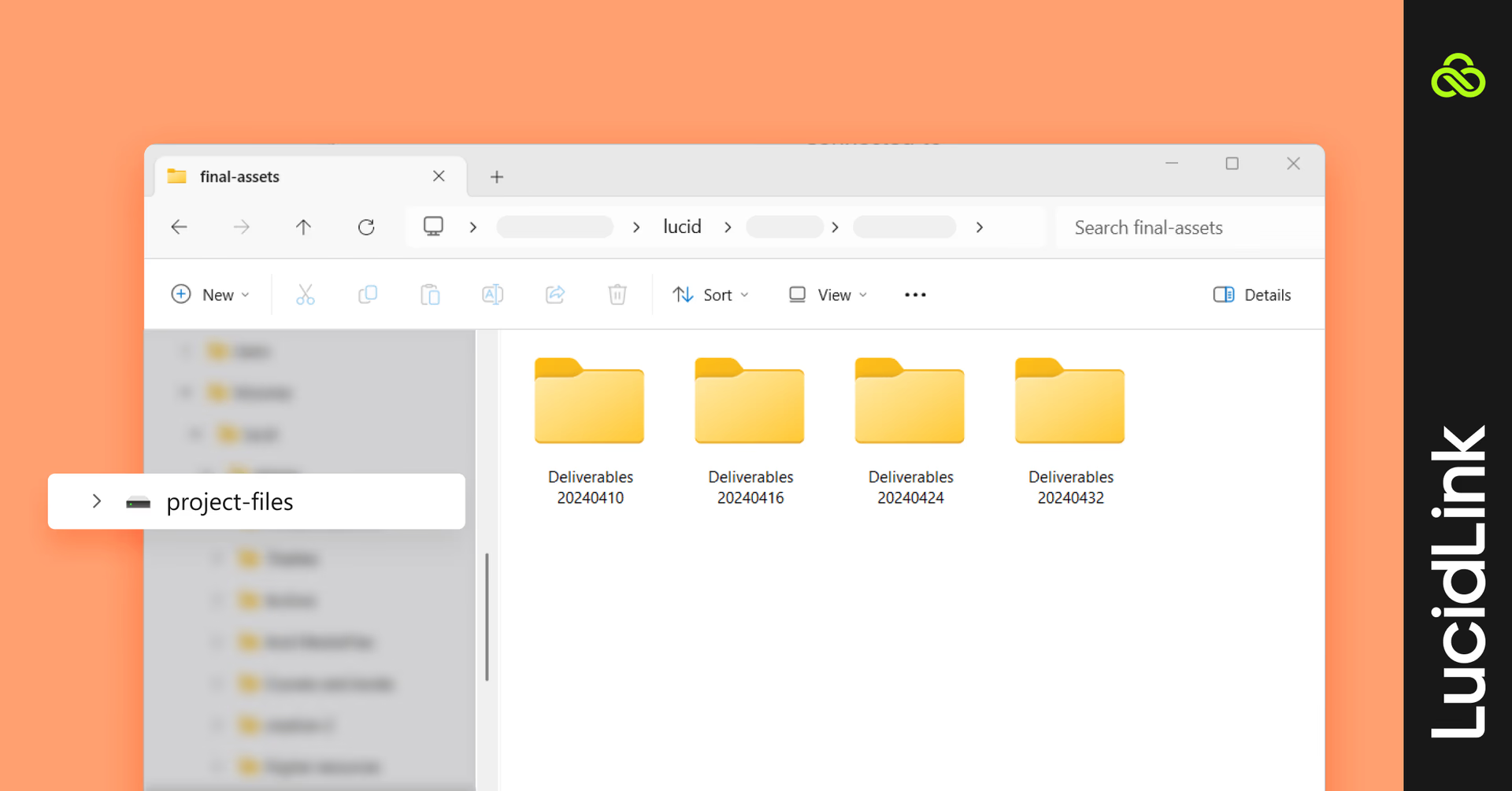
LucidLink’s device-level caching model (not a shared site appliance) eliminated the branch single point of failure and removed the need for per-office hardware. The Windows client presents a familiar mapped drive so users can keep their existing workflows in Autodesk, Bentley, Adobe and Microsoft 365.
“LucidLink was the only solution that checked all the boxes: performance, security, true file locking and work-from-anywhere, without adding more hardware,” says Brent.
The solution: cloud-native file access for everyone
Widseth rolled out LucidLink across all 12 offices and around 250 users. Unlike their old system, there were no site appliances to maintain, each user simply logs in and works.Here’s how it works:
Mapped drive access: LucidLink mounts as a drive, so Autodesk, Bentley, Adobe and Microsoft 365 tools work without workflow upheaval.
On-demand file streaming + device caching: performance feels local, even on large CAD files. No syncing or duplicate files.
Secure access: SSO, MFA and zero-security keep every file secure. Folder-level permissions give finance, HR and project teams have access only to what they need.
Resilient by design: one office going offline doesn’t affect the rest.
Brent shares, “I asked a user working from a city office about performance. He said, ‘I didn’t even think about it — it just works like I’m there.’ That’s exactly what we want to hear.”
The results: faster CAD access, lower costs, more flexibility
With LucidLink, Widseth cut costs, improved performance and opened the door to hiring talent anywhere.
25% lower cost than Nasuni with more usable storage
Zero corruption & overwrites thanks to reliable file locking
No single point of failure: branch outages don’t take teams offline
Help-desk volume is down: fewer file issues, no VPN complaints, no appliance babysitting.
70-80TB managed seamlessly: older projects archived to AWS Glacier
Remote hiring unlocked: staff added in Montana and Kansas, beyond office geographies
We saved 25% by moving to LucidLink — and we got more storage. That made the CFO conversation easy.
Brent Morris, IT Manager, Widseth
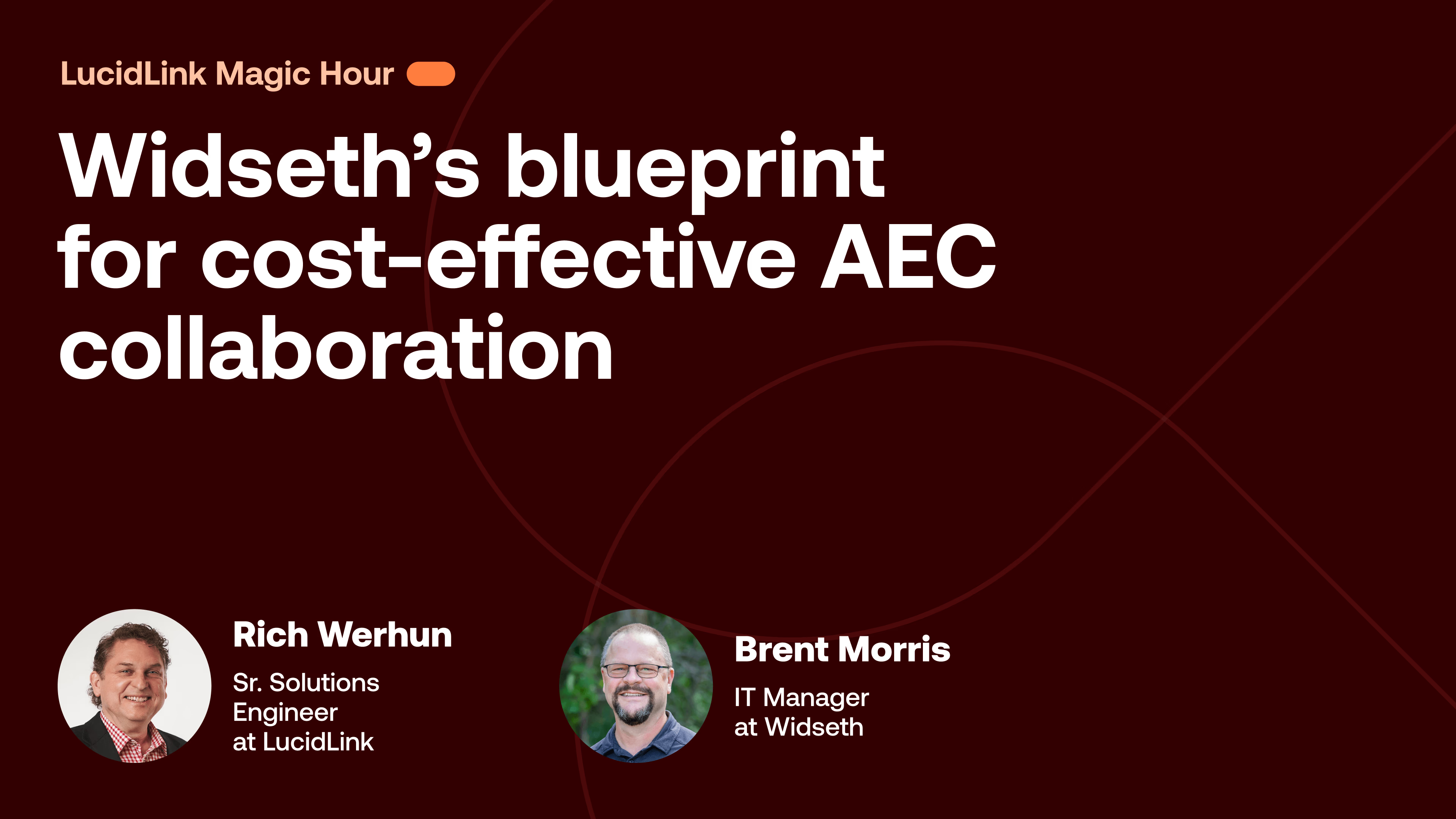
Watch how Widseth transformed multi-office CAD workflows
All right. Hello.
Hello.
All right. As people are coming into the room, who are we got who who do we have with us today? Rich, Brent, do you wanna give a little introduction? We'll probably do this more formally once we get get started.
But who are you? Where are you? Why are you excited to be here today? Rich, we'll start with you.
Yeah. My name is Rich Warren. I'm a senior solutions engineer here at Lucid Link. I am up in Wilkes Barre, Pennsylvania.
Lovely. And, Brent, what about you?
I'm Brett Morris. I'm the IT manager at Witsa Smith Melting here in Baxter, Minnesota.
Amazing. Okay. And I'm Marcy. It's nice to meet all of you. I am on the community marketing team for Lucid Link, and I'm in Denver, Colorado.
I'm excited to be here today because we're gonna talk about the blueprint, excuse me, for AAC collaboration. Brent is gonna tell us all about where he's been with storage, how that has worked for his team, and then what they're doing now, and kind of how they made the case to get there. So I'm really excited about this conversation. Rich and Brent are also goofballs, so I promise this is gonna be pretty entertaining too.
It was a miracle we got through our first prep call without busting a scene laughing, and that's mostly your fault, Rich. So keep it together today. I'm just kidding.
Alright. Well, before we kind of dive into the meat of the conversation today, Rich and Brent, people are coming into this room. They're gonna be here for sixty minutes listening to all of us talk. Why should they stick around for that long? What are you excited to share with folks?
I'm excited to share about a product that actually works for our company. I'm happy to be here to talk about it because I'm excited about it. I want to share my experience with others to help make the transition if they chose to do so.
Amazing. Thank you, Brett. I'm so excited you're here. And what about you, Rich?
Well, I always say back in twenty nineteen when I saw this technology, I said, son of a gun.
I I I gotta join this bunch.
And that and that's what I did, and here we are today. I saw the technology. I quit my job and joined Lucid Lake is what what happened to me. So I'm I'm I've been evangelizing it ever since.
The rest is history. That's awesome. I I feel like that's the best way to get a job is you genuinely love the product, and you just that's your favorite part of your job, and you can't help but make that your whole career.
That's great.
Okay. So let's set the stage a little bit. Brent, I would love to start with you. Can you briefly introduce who Witseth is, what you do as a company, and kind of what scale of projects you're handling right now?
Sure. So with this, with Seth is architects, engineers, scientists, surveyors. So we have about sixteen different disciplines. So quite a few disciplines.
We have twelve offices in Minnesota and North Dakota with about two fifty employees.
Of course, have remote workers as well.
We typically design buildings and infrastructure with about sixteen different project types. I won't go into all of them, but we cover a wide range, mainly commercial and industrial type of projects.
And with all that, we have about forty five terabytes worth of data ranging from small text files to hundred gig point clouds.
And we use about roughly about a hundred different pieces of software from Adobe to Autodesk to Bentley, Bluebeam, Lumion, Enscape. You know, there's a lot of piece of software that we use on there, and LucidLink has made it really easy for us to use all that software. And and so that is kind of the overview of of WoodSeth.
That's awesome. Which brings us here today.
And Rich, kind of the other side of this, how would you describe LucidLink in plain English for those who are not yet using it? And why is it particularly relevant to the AEC world?
Well, in short, even though we're in the cloud, right?
But in short, we are we mount and function no differently than a local drive.
So what does that mean?
Everybody's connected to the same local shared storage no matter where you are in the world in a highly secure manner.
We put everybody in the same office.
Correct.
Yeah. Perfect. And why is that particularly relevant to AEC now? I feel like we're seeing more and more folks in that industry kind of start to dabble in the cloud and in LucidLink specifically. Has anything changed or is it just kind of people realizing that that could be a great solution for them?
Well, as time, you know, went on, you know, you'll see, you know, companies acquire other companies and that. So, you you'll have a lot of companies.
Most company. They'll have multiple offices and or remote employees.
Now, you can get the best talent in the world now. Literally, the best talent in the world and have them all in the same office from anywhere.
That's huge. That's the dream.
That's the dream. Absolutely.
Okay. Great. I wanna dig in a little bit about why WidSeth chose to make this change. Because, obviously, you were doing something before this.
Right? That you were still a very successful company. So I I wanna kind of visit what was happening then, what drove you to make this change to cloud and remote work. So before finding LucidLink, what were your biggest pain points for your team?
How are you coordinating these huge files across offices or across team members?
Yeah. I'll kinda give you, like, a transition.
Sure.
Well, I've been with, Witseth for twenty eight years, and we started out with five offices and we were kind of like siloed. Each office worked on those specific projects.
When we grew that we knew that you know, other people in the other offices needed to help each other, and that was really hard to do with the local server. You were either sending files through email to to do it, and it just didn't work. So we knew we had to do something different, and we looked at cloud storage, and we, picked, NuSuni, at first. And we used that on NuSuni for a while, but we ran into issues with that because the NuSuni model, you still have to have a a filer or a server at each office, and then it's communicating to the to the cloud and there was a delay.
And, you know, that's just how the new Sony worked. You know, you you set up a schedule on a on a syncing basis, on it. And, you know, every fifteen minutes or to a half hour, maybe the other person in the other office would see the file, and then they can work on it. And just over time as we grew, the performance just got slower and slower.
People got tired of waiting for the sync to happen.
And so when the even the president was saying, you know, this is just too slow. We need to work better. We need to go back to local storage. And I'm like, no.
We're not going back to local storage. So that's what started my research of what else is out there. And I just happened to be joining a PSMJ when they had an IT roundtable. And one of the persons there mentioned LucidLink, and I never heard about it.
So I did some research on it and was comparing LucidLink to Panzura, Ignite, and Rarity, of course, Nasuni.
We also looked at ACC.
I didn't like the models of having a filer in each office again. I wanted to stay away from that.
ACC, you know, you had to pay per person to do it, they kind of limit it to what files you can actually store in there. There are certain types of file types that you can't store in ACC.
And so then when we looked at LucidLink and and saw that it it doesn't matter, it's cloud storage.
You get a map drive. You can store whatever you want. It's encrypted, and and you have secure, like, oh, this okay. This has gotten my interest on it.
And and so then we decided to to do a trial. Like, okay. Let's test this out. And so I got a small group of people ranging from the marketing department to civil to the architectural.
And we found some big projects to test, and and we tested the the performance.
And everybody said, this feels like we're working on a local server. And I'm like, that's exactly the the point. That's what we wanted to hear. Now I said, now go home and try to do the same thing, and they did.
And especially our marketing department, you know, working on Adobe Premiere or stuff like that, they couldn't believe that they could, actually work on a video from home and, you know, versus they had to go through a VPN to connect to our Nasuni filer.
They just couldn't do it. They just didn't even bother. So with this LucidLink, we were able we had the capability of of that local performance no matter where you're at. And so then when we decided, no. This is what we want, and we got the the price on it. It was pretty much an easy sell for me to convince the president and the c f CFO that we're getting a product that feels like local storage.
It's secure. Everybody can work on it. Doesn't matter where they are as long as they have Internet access.
So and it was cheaper than the SUNY, so it was easy for me.
Great. I I that was my follow-up question was, I think we've all had the experience of bringing in a new software to a job and it sometimes isn't easy, which is fair enough.
People wanna know why is this better than the other thing? How much is this gonna cost us, all that good stuff. Did you run into any roadblocks with that, or, like, what was that conversation like for you?
Actually, not too bad. Knowing that when we looked at other products and and or you had a physical piece of hardware, you know, we talked about, okay. You gotta buy the piece of hardware depending on if we're gonna maintain it, if they're gonna maintain it, if it goes down, that office is down type of a thing.
And so when I showed them LucidLink that the client is on each device, that an office isn't gonna go down, except if you lose Internet. But people could go home, or they could use their smartphone hotspot, get that internet connectivity, and they're back up and running again. So, when I explain that to them that it's kind of a little bit more reliable, kinda redundant in a way as far as if we lose internet or lose power, people are able to go to other places and and continue working. It actually happened in our Bemidji office when we had a pretty bad storm.
Almost took out the whole city as far as that's how bad the storm was. And people went to, hotels or their relative's house outside of the area, and they were able to work.
So Wow.
That's awesome.
It is.
Yeah.
Rich, I I believe you were part of kind of helping Brent implement LucidLink at WoodSeth. Was there anything from your point of view that you think Brent did really well to make that easy for his team or any, any, like, tips that you would say worked especially well for WoodSeth that you would wanna pass on to other people?
Well, when I when I don't wanna brag about lucid in this case. You know, I don't wanna sound like I'm bragging, but, honestly, you don't have to customize it necessarily to each individual. You know? So but I mean, all all the guys, you know, they're gonna they're gonna mount a LucidLink file space as a UNC path in the drive letter.
Okay.
Yeah. It was. It it it it was really easy. A lot easier than I than I thought it would be. You know? Like, we just you set up this file space, and probably the most difficult thing is just copying all your previous data up to the cloud. You know?
Yeah. Yeah. What time frame are we talking about from switching from your previous situation to LucidLink?
I wanna say it was three months, I believe, and that's only because of copy and you know? At that time, it might have been forty terabyte of active and archived stuff over a one gig pipe. And, of course, we throttled it during the day because we didn't wanna affect what we were currently working on. And then we opened up at night and weekends.
And then when we we would do a copy, you know, we were using the robocopy, and we would have it redo it again, make sure that it's got the latest files, up there and everything synced. And and so once we were ready, you know, on a Friday night, we did we ran that copy again, make sure that everything's current, pulled the switch.
That was it. So that was just the the longest part of it.
And Yeah. Getting the employees working on it was fairly easy. For our size company, we use the Microsoft SEC Centimeters to deploy the client.
And we just basically gave them a one page instructions, and then we did a live demonstration of you install this. You click sign in, you'll see a Map Drive, away you go. And it was that that simple.
Great.
So we've talked a little bit about, like, onboarding your employees to this after afterward.
What has the shift been in either culture or morale or working style with everyone at WoodSeth, after you started using LucidLink?
Well, my president came back with a smile on his face because he was complaining beforehand when he was trying to actually work, actually on a project, even though he's busy being a president, he is also an engineer.
And he was trying to, work from home and he just he just couldn't do it. He was complaining. And then one, I convinced him to move to LucidLink and he did it. He's like, oh my god. Thank you. I can actually I can actually work from work from home now. I think that was with everybody too.
Felt like, oh, we're finally feel like we're working on local storage and we can actually go home and do it. That's the big change because of COVID and people, at least companies being a little bit more flexible that they can actually do this work.
We're using programs like Civil three d and Lumion and Adobe Premiere, are some pretty big programs. And they couldn't do that at home. But now they now they can. And so everybody I've just gotten complaint or not complaints, compliments about the move to LucidLink. So and that's never happened to me as an IT guy.
I'm getting feel good.
Oh, yeah. Yeah. So I think we should, write that down, Rich, as our next tagline. We'll put a smile on your president's face. Just that's it. You know?
And and and if you're an IT guy, you can now get some love by the rest it.
Fair enough. Yeah.
Awesome. Okay. I wanna talk a little bit about, security too, which I know is not maybe the sexiest thing, but is very important in your line of work, Brent.
So when you were migrating all these these, like, large amounts of data, security is obviously very important. What were your specific requirements for file access and data protection?
I look at it in two ways. One, I wanted to make sure that the data was encrypted, that LucidLink doesn't have access to, you know, see these files. You know, that's what everybody's kinda worried about. And and the thing is is that only that customer has access to the encryption key.
Know? So it's kind of important that you know what this encryption key because that controls the encryption. So we felt, comfortable that, you know, we we could be working anywhere, the data that's going across is all all encrypted still in in our file space. We still have control.
And then the other side of the security is, you know, we have HR and accounting that also just save files. And they wanted to make sure that the folder permissions that we can set that only certain people can get access to, and LucidLink allows you to do that. So then that was pretty easy to to set up. You know, we just created a folder, and we set the permissions to an active directory group. And, of course, those people that are in that group would get access. And we can change whether they can modify it or not. You know, they might just be able to view or or can edit.
Yeah. Rich, do you wanna speak to that a little bit from the the back end perspective, like, kind of explain how we achieve zero knowledge and how we, basically, how we handle those granular, permissions for each person?
Yeah. So so first, we we are client side encryption and decryption.
Everything is encrypted at each client. Each client reads and writes directly to the cloud storage. Period.
But the zero knowledge piece goes beyond just the client side encryption and decryption.
You invite a new member to the file space. We don't send the email out.
Right? You gotta you gotta send that invite out. Lot of different things like that to where we ensure that you, the customer, are the only ones that can ever read that data, not the cloud storage provider. We have bundled solutions with AWS, you know, IBM, and but you could use other cloud storage providers if if you wanted to, but I don't I don't care who you use. They ain't gonna be able to read your data. Neither can we.
That's a big thing. I just wanna say our first customer was the US federal government. So we passed that test.
And secondly, and and permissions, you can you can do groups, you could do users, and or you could give no permissions to a folder, read only, or read write.
I'm sorry. It's it's that simple.
Great. And we we kind of touched on this a little bit, but I'm what was the actual process of adopting LucidLink? Was that migration disruptive? Like you said, it took a few months. Did that stop any work from happening that was in progress?
And Brent, what advice would you give other AAC teams that are looking to migrate to something like LucidLink? Hopefully, LucidLink.
But Yeah.
No. The the transition was fairly easy because in the background, you know, the IT department, you know, we were copying the data. You know, they didn't know otherwise, and we just waited to that all the data was in the file space and that everything was synced. And once we got closer, then we picked the we picked the date.
And, you we told everybody at the company, you know, Friday night at five o'clock, you are done working.
Shut down your computers. Go home. Enjoy the weekend.
In the meantime, IT was working that Friday night, making sure everything was working okay. And then we just told the SCCM, to deploy the LucidLink client.
The employees came in on Monday. They installed the client, or it was actually, preinstalled, you know, because we did it like a required.
And they came in, and we did a quick, you know, ten minute video, you know, using Teams. And they had instructions, and they said, just load the software. And we had everything set up with a single sign on.
And so they just click single sign on, It everything went through, and they would see a a new map drive with all the folders right there and away they went.
I mean, it was probably the easiest transition ever. I mean, when we went to, you know, we had to put a filer, physically go there, you know, add a a filer in each office, get it all all set up.
And it it took a a lot longer to to get ready and make sure everything was working. And so this ListenLink one was a lot lot easier. And and, actually, it makes it much easier for mergers and acquisitions.
When you open up a a new office, you don't have to worry about getting another filer or server and getting it set up. I mean, you simply just install the client on their computers, and they have access to the to the data.
So Yeah.
Perfect. We have a ton of oh, go ahead.
I think you also mentioned about being, a recommendation. Is that what your part of your question to to move to this?
Well, I guess like if if people are thinking about that, what should they be considering? Like how how should they be thinking about preparing their team for that?
Yeah. I would if you plan on doing it, do a trial. I recommend it. Before you do the trial, create a team of what I would call heavy users and pick a range of users that use heavy variety of software, you know, like at Adobe to Autodesk to Bentley to Lumion to to really test it, find some good projects, find some good files, pick a date that you wanna do it, and, of course, you know, pick a team that has time.
You know, it seems like in the as AAC industry, everybody's really busy, you know, trying to get projects done. So try to find a team that is willing to give good feedback on this. And then once you have the team ready and and some good projects picked out and some files, you know, you just go on to lucidlink dot com. You could you could just set up the the trial on the file space, copy your data up there, install the lucid link client on the users, and let them test away.
Perfect.
And I I see everyone has found the q and a, which thank you. I forgot to mention that at the the top of the hour. Please put all of your questions for Rich and Brent in there. I'm gonna ask them two wrap up questions to give you a little time to put your questions in there, and then we'll we'll get to q and a.
Rich, I I kinda wanna play devil's advocate to all of this because Brent is just a poster guy for LucidLink. Like, you did this integration so well, and everything went very smoothly. So what should folks look out for? Like what could go wrong and how can they mitigate that risk as they're looking at moving all their storage over? Or maybe what have you seen in other companies that they should look out for?
That's a good question.
Yeah.
Rich Rich, you got something?
I would I would look. We we ain't that complicated when it comes to a firewall.
I mean, we're pretty simple, but you still gotta let each client go outbound to the object storage to the LucidLink service, you know, and to Discovery Service dot LucidLink dot com all over port four forty three.
But, you know, firewalls block things and sometimes it gets blocked by us. But we have a KB and it's easy for any IT guy to enable that. But it's usually that kind of stuff.
I don't know. You tell me, Brent.
I think this the biggest thing to just to worry about is how good is your Internet.
You know, that's that's really that's the only really thing that you have to worry about.
But, you know, if you're a company that has a a good office and you're in a location that has good fiber these days, you know, our office here and, actually, most of our offices have a one gig connection, and we have sixty people in this one office for that one gig, and it works works great. And most people that when they go home, I have a six meg at home, and I'm able to use LucidLink. Granted, I might not be doing any any any renderings, but I haven't really tried it because I'm an IT guy.
But I've never had anybody complain that at home that their Internet is too slow for this LucidLink. It doesn't work. Nobody has has said that yet.
Awesome. We got a lot of questions about backups here. So I wanna I wanna start with that question.
So Wally is asking also hi, Wally. Good to see you. Brent, do you back up your data off of LucidLink for added redundancy? And if so, how do you do that?
We don't. And and I know that some people might be surprised by that and like, oh, you probably should.
And and I guess we've looked at at that as, you know, okay. How we're gonna do that in its additional cost.
When are you gonna do it? Are you you might need a bigger pipe if you're gonna be, you know, backing that up onto something completely different, you know, whether you're using Veeam or you're using, maybe using a Synology back in an office to dump it up.
We, at this time, have decided that we are confident with AWS. We're confident with the LucidLink that we don't, didn't see the need to have an additional backup of it.
With the, LucidLink, you do have snapshots, and, and we set those. And those are creating a snapshot on AWS through the LucidLink client through a schedule.
I think we're doing fifteen fifteen minutes to a day, to weekly, to monthlies, and yearlies. And I think we have, I forget, maybe two to three hundred snapshots that it that it creates on there. And so we use that a lot. You know, a lot of people make a mistake and they wanna go back.
And so with the LucidLink, we're able to go back to the snapshot, go back to that day, find the file, and we can choose to either overwrite it or rename it to something else, you know, and let that employee, you know, make that decision.
So Yep.
Yeah. Rich, do you wanna add anything about snapshots? I feel like that's a a feature that is important to a lot of folks as they're thinking about moving to something like this.
Sure. As as users, yes. We run into the potential that we may make a mistake.
So, snapshots, it's great for that. It's like time machine. It's like a time machine. Right? I just go back to that snapshot, grab a file or folder that I need from that point in time, and then copy it, you know, and bring it over to my production file space or anywhere else, frankly.
But look, if you want a, if you want a secondary or tertiary independent copy of your data that's not on LucidLink or in that cloud provider or in that region of that cloud provider, you're gonna have to do a backup.
You could use open source things, you know, robocopy, rsync, rclone. You could use, like, Vein.
No different. Doing a a backup of a LucidLink file space is no different than doing a file server backup.
And we have KBs on this about this on our website.
Yep. Perfect.
Jamie is asking, how well does LucidLink play with AutoCAD, ESRI, and Bentley products that are notorious for having a lot of chatty protocols and external references?
Yeah, that actually works really well. I mean, that was part of our first test was to test Civil three d ESRI in the MicroStation.
Probably our biggest was Lumion. These Lumion models, three d models are pretty big and can take a lot. Everything actually worked really well.
Awesome. Great.
Fact, if have any can't think of any programs that we're having problems with.
We use Bluebeam a lot. We have a lot of PDFs.
Boy, I can't think of anything that has caused an issue with us on on any of the software, and we use a lot of software. You know, we are working with a lot of government agencies, and they require, you know, certain programs. You know? And there's, like, HydroCAD, HEC RAS to you name it. We're we're using it, and we haven't had any issues.
Awesome.
Jamie, I'm loving all these questions for me, by the way. Don't apologize. I see you apologize in No.
I just I wanna add on that too. I I think what Brent's saying there, it's important to know that we don't certify applications to be used with LucidLink. Right.
We are local shared storage to everybody's machine.
That means that, you know, the Windows file locking that you're used to on local shared storage, whether you're using Revit or using do you know, using Revit central model, whether you're using AutoCAD, MicroStation, you know, the the whole list. Right? That Windows file locking all works no differently than if you're on local shared storage.
So and and and I don't care what, you know, in the media and entertainment, you know, people do video editing with us. People have done, you know, video surveillance footage and sent it to a loosely file space.
Tons of different use cases, you know, in different verticals. So we don't certify applications for our platform because if it works with a local drive, well, that's what we are. It's gonna work with us.
Yeah.
We we go to a lot of trade shows and people come up and say, oh, do you have an integration with X? I'm like, I I mean, no. Because it just works with everything. You know? It it's just like plugging a hard drive in but better because you don't have to do that.
So that that's a good flag, Rich.
Jamie's asking for Brent, which type of s three storage do you use? On prem s three or cloud storage, if cloud storage? Did you use IBM solution, or did you go to something else like Wasabi?
Yeah. Originally, we were using, IBM's, advanced for all of our, active files, and then we were using, Wasabi, for our backups. And we did that for about a year, and then we decided to move everything to, AWS when LucidLink, had that offering and was working with Amazon. So we decided to move everything under there to, basically, to have performance for our active projects as well because that's one thing that we tend to do here in this company.
We'll tend to archive something. A year later, we find out, hey. That project is active active again. And so we like that the AWS that we can have our archive stuff and have the same performance like like it was in the active project directory.
So so far, everything's working wonderful on a d AWS.
Awesome.
Alrighty. I think we touched on this one, but I wanna make sure we fully answer this question too. Anthony's asking, what's your minimum Internet connection for heavy c three d models?
You know, that's a good question. It it depends on how many users you might have in that office. If you're talking for, like, one user at home trying to trying to work on this, I'm able to open up, a civil three d model, with not too bad, and I only have a six meg, you know, copper Internet at at home, and it and it works fine. Now granted, if it has a a huge surface or you have a, you know, a really big, image file in the background that, we tend to do a a lot, yeah, it's not gonna be like it is in the office because in the office, I have a one gig versus versus home with a six meg. So I I really haven't had any any issues as long as you're not, you know, using the old, modem. And back in those days, Rich, you know, the dial up modem.
Oh, that.
Right. Okay.
Anthony had a follow-up comment on this one too. Do you think Starlink would be sufficient?
Oh, yes. Actually, Starlink, I've heard a lot of people say how how fast it is.
The I I don't know what their latency is on it, but from what I've heard from other people that the Starlink is fairly fast that I don't see it being being an issue.
Awesome.
e o is asking a question that I personally love as as a community person. Are you aware of any user groups for LucidLink users in the AEC space? We do not have a AEC specific group. I have seen a lot of chatter about it on Reddit, and I would love for you to join our Slack community as well. I just put the invite for that in the audience chat.
That goes for everyone in here. Also, would love for you to be part of the conversation there.
There's a lot of folks asking questions about different, like, workflows and different ways to set up LucidLink, so I would definitely say join that.
And we also have a lot of our support team members and our solutions engineers there, so it's a great way to connect with the LucidLink team too.
But good question. And if we get more and more AAC customers, I would love to create a user group for y'all.
That would be amazing.
For now, that's all the q and a that we have. If people have more questions, please feel free to go ahead and submit those. I have two wrap up questions for for Brent and Rich.
Brent, just to kind of put together everything that we talked about today, if you had to summarize your blueprint for AEC collaboration, what would it be?
I would say you have local performance. You can work anywhere, and it's secure.
Love it. The trifecta.
And Rich Rich, for those watching, those who are gonna watch in the future, where can people go to learn more about how Lucid Link is working with AEC teams besides watching this video, of course?
Go to lucid link dot com forward slash a e c.
Perfect. And I believe we have a case study with Brent featured on that page. So you can also read more of the specifics about how LucidLink and WidSeth are working together.
Oh, we might have one more q and a.
Yes. Good question, Anthony. Did this change how you spec laptops and high RAM usage for three c three and d large surface?
No. It it it didn't change how we spec though, but we still like having high performance laptops anyways even even before this, especially, you know, like with civil three d. You know, I like getting at least thirty two gig of RAM. You know, I like having a good video card in them, but I was doing that before losing link.
Any preferred vendor? I'm curious, Brent. I I just have to ask. Any Yeah. We're we're an HP shop. Gotcha.
And we've been with that. And, you know, I've used Dell and Micron, and and we kinda just stuck with HP, after a number of years of of using them. And the the business support, is really good, and we've just really haven't had that many issues with the business, model of the HP brand.
Amazing. Alright.
Any any last comments from either of you? Anything I didn't ask today that you wanna make sure people know?
I'll just say, look, when it comes right down to it, you gotta try it because if you're new to the whole thing with LucidLink, hey, when you try it, you're gonna see your own local shared storage.
That cable now to your storage is your Internet connection, but we're not simulating it or anything. No. We're actually working directly on the cloud storage as a local drive.
I I call it the PFM. Peer, I'll let you fill in the blank, magic.
Brett, you're giving us so many taglines today. Thank you.
Amazing. Britt and Rich, thank you so much for being here today. It was truly so fun to work with you both on this. I hope everyone watching learned something new today. We will send this recording out afterwards so you can watch it over and over again. And we will see you hopefully at another community event very soon.
Bye, everyone.
Thank you.
Hear directly from Brent Morris, Widseth’s IT Manager, and Rich Werhun of LucidLink on how the team overcame large-file bottlenecks with a high-performance cloud file system that delivers local-like speed, security and scalability.
What’s next?
Widseth plans to continue expanding remote hiring and cross-office teaming, while keeping workflows light-touch and resilient. The IT team is also exploring LucidLink’s new features to further streamline storage and user self-service.
Ready to simplify your AEC collaboration?
Discover how LucidLink can accelerate your AEC workflows, cut costs and support your teams, wherever they work. Book a demo today.