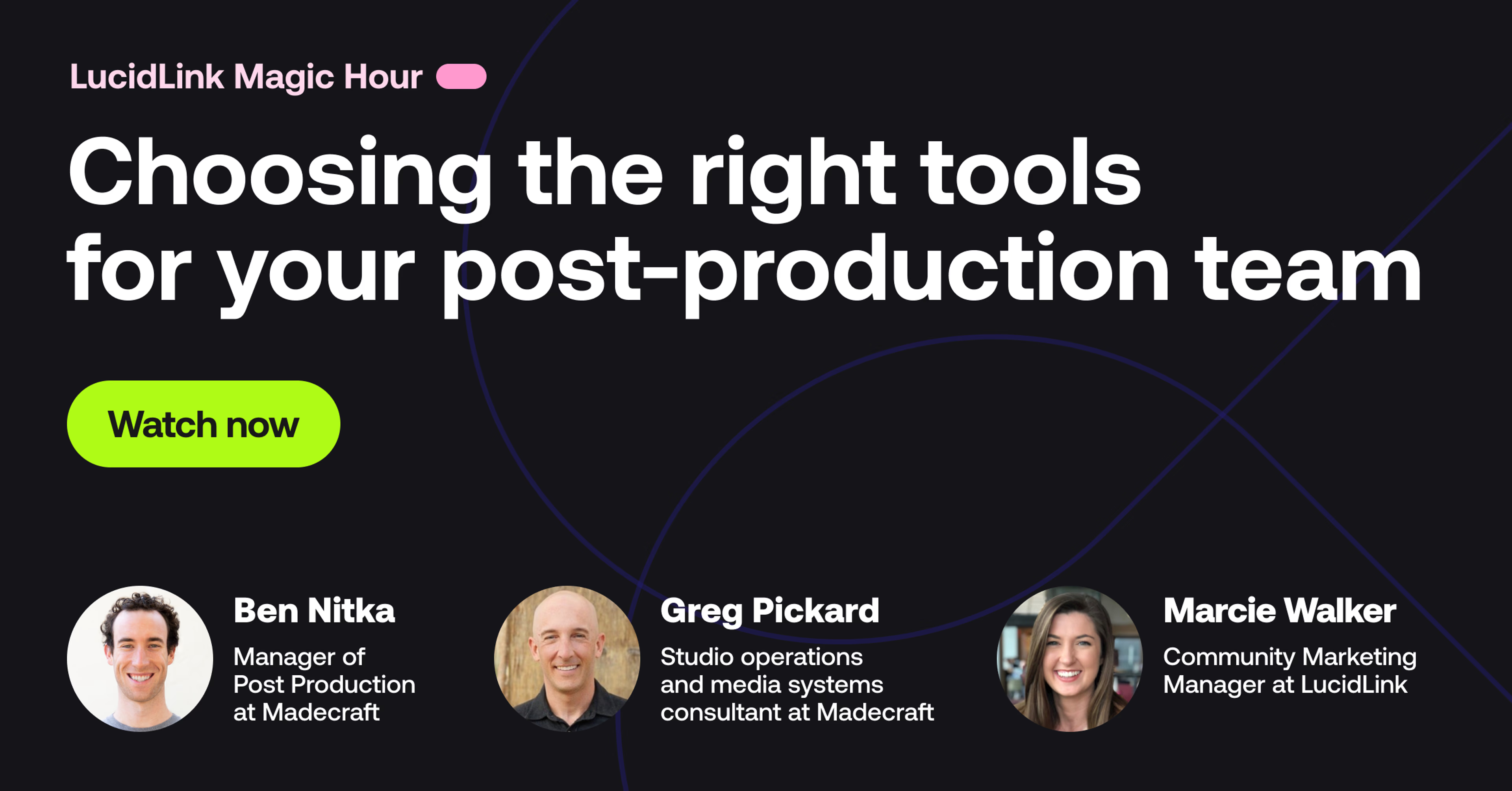
Welcome to Lucid Link Magic Hour. I'm Marci.
I am on the community marketing team, and I will be your host for today. We have Greg Pickard here, who is a workflow consultant. And we have Ben Nikka from Nikka. Okay.
Sorry. I always get the K and the T confused. From Maycraft.
And we are gonna talk about choosing the right tools for your post production team.
These two have known each other for a while. I have met both of them several times. We are all very comfortable with each other. So I promise this is gonna be a fun informal chat, nothing too stuffy.
But I do want to know for the people, Greg and Ben, they're coming into this room. They're gonna sit back and relax for sixty minutes. What are they gonna learn? What are you excited to tell them?
Yeah. I'd say if you're interested in hearing a couple guys who are weirdly passionate about post production tools, chat for an hour, then you're in the right place.
Yeah. And it's, I love to think about it as a conversation. We're we're here joining in. We'd love to hear everyone's thoughts about it. You know, feel free to ask us to double click on something if we, like, ramble over some topics or tools or a system that we put in place.
For us, it's just like nerding out, and that's why we're here. So we're we're really grateful to have this opportunity to share with you guys.
Yeah. Awesome.
Well, let's get started. Ben and Greg, like I mentioned, you've known each other for quite a while. So I would love to just start with some background.
Who are you? How did we get here? How are we having this conversation today? Greg, I'm gonna start with you since you made this introduction, to begin with.
Yeah. Happy to. So I actually worked with Ben at MadeCraft, for several years. I initially came to find out about Maycraft, through its founders who I'd worked with.
I worked with Lynda dot com, LinkedIn Learning, for about a decade, and those founders started up a, elearning sort of production studio.
Ben can speak to a little bit more about what they're doing, now, but, they had, asked me to come in and optimize a couple of recording studios for them. And during my time there, transitioned to full time, and as I was nerding out with Ben on, sort of getting media from the studios to, his editors both locally and globally, we were then able to, sort of nerd out on some cool workflows, that we'll talk about today. And so through that process, we ended up finding LucidLink. And so that's why, we're all here, talking about our workflow.
Awesome. Yes. And we will talk about LucidLink today. We're also gonna talk about some other tools, so don't worry. It's not gonna be the LucidLink show, but it will be some good information about that too. And Ben, tell us about MadeCraft. What do you do there, and what does MadeCraft do as, as company?
Yeah. So first off, Madecraft is exists to create best in class learning experiences. So our whole goal is to put better learning out into the world because I think there's a deficit to really high quality educational content in the world. And I think there's a lot of not so great educational content in the world. So, yeah, we're all about trying to make best in class learning experiences. I started at MadeCraft as a video editor, actually, as a contract hire video editor.
Greg was actually around MadeCraft before me, and I didn't know this. Yeah. But I found my way in there and have kinda grown with the company, and now I'm leading the postproduction department at Maidcraft.
And we basically have gone from a very small operation during COVID filming, you know, with authors in our in our little half of an accounting office studio that Greg was involved in setting up, I believe, to building out an entire studio in a new office and filming there to now completely distributing our our recording to remote, authors all around the world.
Yeah. Amazing. And I really love your perspective in the past conversations we've had about how you choose tools to optimize for your team. So can you tell us a little bit more about what your mindset or perspective on that is?
Yeah. My mindset when looking for tools I don't go out and shop for tools for my team to use. If what we're doing works, and it's smooth and seamless, then that's great. You know, obviously, keep an eye on what's happening in the industry, but it's usually from something that's going wrong or something that could be faster and or could be more efficient or more effective.
So it's kind of I don't know. It's always been, like, a part of my workflow to to notice those things where it's like, why am I doing this thing over and over again? Like, it seems like this is something that a computer could do or somebody probably has thought of building a software for.
And just kinda looking for those opportunities to remove friction to the creative process because there is historically been a lot of friction to just getting to the creative part of a lot of what we do. And I think that's, like, the highest value, part of of most, you know, creative professionals', contribution is is actually digging into that creative work and not focusing so much on the technical. So the more I can remove those technical barriers and those repeatable tasks, the better. And that's kinda how I go about choosing tools.
Hundred percent. And you've talked a lot about kind of the culture you wanna preserve on your team and, like, letting people work the way they want to. So does that play into how you're choosing how you're working too?
Yeah. Absolutely. I mean, going off of of of that, just looking for the inefficiencies and kinda trying to get rid of them frees up time. And I think that that time, it's not just so you can, like, edit one more video, but it's so you can spend more time editing the video the way that you wanna edit it. So, yeah, we I mean, we talked about, you know, the more agency I think somebody has to, work the way that they want to and the way that they think is best and use all of their experience and their unique perspective on postproduction. The more you give them that agency, the better work they'll they'll do and the more they'll want to do good work. I really believe and as as soon as I got into manage probably before I got into management, I believe that the more agency you give people, the more likely they're gonna want to do really good work for you because I had that experience, working for for my manager when I was at a big production company at LinkedIn.
Roberto, was he was very good about, like, okay. You know, you can do it the way you want to.
And and that just that really encouraged people to do their best work because they wanna stand behind it.
Yeah. That's awesome. That's what makes you a good manager. And shout out to Roberto for for leading the way. And, Greg, tell us a little bit more about your type of consultancy. It's pretty unique. And so I would love for folks to hear not only how you've worked for MadeCraft, but generally, like, how you approach working with teams.
Absolutely.
My, I consider myself maybe a builder first, and really helping teams, figure out, you know, how to be able to optimize their spaces, their systems, and then their workflows. So, you know, love being able to collaborate, network, talk with vendors about how they're providing tools for clients, and then love being able to poke holes and see, okay. What are the areas, right, that, yeah, that sounds really like a nice thing, but does it actually work, and will it actually sort of benefit the team? So finding not the latest greatest, but also the right solutions, right, that are also gonna be there tomorrow, year, right, with support that a team is gonna be able to rely on because once they put that into their workflow, they're gonna need support.
They're gonna need the, you know, legacy, to keep their operations going. And so, that's where, I've just really loved being able to come alongside teams, departments, managers, directors to actually say, like, what are your pain points? What are we trying to solve here? And there's tons of good ideas out there.
It's just about finding the right one that's gonna work for them.
So I've had a really great opportunity and really great time just over the past few years being a little bit more out out of my own.
Started sort of officially this year.
And but, yeah, largely came from building out studios, came from the film industry side of things, and so have sort of the video production, scenic design, sort of little niche, area as well, but really around sort of, like, loving, sort of helping teams with media management and workflows, to be able to optimize their setups.
Awesome. Yeah. Yeah. Greg's the best. We've had several conversations. So if you need help with any of that, he's your man.
Awesome. Okay. Well, let's get into the tools. So we're going to talk about three different tools today.
They've all had a slightly different impact on MadeCraft's team and how they work. So we'll kind of go through what the challenge was, why that tool was chosen. And, again, please ask any questions in the chat you want to. If you want us to elaborate on something, please let us know.
So the first one is called Descript. And, Ben, can you kind of set the stage on, like, why there was a need for this tool and what it has helped y'all do in terms of your workflow?
Yeah. So we had this opportunity to film unscripted educational content. Like, we started from a very scripted, storyboarded.
Everything is very intentional and and delicate sort of and and must be shot a certain way and edited a certain way. We had the opportunity to do unscripted content, yet our whole team and our whole pipeline was designed for scripted content.
So Descript came about as a way of staying as close to our existing, skill set and pipeline of work as we could without, having to develop new competencies as much or hire new people.
And it allowed us basically to put a lot of the narrative pass of something into the hands of the producer or the interviewer who may not have the technical postproduction experience that the editors do. So instead of trying to hand off the entire an entire unscripted workflow to an editor who wasn't in the room when it was shot, you can actually get that first pass from the interviewer. And then the editor's starting from a much, stronger place.
Cool.
Yeah. And to give a little little bit more context maybe around that as well too, you know, as Ben mentioned, we were doing very scripted, you know, kind of, productions.
Largely, the team was trying to optimize their workflow, from a production supported by a producer, a director, a media op, right, down to one person in the room only recording. So even when the thought, right, even talking about it with Ben and the post production team about introducing an editor, it was like, actually, we're trying to keep this as minimal as possible. So how do we record as much as we can, you know, with as little amount of, you know, sort of recording support and then be able to get that to you, in an effective way?
And so, yeah, I'll let Ben continue on with sort of the script, but this ended up allowing for, the producers to sort of give this curated cut ahead of, you know, the actual sort of post time, to give the editor an idea of, like, what they were looking for.
Yeah. Exactly.
Cool. And how did that like, I I imagine an unscripted video would be slightly more fun, and maybe a little less pressure on the experts. So did that, like, increase like, enhance their experience too?
Oh, yeah. I mean, we could talk about talk more about that later, but we we got to a point where, like, that's pretty much all we're doing now, is is more unscripted stuff. I think it's it's more authentic, and it's more how people wanna learn than, than the kinda scripted lecture style format. Like, something like this, for example.
You might have some clips from this that someone could learn from versus going and and watching a lecture on postproduction tools at a at a college or something. And I think that, like, it it also this this tool, Descript, you know, came into play to help the person interviewing craft the narrative. Because as you probably know, doing a few of these sessions, the story doesn't always, like, play out exactly how you have scripted your questions. You might dig into something a lot longer than you thought you were going to, And then you come back to the recording, and if you're gonna make a course out of this, you might, focus on something completely different. So this tool kind of allowed the person in the in the interviewer's chair to make those decisions before it got to an editor.
Yeah. That's awesome and maybe something that I will try in the future. So thank you for that.
Great. Okay. And then I wanna move to something totally different, which is remote work. So before we even talk about tools for that, Ben, I would love to hear kind of your perspective on obviously, you were working remote during COVID. Why has that still been the best option for you post COVID? Like, why has that type of working been the best for Maycraft?
Yeah. Actually, unusually, we were not working remote during COVID because we were a small enough operation that we we're a small enough operation and we were an education so we're able to, still have the queue.
Sorry. I misremembered that. Okay.
I I don't even know if I've mentioned this to you. But, yeah, we had just a few people in the office, so it was under the threshold. I mean, there were remote employees still, but I was I was full time in the office through that whole period, with just one other director and one other producer. And every now and then, know, the executives come by. But, yeah, we had a very small operation at the time, so we were filming in studio that entire time. But then switching to, yeah, remote, it came much later than that, and it was it was really a change because I had I had joined this company after, you know, COVID became a thing.
So I was working remote at my previous job, and then I went in full time here. And it was a big shift, but I actually loved it because it was just more of an opportunity for me to to grow with the company and get that, like, foundation of, like, where everybody came from and, like, where where the the journey started sort of.
But I'm sorry. Could you could you get me back on track?
What was the the No.
Totally. So so what does your team look like now? Like, how are you working? Where are people? Like, why is Yeah. Kind of, like, remote access an important part of your your team's culture?
Right. Right. So because we we started off, you know, pretty much fully in office, as we hired people, as, you know, COVID died down, it became more normal to have people in office. We just kept hiring, you know, and building our tools for in office workflows. And it worked really well. Like, we had a lot of experience doing it that way. We filmed everything in the office and the studios.
The editors were all connected to that. It was very, very seamless. But we really believe in, like, listening to our team. And every time we do sort of a voice survey, employee voice surveys, what some places call it, one of the top things was like, can we work remote? Like, it's we're we're video editors. Like, we could definitely do this remotely.
Can we do that? Like, does does that make sense? And I'm like, yes. Like, that absolutely makes sense.
Like, how do we make that happen? So we started digging into that. And, really, the the challenge was doing that in a way that didn't increase those technical hurdles that I was talking about earlier of, you know, how do we actually get to the creative high value part of everyone's job without introducing more friction? Because we had a pretty frictionless in office working experience.
Yeah. That's amazing. And I'm curious. So Greg, well, for both of you, when you started talking about different ways of accessing data remotely, I know you actually had like, a very good system already. You were using something on premise. So can you tell me a little bit about how that worked? And then we'll get into what you're actually doing now.
Yeah. So as Ben mentioned, there's, there was a system that was really robust on-site.
One of the founders, very tech savvy, had already built out, you know, a a NAS, and then we were in the midst of scaling that and sort of doubling the size because of the amount of content, right, that we were estimating coming down the pipeline. And it was during that time when they began sort of just fluttering the idea of, like, okay. Well, what if we were to go remote?
And that sort of led to, you know, doing some r and d just on, okay. What are the different sort of remote workflows that are out there? This has been not something new. Lots of people are doing it.
Many people are employing, remote desktop, you know, different types of, you know, media asset managers or even some of these, SANs or NASs, right, have remote capabilities to be able to sync content, from different places, you know, all within the the you know, a similar network. And so, that sort of began the exploration into, okay. What's gonna be right sized for this team, and be able to be scaled, you know, up and down. We were working on a variety of different projects, that would employ global editors in different languages and then not need it after a few months. And so what was gonna be able to sort of grow and then be able to retract, and keep it sort of cost effective enough as well So that way we weren't paying for this massive solution. So we ended up having, just to nerd out a little bit here. We had a Synology, NAS, which we scaled.
And as we were looking at, sort of different solutions there, considerations on the IT side, right, for security, having someone remote access into local, you know, sort of computers brings in other security concerns. So I was like, alright. Well, what what's gonna be the right thing there? Who's gonna be overseeing that?
There was no IT team. So I was the production operations manager at that time. So I was like, alright. I'm not gonna be adding another, you know, sort of job description to my hat right now.
So what's gonna be something lightweight enough that is secure? You know, Ben and his team, right, can scale it, you know, depending on what their needs are, and it's super lightweight.
And so that's where we began the journey. And so, LucidLink ended up being, something that I found just through my network, connecting with other people that were using it.
And at the time, right, you had to, you know, go through a little bit of a setup in order to, especially with the newer computers that were coming out. And, but it yeah. We I was working with Brandon and Adam at the time.
And just give them a shout out. Had a really great we we just I drilled them hard. I was like, you know, I need this thing to work without me there being there to support it. Yeah.
Ended up becoming our IT team, by the way, but the most of it made it easier for her.
Definitely. Definitely. So but yeah. So that's sort of where we ended up leaving off. We were exploring a lot of different sort of, remote desktop options, and other ways to be able to sort of access the content through VPN or so forth.
But ultimately, and LucidLink initial marketing was a lot of like, you know, no more up down. And that's part of actually what we were able to sell this, you know, to our executives on was, you know, the amount of time needed. And actually Brandon helped me out with this, quite a bit, on the sales side was, you know, how much time is an editor wasting, in terms of uploading content and downloading? And actually supporting Ben on one of his projects, you know, because some of his editors were out.
I took on, you know, a little bit of extra work and was like, hey. Let me do this for you. Let me package up some content. We were actually sending it out via Google Drive.
You know, zipping it all and then shipping it out, and then they'd have to download it and then relink it. And then when they'd send it back, then we're relinking it back to the original project file. So it was just it was a whole lot of back and forth. And I was just like, I'm not an editor, but this is crazy.
Like, that's the feeling.
That's the feeling I get. I'm like, there's gotta be somebody who's had this problem and made a software for it. And if there hasn't, then I'm gonna start that business right now. Yeah.
Yeah. Yeah. You gotta be new to it. As we explored LucidLink, we were just like, oh, these are actually some really rad, you know, sort of capabilities that it has. Let's field test it, see if it actually does, you know, what it says it does.
Now we still had to implement because of trying to cost save, and we'll get to this maybe a little later. But, like Yeah. Because we had a system that was working on prem and it was working great. Right? We had a hot tier, right, which meant that, like, we had, SSD drives, really fast, you know, sort of, hard drives that we could edit off of, you know, on prem. The editors had, you know, no issue with record you know, editing four k, you know, sort of content. And we wanted that same capability for our for any editor that would be plugged in remotely.
So in the same way, you know, in order to also keep because this is cloud, a cloud solution, we understood and knew, right, the the variabilities of cost on cloud, you know, type of management. And from egress to working off of it to just, you know, as a recording team, right, the amount of content that you just might shovel, right, at a post production team, it's like knowing those numbers, it's like the finance team is gonna be barking down my back. Like, it's not gonna be good, you know, in terms of OpEx, you know, for the future. So how do we keep this scalable? And maybe, Ben, I can toss it over to you about, you sort of how we developed sort of the of same system that we did on prem to, you know, now integrating with LucidLink.
Yeah. Yeah. I mean, that was, like, that was the problem that that LucidLink had to solve was how do we let people go remote without introducing any any new friction. And we had a very frictionless workflow to begin with.
So, it was tough. And we tried a few things and, you know, tried remote remote desktops and stuff that never really works for editing. You know, there's, I mean, really what it came down to is it was it just worked like like a hard drive kinda like you advertise it actually. And and I I'll be honest, like, when I first have when Greg sent it over to me to test it, I was like, I don't know.
I don't think that's really gonna do that. Like, I've never, you know, seen something do that.
And and it does it does it pretty darn well. Like, there's that little, you know, tiny bit of hesitation when you first cache something, but that makes sense. Like, you could tell what it's true. But it it runs really smoothly after that. And, honestly, I'll say that, like, it got to the point where I was like, this is actually faster than what we were doing before, when everyone we got the workflow set up.
You know, the SAM was was very, very well set up, but any network system is not perfect. And there were always, you know, things that came up, like if there was an update that created downtime or had downtime in the middle of the night when we're rendering or moving things or there's just a whole variety of things that can happen with a a managed, like, network versus just a cloud storage system that's meant to be sort of decentralized, in in a way. And and it actually led to some benefits for us. But there were some, like, crafty solutions in how we implemented it, to Greg's point, to not spend a ridiculous amount of money.
Because, you know, as you can imagine, we were each one of our project files was, I don't know, something around, like, three hundred gigabytes of raw footage and or more, depending on the course that we shot. We we talk in courses. So, like, each educational series of videos is is a it's a course, basically. So each course is, like, three hundred gigabytes, and we make we we had, like, anywhere from, like, eighty to a hundred of those in production at one time.
So Oh. It can add up quite a bit. And, like, on a local network, great. That's, like, free.
You know? Like, we just add a few hard drives here and there if we need to. But but, like, any cloud solution that would cost a ton of money or any cloud solution that kinda offers similar to what Lucid Lake does that would cost a ton of money. So we figured out kind of a hybrid way of doing this where we you know, like, lot of people do use proxies, but we allowed people to export with the raw files, still being remote without, like, logging into a remote desktop, system.
So kind of used OpenVPN, which is free with our Synology to allow editors to just, like, relink, basically, after they have finished their their edit on proxies and then set up, like, a watch folder system on our office machine that would pick up that relinked project file and export full res. So I got pretty technical and in the weeds there, but, basically, we made it so LucidLink didn't have to hold all of our raw files, and we could still export with those pretty easily.
No. I'm happy you explained that because I think that is something that holds a lot of teams back from going at least partially to the cloud because they're like, ugh. That's, like, that's a big step. That's a lot of, money transparently.
And so it's really nice that you bounce I'm sorry.
What's that? No. Please.
Just in in addition to the cost, like, we were hesitant to just put our entire, you know, gold mine of footage onto any service. So Yeah.
It's just it's like we didn't want to, yeah. I mean, I I I wouldn't like, nothing against Lucid.
Like, I just wouldn't trust any third party company to hold all I was gonna say, I don't think you would do that with any software, though.
You know? Like, you're always gonna have a backup no matter where it is. So that that's totally normal.
You know, I guess a step further from just having a backup. Like, we never had our raw footage leave our local network. Like, it just stayed where it was where it was dropped or where it was filmed, basically, which was really efficient because you don't have to move these massive files around.
Yeah. And then we just use Lucid as the extremely hot tier as, like, Greg was saying. We have, like, the hot tier of our SAN, but this was, the you know, people are working on it immediately after the proxies are created. And we had some we talked a little bit about we had some, like, workflows where not only were we using those proxies and uploaded them to to our our our Lucid Lake file system, but we're we created or I made, like, this sorting tool that would throw it into the actual course folder that someone was working on. Even if, like, a director that had no idea about our file system was putting it in a drop folder, it could still end up right in the editor's hands, like, the next day.
Cool. Yeah. I I feel like you have a lot of, like, tiny automations and workarounds that we could probably spend hours talking.
Yeah. Yeah. It's like I mean, I I won't go into all of them, but it's like that I feel like I I really believe in incremental improvement and just over time, like, you just I was like, oh, it'd take me thirty minutes or an hour to, like, chat GPT my way into a new automation that will remove this task. Like like, I had a thing where I was adding the duration of each course into a QA spreadsheet for our QA and transcription team.
And I was like, why am I doing this every single time I have a course? Like, I have a database that has this information. When I update the status in this database, like, can I can it just trigger something that sends the duration of it? Like, the duration's already here.
Why do I need to paste it again here? So I automated that, and that's, like, a you know, maybe thirty you know, I don't know, two minute task, like but over a hundred courses every couple of months, it adds up.
Yeah. And it's one less thing you have to think about, which is always the goal. Yeah. Okay.
Or anything like that.
Yeah.
Exactly. Exactly.
Greg, you touched on this, but I want to expand on it a little bit. Because, again, whether you're a small team or a big team, if you're bringing on a new tool, you have to justify the cost. So what was it like you said, you had an on prem solution that worked.
How did you justify bringing in a cloud solution that probably costs a little bit more money?
What did that look like for you?
Yeah. Largely, you know, some of it came down to timing as well.
You know, certain time, in the business cycle, right, we were looking at also new hardware. So there was CapEx, you know, couple of expenditures that were, sort of prime and ready, right, to begin looking into. And then the push for just the team, you know, to have that, quality of life improvement, right, to be able to go remote. And then also too for the future for any type of remote editor, right, to join in with with that and have the ease of accessibility, collaboration, even even just our producers, right, to be able to have accessibility more accessibility to the content.
So it's sort of like perfect storm. Right? All of the things were aligning all at one time, and it was all like, okay. There's a lot there's requests from production.
There's requests from, you know, post. There's requests from, you know, the, HR saying, hey. We wanna have these types of capabilities.
And so it really came down to Ben and I and, Jesse, our director of of production, sort of talking through and figuring out what was gonna be the right solution, you know, sort of for all of these factors. You know, do we do a subpar machine that could do remote desktop?
But then maybe we're gonna need to replace that machine in, like, three to five years or something like that. So or, you know, do we get a more robust machine, for our local editors? And then any contract editor is gonna have a souped up machine. Right?
They're gonna be able to, you know, join in. No problem. But we're gonna need a solution that's gonna be able to be in people's homes regardless of what their Internet connection is too. So what's that gonna look like?
And then what are the demands on turnaround time and expediency of, like, delivery of the product? So, weighing all those factors out, one of the things that we did the test on that I mentioned that Brandon helped me out with was, what were the hours, you know, associated with the various post production processes?
Putting a number to that, saying this is actually worth x amount based on an editor's hourly rate. This is how many hours they're spending a week, a month, a quarter. Right? And that relates to x number of projects. Right? So you can then put a fiscal number to the amount of content, right, that's then being produced.
And then you can do that as a comparison and say, hey, this is what it's currently costing. Normal remote workflows, you know, might cost x for doing having these types of capabilities with this type of CapEx spend, but then is gonna have this amount of OpEx, you know, sort of cost down the line. So, talking it through in ways that the executives could understand and say, okay, I know that this is what my bottom line is gonna be. This is what my OpEx is gonna be.
If you're able to stay under it and that's what we went back and forth with them on. It was like, alright. Finally, we ended up coming to, like, okay. If you can keep it within this sort of plateau on an operational expense, then we're greenlit.
So it was like, okay. Well, how do we how do we do that, Ben? Alright. Back to the drawing board.
Let's figure out, like, this this proxy workflow, you know, in order to keep because what we ended up doing was it was this revolving, you know, hot tier that we created with Loosed Link. And so we were able to keep content. I'm not sure where we're at, but now, Ben, but, we were able to keep content below four to six terabytes, you know, revolving, right, each quarter.
Yeah.
Yeah. And so while that was and we're still I think they're still on version one. So, I know that Lucid Bank is wanting to get everyone over to version two, but it's new pricing model, all those kinds of things. We'll get into that later, but I'm sure I'll get a phone call.
But the the you know, I think the you know, the goal, right, was to be able to meet the meet the needs of the of my client, my employer at that time. Right? And, like, make sure that they were set up for success and that they could realistically, right, have a workflow that suited what they needed, and then make sure that the editors, right, had a great solution, that wasn't gonna require more work for them to do, you know, down the line. So.
Yeah. And I'd add on to that, like, we were able to beat kinda what they would spend if they were to go remote with another solution pretty easily. But if any of you here are trying to, like, sell this sort of thing to your executives or somebody else, like, it's still spending money at the end of the day. So you have to be able to justify it with, like, what's what's the time we're spending now already, and how do how do you quantify that? So I just took something really simple. You know, we have a a certain amount of projects that we send out to contract editors that are remote, even at the time that we were all in office, and we used Google Drive for that. Google Drive works, but it's kinda slow.
And you do have to download stuff and then or upload it and then download it, and the contractor has to download it and upload it. So I just kinda timed that. I was like, how much time is our in house team spending on this? How much time are we paying contract editors to spend on this?
So right now, we're spending x dollars to work the way that we work. And with this new solution, it's actually gonna cost us less because Yeah. Not only is the you know, you you have to spend your additional, you know, amount of x dollars, but the time that we're saving by spending that money is is far greater.
And I mean, yes. Absolutely. And with the time you saved, can you take on more projects that you wouldn't have been able to take on otherwise, and that's just more revenue for the company.
That's a good way to tell it too, but it's also a tricky one because I always I always really want to recapture that time into doing higher quality projects.
And that's, like Love that.
The hard thing to to sell.
That's great.
Yeah. Immediately, when somebody hears, like, oh, we could so we can do we have more time. We can do more with what we have, but it's like, well, there's actually an opportunity to maybe double down on, you know, the stuff we are doing, a little bit and see how that shakes out. So I always try to, like, split split the difference. Like, oh, we're gonna save money and do more, but we could, like, recapture some of that time. I think when you're when you're able to bring a solution that does save time, it kinda gives you the, it gives you the leverage to bring in some of that, overhead or, like, creative time that I think every production team needs.
Yeah. Yeah.
Yeah.
Heaven forbid, people just have a better work life balance too. You know? That that's also something to consider. Yeah. Yeah. And, of course, like, we're we're talking about LucidLink in this scenario, but I think the ethos that you're talking about with or the strategy you're talking about with just calculating costs saved for the new product can apply to almost anything, any tool that you're bringing in.
Actually argument with any tool.
Yeah.
Absolutely. Yeah. It made me so happy when we first talked about kind of that process for y'all because we actually have a calculator on our website that you can put in save time. That's how brilliant it would be. Yeah. Yeah. So our growth team is gonna be thrilled that that's how you actually made the argument for that.
Nice.
So we probably have like maybe five to seven minutes more and I want to talk about the last tool that you have chosen to use Ben, which is a project management tool.
And I'm excited about this too because it's not specific to post production, but it is certainly vital for post production too. So I would love to hear how have you approached project management for Maidcraft? Like, what were you looking for specifically when you were thinking about what tool you're gonna use for that?
Yeah. I mean, I just knew that what we were using wasn't gonna work forever. And what we were using was a Google Sheet. Oh. All of our projects. And we called it It was massive.
Called it Toby from the office because nobody really liked it.
That's so funny.
Yeah. So Toby I mean, Toby was great. You know, he's he's a cornerstone of our business for a very long time, but it eventually, started showing kinda the limitations of Google Sheets. We actually found the limit of how many documents you could dynamically link to another Google Sheet, which is, like, five hundred, I think.
So we broke Google Sheets, and we decided this probably isn't gonna work anymore. So, it was actually Josh, one of our founders that that picked out Monday dot com, but I was just the one harping on him to constantly find something for us that was not Toby.
So, you know, he picked Monday dot com, but then I just kind of sunk my teeth into it as I do with any new production tool that I was like, oh, this actually has some potential here. Like, I think this is good. Like, we can find a good way to use this. The first way we were using it was not anything close to the way we're using it now.
It was, like, we organized everything the wrong way. The hierarchy was wrong. The folder structure was wrong. But it was a really fun learning experience for me diving into something that is a tool I wouldn't have used as, like, a freelancer in the past or in my past experience and just customizing this project management tool to fit our needs.
And my whole, like, my whole ethos in that customization process was the same thing that that we we talked about earlier, which is whenever you run into that point where you're like, why am I doing this one thing a hundred times, like, for every project? What like, there this has there has to be an easier way to do this.
Every time I felt that, I wrote it down. And when I had time, I came back to it. And eventually, our project management system ended up working for us instead of us working for it.
That was that was kinda just the way I approached it, and I had a lot of fun learning how monday dot com works. But I think it's pretty similar to any project management system you would choose where you there's endless endless ways to customize it, to fit your needs. That's that's probably the challenge more than anything is, like, figuring out the best way to suit it to your team.
And I would say just, like, try things. Like, don't be afraid to break it. That's honestly my advice for any tools that you use.
Just don't forget The first the first year, Ben, you should really divulge.
Like, we broke it many times and had to, like, redo, like, the entire template over and over again in order to, like like, because we weren't tiering it right. And so it was like, oh, wait. That doesn't really fit our structure. Like, okay. We've got a alright.
Team, forget whatever whatever whatever works here came before. Like, here's here's the new thing. So Yeah. So, yeah, change was the constant, you know, sort of in that process.
But Yeah.
Yeah. There was a lot of lot of whiplash and, like, I think someone just called out Monday didn't do Gantt charts, they switched to ClickUp. I think that's actually interesting to talk about because anytime you're evaluating a new tool, I think it's really important to understand its limitations really quickly.
Like, we've talked about moving we use Premiere Pro for editing, we've talked about moving away from it because we're making more new format content that's, like, vertical. It's got more engaging visuals that, like, a lot of these new applications that are kinda geared geared towards social, do better than Premiere does. So we we considered a lot of that, but the first thing I always look at is, like, what does this not have that we currently use? And so, yeah, I think that's a really good call.
Like, you wanna figure out what's missing from this because every tool has its limitations and its strengths. And I think for us, like, we weren't using Gantt charts. We were using a spreadsheet. So it was it was replicating that and added in a bunch of customization and automation that we needed, and it got us to a pretty good place.
I do wish it had better Gantt charts. I know it has them now, but they're not. Monday still has a lot of limitations, but it's very customizable. And the, like, API access allows us to customize it pretty endlessly with our workflows.
Yeah. Yeah.
I feel like next stop on your webinar tool should be or tour should be approaching Monday and getting them to feature you for all of the automations you set up for your post team.
So Yeah. I, like, became the Monday evangelist of my team, I think, for better or for worse, but it was it was fun. It was, like, honest, I enjoyed, like, digging into it. And, the thing I really like about Monday is that it almost, like, gamifies changing statuses. Like, it has this, like, fun confetti that happens, and, like, the UI is very pleasing to the eye. And, like, I think all that goes a long way to create just a more enjoyable work experience. Those little things kind of helps.
Yeah, totally.
Great. Okay. So we're about to start Q and A. So if you have a question, put it in there, please.
But before we do that, I have two questions, one for each of you.
So as we talked about three tools that you have, you love, you're not looking back for now until something better comes along.
But, Ben, what are you looking for next? Like, is there is there something that you're like, oh, this is gonna be my next thing to, like, solve for the team?
Yeah. I'm looking, I'm looking all over for something that gets editing well enough that it actually saves the team time. And, I mean, like, some sort of AI driven tool that that understands editing well enough that it actually helps. Because right now, there's a lot of tools out there that do sort of an AI first pass or an AI polish or just a full AI edit.
But a lot of them fall short in either your ability to make decisions in that edit, creative revisions of that edit, or even, like, compatibility with different softwares. So they're all kind of falling short too much, but I'm really looking out for that first sort of new age editing software that is able to take one part of our editing process and just make it more trivial so that we can focus on the higher level creative direction.
Nice. Yeah. If anyone here has recommendations for Ben, please put them in the chat so he can get started on his search. That's a great one, though. I feel like that is such that's kind of, like, top of mind for everyone right now.
Sorry. My dog is in the room, so I apologize if you hear any weird noises. She loves to cough just for no reason.
And Greg, you kind of have this overarching view of workflows in the industry. So what should we know about post workflows generally right now? Like, is there anything changing? What are you seeing that folks should be aware of?
Yeah. And I've just I've loved just being a part of the conversation, having conversations like this or being on some of the, you know, Lucent Link chats, you know, and being able to hear from other post professionals.
I've largely only been, you know, sort of in this post world, for, several years, and really helping on the workflow front. So still learning a lot from, many that have been here for, you know, decades.
But I think media accessibility, media asset management, figuring out the life cycle, right, of a piece of content and knowing where it is no matter what platform it's on, The streaming of of media.
There's a variety of new tools, right, that are starting to come out, where, you know, direct from camera to editing. Right? And just live production, right, has become, you know, and and has needed to be and has become such a a partner, right, in learning how are we doing recording direct to, you know, sort of the consumer and how do we pass it through a quality check, right, of being able to have the creatives who know how to piece it together with storytelling, right, and great, you know, quality assets, you know, included on that on top of that. And how do we do that seamlessly, and with still the integrity of adding that creative, you know, final touch, right, that an editor or post production team will bring?
So I think, you know, that media accessibility collaboration, right? Many companies are trying to solve for that right now with AI. And I think streaming, right, is is, you know, one of the main parts of that. Being able to work from wherever you are, is, you know, here.
It's now. It's it's happening. And then sort of that sort of live to post, you know, recording content, getting it, you know, to post and sort of working, you know, as effectively as we can. So that's what that's what I'm continuing to learn about, see, you know, sort of, what different companies are are using and, trying out.
And so it's been fun to to keep track of. So on the journey.
Cool. Great. Okay. Let's take some questions.
We have one from Jason. I'm gonna add it to the stage. He loves the idea of empowering SMEs and interviewees with Descript. Was it difficult to extract that level of control from a client so the editor could edit?
Extract that level of control from a client. So oh, so, like, for okay. Our clients are more distributors than you would think of, like, an agency client. Like, we are more of a if you think of, like, Netflix and the studios that Netflix works with, we're more like a studio.
And, you know, the Netflix of our world trusts us to just make stuff that fits within their parameters. So we actually mostly have internal gates of review and very rarely we try to avoid having our clients actually weigh in on the on the actual creative process. Like, we try to get out of that as as quickly as we can.
That's a whole whole conversation in itself. But if you can get into a place where that's, that's the truth, I think you're you're on the right track because, yeah, we we just get our clients to trust us, and we're able to kind of have a little bit more latitude there.
Yeah. How how long have you been working with some of the clients that are trusting you?
Yeah. I mean, since since I started, yeah, a few clients, I mean, it's, like, like, five years. Okay. Yeah. But some I mean, once you start once you sort of build that reputation, I think I mean, in the learning industry, it's definitely different than in a more more broadly creative industry, I think. Like, it depends on what you're creating very much so.
But, yeah, in the learning industry, like, we have just built a reputation for having a sort of best in class level of quality.
And so when we go to new clients, we sort of pitch that sort of creative freedom. And they obviously have checks with, like, who we're working with, like, who the actual SME is, the sub subject matter expert if you're not in in learning, and then, basically, what the course is about in general. But within that, you know, we have a lot of a lot of freedom to do what we need to do. But, yeah, we always engage new clients with that in mind.
We try not to unless there's some other really, you know, beneficial arrangement for both of us, it tends to be really painful to allow clients to have review gates, of such long content.
Like, we're filming an hour long course potentially that they would have to weigh in on, which isn't efficient for them or us.
Yeah. Yeah. Fair enough. Yeah. I love this question too from Laura. What creative review and approval tool would you recommend that integrates well with Adobe Creative Cloud and LucidLink?
Greg, you wanna take that one?
Sure. I I mean, I think the main one that Makecraft uses is is Frame. Io, and I think that that's a a a great one.
I think an another one that I'd also toss out there would be, or to look into would be Iconic. I'm pretty sure that they have, an external facing sort of client review.
There's also some other tools that are a little bit more proprietary, but like Soho, Net, is another, MAM and also review, sort of for client collaboration. There's several out there, but, yeah, Frame. Io, Iconic would probably be my sort of, like, top, approval tools, that are client facing.
Yeah. Frame.
Io Frame.
Is always integrated with Premiere.
Like, since Adobe bought Frame. Io, there's they're getting better at that integration. Know, like, year ago, it sucked, but it's actually it's improved quite a bit.
Awesome. Yeah. Those are the two we hear, over and over from our customers are iconic in Frame. Good question, Laura.
And Sebastian is asking, do you back up your file space in a cloud or locally or both?
Go ahead, Greg.
Yeah. I'll speak to that a little bit. Then you can say a little bit more about what you guys are doing now. But the file space, on prem, is backed up, in sort of like a three two one methodology. So, you know, three copies of the content, two local, one sort of like off-site.
The the content that's in, LucidLink, they have snapshots that are being taken. So there's versions, right, of the content that you can always revert back to, which is great. And then on the Synology, there are also snapshots, from what I remember last were set up to be able to, yeah, revert back and even allow individual users, read only access to snapshots so they wouldn't have to bother or go up the chain and say, hey. I lost a file or so forth. They were able to go right back in, copy back over, you know, a file that they might have been, found that was missing, on a recent project.
Yeah. Same for you, Ben?
Yeah. No. I mean, Greg designed our backup process at at our work. I guess, when he became the IT guy, he really did, and he designed, like, a really thorough backup process of our we focus on the footage.
I mean, that was, like, the comment I left. If the question was about the Lucid file space, that is just backed up with your snapshots feature, which, like, obviously, is a is a single point of failure. If LucidLink, for whatever reason, disappeared tomorrow, you know, we would lose some editing progress, but we don't lose any of the assets or raw footage. So all that is backed up through kinda what Greg was discussing.
That's a local backup and, I think, a quarterly cloud backup through, you know, Amazon Snowball. But we make sure our data and our assets are really, really safe.
That's good.
That's why that's why we decided to keep all our, you know, full res, on prem as much as possible. So that way, we knew, right, based on how we, you know, set up our, server that we know what our redundancy, you know, sort of failover was. And if a hard drive failed, right, we could address that.
we are out of time. So I'll wrap up. But Ben, thank you so much for being an amazing manager to your team and caring about how they want to work and giving them agency and choosing the right tools for them. It was very inspiring to hear how you've prioritized that over everything else while still being conscientious about spending and cost and everything. And Greg, you were such an amazing partner to MadeCraft and all of your clients. And it's really fascinating to kind of hear how you've worked together to set up something that works wonderfully for MadeCraft. So, thank you both so much for being here.
Thanks for the opportunity. This was a lot of fun.
Likewise. Thank you very much.
Creating a seamless workflow is crucial for any team, but tailoring it to your team's specific culture and priorities is what truly sets a great team apart. It not only boosts productivity but also helps retain top talent.
Join us for an insightful conversation with Ben Nitka, Madecraft's Manager of Post-production, as he recounts his team's transformation from a on-premise Google Drive workflow to a streamlined, remote setup. Joined by his workflow consultant, Greg Pickard, they will discuss the strategic decisions behind selecting the right tools to enhance efficiency, productivity, and team happiness.
They'll share the pivotal moments that forced a re-evaluation of their creative process—from scaling a one-person team to a dozen editors to embracing remote work as a core employee benefit.
This event is a must-attend for any post-production professional looking to optimize their workflow, scale their team effectively, and foster a better work environment.