Hello, everyone. If you are just joining us, you are in the right place. This is the first and inaugural session of LucidLink magic hour.
We're gonna give everybody about a minute or so to join. And if you are joining now and if you can hear me and see me, it would be lovely if you could put in the chat, where you are from.
So with that, I'm just gonna maybe wait about another minute, and then, we will kick things off. Very excited for today's session.
Alright. I see Indianapolis, Midtown Manhattan, excellent. Los Angeles, welcome. London, fantastic.
Barcelona, I'm gonna be in Barcelona in August. Fun fact.
Germany, welcome.
Saint Paul. Fantastic.
Another Londoner. Three Londoners. Alright. London is winning.
London is winning.
That's good news.
Clone Germany, welcome, and thank you for joining.
We're gonna give it another thirty seconds or so, and then we will begin. Welcome, Washington, DC.
Can you vote twice for Manhattan?
Sure. I'm in Brooklyn, so I get three votes. Isn't London always winning? Yes. London is always winning.
We'll find out in another hour, I guess.
We'll find out in another hour exactly.
Oh, I should say where I am. I'm in well, as I said, I'm in Brooklyn, New York City, and, I am director of product marketing for LucidLink. Another fifteen seconds, and then we're gonna get cracking.
Alright. I think we can get started.
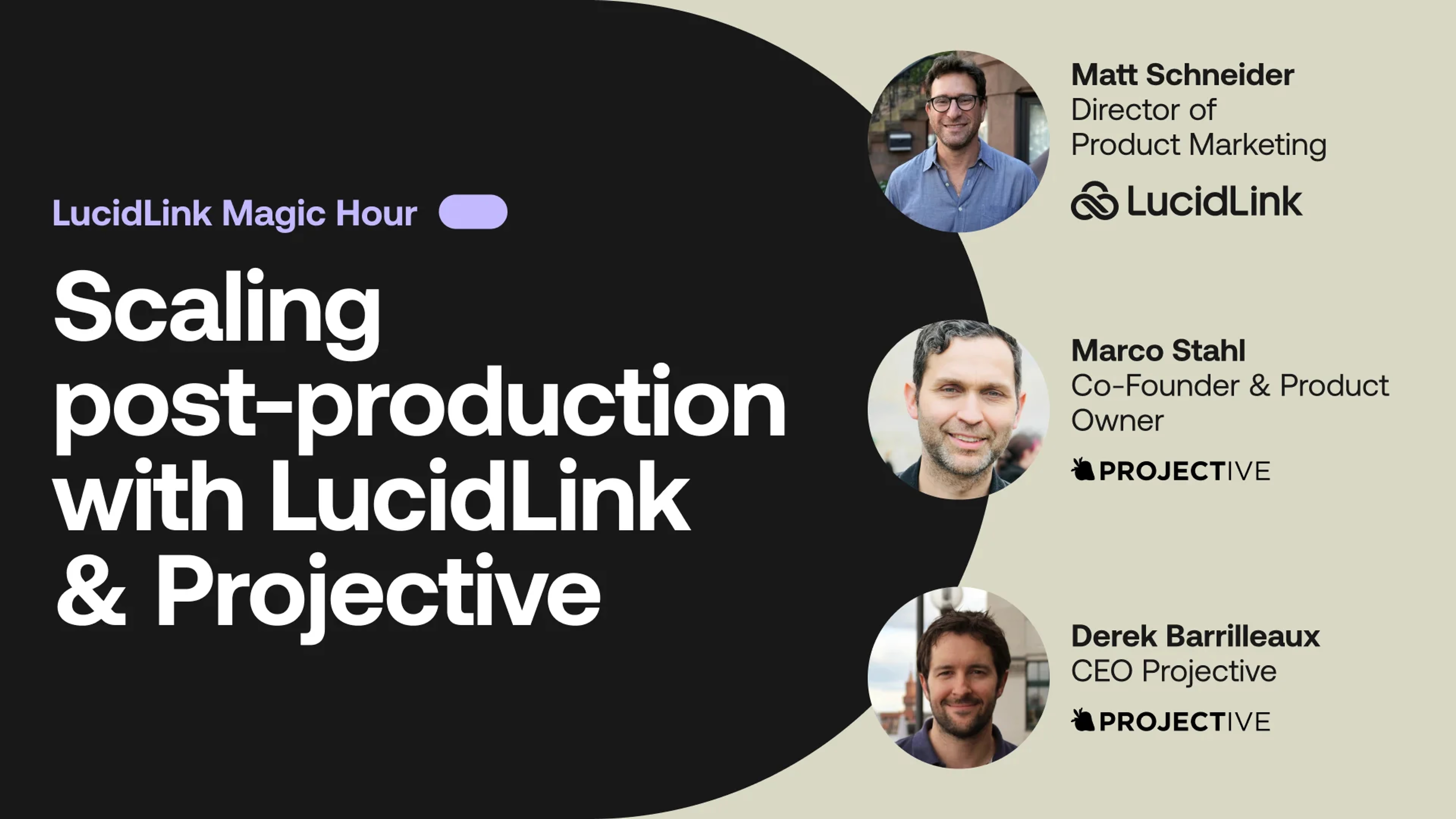
Well, once again, thank you for joining. I'm really excited about today's session. You're in luck. This is a treat. Today is the first and inaugural session of LucidLink Magic Hour.
The team at LucidLink is delighted to have this opportunity to host our friends and partners from Projective. I'm gonna begin by talking a little bit about what loose what LucidLink Magic Hour is in the first place and why we think this is gonna be super exciting. This is a series that we're gonna have in perpetuity, and we're gonna be hosting this pretty much once a month, if I can just advance my slide. So what is Magic Hour? Magic Hour is an entirely new live event series presented by the team here at LucidLink.
We're excited that this is going to be a monthly learning experience focusing on a specific tool or workflow, And the events for Magic Hour are gonna be hosted by guest artists, guest contributors, guest technologists.
We'll have the opportunity to showcase anything that they are passionate about. So at LucidLink, we really want to give a lot of freedom to our guest hosts to talk about pretty much anything that is meaningful to them in the general context of the work that they do. So it will be guest artists, video editors, graphic designers, visual effects artists, musicians, technology companies such as Projective.
And the subject will be about what they love to do and how their the tools that they either develop or the tools that they use help them do the work that they do. And LucidLink is gonna be hosting this series, and we're gonna take kind of a little bit of a back seat and let let the the host do their thing. We're in the background kind of helping to connect the dots and make the magic happen. That's what we love to do with our partners and our customers, and that's what we do at a technology level and at a product level. So that's LucidLink Magic Hour.
As part of LucidLink Magic Hour, the guests will be once a month, but I will be doing live demos literally every week, with the exception of today. Every Thursday at twelve PM New York City time, I will be hosting live demos, yours truly.
It will be an informal Zoom session. Anyone can sign up with their email address and join and get an overview of what LucidLink is. So if you've never used it, never heard of it, maybe you've tried it, didn't get very far, had questions, it doesn't really matter what your level of experience or expertise is, please join these demos. We will absolutely, share a registration link on a landing page on our website so that you can sign up.
That'll be literally every Thursday, and once a month will be a guest contributor. Alright. I think I've done enough talking already. I wanna hand the microphone to my friend and colleague, Derek Barillo, CEO of Projective, who's gonna talk about, a little bit about Projective's Projective's journey, and then hand the baton to, Marco, who will be doing a demo of their platform, strawberry skies.
Thanks a lot, Matt. That's awesome.
I'm really honored. It's a privilege to, be the first guinea pigs for the first magic hour.
I love being the being the the first.
So so, yeah, so for those of you that don't know me, yes, I'm Derek Barlow. I'm the CEO of Projective.
And for those of you that don't know Projective, we are a software vendor based out of Germany.
And you may have heard of our prior name of the company, which was FlavrSys.
We were founded, in two thousand and twelve.
But, but, basically, what we realized was that the branding of the the the company didn't really align with our value for our customers, which is all about making projects easier and solving postproduction projects. So we we use the word project so often we decided to just call the company that, and we rebranded in two thousand nineteen to project it.
Some of the products you may have heard, though, that we have a a entry level product called Osiris, which provides bin locking functionality for Media Composer.
Essentially, this enables you to do nexus style collaboration workflows, but on standard IT storage.
Historically, that was mass based storage on prem, but, also, you can obviously do that with LucidLink so that if you're trying to just spin up a a quick production in the cloud and you wanna just work, on LucidLink, you can actually take advantage of bin locking just like you were working on something like Nexus Edge, for instance.
Now, of course, a lot of customers who are thinking about collaboration and and and media composer, project sharing, Once you really dig into the details, what you really need is something to help structure the flow of of content and projects through the facility, and and that's where strawberry comes in. It is a application independent, storage agnostic, postproduction framework.
So what that means is you can use this common framework for all of your postproduction projects regardless of the application.
And, historically, that was that, you know and we're by the way, we're talking about not just Media Composer or Premiere or DaVinci, but also things like, you know, InDesign or Illustrator or Pro Tools. Right? So you can really have one common framework for orchestrating the flow of of assets and and projects through the facility, as they as they go.
Now, Matt, you can go go to the next slide.
Historically, strawberry was our premise tool because, you know, the the latency requirements of the video applications and content required high performance storage on premise.
Well, with the advent of MusiLink, of course, you're able to actually get that same level of performance and do high res video editing for many work, you know, from cloud storage. So that enabled us to, kind of port strawberry as a cloud first, SaaS model where we can actually host the entire infrastructure for you in the cloud platform, based on the technology, that LucidLink can provide from a from a storage perspective.
Now we talk about collaboration platform, and you guys talk about collaboration platforms, and everyone talks about collaboration platform. That should be the Oprah meme right now. But but, basically, you know, everyone's talking about different things when they're talking about collaboration. And I think it's very important to note that there's a storage component of collaboration.
And then there's a kind of project framework aspect of collaboration, meaning who should have access to what project at what time, and what should what structure should that project take, and what's the flow of assets through that project into, you know, versioning and review and approval and then ultimately to, you know, delivery and archival. You really need a a kind of framework if you're going to actually produce at scale because, otherwise, you end up getting stuck with a lot of these manual processes and creating manual access to manual folders and manual shares in the file space. What what what Skye's can really do is provide that framework, those those guardrails so that you can produce at scale.
And, you know, at a very high level, you know, we're adding control features in in the sense of you can control who has access to what at what time. And not just at a at a file space perspective, but also from a granular project perspective.
Green answers coming in, for instance, can only be granted access to a specific project, and that will also, add security features to this because we are also controlling the physical access to the Volumes so we can increase the security of the of the postproduction facility.
We also provide visibility capabilities as well. So you'll see you have a visual search, of the the production storage and all of the content that's in your projects. So you you have a a visual look into where things are and and not just from a client, but also from a web browser as well. And then when I talk about usability as well, which is what we can add to this.
I think we're completely application independent, so your users aren't having to think about interacting with the storage in any way. They basically use strawberry skies to create their projects, and then they are presented with the the the structure for that project, which you'll see in a moment, by the way, regardless of the creative application. So, that's enough enough for me. It's there's, like, no worse way to sell an asset management application than talking about it.
So, so on that note, I'd like to hand it over to Marco so we can actually show it to you.
Cool. Thank you. Yep. So, I'm sharing my screen here.
Can you see it?
Yes. Perfect. Yes. Perfect. Cool. Thanks. Yeah. Thank you, Derek. Hi. I'm Marco, and I'm cofounder and product manager and product owner here at Protective.
And it's nice. First of all, it's an honor to be here, being, like, the the the first Genifix to actually go through this. I'm a little bit nervous, to be honest with you, but I guess that's normal in this situation.
And, yeah, I show you the good stuff here today. I show you, strawberry skies in conjunction with LucidLink.
So the whole idea is based off, you know, we wanted to give people, the ability and companies the ability to easily manage their productions. Right, you know, their projects, their media assets, their freelancers, right, without having to go through the hassle of, like, managing permissions on a file system basis for everything. Right? But at the same time, giving them additional tools for archival and for, you know, reviews and approval workflows.
So what you see here in front of you is the strawberry skies client application, and this client application is installed on any machine that does do editing or, like, let's say, like, creative work, right, like content creation. You can also access all of this through a web browser if you wanna do regent approval workflows or just some browsing and tagging. That's fine. But if you wanna do the actual, like, heavy lifting, you do it with this client application.
So this client application is communicating with that server that is in the cloud, and that server is actually the one that does all the really heavy lifting, like media indexing, proxy file encoding, you know, permission setting. We have done a super deep API integration into LucidLink, and this actually goes to a point where we are puppeteering the file space in the background. Right? So the moment you're starting this client application here, it will actually launch the LucidLink application as well, and it will lock you into LucidLink.
So what this means is that you don't need separate credentials for strawberry skies. And for LucidLink. You basically use your, single sign on or, you know, a tool or your local user credentials in Skye's, and this will then also manage the LucidLink credentials in the background.
So I have started the, strawberry skies application right here, and you can see we have this volume popping up here, which is Skye's drive. And you can see on the icon, that's LucidLink. So the underlying, of course, is a LucidLink file space. But if we double click here, oh, what's that?
There's nothing in there. Right? And this is one of the aspects here that makes the system so secure. So although I have started the, strawberry skies client application, the Lucid file space initially is empty, and this is because I haven't logged in yet.
Right? I haven't logged in the strawberry application. So as I've mentioned earlier, you can use your, you know, Azure ID or Okta, for the sign in, but you can also simply create local user accounts. Accounts.
You can also have a mix and match of both. Right? So if you're a company that uses single sign on throughout the organization, great. But sometimes you wanna add freelancers or external users, you know, that don't have single sign on accounts, and you can easily create these local accounts within the system and simply invite them to specific projects.
So I'm logging in here with my local user account, and I hope I get this right here, immediately. Yeah. It looks good.
So what's happening is here, I'm now logged into the strawberry skies client application, and I immediately have visibility on the projects that I have access to. So first of all, you can see that there's no project open right now. Below this, we have a search field where we can search for projects or for assets. Right?
So we can easily switch between these different, like, search layers. And in here, we have all the projects that are accessible to me as a user. Right? That's important.
I'm not an admin. I'm a normal user within the system. I have limited visibility, to projects here. And as I've mentioned earlier, because we are puppeteering the LucidLink file space in the back end, all the permissions that you're setting here on a project basis will immediately reflect on the LucidLink link file space.
So you don't need to go into the LucidLink, configuration console to assign permissions or anything. This is all done through the API integration in the back end of all of this. Right? So, again, I have a bunch of projects in here, and, of course, I can search for projects.
So, for example, I have a project here that's called a shared content library.
I can simply select this. I can dive into the project here, and I can browse the project. And what you see here are proxy or preview files generated by the SkyServer that is running in the cloud. Right? So for everything that you ingest into your projects or put into your project, like any media, we will create these proxies in the background.
So you have a visual visual search, through the content no matter whether this project is on your active Lucid in file space or whether it's in an, you know, s three archive, for example, like Wasabi or AWS or Backblakes. Right? And I will I will show you how this works, in a little bit. But before I do this, I would like to set up a project and just guide you through this process.
Because once you've seen it, it's really becomes really clear. So a project in our world is a container, and this container includes project and media files for whatever you're working on. It might be like a a show or an episode of a series or a a movie. Right?
So a project what a project is is entirely up to you. So what I can do here is I can click on a new button, and now this will get me to this metadata window, right, where I can say, okay. You know, I'm setting up a defined metadata structure for all my users, and this metadata structure should include, like, a house ID or a production ID or a production number, whatever you wanna call it. Right?
This can be generated by our system here, but this could also be something that you put in here. Right? We have an example industry here, so we could actually go ahead and say, okay. This is, for example, for advertising.
Again, all of all of what you're seeing here is set up by me because that's a demo system. Right? So you can you can design this in any way you want. We have a list of clients known here, one of these clients being Wonka.
You know, we have some folks from London here, so they will be very happy now, I guess. So we select Wonka, and then we have Wonka specific products. Right? So in this case, we are, of course, going with Pixy Stix, whatever that is.
Right? And, you can immediately see that, you know, this is a dynamic metadata view. So whatever I'm putting in here or whatever I choose in terms of drop down menus, for example, I'm getting, consecutive, options depending on what I choose here. Right?
And now I can say, okay. This is our magic, our session. Right? So what you see up here is now the project name being generated by the system.
This is also a very cool way to make sure that all the project names that exist are, you know, following a specific standard, a specific scheme.
But we're not only doing this for the name, but also for the content of the project. Right? So as I click on template, you can see I have set up a whole bunch of templates here for my purposes, and I just say, okay. I'm I'm going with the creative cloud template. The template includes predefined folder structure, maybe even media files, definitely project files that you can set up, specifically.
So that when the, when the project gets created and the template gets selected, that all of this folder structure and preset of, you know, files are inside of that new project.
Okay. So now we click next. We can add a description here if we want to. We don't have to.
And now we can assign this project to people. Right? So you can see here in my example, I've set up a whole bunch of user accounts, and we have a bunch of different, teams in here. Right?
So I can very specifically, decide which teams in my organization, for example, should have access, to this particular project, or I could just provide user access on an individual basis. Right? I have all these choices.
For those of you who who, who came in later, everything that I'm doing here in terms of permissions will immediately reflect on the LucidLink file space in the back end. So you don't have to go to the LucidLink configuration to set all of this manually. Again, the server, the SkyServer that is running in the cloud takes care of all of that for you in the back end. Right?
Okay. So now the last thing that we wanna do is we wanna also select a quota team. So we say, okay. The the Lucid team is the quota team for this project.
So you're probably aware that since very recently, LucidLink has introduced a file space wide quotas. So you can say, hey. My file space should not be larger than five terabytes, for example. Right?
But we're going a step further here. We say, okay. Within these five terabyte, and this is an example, you can actually assign team based quotas. So you could say, okay.
My graphics team gets, like, a hundred gigabytes. That's probably a little bit, you know, not not too much, but, you know, or, you know, five hundred gigabytes.
And, the system will keep track of what each team is using internally. And you could also use this for billing purposes with your clients, for example. Right? Because we keep track for you, basically, on what exactly the storage consumption is on that loose link file space.
So then as we create that project, the actual magic is now happening in the back end. So first of all, that server that is running in the cloud is creating the project on the LucidLink file space and the setting permissions accordingly. Right? So we don't have to do this. So everything that I just decided, what I gave access to now has access to this project once they log in. So let's actually have a look into finder.
And you can see here that we have just created like a shortcut that's called mounted projects.
Right? And in here, you can see that this, magic hour session is now visible in here. Of course, we can open up multiple projects at the same time, you know. And if we go in here, you can see that there already is a whole structure in here.
Right? We have, like, a few premier project files and after effects project, a few folders right all of this is coming from the template. That I've selected earlier and that you can freely configure, by the way, So one thing before I forget this because I tend to forget this is that all that I'm doing here in terms of like project creation. You can also do through our API so if you're using like a you know, project or production management tools such as Monday, for example.
Right?
We can actually, define webhooks or, you know, or rest API calls, that set up the corresponding projects within Skye's. So, you know, you have a single point of managing, your projects.
Okay. So as you can see, the client application is smart enough to to recognize, hey. I found a premiere and an after effects project in here. And, by the way, we will also show Abbott.
So which one do you wanna open? And we say, yeah. We wanna go with premiere. So all we have to do here really is to double click, on the project, and this will immediately launch the premier application for us, opens up that project, and, here we are.
Right? So super simple. You can see also the premier project, already has a little bit of configuration here on the left hand side. We have a couple of bins in here. But here on the top left, you can actually see that we have a panel built into premiere that gives you this visual search that I was talking about earlier. And this is really great because what you can do from here is you could say, okay. You know what?
I have a list of the projects that I have access to. Right? And now I can search for my production number or I can search for the name of the project. I could also search for the person who last opened up the project.
You You know, simply dive in here, have a whole bunch of clips here. Right? And what you see what you're seeing here are proxy or preview files generated by the server in the cloud. So I mentioned this in the beginning.
For those of you who joined later, whenever content, gets ingested into the LucidLink Filespace and more specifically into my project here or into a project, the system automatically recognizes that content and creates these, low bit rate proxy files for the for visual search. Right? So you have everything that's on your LucidLink file space always visible, at any time. Right?
And now we can just go here. We can say, okay. I wanna import maybe these two, clips here. So we just right click, hit import, and we can import them right away.
We'll be immediately dropped inside our premier project. Here we go. And this is how we start editing. We could also reveal this in finder, right, if we wanted to directly from here.
This would show us exactly where on the LucidLink file space this media is located. So let me just move these clips here into the footage directory there's some other stuff that I would like to show you.
So another thing and, you know, this is something that, that you will specifically see as a problem when working in a cloud. Right? So when you have a lot of people working on content, people will do will do random stuff. Right?
They will work off ideally, they will work off their LucidLink file space, but they will maybe accidentally drag and drop local media files into their into their projects, which is a bad thing because if somebody else opens that same project elsewhere, then that media is offline. So within Skye's and, specifically, in Premiere, we have this mechanism that is called has the sexy name, find unmanaged assets. And, what I can do here is I can simply, like, maybe take a couple of files here and, just, you know, drag and drop them directly into my timeline. These files are on my desktop here.
They're in this folder called Mojo material. Right?
So yeah. Okay. So the files are now on my desktop, and, that's, obviously, not good for anybody else who wants to open this project. You know? So the panel, the, Skye's panel here already recognized that this media that I just imported is not centrally managed on my Lucid file space. So if I click on more options, we can immediately see that there's pixels.
I'm not reading that name, but that video that I just imported is unmanaged or considered unmanaged. So what I can do is I can simply checkbox this, hit import, and now in the background, this file will be copied from my local comp project on the Lucid file space, and also the path and premiere will be relinked to the new location. So we're no longer pointing to Marco's, local desktop, but we're pointing to the file that is sitting on the Lucid file space.
This can all be automated. This is a very common question. So, inside our admin area, you can actually say, hey. This should be an automation. And then whenever people ingest local media into their, projects, then these files will automatically brought, to the file space in the background, and we'll structure them by date folders then, in the back end of all of this.
So, yeah, by the way, this panel that you're seeing here in front of you is also available for, after effects. Right? So, you have that same workflow in there. And then, of course, like, when we're getting into search a little bit more, so you can do a lot of things from here. You could, for example, say, okay. I wanna double click on this item here to get, like, a larger preview.
Right? If the asset has markers, so you can also add markers, within strawberry skies on these clips, then these markers will also be imported into Adobe Premiere and into After Effects, which is really great, you know, for this particular workflow.
So as we're going into search a little bit more, I've mentioned earlier and I'm going back to the client application just to make this, more visible.
So when I select this project here, Wonka Magic Hour Session, you can see on the right hand side is all the metadata, that we have assigned to this one earlier.
And now I can just, you know, go to any metadata. I could click here on Wonka, for example. This will show me all the projects that are, specific to Wonka. I could click on advertising. This will show me all the projects that are specific to advertising. Right? So with this really cool search functionality here, we could just enter, like, a product ID or a or a client name of yours, and this would show you all the projects in that context.
The other aspect of the search is the asset search. So when I click on here, it will show me all the files that live in the projects that I have access to. Right? Again, this is all scoped, within my permissions. Right? And, from here, I can do these searches where I can say, yeah, I'm looking for I'm looking for maybe, some spaghetti here. Right?
Just type in SPAC, not even the whole word, and immediately these items come up. We are not only searching by name here. We are also searching in the XMP metadata, XML metadata of these files. We are also taking the folder path into consideration where these files live.
Right? And then also the project metadata. So let's say I have no idea I have no idea what the name of the clip is, but I know we did this for Wonka. Right?
So I'm just entering the name of the client here. And as you can see, it's not it's not as exciting the results here. But as you can see, I'm immediately getting all the clips, all the files that are in projects that we have created for our client, Wonka Industries.
So this is just a little bit of a, you know, of an overview of the search here. Of course, you have additional search filters where you can say, okay. I only wanna search inside very specific locations. For example, right now, my search is searching through online projects and archive projects.
I'm searching through Infiniti here. Right? So, you know, till till the beginning of time, and I'm searching by any status. So what you can do here is you could also say, well, you know what?
I'm only interested in projects that are, in the archive. So I can just right click here, and now it shows me only projects that are in the archive.
I will talk about archiving in just a little little bit.
But then when we go here to the asset search, for example, I could also, like, you know, make the search more sophisticated by saying, you know what? I'm not interested in generic files, and I'm not interested in audio files. I only wanna see images and videos or maybe only videos in this case here. Right?
And then I could also say, okay. I'm only interested in videos that, you know, that have, like, you know, markers, for example. So I only wanna search in markers. I only wanna search in custom metadata or in technical metadata. So you have all these capabilities here directly, from this user interface.
Okay. Cool. So in the next step, I would like to quickly show you the archive, and then we go into Avid Media Composer. So to archive something from here, is super straightforward.
We just select the project that we want to archive. Like this one here, for example, we right click on the project, and we say send to archive. So now because projects in our world are containers and always include the project and the media files, We are basically archiving the the thing as a whole. Right?
So this is not about, okay. I'm have I have to collect now all the files that I wanna archive and make sure that everything ends up in the archive. You basically just right click on a project here, say, send to archive. This will wrap up all the files that belong to the project and then offer you these archive strategies here.
And this is just an example of, you know, supported archives.
As you can see, we support, AWS or Backblaze, or the LucidLink basic offering, of course, or Wasabi. So you can basically, configure this by yourself, right, an archive endpoint. And in this case, we we we we say, okay. This should go to AWS as free, for example.
Right? And then, of course, in AWS, I could have additional policies that then tier this project further down to, you know, for example, instant retrieval and then maybe to Glacier. Right? Deep archive.
So I select AWS. I hit confirm. And now this project is traveling to the archive. This was quick, of course, because that's a small project.
And now you can see on the left hand side, we have this little icon that indicates visually that this project is in the archive. On top of this, I also got a notification here that says archival to AWS is free was successful for the project Stark Industries, demo. Right? So this is how you archive a project.
And, by the way, this is also how you can restore a project from the archive very easily. You just select a project, you say retrieve, and it will pull the project back, from that archive back to your LucidLink, you know, production file space, and then you can immediately continue working with the project. It's it's like the easiest possible way, I think, to get stuff into the and out of the archive.
On another note here, and this is one more fancy trick, this is why I left premiere open. So, you can actually see here that in the back end, I have some of these archive projects, right, like this one or this one. You you know what let's bring back the filter that says. Search for archive projects only so we adjust have archive projects now invisible in front of us And now from here, I want to, I want to, you know, dive into this project here maybe, see what's in here, and, oh, yeah, we want this clip back from the archive.
Right? You can also see that this clip has this little toolbox icon here in the lower left corner, which, of course, indicates that this one is in the archive. So now very easily, we can just right click on here. We can say, I wanna import this into my project and says, hey.
Do you wanna restore this from the archive? Might take some time. Sure thing. Here we go.
We click yes. And now it's pulling that asset back from our, Wasabi, or AWS or, you know, LucidLink basic. And now you can see this asset is now available directly here on my LucidLink files, but it's ready to go. Right?
So you can also see that this as it has markers. So, you know, somebody has added added markers at some point here, and these are also imported. By the way, these markers were added not in Premiere, but in the, Strawberries guys user interface. And then when we import the asset, these markers follow alongside into Premiere. So we're not losing any information, when we do this kind of stuff here.
Okay. I know this was a lot of, information.
So I'd say let's wrap up the premier part here real quick. So what we've shown is how to set up a project, how to access the project within Premiere or After Effects. As I said, the panel is available for both. You know, having that metadata structure in place, having the permissions in place, puppeteering the Lucid link file space in the back end in terms of these permissions so that you don't have to manage permissions in multiple places. And if you want to change permissions after the fact super easy you just go back here.
To to decline application we select the magic hour session click on the project access tab here, and now we can say, okay. My freelancer, Andrew Freelance, should have access to the project too. Now Andrew gets a notification in app or email, and he can log in, sees the project two, and can start working with it right away.
Okay. So this is the part that covers, Premiere. So let's actually close, Premiere with Premiere. And let's have a quick look into Avid Media Composer because that's always exciting, specifically, like, with with cloud storage.
Right? So, we are closing this project here. We just hit the close button. There we go.
It asks us, are you sure you want to close the project? Am I? Am I? Yeah.
I think I am. Okay.
So let's close the project.
Project. So I'm not going through the entire process of creating a project again. We have shown this earlier. For those who have joined a little bit later, there is this see, now I'm going through the process again.
So but for those who have joined a little bit later, basically, whenever I create a project, I can, define metadata for this project. I can, you know, set up a template, for these projects and, you know, and and assign permissions. And then when the project gets created, these, permissions, these metadata, these templates are immediately applied on the project, not only in Skye's, but also on the LucidLink file space. So, again, I'm not going through the entire process because I have already prepared an EBIT project, in here.
What we're going to do now is we just open the project. Right? So we click on the open button right here. And what this will do in the background is it will give us, like, a a few additional volumes, in our finder.
So if we go back here and we have a look here, you can, first of all, see there is a volume that's called avid project files. So this one is only hosting the, Avid project, like the AVP, AVP files, so everything that is basically not media, right, in the world of Avid. And then you can see we're mounting a dedicated workspace, and I'm saying workspace because the avid folks know them what I'm talking about usually. And this is the media workspace.
Right? So you can see the Avid Media Pass folder is sitting right here on the top, which is a requirement for media composer, of course. Right? And, this project is now accessible.
Of course, I could open up multiple other projects at the same time. Right? And then I would just get additional, volumes here for the media files. And inside every project files, I would also get, like, these additional, project files.
We have the same functionality for Windows, of course. Right? So the whole, you know, media composer bin locking workflow that I'm about to show you here, is also available for Windows. Right?
Okay. So, we are opening up media composer, and this is usually the part that takes the longest. So, maybe while we're doing this hold on for a second.
Probably ask me. I I think I still have a trial here, most likely.
There we go. Yeah. Let's try. Okay.
So, while media composer is starting, so these volumes these additional volumes that you're seeing here so in reality, these are folders on the LucidLink file space in the back end. We're just remounting them, basically, on on this machine here and to emulate a NexSys file system in the back end. Right? So the moment we are starting Media Composer and we're diving into this project, Media Composer recognizes, oh, okay. You know, I'm I'm I'm interacting here with a with a, Nexus like file system, and, then media composer goes into bin locking mode. Right? So what this means is that multiple people cannot can open up that same project at the same time given, they have permissions, within Skye's.
And then they can collaborate just like they would do on an, on premises storage, but, you know, maybe hundreds of miles, away from each other. So you can see media composer by default is pointing to slash volume slash evid project files, which is the volume that Skye has created as the default volume where you can expect the project files to sit. Once you've opened up the project and now we can just double click here on this, Avid project. This will launch the Avid project in Media Composer.
And then here, you can immediately see that all of our, files are popping up. This is not a sophisticated sequence. I've I have prepared this earlier. But the main takeaway here is, I guess, that you can immediately see that we have this green padlock icon up here, which indicates that media composer is now in project sharing and bin locking mode, which again indicates that if somebody else opens up this project and then specifically this bin here, which is called footage, they will see a red padlock icon can hear, which means it's locked for them it's read only for them, but it's writable for me.
So this whole workflow that you're familiar with, from nexus in terms of you know log functionality, this is also then available right in here with the added benefit of proper permission control and visibility.
Because another thing that we do here for media composer workflows is, as we have a look here in this project from our user interface, you can see here's the app and media files folder, MXF, and then we have, like, these, not one, two, three, four, five, but these, like, computer name folders. So we are also generating proxies here for these Avid Media files. Right? And if you're familiar with Media Composer, then you probably know that if you're importing media into Media Composer, it will typically generate, like, one, file per track.
Right? So we have video track and few audio track, so it will, you know, create separate files for this. So our proxy encoding engine recognizes which of these files belong together. So you can simply go in here and select what files to display, and you can also add, comments in here.
So these are definitely has.
So that's a that's a great comment. And then I've I've mentioned this earlier, but I just wanna show this real quick. We also have this annotation view here where you can apply time accurate commentary here directly on a per frame basis. Right? So you could actually go here and it can say, okay. At direct so I'm mentioning my colleague here now.
Please use this shot. Right? So the direct gets an in app notification or an email notification, and then he can actually, like, reply, you know, do these changes, reply. And once we're all happy, we just mark this one here as completed, and then this one is completed.
So I'm still scratching the surface here a little bit. It's funny. Right? So I was I was talking up for, like, twenty minutes or so. But I think, like, the the takeaway here is that, you know, first of all, we're managing this entire production for you, and this can this can be very complex productions with a lot of people involved. Right? And we're giving you just, like, this this framework, that helps you to manage all of this on a user level, on a metadata level, on a on a storage level.
But then on top of this, we give you additional functionality for archival workflows, right, so that you can tier these projects to lower cost archive storage as you see fit and then also bring them back. But then, of course, also, we give you the ability to share, to to collaborate directly from here, from within the Skyes app by creating, email share links, for example, directly from the apps. So you can, you know, hey. I wanna show this to my manager, you know, just send out an an a review link.
Or we can also set up what we call, galleries. I'm not going into much detail, which are basically showrooms where you can say, okay. I'm creating, like, a gallery for my client. I'm inviting my client to the gallery, and then I'm sharing, like, a whole bunch of content with a client.
And then I have, like, a dedicated point in this user interface where I can interact with my client by comments like I just showed you. Right? Time code accurate markers, etcetera etcetera.
Okay. So, I think, from my perspective, we should be in a good shape.
Is there maybe a question that I'm that I can answer here, that Marco, there's there's been quite a few questions that will will, Yeah.
I'm not seeing them. Sorry.
We'll get to it in the q and a. Yeah.
Yeah. Okay. Okay.
In the q and a.
Okay. Perfect. Perfect.
Cool.
Yes. Thanks. With with that said, with that said, so maybe, as a last kind of, like, I know this is where typically works the the other way around. But as a last thing here, I would just like to show you, like, the architecture of Skyes. It's I know that's not super interesting for for everybody, but I think for some, it is. So we're just pulling this up here real quick.
And, this is, like, a high level architecture diagram, like, how this works, actually. Right? So you can see down here, we have our users, which are our Premiere, After Effects, Resolve, Pro Tools, you know, you name it, and our review and approval users.
We have the Skye's platform, which is basically the hub on which the actual magic is happening. Right? So this is where the users are logging in. This is where the compute is, you know, that creates these proxy files, indexes all of these of of the media. And then, of course, the underlying that is basically holding all of this data is LucidLink, and this actually enables us to do these, like, distributed workflows with users in different locations while Skye's is driving all of the, you know, user interactions, permissions, metadata interactions, etcetera.
Okay, Derek. I think I stopped talking now.
Is your is your screen sharing enabled?
So then I would oh, sorry.
Yes. So I I'm actually sharing my screen. Can you all see my screen now?
Yes. Can.
Wonderful. Well, thank you, Marco. I think we're gonna go into some q and a. And, as Derek said, there's quite a few questions specifically about strawberry skies.
Oh, that's, coincidentally very interesting.
Excuse me. Sorry. We're going into a case study first. My apologies. I'm jumping the gun here. Okay.
Good thing.
Good thing. This is why we have slides.
That's right. So, it's it's all part of the magic. Right?
So so super quick, we we thought it'd be helpful to kind of illustrate an example of someone and how they implemented this in a real world case. Now I know you you know, for those of you who aren't in based in Europe, you may not have heard of this company, TUI, but they're actually one of the largest travel agencies in the world.
And they have a very sizable content creation business as a part, internally, basically creating, you know, things like brochures, marketing materials, but also videos and and, you know, web marketing content.
And they were really struggling with supporting the the mobility of those teams going around to different resorts and and gathering material.
And but, also, they they had strategically decided to go to a cloud first model and and move away from their physical data centers. And that worked great. They signed this great deal with Amazon, and they they they took all of their different, you know, services and uploaded them to the cloud right up until they got into creative services. They realized that it wouldn't just simply wouldn't work without some kind of framework to structure their teams.
So we got actually connected with them through AWS.
And, essentially, what we did was we worked with them, designed, a Skye solution for them that unified their creative production, not just video production, but also the the other creative applications, and the review and approvals as well, and enable them to take their their core teams, which are not just based based on one location, but multiple locations, and have all of them work off of a structured framework hosted by us in the cloud with twenty terabytes of LucidLink, custom file spaces that are running AWS.
They were really ecstatic with with what came what came out of that in the results.
You know, both being able to unify the cross border collaboration, but also the the the fact that it enabled them to drastically speed up their productions because all the upload and download times went away. But, also, they didn't have all those stops in their workflows of having to wait for someone to do this. They basically had a coherent project interface for everything. So, so one of the things that they did and, Matt, if you can jump to the next slide for me, please.
They were nice enough to share with me their internal, sales, email to try and get new users onto the platform who hadn't heard of the platform yet. And it was just awesome to see them kind of selling Skyes to to their people because I think they do a better job of marketing than I do.
But, basically, you know, they these are their words on the slides that, you know, Sky has enabled them to collaborate beyond borders, and with structure, not just, not just, you know, having the cloud storage, but also to have that collaboration of teams beyond those borders. And they really appreciate the robust security model, strawberry that and Skye's that we could have, you know, freelancers that just come in only gaining access to the specific projects and the specific storage for those projects that they're allowed to see and that it all paired into their active directory so that, it was all automatic, and and and all integrated.
They appreciate the efficiency and speed of it because they weren't they weren't then having to, you know, again, the download, upload times were were prohibited, and, obviously, Blue something can can help with that. But being able to efficiently upload things into a structure was the key thing for them.
You know, that then they weren't having to having to then, go and ask people where someone uploaded materials.
And then they they love the application independence of it that, for instance, if that freelancer comes around the corner and he wants to use media composer, they don't have to completely create a brand new system from scratch for him. They can use the same structure project interface, regardless of the application. And so they always said that that was unlocking their creativity, which I thought was kinda cool.
Then, they appreciate the predictable cost model as well that, we don't charge, egress. So, so egress is included in the Sky's application, especially when you're working with the custom or sorry, the advanced business and the cost basis. So, so they don't get shocked at the end of the month with the egress bill from, from particular vendors.
So, so I hope that use case makes sense in the context of what, what we've been discussing and what Marco Oh, I think we lost him.
Derek, I think we lost you there.
Well, it's a funny freeze frame. Okay.
Maybe It is a good freeze frame.
Yes.
Maybe we're going maybe we're going into the, into the q and a.
Yes. And there's there's definitely Derek will join us as soon as possible, or he will rejoin us.
Marco, can you see some of these questions in our q and a panel?
There's some excellent ones about strawberry skies.
Yeah.
Can you can you maybe, read them to me and I can, Absolutely.
What the first question is, can we get a pricing idea or structure for strawberry on prem and strawberry skies?
Okay. This is this is usually the part that that Derek handles, but, of course, conveniently, he's not here.
So, I would say, like, you know, let's let's pick this up.
Let's pick this up later. You can, write an email either to me, Marco, at projective I o or to Derek at projective dot I o, very easily, and we can give you, pricing related information there. Oh, here he is.
Just some time.
Let's connect him. Yeah. Let's have him connected. We're going into further questions. Hey. Hey, Derek.
Here you are. Yeah.
Well, you guys have some great questions that I'm not going to answer them.
Conveniently, you just derped out when when when the pricing questions came in. Right? So, so one of the question was, like, give us an idea about, like, the, the the the Sky's portion and also the on prem portion of the system. So can you speak to this right now?
Or Yes.
We were planning on showing a price list to to everyone in an open open format, but I but I can give you, I can give you some orders of magnitude. The the product can start in the kind of thousand, you know, thousand bucks a month range and scales up to quite a bit more than that, for more enterprise rollouts, kind of standard standard implementations. You remember this there's there's solution link storage component. There's the server component. There's some, typically, some onboarding that has to happen as well. So some of the average rollouts, can kinda be in the kind of thirty to thirty to fifty range and annual license. But, but, obviously, there's some larger customers and smaller customers in that.
Okay.
Wonderful.
Next question also regarding strawberry.
For strawberry, are your customers using strawberry with an integration to their existing MAM solution?
Yes.
Can I can can I get it, Marco?
Yeah. Sure.
So so yeah.
As Marco said, yes. And this is actually a really this is actually a a a very common use case. A lot of our enterprise customers around the world like Disney or Turner or like SBS or, you know, NHK in Japan, They all have corporate MAM products that are designed to be that single source of truth and orchestrate the flow of media through the facility. Those don't typically help with the actual dirty project process.
So so, basically, those customers that I mentioned all saw a need to have the production asset management layer, the strawberry collaboration layer for the project alongside their corporate man. And, basically, that that enables them to do is is, bring in, you know, orchestrate the flow of media from the MAM into the strawberry projects, and assign users on a scheduling basis and things like this. There's a lot of upstream and downstream integrations that are that are possible.
Cool. Thanks, Derek.
Next one is also strawberry skies related.
What are strawberries using for archive storage? Do you mean another object storage bucket without LucidLink? And does strawberry manage moving the media between buckets or blobs? These are all good questions.
Yeah. This this this is a very good question. So, this is a two part question. Right?
So, first of all, you can actually, you know, you can bring your own object storage. Right? So if you if you are having, if you already bought into AWS or Wasabi, yeah, and I'm talking about s three protocol here. Right?
You can basically hook this up to Skye's and then Skye's will archive to these destinations.
So, yes, you can bring your own object storage. But you can also have a LucidLink basic file space. Right? So this this really depends up to you. And then I just lost the second party of that question. Right?
Not sure what is what is what Sorry.
Let me go back to it. The second part was, does strawberry manage moving the media between buckets or blobs?
So we are managing the movement of media between, of course, your your LucidLink file space and your, you know, archive endpoint, back and forward. Right? But then within your archive, like, in your AWS account, we don't move between these object storage.
However, you know, first of all, in AWS, of course, you could set up these policies. We have a function I I'm contradicting myself. We have a function within the product that's called move archive, where you could actually say, okay. You know, I want to move this particular project from this archive that is currently in to this other archive I I have configured. So, yes, you can have actually you can have multiple archive endpoints configured in one strawberry sky system, and then skies can actually move projects between these endpoints.
But the traffic always go does not go directly from endpoint to endpoint but through the Sky servers.
Thank you. Here's another one, this time from the regular chat. Is there an option to archive to an on prem SAN?
So okay. Maybe, Derek, you wanna take this?
Sure. So, there was another question. I don't know if you guys answered it while I was away about integrating between, between a cloud based Skye instance and a strawberry on premise instance. Did you guys feel that already?
No. No. No.
Okay.
So let me feel that.
So so there was a question, where that some, very smart, person asked about okay. So if if we're coming from an on premise world and we have a LucidLink, you know, this cloud based world, is there ability to kind of manage the flow of projects between the two? And, basically, the yes. That what we what we are, you know, we are we'll be releasing very soon is a what we call this the strawberry multisite architecture where you can basically have a strawberry instance in an on premise system and a Sky's instance running loosely in cloud, and you can manage them, centrally and control the flow of projects between the on premise and the LucidLink system.
And with that in mind, what that would also enable you to do is have your, you know, your big on premise archive that you already have in place. If it's managed by strawberry, you could have you can basically archive projects from the cloud instance into the on premise instance and then, of course, move those off into the the the on premise archive as well. But the cool thing is that could all be managed from a central, you know, interface so you can you can manage the flow of content projects between the two, really optimizing your both your on premise footprint and your cloud footprint.
Yep. I hope I answered both both questions.
Yeah. It sounded like this. Can you Sorry. The archive storage include LTO?
So we yeah. Yep. So I can then I go No.
No. No. Take this one. No. You're you're in the archive topic now, so that's gonna be fun there. Go go. Go, Derek.
Yeah. So, we don't we don't we never have done LTO tape rights. There's technology called LTFS that we can write, like, mount, like, a file system, and, of course, we could write to those tapes. But but, really, when you're talking about that, you're typically working with some, like, HSM tool, like, for instance, like, Ingenia from Pixit or, like, Arciewear, or something like, like, accumulate or or object ZendData, object metrics. And we have integrations with with many of those tools.
So Yep.
Hope yep. Hope to answer your question.
So the cool the cool thing and and please keep in mind sorry.
Please keep in mind the the very cool thing about when we're doing archival like that is those proxy previews that we create as just visual, you know, guides to what what, you know, what's there.
They're still viewable, searchable. The metadata is still valid, So you can still search and browse and and view the the contents of the archive just like you could primary, so that to those users, the archive is no longer a black hole. They can they can freely browse and and view the the content of the archive without without needing to go to some separate map application just for an archive.
Excellent. There's one more question. I see LucidLink in the Azure Marketplace. Is strawberry skies available in Azure?
It's a very good quest no. It's not.
It's not. No. We haven't, we haven't done, like, a standard deployments yet.
So right now, this is, you know, deployed for Docker. Right? It's a Docker rest deployment that we can run, again, that that we are running in our own infrastructure.
We also we are also offering, strawberry with LucidLink support, for, you know, customers who wanna self deploy in their own cloud. So we can also provide dockerized, deployments for this, but we don't have the marketplace marketplace applications yet.
Looks like we have another one.
Follow-up on the LTO front. If I have LTO with proxy on prem, can you restore high res to the local storage?
If it's, if it's man like, strawberry, we can we can manage what is in the in the archive that we, you know, that we are managing. That happens automatically. Right? So you can restore the high res LTO, either individual files or entire projects from from the, you know, from the archive.
But, but what I wanna make sure that you realize is we, you know, we can basically do that for content that's in our in our database, in our control. Right? So if you're looking to probably do something with an existing archive, then it becomes a little bit more of a system design and then kind of migration discussion that's a bit more involved for for a magic hour. We'd probably need the magic day to come to that.
I like that magic day.
That's a new idea, Matt. Right? Don't worry.
That can be done.
Listen. Listen. Sundays. Exactly.
Well, I think we're almost at time.
I wanna thank everyone for coming again for this, very exciting and very special inaugural kickoff of LucidLink Magic Hour. I wanna say thank you to the team from Projective, Derek and Marco. Loved having you on on the show. You're gonna have to come back.
You're You're gonna have to come back and make a repeat appearance. Would love that. We will love it. And we can certainly talk about how things change and evolve for Strawberry Skies.
Before I wrap, I just wanna remind everyone, that, we are doing some kind of live event every week on Thursdays.
Once a month will be a guest host such as Projective, who will come on the show and talk about workflows, whatever they're passionate about.
And the other Thursdays, I will personally be giving live demos at twelve PM New York time, nine AM Los Angeles time.
If you have questions about anything related to LucidLink, if you're new to it, if you're an old timer, and everything in between, please, do not hesitate to join.
This is my email address. Don't hesitate to send me an email at matt dot schneider at lucid link dot com. Of course, Marco and Derek are available for any questions that you may have about Strawberry Skies. I also wanna conclude by wishing everyone a very happy summer.
Today is the first day. Have a safe and fun summer, and please send us your questions, your emails, your thoughts. We are always open, and happy to hear from you. Also, if you have any requests for magic hour, a particular guest artist, a particular tool, a particular workflow, please email that to me at matt dot schneiderlucidlink dot com.
And I can pretty much guarantee that you're gonna get your your wish fulfilled because we are very excited about all the stuff that we're gonna be doing as part of magic hour. And it just so happens that we're at the top of hours. So magic hour is actually an hour, which is fun too.
Thank you so much everyone for join joining. Thanks again to Projective. Everyone have a lovely summer.
Thanks, Kent. Bye.
Catch the replay of our very first Magic Hour where we delved deep into post-production workflows alongside our technology alliance partner, Projective. Discover how the Strawberry Skies platform, in combination with LucidLink, can effortlessly scale workflows for sports, archival, and Avid editorial projects.
This session will connect you with Derek Barrilleaux and Marco Stahl, Projective’s co-founders, so you can get answers straight from the experts. If you’re a post production supervisor, creative director, IT professional, creative editor, and just about anyone who loves working in the creative industry you won't want to miss this!