Before I know one.
Hello, and welcome.
My name is Matt Schneider. I am with LucidLink. If you're here for the LucidLink magic hour session, with High Scale, you are absolutely in the right place. As we've done with previous sessions, I'm gonna get every give everybody a minute or two to file in.
And while we wait for other guests to join, I already see a few familiar names, which is wonderful. I would love it if people could just let us know in the chat where are you calling from or where are you signing in from. I'll start. I am calling from Brooklyn, New York City, and I'm joined by my friend and peer, Christoph Jurkin from High Scale.
Christoph, where are you?
I'm a headquarter based out of, Cologne, Germany.
Fantastic.
Let's see where people are. Nashville, Tennessee, welcome, and thank you for joining. Delighted that you're here.
I haven't been to Nashville in a while. Christophe, have have you ever been to Nashville?
I've never been. No.
Great music, great food. You should go.
Alright. I'm I'm gone now.
Well, next time you go to NAD in Las Vegas, you should, like, find your way through Nashville if you can. I see a few other guests joining. Please let if you're just joining now, you are absolutely in the right place. If you're here for the magic hour session with High Scale, I'm Matt Schneider from LucidLink. I'm based in New York City, and would love it if other folks could just tell us where are you, calling in from. And we'll get started in about one minute.
About one more minute.
So far, we have a guest from Nashville. Would love to know where some of the other folks are from.
Alright. Well, maybe people are being a little shy in terms of where they're from. Anyway, I think we can begin. Once again, my name is Matt Schneider from LucidLink.
You have joined Magic Hour. Magic Hour is a brand new live series, that we kick started, pretty much at the beginning of summer this year. And I'm delighted to welcome my friend and colleague, Christophe Jorkin, from High Scale. We have one, visitor from Los Angeles.
Well, you know what? Even though it's, ten AM in Los Angeles, now is a good time to crack open that kolsch. So why not?
Anyway, delighted everybody could join. I am super excited, to have Christophe here and to have, the high scale Flicks workflow, as something he can demonstrate. I'm gonna start by just going through a little bit about what is magic hour and a few announcements about LucidLink, and then I'm gonna turn over the baton to the exciting stuff and let Christophe, take it from here. So as I said, welcome to magic hour. Magic hour is really brand new for us here at LucidLink. It's an entirely new live event, series presented by LucidLink.
Each session is meant to be a learning experience focused on a specific workflow or tool. And the idea is at least once a month, preferably more frequently, we have the pleasure and the honor of inviting a guest, to come on to the show and talk about anything that they are passionate about. And in these sessions, LucidLink really takes a back seat, and we really want artists, tools, workflows, and technologies to absolutely take a front seat. And we want whoever joins us to be, completely at liberty to talk about what they care the most about, what they are passionate about, in the general realm of media and entertainment workflows and technologies.
We've had a we have a few sessions under our belt, and delighted, post IVC to welcome Christophe, and High Scale.
I wanna remind everybody that after the after this session, about a day or so from now, we will post the link, to this session on our events page. So the events page, as you can see down here Christophe, you can see my screen. Is that right? Yeah. Wonderful. The events page is lucid link dot com slash events, and you'll be able to watch, the recording.
Also, if you are new to LucidLink, if you've never used us before, you've never heard us heard about us before, or you have heard about us, you've just never tried us, you can, go to our website at lucid link dot com and download a free trial. The trial is, fourteen days, two weeks. But if you need more time, we're more than happy to extend it. And I think the best way to experience LucidLink is really to try it yourself, and you can do so for free, from our website.
Also, at the conclusion of our session so Christophe is gonna do a demonstration of the high scale Flix system and how it integrates with LucidLink.
After that, we're gonna do some q and a. And at the very end, just after q and a, I'm gonna give a thirty second tease overview of our next generation solution from LucidLink, LucidLink three point o, which is due to to release pretty soon, towards the end of October, perhaps beginning of November in that general time frame. Three point o is a monumental release for us. We've been working on this for a very long time. It's gonna be huge. We're super excited. I'm not gonna show you a lot, but I'm gonna give you a quick tease of what you can expect in LucidLink three dot o if you haven't heard already.
And on that note, I think I can stop sharing my screen and hand the baton to Christophe Joerken from High Scale who's gonna talk about the integration of his High Scale Flix system with LucidLink. So once again, thank you for joining. Christophe, I think you can, take it away.
Okay. Perfect.
So Oh, and I should also add, during Christophe's presentation, please feel at liberty to ask any questions you like about the demonstration that you're seeing.
And there is a you should see a q and a panel in your Zoom interface. Feel free to put questions there.
Most of the questions we'll address at the end of the session, or a few questions we'll be able to, address live, and I'll try to type answers as best as I can into the, q and a panel as well. So, Christophe, on that note, I will, actually hand the baton to you.
I as I don't see it, I'm not sure. I'm sharing my screen. Hope everybody can see that.
Yes. I can share your screen. Can our guests share?
Yeah. Perfect.
I believe we can.
Yes. Cool.
Alright. Thanks for the introduction.
I'm not a a big fan of a lot of slides.
I did prepare some because that's kind of what you do when you do these things.
I have maybe five or six, that I'm gonna be going through just at the very beginning to kinda set the scene a little bit.
I'm over tech guy, so I'm going to be switching to a demo quite soon, and then I'm going to be talking about the details of what we do and then how that actually integrates with LucidLink and the cool stuff that we can do together.
To set the scene in terms of transcoding, some have probably read that it was kind of the title of the session, but not everybody might be very familiar with, what this actually means or why that actually matters.
So, there's a couple of things, what transcoding is used for, and what it actually does. So transcoding just generally, is very high level, getting video material, from one format into another. So from one codec that was recorded by a specific camera, and, you know, depending on the camera, you might have set different codecs that it should be recorded.
You might want to, convert this into a different format for very different reasons.
One could be that you wanna unify everything that comes into your production. So you kinda streamline the ingest part, as we usually call it, so that you're when you get to the point of editing something, you're absolutely sure that every video will be able to be opened and edited.
So compatibility across different devices, different types of software, and usually editing is one of the main main focuses here.
Also and that's something that's, kind of demand for this has been growing recently, more and more is handling of what I call heavy formats. So one of the things we've been experiencing in the last eight to twelve months is that a lot of customers come to us asking for conversion of camera raw, footage, which is, very different camera vendors that all have their own type of, raw format that they save on their cameras, from ARRI to RED, Blackmagic, or Canon.
And these raw formats do save a lot of the information of the video that would typically get lost in compressed video formats. But the downside of this is they're a little bit harder to handle, One, because they're very large video files, and also not all common tools can natively work with those. So that's one reason why transcoding becomes interesting for some people now, even if it wasn't a big use case for them before.
There's also different types of transcoding. So the stuff that I've been talking about was very file based.
As you see, I put some videotapes, on that slide. So there's also, there's also a live aspect to transcoding, which is technically capturing live sources. So you have an event and you wanna record this for different reasons, maybe just for archiving, but also maybe for editing. So, that's one of the things that we will be actually demoing a little bit later.
So you have an event. You have a couple of cameras out there. They're streaming live, and then you're recording this to do some highlight editing while the event is still going. That's one of the use cases.
And then it also lastly, but there's a lot more use cases, of course. The last one I put down here is to, transcode because you need to distribute to different platforms from you need to put a file onto your linear playout server to you want to distribute through YouTube or Facebook or any other, VOD type of platform and all need different renditions for different devices, that's also one of the big use cases transcoding is used to, used for.
I think that should be kind of, the main intro for what it actually is.
Just kind of circling back very quickly.
I've already mentioned for the ones that were not there, I'm based out of Cologne, Germany.
This is where our company is headquartered at, which is called High Scale, and we focus on scalable media processing solutions.
We have a background in media asset management and have worked with a lot of different transcoding, products over our years in this industry, and have kind of taken the complaints the customers used to have, with us when we started High Scale about seven ish years ago and built a system that's trying to address a lot of this.
One of the things that we saw when we are, doing projects with customers in very different environments from, you know, typical broadcasters to sports broadcasters to, telecommunication providers was one of the things they were always all struggling with was how much money do I need to spend essentially on hardware and licenses to be able to deal with my average workload, but also to be able to handle kind of a peak in my production or in my whatever it is that I'm doing. So, we see that throughout various different types of customers.
You know, as I'm, again, based in headquarter in Germany, I have I have been dealing with a lot of public broadcasters in Germany for a very long time.
They have a very stable transcoding requirement, so to say. So there's an average that they need all the time. There's not a lot of peaks, but they do have peaks, for example, in the summer, because there you usually have some kind of sports event like Olympic games or soccer World Cup and these kinds of things. And that's and, of course, there's other things like, you know, elections and whatnot.
You'll be having a Super Bowl in the US, and there will be a peak in your production.
So traditional solutions at the time were able to address the transcoding bit, but not really the scaling because they usually were very hardware focused, trying to, you know, sell, dedicated appliances for a specific use case.
Us being software people, said that there's probably a better approach to address this and a lot of other things, that we saw. And what we've done is we have developed our product, which is called Flix, which is our own transcoding engine. So, it's not an open source transcoder, wrapped nicely.
It is our own engine that internally, very high level, does the same steps each transcoder in this world goes through. So there's the decoding part in the beginning. This is where you read whatever is coming in. In our case, we do support both live and file sources.
Then you can once you have been able to read and decode the source, you can do some processing, overlays, cropping, scaling, sophisticated things like high quality frame rate conversion, tracking motion, and these kinds of things. Then you have the actual encoding, and depending on what you wanna do, you could be packaging, for your BOD delivery or simply deliver files to a certain endpoint. Now all of that's all, pipeline that I've explained that we're looking at right now, is wrapped, in our case, in a Docker container.
Now a Docker container is something that is just making this very easy for us to deploy our software on any platform, on any device, because that's also something that we saw that customers were struggling with. So what we have built is a true hybrid system that you can run-in air gapped systems, meaning on premise dedicated hardware servers that are not connected to the Internet.
You can run this in the public cloud.
We have implemented nine public cloud providers that are natively supported, and you can also run this in a combination, meaning in a hybrid way. Now our software is not a SaaS service as in we do not provide the compute when we talk about cloud. And, also, when we talk about on prem, we do not sell any appliances. Customers can bring in their own hardware. We give hardware recommendations for kind of the sweet spot in performance versus money that you have to spend.
Now this what this actually means and looks like, we'll see in the demo.
Before we jump into the product and actually look at, how this all comes together, coming from an on prem very on premise world, in the days that I've started in this industry, going through all the steps towards cloud production, which we now also with our product address.
There's a couple of things that are different, and customers need to get used to or have to accept that they work differently.
So there's challenges, essentially.
And some of them, I just put down here because, there's more and more, solutions to solve this, but they're not just they won't just solve themselves because things just literally work a little bit differently in the cloud.
So for one, the handling of large files, that is a challenge.
That's for very different reasons for, your Internet connectivity, poor connections leading to failed uploads, or simply the time that it takes to transfer files, to download or upload, not even talking about the egress fees that cloud providers will charge.
Another topic is, it's when I started, like, fifteen years ago, we were starting to introduce growing file workflows in this industry.
So everybody had moved or started to move to file based production. Now working on growing files, it started to become a thing. And all of a sudden, we're trying to go into the cloud, and that has completely stopped. Because that handling of growing files, for different reasons is not as easy or is not similar to how it works on premise.
One of the reasons is that the, say, traditional object stores, your typical s three bucket, does not allow for manipulation within a file. And the way a transcoder, for example, writes file is not linear. Usually, it's not from left to right.
It is always jumping in the file, updating header information in the video file, updating the length, and that's just something you cannot do technically on object storage.
So the way you would enable growing file workflows on premise does not work in the cloud.
There's other challenges with latency and, how to work in a distributed global system.
And we'll actually be showing this today because we happen to be on two different continents.
Before doing that, of course, we're here with LucidLink.
So you have already guessed that we have integrated, the LucidLink product into our transcoding engine.
And not only because it's all a new tech that we always like.
It's also because it really does enable to do things in the cloud that you're simply just not able to do without tech like the things that LucidLink has done.
So that being said, I'm done with my slides, and we'll pop this over and give you a little sneak peek of the product before jumping into an actual real real life life demo.
So very quickly overview of this, what we're currently looking at, this is a as you can see it's a web based user interface. This is the Flix system. We're currently looking at what we call the cluster view, which shows you the deployment And that's something that you probably don't have in other transcoding solutions because usually your deployment is very static if it's on premise, or you don't care because you're using a SaaS service and someone else is paying for the compute. And they might not even want to show you how many machines you're running because that's cash in their pocket.
So in this case, this is a setup that we've built, which is in this case, in particular, showing a hybrid setup. So you configure in a Flix system this first, level in this tree. These boxes, we call pools. They're groups of machine with the same spec on the same location.
So in my case, I set up a pool called local on premise, which is pointed towards two physical on premise servers in our data center. So there's two physical machines, and each of these machines is running up to four simultaneous transcodes, in my case. This means, technically, we have deployed four Docker containers with our transcoder, onto this particular machine. How many you deploy per machine, so meaning how many simultaneous transcodes you can do on a single box It's just configuration.
As we don't sell the appliance, it's up to the customer to choose what big of a server he wants to be using. And then depending on that, you could be doing twenty transcodes on one. Or if you have very small old hardware, you might only be doing one or two transcodes.
Now that's two machines doing a little bit of work here. Looking at the rest, there is also, public cloud names that show up here. That means this is right now just configuration our system pointing to a cloud subscription.
In case of a customer system, this is pointing to your own AWS account. So this is not high scale reselling AWS services. This is the customer signing up with AWS or Microsoft Azure or Google Cloud, or others. And, technically, in your cloud account, we can orchestrate to create machines.
So we see right now there's nothing here. We're not paying anything to anyone. But the typical use case for this and one of the major scenarios, you will have a peak because someone is out in production. They're in the field shooting video content.
They come back or they're back in the hotel rooms, and they start to upload everything that they've got. So now, technically, this will generate a peak because all of a sudden you get a hundred files dropped into a folder. For the sake of the demo, I do not have the folder and the hundred files. I have a little user interface that I can use to show this, which technically, this submit button here uses our API to generate a new transcode.
So if I go crazy on the submit button and click this a bunch of times, we will see in the next refresh cycle of the user interface that the red line jumps up, which is indicating the queue, how many transcodes are waiting, which is forty four right now.
That means I just manually created the queue, and the system will try to fill up the available resources first.
But then it gets to a point where it realizes, well, that's not enough. It's now, doing eight trans codes on premise, and it's decided to spin up additional resources in the public cloud. Now again, this is in your in the customer's cloud account.
We automated the entire process of spinning up machines, deploying the content, sorry, not the content, the, the transcoder containers.
We do handle transfer of content, of course. And, also, we manage to spin them down again because, essentially, what you gain with this is that you don't have to pay for the hardware resources if you don't need them. And that's one of the very benefits of this.
I could be talking about a lot of things when you set up these systems, of course.
You how you bring in your cloud account credentials and, how you set up, how long can a machine do nothing before shutting down again, and all these fun things that are very different depending on different cloud providers.
And then, of course, we're here with LucidLink. That's for us a type of storage. Now storage is, of course, where you set up a system is something that you have to bring in, and you probably have very different types of storages in your production environment. So there's the, say, traditional file protocols that you can, that we support, that you can mount, SMB, NFS, FTP, generic s three, but also you can choose LucidLink for your storage. So in this case, you simply select LucidLink, enter your file space name.
You could potentially also have this look into a specific subfolder only.
You give us your user and your password, and you can also adjust the cache size of the client. Hit save, and then we are able to mount your LucidLink, filespaces, which will only be mounted, for the time that they are actually needed.
So a container, which is doing a transcode, will have no storage mounted when it's idle. And when it when we submit a job, we will mount the source in the destination storage.
Of course, also for all storages, we can apply watch folders. So if, files appear in that particular storage, including LucidLink, we can start transcodes.
There's a lot of transcoding settings. You guys all know this. Maybe from your transcoding products that you're using or from your editors, like, you know, NLE's premier, Avid. There's a gazillion of different combinations of buttons to configure video codecs and audio codecs, and then you bring together all this information into what we call templates.
And you can do fun things like acceleration and spread single transcodes on multiple machines.
And to get even crazier, you can, build visual workflows to handle, transcoding more smartly, to build dynamic decisions based on video content, based on business rules, but also to integrate to other systems to maybe check-in files into your MAM system and so on.
Now Christophe, can I just interrupt one second?
I wanted to, mention that I believe the integration with LucidLink that you just showed is a is the first of its kind. Meaning, the first time LucidLink, which is largely a desktop interface that points to s three cloud storage and mounts as a conventional hard drive. That's how we provide the experience that we do. I believe this is the first time that our storage has been accessible in a browser based configuration, which is, you know, pretty amazing thing that you guys have done, and the fact that you have the ability and keep me honest here, Christophe, the fact that you have the ability to spin up additional encoding nodes and deploy our LucidLink client as needed without a human being really being required to do it, which I think if I had that if I had that description right, I think that's a pretty spectacular, achievement.
Yeah. That's actually very correct.
So technically, it is deploying our software and the LucidLink software in one go.
And the all the sign in and sign out and configuration of that LucidLink client that everybody who's using LucidLink on their desktop is used to, you know, how to sign in, how to go go into the settings and configure a cache size, all of that is also automated. So, essentially, you just go into your into your Flix, web based user user, front end and then set this up once, and the rest will be entirely automated. Oh, and by the way, in case well, for one, while I was talking now, it's done spinning up. So we see, it's actually done spinning up a couple machines, and it's processing both on premise and in the cloud.
You can, of course, also steer if this should happen or not. So the because this hybrid approach might not be for everyone or, you know, you wanna do only cloud but point to different cloud providers or to different regions. You can set up, an unlimited number of these pools and steer where transcode jobs should happen using a simple mechanism called tags. It's these yellow buzzwords. My case, it's web for the AWS group, and it's news sports and web for the local one. So when you start a new transcode, they all get a tag.
And then depending on the tag, the system will choose if a certain group of machines is, relevant for a specific transcode. So this way, you can say, well, I want this machine to be able to mount LucidLink, and this will not, or I'm dealing with a lot of very long content, and I want this to stay on prem because I don't wanna wait for the transfer.
Or you have content coming in the cloud and you don't wanna download, you don't wanna egress, so you spin up an instance in the cloud to just transcode where the content lives.
One more question. Sorry, Christophe. One of our guests actually made an interesting observation.
Are you reading from one LizzoLink Filespace and writing to another? And if so, can you read and write to the same Filespace?
Yeah.
Potentially, if you configure it to do so. So what you can do, and I haven't actually shown this, to be very open.
When you configure storages, and that is also true for LucidLink, but in all the others, you choose a, what we call, direction. So this in particular now would be the source storage, or the destination storage, so input and output.
But, of course, yes, you can configure the same LucidLink file space to be source and destination, or you could also be mounting different file spaces at the same time.
Depends on the use case, but also, of course, LucidLink could all only be the source or only be the destination. So any combination literally is possible.
Great. Thank you.
Now that's all the typical transcoding things, and, of course, there are more very more traditional views on where you can get a list and see everything that's happening.
I've mentioned we do file based, and that might be relevant for a larger audience than the live content. But to be honest, thinking about the session to show how I drop a file into a folder and how it appears in a LucidLink bucket is not overly exciting.
So we've chosen to show you something a little bit different, which is one of the things that are capable only because, LucidLink does the stuff that they do in the cloud, which is, instead of using a file as a source, using a live source, and using our application to record this into a production format.
So we'll be doing a little demo here and I'm just looking down because I'm trying to unlock my phone.
So this is the phone.
There is an app on here from High Vision, who are the inventors of the SRT protocol, which some of you might have heard of before, became very popular in the last couple years. It's an open source standard of how to securely transmit live signals over the Internet or any other network technically.
There is, of course, other streaming formats, NDI, TS, yada yada yada. SRT is one of the popular ones, and they just make it very easy to install an app and use this phone's camera as a source to stream live to the Internet.
Now in a real world, nobody will be running around doing actual production of this live streaming.
This could be your PTZ.
Not yet.
Not yet. Maybe. I've only iPhone eighteen.
You have your, PTZ camera, remote hat that you control that is put up in the stadiums, to record some, live college football, for example.
But, technically, it's gonna be the same thing. It's gonna be an SRT output like the one that I can generate with the iPhone. So I'm gonna be, turning on this crazy app here.
It's not gonna be overly exciting what you're gonna see because it's literally just my desk.
I could film outside the window, but it's dark.
So I've just now started live streaming. I can do now in the fixed application.
I also have a channel view, which, technically, this is the same Docker containers that we were looking at in the cluster. It's just a different view of how they're presented to the user. So I have preconfigured the SRT address, which is being streamed out of my iPhone right now, and can crash record into recording this into a specific format that I have defined.
Where for simplicity, we're using something that's very common, which is XDCAM.
So there's also a different view, which is the channel view.
Again, the same Docker containers.
This is showing a review every five seconds of the video stream that I'm currently recording.
This is coming from your phone.
And this is right now my phone. So this is I can film the screen now. I'm gonna see myself in a couple of seconds.
So this is a music device that's underneath my monitor that we're currently looking at. So, you know, if I'm in a Teams meeting and or Zoom call, I might be doing some music as well.
Now I have configured the target for the file that's being recorded to be LucidLink because the instance of Flix, which is currently running and we're looking at right now, is deployed in the public cloud.
Now this is recording to a LucidLink file space, which surprisingly, we have shared the credentials and Matt has access to on literally the other side of the world, different continent in New York City, as opposed to this being live streamed from Germany right now. So as I said, one of the challenges is growing workflows and how to deal with live content, and start highlight editing while this is growing, that's something that we can actually show right now. So Matt, who's a fantastic video editor, and is way more, capable of doing this than I am, can switch back to his screen, and show you what this looks like on the other side.
Thank you so much.
I just wanna confirm that our audience can now see my screen. You should be looking at the finder window with Premiere Pro sitting behind it.
Does everybody see that? I hope you do.
I'm looking in the chat. Okay. Wonderful. So everybody can see my screen. So the first thing I wanted to point out is I have here's the LucidLink desktop client. And as Christophe said, I have he has shared with me the, user credentials, for a particular directory for which he has provisioned access in LucidLink.
So here is his high scale file space.
If you're not familiar with, LucidLink, if this is really your first exposure to it, the name to the left of the dot is the name of the volume or the drive. We call it a file space. And the name to the right of the dot of the period is the domain or workspace. That's the organization, that's the company, that's the team, that's the title of the production, whatever you want it to be. So High Scale is the file space. And if I click here, you'll see, if I go to the root level here, I have three file spaces, one of which is the file space that Christophe is currently writing a stream to. And I happen to know, from our discussion earlier that he's writing it to this folder called output.
And I see a few files here, but the one that jumps out is the one that has this particular icon or overlay. So this overlay, I don't know if you can see it or how well you can see it, but this is something that LucidLink does. This is our remote upload indicator.
This is an indicator that tells me that this data is growing somewhere else. If I had initiated this file, if I am the one creating this file, either by virtue of a desktop copy or a front end application like Premiere Pro, like Flame, like Media Composer. If it's creating media, you wouldn't see this icon because you're the one doing it. This tells me as I hover above it, this tells me another user is still uploading file changes to the cloud. So this is something that you get with LucidLink. It tells me this is an open or growing file.
Now if so Christophe is in Cologne, Germany. I'm in Brooklyn, New York City.
We're, an ocean away from each other. But if I go to Premiere and I'll drag it into, let's say, this folder, because Premiere Pro, as an application, supports growing files, therefore, it can address a file even though it is still in an open state. Alright. So once it imports, I should see a clip inside Premiere Pro, or at least I expect to see it.
And even though Christophe is continuing to live stream, and that file is still in a growing state, I should be able to work with it, including hit play and even edit with it. So there is the clip down here. You'll notice if you're a Premiere Pro user, you'll notice that the name of the clip is italicized.
That tells me it is in a a a growing state. It is not a closed file. Now if I double click on this, I can actually see the clip that Christophe was just playing, and I can hit play.
I should hit play.
And once I hit play, assuming that there's enough data where I am in the playhead maybe I advanced too far.
There we are. So I think what I adjusted there as I advanced the playhead beyond what had physically reached the object storage in the cloud. So now you can see this is Christophe just a moment ago or a minute ago recording on his phone, streaming to the cloud via SRT, which is this interface that allows a device like a phone to stream video over IP. And now I can even drag it directly into a timeline and start to work with it.
This is still a file in an open state. So one of the amazing things about this workflow is I don't require a live workflow to complete or close a file, for something like live sports, broadcast news. Whatever the workflow is, whatever the purpose is, the data is continuing to grow in the cloud from its acquisition point, in this case, a phone, and I can pull it directly in, to my editing tool. Now, by the way, I wanna note that the ability to bring it into a creative tool somewhat is predicated on how resilient and how adapted that tool is to this kind of a workflow.
Premiere Pro does this very well. Media Composer can also do this.
I forget off the top of my head that Final Cut Pro supports growing files. But you really do need the front end application to be able to support growing files so that it understands that even though the metadata that defines the beginning and the end of the clip, might be this long and you have this much essence or data to represent it, that the application is not gonna error out or crash or do something like that. Premiere Pro supports this very well, and that's why I can pull this in. And even though this is still growing, I can start to work with it.
Cool.
Pretty neat. So, and this didn't require any hardware. It didn't require any, capability beyond the tools that we are presently using. So this is just the high scale flick system, something as accessible and available as a phone. The High Vision app, is that free? I forget.
Oh, yeah. It's actually free.
Free app, which is streaming SRT, written to the LucidLink Filespace, which was set up as a job inside, High Scale Flix, and I I can then point to it. So, was there something else I should do here, Christophe, or should I hand the baton back to you?
Yeah. My my arm starts to hurt. I just stopped the streaming anyways.
You did.
Next time, I I bring, like, a tripod.
Cool. Yeah. So we've proven the point that this actually works together, and it does enable things that are not possible. Again, there's other things that are most likely a little bit more interesting for most people here dealing with camera raw phonics and so on. But, again, for showing this, it's kind of boring to watch files grow just by hitting f five in your finder window.
I think we're actually done for this session, and we're coming towards the q and a part of this. There's, of course, this is the short version of me talking about Flicks. You can also get me talking about this for two hours straight. We can do this offline, at a later stage, or a very long version of this webinar in the future.
Wonderful. Thank you very much. And I see a question just came in. Does Flix support writing QuickTime as a growing format? Excellent question. I believe Resolve supports QuickTime, but not MXF.
Well, in this case, we do support writing QuickTime or any format, literally, to, to the LucidLink bucket.
And I believe, but I have not tested this, this should enable to start opening this while it's not finished yet. The way it's uploaded in segments or chunks, I'm not super familiar with the wording. Sorry. That's the LucidLink terminology.
Should actually enable to start working with this.
Not a hundred percent sure, though.
I can try it afterwards and get you a better answer later.
Sure. And from the LucidLink side, older it is true that older QuickTime formats, and I I'll be honest. I forget if this is unique or specific to certain codecs or bit rates or or, yeah, certain codecs, frame size, bit rates, frame rates, all that stuff. Within the QuickTime container, older QuickTime files, I believe the metadata needed for the operating system to know what it is and to basically, quote unquote, think that it's a closed file. Older files, LucidLink, does not give you the ability to preview it even though the file is growing. Newer versions of QuickTime, newer codex formats, and so on within a QuickTime container, we do.
I can probably for the person who asked or for everybody, actually, we could provide probably provide a list of what those formats are that are most conducive and lend themselves the best to growing file workflows, if the QuickTime container is the preferred file format. I honestly thought Resolve did also support MXF, at least o p one a and o p one b MXF as a growing format workflow. Don't quote me on that. I'm not an expert in resolve, but I thought that it did.
But in any case, either a a quick time that is generated or I thought MXF o p one a would work in resolve for this kind of this kind of a workflow. And, Christophe, I think it actually would be great if you tested this, and we can share this with our audience, after the fact. Yeah.
So I think we're starting to reach the end of our discussion presentation.
Now is a good time to ask any questions that you have. Happy to field any questions either about LucidLink or High Scale Flicks or the integration of the two.
And if we run out of questions, I'll do a quick kind of teaser, don't blink, preview of what exactly is LucidLink three point o. And I'm happy to do that before we run out of time. So are there any more questions that we can field at this time? I don't see anything else in our q and a panel, and I'll stop sharing for just a moment.
Let's see. Any other questions?
Good question so far.
Alright. If we I'm gonna jump into a quick three point o teaser and a short discussion about three point o. But if you continue to have questions about what we just, presented, please don't, be shy. You can ask in the webinar chat or the q and a, panel. Alright. So let me go back to my deck.
Christophe, can you see my screen?
Mhmm.
Wonderful. So a quick note on what is coming in LucidLink three point o. If you are presently a, a user or a customer of LucidLink or you've tried it at one point or another, you probably noticed that we right now, LucidLink provides real time collaboration directly from the cloud without necessitating that files are downloaded first in order to use them for creative purposes inside front end applications. That is really at the core of the value of LucidLink.
There's one little Achilles' heel that many of our customers, maybe all of them, have brought to our attention over the last several years. And that Achilles' heel is the only way at present to get to your data, to get you to your files, no matter what the workflow is. The only way to get to them is via our installed desktop client. So if you can see my screen, this here is our desktop client.
It serves a pretty minor role in the grand scheme of the workflow. It's largely here to provide authentication and settings for standard and administrative users, and it's ultimately how you mount your file space as a conventional mount point, basically a hard drive. And then its job is largely done, and there isn't that much else for the desktop client to do. But there still is the limitation, I suppose, that if you wanna get to your data, you have to install this desktop client.
There's no way around that at the moment with the shipping product.
And if you want to or, actually, as I like to say, the only way to get to your data, the only way into the house, so to speak, is through the front door. Well, we we heard this feedback continuously. We listened to our customers, our partners, and our prospects, And that, that feedback was largely at the core of, what inspired us to build three point o. So our our intent with three point o is to take the existing workflow that is known and familiar by our customers and our partners and really extend it to the other touch points that you find, the other obvious touch points that you find in any creative workflow, which is a browser and a mobile app, basically any device.
So what is really at the heart of LucidLink three point o is, the desktop client experience is gonna be extended to these other touch points. You'll be able to experience So for whom does this, appeal? This is largely gonna appeal well, hopefully, it appeals to everybody, but this is largely going to appeal to all the other job descriptions and all the other roles that we are accustomed to finding in a creative workflow. Producers, post production supervisors, show runners, executives, filmmakers, creative directors, it doesn't make a difference.
Someone who may not necessarily need to install a desktop client. They may not want to install a desktop client. They may not be comfortable doing that. Or for security reasons, their IT administrators may not want them to install a desktop client or it requires an expansive, technical review in order to do that.
Thus, we are bringing a browser and an app, for devices. So, ultimately, when this ships, all the roles, in a given workflow will be able to get to their data via the browser or mobile app for iOS and Android. So this is gonna ship probably by the end of October, just over a month away, maybe early November.
And then there's gonna be a series of very quick releases and updates that will follow from November into the January, February, and March time frame of next year. Pretty exciting. So we're we're delighted. Also, I wanna add that we are actively looking for beta testers. So if you're a LucidLink customer now, you already know what the workflow is, and you wanna give this a try. Please email me at matt dot schneider at lucid link dot com. I'm very happy to talk to you offline about how you how you can be a participant, in our beta program.
So I think we're coming to the end of our discussion.
I wanna thank everyone for joining. Greatly appreciate everybody's audience. Christophe, any other comments or thoughts that you would like to share before we conclude?
No. Thanks for the opportunity to share what we do.
And thank you for joining. Really glad that you could come and talk to us about high scale flicks. I do wanna underscore that what we saw today, LucidLink file spaces as a as a first class storage option inside the Flicks browser interface. First of its kind.
Very impressed that you guys could pull that off. I don't think you needed a lot of help from us. You guys just did it, which is amazing. And we're delighted that you did.
So thank you, and thank you, Christophe, for joining. On that note, I think we can conclude. We can give everybody, six minutes back.
Greatly appreciate everybody joining. Don't forget, if you haven't tried LucidLink before, you can download a free trial. Christophe, what's the best person, what's the best way for a person to try Flix or get a hold of you or start a process, start a discussion if they wanna try it?
Yeah. So the best way is probably to, go to our website, high scale dot com, and there's contact button.
You can, shoot us an email or send an email directly to info at high scale dot com.
Fantastic.
Thank you once again for every everybody for joining. I do try to host magic hour sessions several times a month. It is always Thursday. It is always one PM eastern time, seven PM, Western European time, ten in the morning for all you folks on the west of the US.
In general, once a week. If you go to our LucidLink dot com slash events page, that's where we post all the announcements for upcoming sessions. And by the way, if you have any requests, if there's a particular workflow, application, or tool, an artist, an influencer, somebody who you wanna hear talk about how they use Luzilink or could use Luzilink, the suggestion box is open. Happy to hear any request you have along these lines. Matt dot schneider at lucid link dot com.
Christophe, thank you again for joining.
Thank you.
Alright, everyone. Have a great afternoon. And once again, thank you for joining us in magic hour.
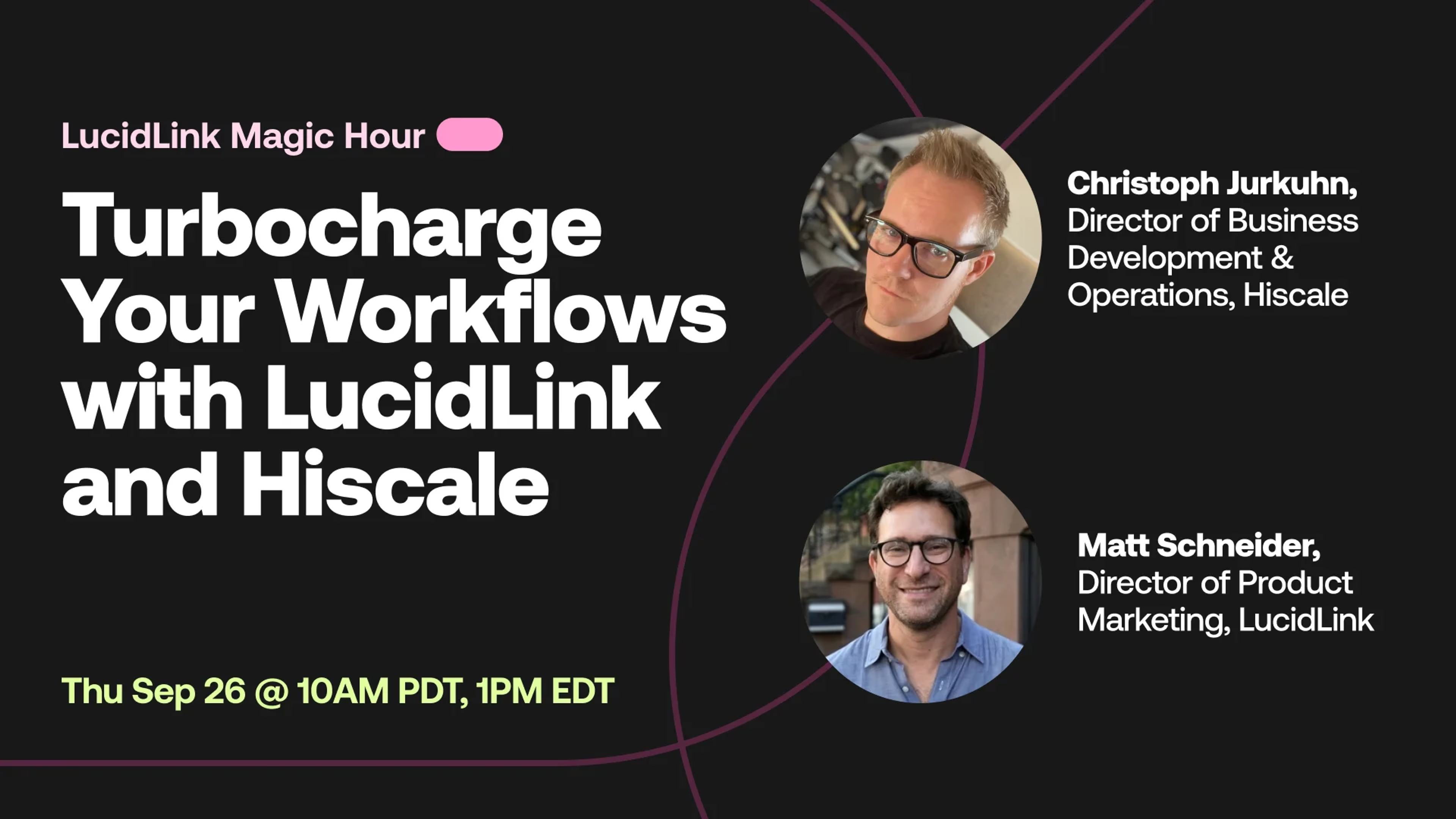
Join us for another session of LucidLink's Magic Hour, where Christoph Jurkuhn, Director of Business Development & Operations at Hiscale, will demonstrate how Hiscale FLICS seamlessly integrates with LucidLink to rocket-boost your transcoding workflows to the next level. When combined with LucidLink, Hiscale FLICS can handle anything from camera RAW formats to live productions. Expect hands-on insights, real-world use cases, and live Q&A, making this session perfect for creatives looking to elevate their production workflows.