Hello?
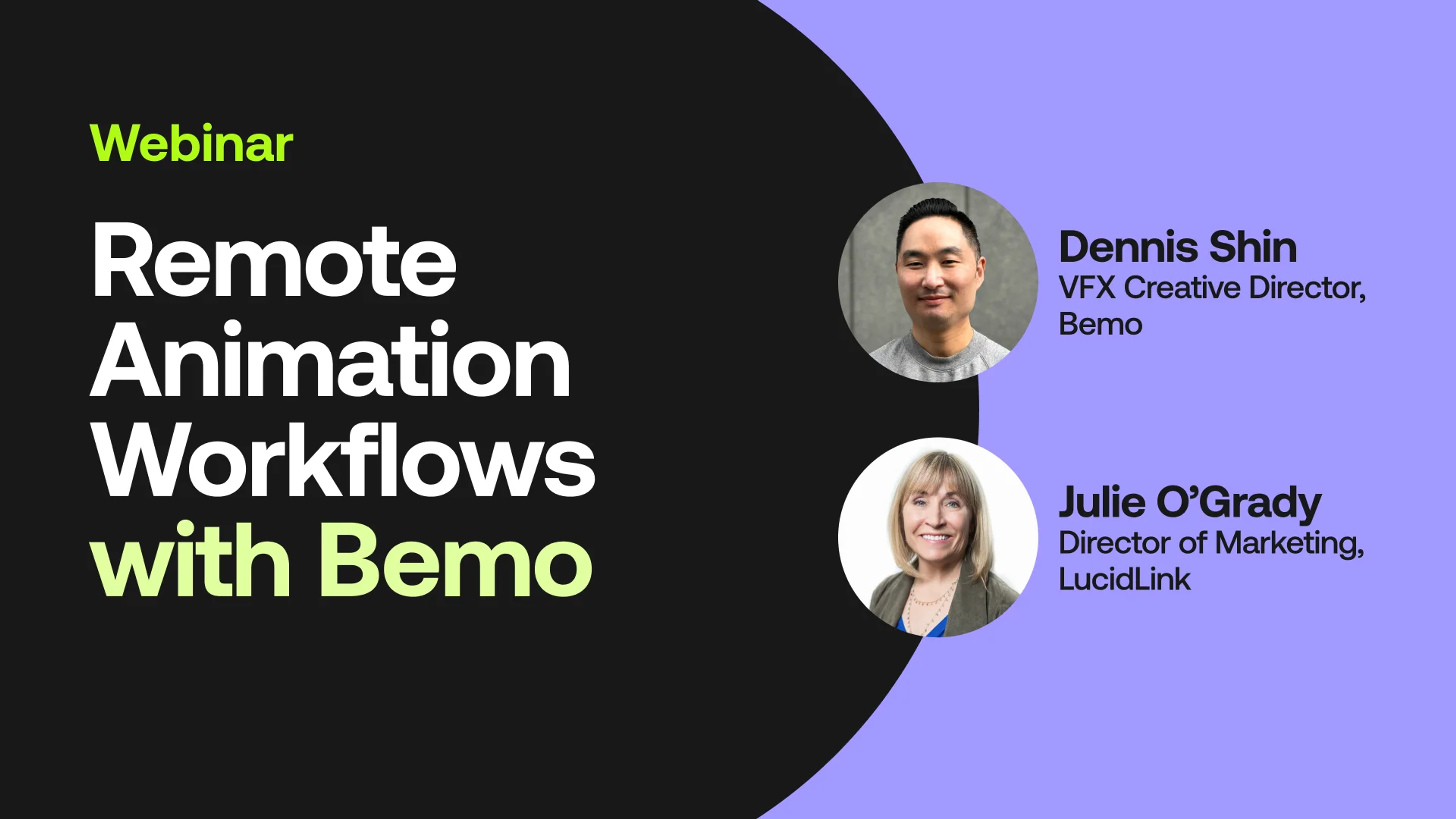
Hello, everyone, and welcome to today's LucidLink webinar talking about remote animation workflows with Dennis Shin from BMO.
So, we're just gonna give it about a minute for people to join in. And if you could say where you're from, that would be amazing.
This is gonna be an awesome session.
Oh, I wish I could see the the ticker.
Is there We will.
Hold on. Let me just do this. I'm gonna stop my sharing.
Let's see it.
Here we go.
We got someone from Texas, Texas, Canada, New York. Alright.
Oh, boy. There's a real Sanchez.
She's here to give me trouble.
Kenya. Oh, that's awesome. Oh, wow. Is it in Kenya?
Yeah. What time is it in Hongak?
Virginia Beach, Virginia. I this is like do you see how we're having fun, guys? It's like this is awesome.
Okay. So I I just wanna give you my name is Julie O'Grady, and I'm in marketing at LucidLink.
And I have the amazing Dennis Shin here from Demo.
And we're gonna talk about some animation workflows, and Dennis, by far, is the expert here.
Just a couple of, things to notice. We're gonna be taking questions in the chat as well as there's a q and a section. So we have, some a lot of great content for you.
So we might hold some of the questions till the end and then recap them for everybody. But, I think this is just amazing, valuable conversation to have.
And with that, I just we're gonna kick it off. So here's Dennis, my buddy from Hello.
Hi.
And he is the VFX creative director at BeMo. And, and and in my mind, Dennis is the remote workflow expert, and I'm really thrilled to have you join us today.
Previously, Dennis and I were together, I guess, most recently at NAB, in Vegas in April. Dennis was, a a well sought after panelist for a couple of our sessions. But with this today, we're really gonna focus on his expertise in remote animation workflows. And, with that, Dennis, can you just give me tell us a little bit about yourself and about BMO, and we'd like to hear your background.
Yeah. It's great to be back. Thank you, Julie. You are so powerful.
When we were walking on the the showroom floor, everyone knew you. It was like walking with a prom queen at school. But, anyways, yeah. So I'm a part of BMO. We're a design animation studio, originally Los Angeles based, but we're fully remote, fully cloud.
I was with BMO for a few years back twenty sixteen to twenty nineteen ish, and then I broke off, started doing some episodic, visual effects supervision for episodic, then joined forces again with the studio exactly a year ago, actually.
And, yeah, BMO is going into its eleventh year.
The better part of the decade has been, mainly commercial advertising, so motion design, a little bit of VFX, a little bit of, installations and immersive.
And, a year ago, when we kind of, like, relaunched, we've also been, hitting the ground hard with, immersive and experiential work.
So yeah. And I kinda became the accidental workflow guru. I'm definitely not an expert by any means, but I'm I'm the guy that had to figure it out. Yeah.
Well, that's awesome. And you've done a great job figuring out. So let's just start out just to tell me a little bit about how you met LucidLink, found out about LucidLink. And I know that, you know, you're also a an Adobe centric shop, because LucidLink would works with any, NLE tools and creative applications. But tell me, how did you meet LucidLink?
Yeah. How did I meet LucidLink?
We you know, as many studios do, we also work with, vendors and, a large roster of freelancers.
And so, we were already kind of, sharing, project files, like reduced project files and shots and assets, things like paint roto with, outside talent.
And, to do that at the time, we were using Dropbox for years. It was just kind of like a lazy solution.
So when pandemic hit March twenty twenty, and everyone had to go home, you know, I I represent kind of the small motion shop, in Southern California. So there's a lot of us, a lot of boutique, small studios.
At the time, we were thirteen, thirteen team members.
No IT support. You know? No, like, full time IT. No group that, could help us solve for, you know, remote work.
Like, I never even really heard of the term. You know? So yeah. I mean, March twenty twenty, we all went home, and I basically just hit the interwebs, just hit every single YouTube clip and every single article that I could to try to figure out how can we, you know, continue with our productivity and our active projects and do it remotely.
You know, how are other people doing it? And so, yeah, I discovered LucidLink in that process, and I I really I tested a lot of different solutions. There were so many different, desktop sharing apps. And during COVID, all of that kind of remote workflow technology hyperaccelerated.
It seemed like every three months, there was, like, a new company, a new something coming out. But, yeah, I stumbled upon LucidLink. It was literally just, like, another thing to try on my list. And once I got to it and I, installed the client and I started testing it with our, workstations, it just it was magic. Like, it just worked, and, yeah, and the rest is history. And then we just started to slowly migrate more and more over to it as we, were kind of going through other changes as well at the studio.
Yeah. Well, I I I I'm I'm assuming that a lot of people can relate to what happened in twenty twenty and and how you were trying to manage remote work manage work at all, essentially.
And you you you I I love the fact that you just went out and trialed everything. I mean, that's that's pretty amazing.
And you were you've been telling me a a a couple things like you, did you stress test us on a real show?
I did. Yeah. So, during that time, I transitioned out of BMO.
I went back to supervising, for a show that I worked on for six seasons with Kevin Hart.
It's a small scripted comedy called Real Husbands on BET, and, the show came back right in the middle of pandemic, which is crazy. So I don't know if anyone was around during, live production during that time, but there was insane production protocols. You had to get tested twice a week. You had to get tested when you drove up to set. Everyone had to wear masks.
And then even, like, the crew lunches, all the tables were segregated, like, partitioned with plexiglass. It was so bizarre. But, yeah, so I was back on that show for the sixth season.
And during postproduction, it was the first, episodic show that was fully remote.
And and all of the departments, all of my team members were trying to figure it out in real time. So editorial connected, with a group, and they were remoting into Avid workstations.
Color and finishing set up their remote workflow. So we were, logging in, on our computers, but then we had an iPad for monitoring.
And then I was not only supervising for VFX, but I was also the, the primary vendor.
So we had over a thousand shots. I think it was the final shot count was, like, eleven fifty.
And, I overnight just spun up, international team.
Everything was remote. I spun up cloud boxes.
Everything was on LucidLink.
I remember creating the PDF for the onboarding because no one knew what LucidLink was. So I was sending this onboarding PDF, to my team members saying, you know, like, step one, download the client. Step two, here's your login, your password.
You know, step three, point your cache to your fastest SSD.
And that was really, like, kind of a hail Mary. I didn't know how it would hold up, but long story long, yeah, we delivered the show with flying colors. LucidLink never hiccuped. It was amazing. Everyone was, like, blown away. Everyone was like, what is this? It just feels like a local SSD.
So yeah. I mean and so so from there, I started really started to incorporate it into other workflows.
So Kevin Hart was kind of our guinea pig.
Yeah.
Although he he was my boss. People were always like, you you know Kevin Hart? I'm like, I don't know him. He was my boss. Alright.
But, but, yeah, I was on that show for for six seasons. BET is a second family to me, and, yeah, that that look last last show was that was a big one. It was really stressful.
It sounds like that, especially with that keep pulling him out of here because I'm sure they both have not their keep pulling him out of here because I should be they both.
If not, they're fun to to hear about because I love hearing what creatives are doing. So, you know, we put well, I I haven't put together. Dennis has some amazing slides on what is kind of best practices, I'd say, from his opinion, doing some remote workflows. So I I think we can just kind of jump into your presentation.
Please, if you have questions, put them in the q and a or in the chat because, there's a lot of really good information here. So with that, do you wanna share your screen, Vince?
Sure. Yeah. Let me get over to this. Hopefully, this does not freeze. It's a lot of slides.
Mhmm. Lot of good slides.
Alright. Is that showing up?
And double clicked.
There we go.
You see it?
See it. Yeah. I hope everybody else does.
Okay. Cool. Well, I'll I'll kinda go through this kind of quickly and, you know, Julie, you know, interject at any time. And if there's any questions, we'll kind of, like we'll just wing it together. So remote animation workflows.
I currently am a VFX creative director at BMO Studio. You could see our work at BeMo dot Studio.
I also just started writing, short form articles.
So if you're interested in reading, I don't know if people read anymore, rival futures dot I d, and then my personal website, which I haven't updated forever. But, Denish and ID, that's where you could see some of my work. So, I would say I specialize in, hybrid workflows.
So that's, heavy live action with VFX and motion design.
So our execution styles are very, mixed. They're multidisciplinary.
And the other thing that I really care about is bringing design ops into our industry, so into motion design and animation.
All of you here probably know that our segment of the industry as far as motion design and animation, it's pretty it's like the wild west, and it seems to reset every couple of years. And so, design ops is something that, I'm trying to encourage, to be a part of the the dialogue at, some of the studios and small teams in my neck of the woods. So this is something that I tweeted a couple weeks ago. And this will give you an idea of kind of my, quote, unquote, expertise.
My messy corner of the industry is small design and animation studios, primarily in commercials, a bit of TV, film, experiential.
The teams are staff plus lots of freelancers plus vendors that offer a bit of everything, but don't particularly specialize essentially generalist shops.
So this is not your typical VFX shop. This is not a typical editorial house. This is not a trailer house or an agency.
This is good old Los Angeles, Culver City, Santa Monica, Venice, motion design animation. That's been kind of my world for the last eighteen years.
So the way that I would approach remote workflows is to kind of borrow from undergrad, verbiage.
We're really just gonna crack the surface. So I would say that this is kind of like an intro, like a one on one course. So this is your, typical small studio, five to fifteen, personnel.
The studio has decentralized, which means that now you're not on-site five days a week. So your production, your personnel, your vendors, freelancers are kind of working remotely.
And the main, the main point that I wanna try to drive home is getting your team over to a cloud server and moving off of document sharing apps.
If I don't completely bomb today and Julie invites me back, maybe we'll talk about two zero one, three zero one, four zero one stuff in the future, but this is when things get more complicated. So two zero one would be multisites of that if your team or if your studio is in two different locations and you're multidisciplinary, so you do more than just motion design, but you do heavy three d if you do organic modeling, character animation, live live action.
Two zero one is also, where you would be introducing a digital asset, management.
As everyone here knows in motion design, everyone has read write privileges to the server, which drives visual effects heads, insane because that's not how VFX is done. So as things get more complicated, a digital asset management system, is really helpful. Three zero one would be full service, so that's really the whole gamut of production That also includes black box jobs. So this is where your workstations have to be unplugged from the Internet because you're getting private client assets from Marvel or from a show or from Disney and it can't, you know, there can be a cloud workflow that's incorporated in the studio, but it has to be, really engineered and customized for full service. And the four zero one is high density. So this is our buddy, Ben Holmes, at, Red Bull. This is virtual production, live events broadcast.
This is where custom engineering would come in. So you have to really bring in the big guns to figure out this is not just getting off of Dropbox. This is like, how do we set up multi cloud for our, you know, four hundred staff studio? So that would be, like, high density four zero one.
So remote animation workflows for me sits right in the middle of design ops, creative, and system ops. I don't specialize in system ops. You know, that's really hardware and networking centric. My world is, I'm a creative first and foremost, and I've stumbled into design ops.
And so setting up a proper remote animation workflow at your studio, at your team, depending on the complexity, may involve system ops as well. So that's somebody that really, has their their chops and knowledge when it comes to hardware, software networking, spinning up e c two instances on AWS, like, that whole world.
Okay. So here's a breakdown, remote animation workflows. I would consider the remote aspect, a heart your hardware stack. So this is, you know, your, you know, what what hardware is connecting, how are you transferring assets. This is your compute storage and render. The animation part of the presentation is really the software stack. It's the execution style and your, specialty at your studio and your team will inform software stack and the animation.
And then workflow is just operations. So it's the pipeline, it's the directory structure, it's supervising the systems that are in place.
And we'll touch on a little bit of all that. So going around as a workflow, I like to affectionately call this the three stages of remote grief, AKA pre pandemic, pandemic, and post pandemic.
So pre pandemic, every small studio in my neck of the woods had a setup that was at least this this bare minimum. Now this is grossly simplified just for the sake of this conversation, but pretty much if you had a team that was five to fifteen people in motion design and you were, you know, at a studio five days a week, you're working off of a NAS, that NAS has storage, that storage has backup, maybe it's LTO, maybe you plug in lacy hard drives to back stuff up.
Most, teams and groups have, render nodes, and those render nodes could just be old workstations, literally, that are sitting in your server room that are connected to the NAS. Right? All that has to be powered, but, of course, power has to have backup. That NAS needs to go to a switcher and all of this sitting in your server room has to be cooled, which also has to be powered.
That switcher goes out to your workstations. I'm only showing five just for the sake of this demonstration. And so we had a space in, downtown Los Angeles in the arts district. We had thirteen machines all connected via cat six to a ten gigabit switcher going to a Synology.
That Synology had backup, and then we had a couple of old workstations in the server room that were connected to the NAS for our, quote, unquote, render farm. K? And then all of that was cool twenty four seven, and, of course, there was power and power backup. So that would be kind of your pre pandemic.
So during pandemic, what happened? Everyone went home.
I heard stories where artists were literally unplugging their workstations and bringing them home. Because if you remember in twenty nineteen, if you were working in a studio five days a week, I mean, I definitely wasn't paying for GPUs at home. I didn't have a fancy workstation at home. I went to work for the fancy stuff, the fancy Aeron chair, the fancy Voss water, and the snacks in the kitchen. And then when I came home, I just had my laptop. So during pandemic, now everyone's at home.
And, what happened, I feel like, in kind of the first couple of weeks is let's just send everyone home and have them control their workstations.
The first thing that we try to do is VPN.
If you experimented with VPN, you quickly realize that it's not suitable for animation. There's too much frame drop.
It's, it's an obvious solution to test because it's built into Windows and it's, secure and it's private. But the fact that it routes through a public Internet, and, you know, when you need, your playback to be smooth, it just for us, it just didn't work. So we then started experimenting with, remote desktop protocols, so, essentially, like, desktop software to control another box.
And at the time, I tested a ton of them. I gotta go find those notes notes because, I mean, it was comedic. I mean, there was even Google had one called Chrome remote desktop. There was AnyDesk. There was TeamViewer.
There was remote something or other. I mean, there was, like, a ton of them. So, we finally landed on a, remote desktop, solution that worked for us.
As you know, you know, at this time, everyone was also spinning up paying for more bandwidth at home because it was like, oh, wait. I need more bandwidth for my playback not to be sticky. And then if you don't have the right remote desktop solution, you get that drunken sailor effect where you're moving your wake comp pen and there's a delay. Right?
So we went through all of that, all of that grief.
So pandemic wasn't just three weeks.
It wasn't just three months. It went on and on and on. So then our workstation started to, EOL at the studio because these weren't brand new workstations. I mean, some of them were already six years old.
So, your team probably, experienced this as well where now everyone was working at home. We kinda found our stride. People were really beefing up their workstations at home, and so it was like, my box at home is way faster than the workstation that you're having to be remote into. Let me just work on my box and then figure out how to get the assets over, to the rest of the team.
So, unfortunately, I feel like a lot of groups did this. We definitely did this. We just switched over to Dropbox. It was like, okay. I don't wanna control this box anymore. Let me just work on my machine because now I have new GPUs. I have new SSDs.
Let's just everyone get on Dropbox. Everyone has it. Everyone uses it. Let's just try it. And, it was awful.
It just it there's just so many bottlenecks. And at the time, there were even, like, issues of Dropbox business accounts getting too full. Like, we would get random emails, like, you've exceeded your bandwidth for blah blah blah.
And it just wasn't conducive for production.
User number one would have to sync everything and then work on their shot or their sequence, render, and then upload, and the rest of the team can't see anything until it sphinx. And then once it sphinx up to the cloud, all the other users are essentially bringing it down. Right? Because at the time and I don't know if Dropbox has changed since then, but there wasn't any, like, streaming protocol.
It was essentially just, like, mirrored assets. If your job was a terabyte and you have twenty team members, that's twenty terabytes that are just mirrored across the whole job. So it didn't work well for us. And by the way, there's gotta be a way to get this back into the infrastructure that we still had at our studio.
So that's what this workstation is. We literally just had a workstation plugged in with Dropbox to transfer to our NAS to then use our our render nodes and kind of, like, you know, do this patchwork. So from Dropbox, we moved over to Google Drive.
Actually, do you want me to pause here, Julie?
Do you have anything?
Say Dropbox is a great technology, but it wasn't meant for media and entertainment workflows, in this case, animation workflow. So, you know, that's part of the reason LucidLink, I think, is was that we created LucidLink is to be able to access those huge files from anywhere. And and, again, it just nobody it was it's different technology for different purposes. So this is this is helpful. Thanks.
Hundred percent. Hundred percent. Yeah. I mean, I still have Dropbox and Google Drive. I my whole life is on Google Drive, my taxes, my documents, you know, all of that stuff. Dropbox, I use for photo backup. But for production, it just doesn't work.
So we moved over to g Drive because it's solved some of our bottleneck issues. Google Drive started doing their version of, like, a streaming protocol, so you didn't have to pull down the whole job. You could kind of, like, stream it. And I think Google still does that where you install the client, and then there's two options where you could stream or you could basically sync.
I think that that's the way it worked. So, yeah, we tried this. And, in fact, I was also freelancing at other studios and other groups that were also doing this, but, a lot of the bottlenecks still persisted. The metadata is not real time.
It's the same issue. User one is working here on an island. The rest of the team has no idea what's going on until this syncs and then you see it.
EXR sequences weren't fully loading, so we had to pin ginormous directories just to to get it to work because everything was kind of hiccuping when we're trying to render and and load large sequences.
And then the other thing is g drive is not great for sharing to vendors.
I don't know if they still do this, but if you have a large project on g drive and you try to use, Google Drive for, like, like, a transfer protocol. I'm pretty sure it splits everything up into a ZIP file. Correct me if I'm wrong. I think it still does that.
So that was driving us insane as well. So, and then the same issue. Right? Like, if you're working off of a document sharing app, how does that talk with the rest of your infrastructure?
And so we were doing the same thing at a workstation with Google Drive, syncing everything to the workstation, and then literally pulling the assets off onto a transferred hard drive and then walking it to our server room because there was no clean way to mount, Google Drive on our NAS. I'm sure that's been updated, since then, but it for us, it's just that there was no way to do it cleanly.
Yeah. And, Dennis, I can see, like, who's who's using the document sharing apps. I mean, a lot of people can relate to your workflows and what you've done. You know, Jason talked about use he is VPN until he found Luzentlink.
Shout out to Jason. But who's using document sharing apps currently? What kind are you guys using using? I just wanna see how we are all relating to what Dennis is talking about.
I don't see the chat, so you'll have to.
Well, somehow, I'm using it for documents, which is great. Dropbox Google Drive just for admin documents.
Okay.
So yeah. I mean, this in our neck of the woods here, surprisingly, a lot of studios, a lot of small teams, are using Google Drive as essentially their main server and just basically working around the bottlenecks, working around the hiccups.
And so yeah. I mean, if that's your team, I would say well, first of all, like, let's hear the pain points. So, a lot of studios, a lot of small teams that have used these COVID patches haven't really moved on to to better, products. So active projects projects are living on Google Drive, Dropbox, or OneDrive. It's causing multiple bottlenecks.
There's also, ununified folder structures, which means that artists are working, organizing, labeling everything differently, and there's just a there's just a time sync. There's time wasted because people are copying, syncing, uploading, downloading, searching for things all the time. And, you know, I'll add to this that there's there's a weird psychological blockage too when you're using document sharing apps. If you're working with vendors and artists, remotely and I I don't know.
Tell me if you guys relate to this. Sometimes artists just won't use it. They'll just see Google Drive as, like, an option. They'll work locally.
They'll work on their raid or their their, you know, setup at home, and then they'll package and upload. So that's the other thing that I ran into running jobs in other studios is that people were essentially using Google Drive as, like, this weird, like, this transfer platform where you're basically, like, uploading every single time, repackaging. And so you end up at the end of the job with, like, twenty seven copies of the same asset, which makes archiving and unarchiving just a nightmare. So these are some of the pain points.
Here's a solution that I would propose. Implement a real time cloud server.
It's it's really night and day. It's night and day to get over to a cloud server that's built from the ground up for production.
You need to properly onboard and supervise remote workflow activity.
I always say that the killer to efficiency is assumption.
When producers and coordinators and leads just assume that artists that are working remotely are gonna be organized and organize the job and the shot and the directories the way that you do, that's just killer. And it's a nightmare to go into somebody else's project and see that, you know, everything is spaghetti, essentially.
And so the last part of this is unifying server directories, organization, naming convention. The only thing that we're really gonna talk about is implementing a real time cloud server.
So to get back to this, a lot of groups, a lot a lot of groups are still working like this.
If you bring LucidLink over into your pipeline, you're gonna alleviate a lot of bottlenecks. And I wish I had time to do a screen share and and show this because I've actually personally brought LucidLink into three other studios.
And there's always one demo that I do that is like jaw dropping. I basically bring up two machines, two remote machines, one on the West Coast, one in New York. And on the West Coast machine, I have a seven hundred gig QuickTime, QuickTime file. Take the file, drag it to the server to LucidLink, and then switch over to the New York box and then start slap comping with it. It's really hard to understand how that works, and I and I'm not an engineer. I don't know the proprietary magic under the hood, but it really removes a lot of the bottlenecks. It removes a lot of the, inefficiencies because the metadata is in real time.
Your whole team could see what is, being, sunk to the server. And on top of that, you could slap comp with assets before they're even fully copied over.
It's crazy. So I should record that next time. It's just wizardry. That's really the cell. So now user number one is rendering to the server, and user number four could see that render showing up. And you could actually grab it and bring it into After Effects and start slap copy with it.
Also, the streaming protocol that LucidLink uses is, is wizardry. It just works. So it's not this idea of mirrored assets. You know? It's not you know, the job is four terabytes, so everyone has to pin and mirror four terabytes. It's just everything lives in the cloud. It's on Lucid, and whatever shot or whatever asset or whatever block of production you're working on, that data just streams to your box, and it really feels like a local SSD.
And as you can see here, I still have, like, a a a workstation here because it plays nicely with anybody that just wants to, you know, still remote in to a workstation that's sitting in the studio, and it is a much cleaner solution to try to get your assets to talk with the rest of your infrastructure, your your physical footprint as well.
Anything there, Julie?
I think they they're all loving it. Yeah.
Okay. Cool. So this is what we did. This is what I stress tested, and I, you know, to go back to this, this is where we were at as a studio. We were all controlling workstations that were plugged into our, on prem hardware, but we took it a step further.
We basically got rid of all of our workstations because as they started the end of life, we did the math, and it just didn't make sense to upgrade these these boxes on-site. And then the other thing is it was pretty clear that our remote workflow was working, and so we were getting rid of our space. So we don't even have that space in the arts district anymore, which, a lot of studios, did as well for better or for worse. So that means we're getting rid of all of our hardware.
So we got rid of our server, which means you don't need storage or storage backup. You don't need power power backup. You don't need your physical render nodes there. You don't need a switcher because you're not, piping anything to physical workstations, and you don't need this insane cooling bill.
I wish I took a screenshot of how expensive it is to run an AC twenty four seven to cool all of this stuff down. So we got rid of our space. We got rid of all of our hardware, and this is what BMO Studio looks like right now. This is a simplified version.
So now LucidLink is our main server.
We don't have any physical, render nodes anymore. We use render farms.
And as you could see up here, now we pretty much treat the the end user kind of like as an endpoint.
So you don't need to have a beefy machine. You don't need to have an incredible workstation because we started using, virtual desktops.
And so now our team, from a laptop, from an iMac, from an old PC, from a new Mac, whatever it is, we use, remote desktop software to remote in and control a virtual box. So everything here at the bottom of the diagram, this is all in the cloud.
And then up top is basically just, mixed mixed user environments.
This laptop that I'm doing this presentation on is a twenty nineteen MacBook Air, and this laptop is what I've been delivering all of our jobs on for the last year and a half from this laptop. Because now it's just a terminal. I log in. I control my Cloudbox.
That Cloudbox has LucidLink, and everything is everything is in real time. It's amazing. That's another demo I need to record for you, Julie, next time because it's pretty crazy. My Internet here at home is, you know, something like six hundred up down. But when I remote into my virtual machine, I get three thousand up down.
Wow.
So that removes tons of bottlenecks. Right? Because now, even when you need to, you know, deliver final assets, which, obviously, we have to do, you're not, inhibited by your your Internet speed. You it's essentially, like, unlimited bandwidth. That's what it feels like.
Well, Dennis, we've got a couple questions, and I think this is kind of a good time to interject for a few of them. People are wondering, you know, Luis was wondering what is the minimum Internet speed that you were need to do for this work?
Yeah. That's a great question. So, we use Parsec for our, desktop protocol, and I was gonna talk about this a little bit later. I think Parsec is the best software solution for controlling a desktop, But the gold standard in our industry, everyone probably knows as Teradici. Teradici is just the gold standard. It's amazing.
They have several different solutions, thin clients, software clients.
And so for so for Parsec, I remember doing the math. You really only need I think it's twenty five megabits, twenty five up down per UHD monitor.
So if you have, obviously, all of us are working and finishing it at least UHD, Thirty eight sixty or what is it? What's UHD? Thirty eight twenty thirty eight sixty twenty one? Thirty eight oh, man. Somebody fire me. Whatever UHD is, that UHD resolution will does somebody say it in the chat?
Nope. Help Dennis out.
Thirty eight thirty eight twenty thirty eight.
Thirty eight forty by twenty one sixty. Rarely with god.
I should be fired.
I should be fired. Whoever said that, I'm gonna send you a Starbucks card.
Thirty eight forty twenty one sixty. Right? UHD.
Okay.
Yes. So it's twenty five megabits per UHD monitor. So if you're using two monitors, then you would need at least fifty. But, obviously, the more bandwidth, the better the user experience is gonna be.
Okay. So, the Matt, do you wanna handle the minimum speed needed in the chat? Matt Schneider, I know he's on the call with me. My colleague. My lovely colleague.
So, Dennis, we had a couple other questions. Let me see. What, VDI solution do you use?
Yeah. So I just so Parsec is what we use.
That's it? Okay. Sorry.
I'm going back.
Oh, no worries. Yeah. Parsec is amazing. It's it's free.
We obviously have a business account, but you could use the free account.
The business account gives you, quad four color and, I think, OACOM pen and better administrative, organization.
But, yeah, I would say give it a try.
Yeah. And then, my other question here, we had one from Richard earlier, and he said, how much data do you deal with on average shot?
It's hard to say on an average shot, but our our LucidLink Filespace, it hovers around fifty terabytes.
And, we're a small team.
You know, we're less than a dozen people, but, it just so happens that the the the data for a lot of the jobs that we're doing, especially the installations, it seems to go up every quarter. It just gets heavier and heavier and heavier. So, yeah, it hovers around fifty terabytes, for all of our active jobs, and we keep our jobs on one main file space for our active. And then once it wraps, we give it six months before we move it to, like, a, like, a warm storage, and then we leave it there for six months, and then it goes to cold storage.
So that's kind of our process. So we have three funnel spaces.
Yeah. And we've done some big projects. You know, there's a lot of entertainment going on in in Vegas, and you've been a big part of that new technology entertainment, not to name names.
There's there's a big venue in Vegas that we do quite a bit of work with. Yeah.
I know you do.
So a couple other questions, and then we could keep going. But it's, Richard, another question. With which three d apps do you work mostly, and do you develop custom pipeline tools to import export assets to your three d apps?
Cool. Yeah. We'll get there. I'll show you our kind of software stack. The second part of your question, no. We don't we don't do any, scripting Python scripting.
I would love to bring someone in to help us with that. In fact, I've actually met with a couple of pipeline TDs that, really excel in that world. But as of now, BMO Studio, everything is off the shelf. Everything is, you know, us trying to string it together as artists and trying to figure it out. But if you know how to do that, please email me because, yeah, that would be rad.
Yeah. Keith, you wanna keep going?
Yeah. So that's kind of a a very brief overview, of our kind of remote workflow. Let me move to animation.
So, BeMo Studio, we, specialize in hybrid workflows and hybrid execution styles. So this has a live action acquisition component, and then we use a mixture of visual effects, two d, and three d to come up with, these kind of cool unique looks.
And that's what I get said. Yep. So we, I supervised a show, with BMO called, Dream Corp, LLC. It was an adult swim for three seasons. I was the VFX supervisor for that season three, and then I also helped build the workflow in the pipeline. So you kinda see, our process there. We, you know, capture everything live action.
Our artists do key frames, draw over key frames, and then, we use cinema four d for three d environments. And so all the dream sequences in that show, in that adult swim show was, handled by BMO Studio.
So here's a couple of more examples. So this season three, I actually I I flipped our acquisition to green screen. Before, they used to shoot on a stage, but, I propose green screen because it makes the slap comps a lot easier. So as you could see here on the right, you know, once we shoot and lock, we can basically pull the key right in After Effects.
I mean, just do, like, a very crude key, bring in our drawovers, and then you could see the backgrounds. All the backgrounds, all the three d is cinema four d. And then, of course, on top, we play with every plug in that exists. We're very, very Adobe centric.
Love Red Giant.
I got to meet Stu Maschwitz at NAB. Julie, I totally geeked out. But, anyways okay.
Here's our, main application. So our software stack, we obviously use more than these, but this would be our main software stack for some of the execution, styles that we do.
So, for our commercial three d, so kind of your, motion design for, commercial advertising, Our three d is very cinema Houdini heavy, and pretty much everything finishes in Adobe. So everything is comped, finished in after effects.
For our two d cell automation stuff that I just showed you with, like, adult swim, all of the three d was done in Sumo four d, and then our, draw overs, draw over key frames are done in Toon Boom and Procreate.
And then we do all of our comping and aftereffects. And then for a show like that, because it's episodic, we do, our editorial, our string outs, our final exports out of Premiere.
And then, yeah, for the immersive stuff, for the installations, if it's, if it's editorial heavy or if there's, like, a timeline, we'll finish in premiere.
But for the really big, big stuff, we're, we're assembling essentially a Nuke. Now I'm not a Foundry guy. I'm really an Adobe, artist. But once we started doing immersive installations, I mean, we are delivering sixteen k sixteen k, sixty frame, sixteen k, yeah, sixty frames per second, p three color.
So After Effects is not really suited for that, and so we're assembling a nuke, and then we're using Unreal. So Unreal has been great for us. We just introduced it into our pipeline last year. So it's been really cool to kind of, you know, get into how we could use Unreal in our linear pipeline.
But for iteration, for real time, for working on huge scenes and, you know, a cube map with, rendering out four cameras and stitching in it to Nuke. It's been really amazing. It's been really cool.
Here's a couple of more cool things that, I worked on with the studio. So everything from kind of traditional VFX, three d comping to some of the, animation styles that we specialize in.
Okay. So that brings us to workflow. How much time do we have? I'm gonna I'm gonna speed it up.
So About fifteen minutes and and more questions.
Anybody wants I mean, we have a lot of questions. We can always stay a little over.
Okay. I'll keep going. So when it comes to workflow, it's really just about operations. I mean, it's just supervised systems. And here's my cell. Okay?
Motion design and animation, for some reason, we don't follow the rest of the industry.
It's like we're just like the wild west of experimentation. But as you know, editorial follows a very logical hierarchy. The main edit is broken up into sequences, and that sequence has several scenes, and that scene has several shots.
That's the way that you approach the job. That's the way the production tracker is organized. That's how dailies are referred to, you know, the sequence scene or the shot. Same thing with traditional visual effects.
VFX houses are awarded jobs by sequence, shot, and task. So this is how it's organized. Right? There's a sequence.
That sequence has several shots, and then those shots have individual tasks. And those tasks are distributed across departments and artists.
So not to give anyone any PTSD, but this is how motion design is organized.
For some reason, we organize our jobs by artist.
And so there's an artist folder, and that artist is given a whole bunch of different tasks and responsibilities, and they may or may not relate to a sequence or an edit that's kind of, like, always in motion. And so the main thing is motion design, it just needs to borrow from existing, hierarchy and structures.
So my proposal, every time I go into a new group or I'm I'm helping a team, is just to move your motion design structure over to something that makes more logical sense. So sequence shot task is a great way to approach your jobs. So instead of saying, you know, Joe's sequence or Jane's shot, you should really organize your production tracker and your server so that it's the car chase sequence.
Right? Or shot number three.
That makes a lot of sense to me. So this is how our server structure is organized.
This is also very simplified. We obviously have, two and a half times more, folders than this. But this is, our top level directories.
All of this lives on NucyLink. We don't even call it NucyLink. We just call it the server. Right?
So this is our server. Every active job has, about a dozen top level directories. So all of this is in one one job. So if there was a folder here to the left, it would be called, you know, main on ends or something like that.
Right? So our top level directories are everything that's familiar to you, which is like client in, client out, internal docs, your bids, your calendars, your finals.
We also partition off editorial because editorial specifically has a different directory structure, and then we also partition off a directory for our vendors. So when we're working especially with, like, audio houses or color finishing where there has to be a turnover, we just find it easier to have a separate directory for that.
So the reason why, this is how we work is because with remote workflows, you wanna get to a point where you're just showing one, one directory with your artist that's off-site.
So instead of sharing the whole job, you know, all the top level directories, there's no reason for your artist or your personal off-site to have access to all the client in, client out, the postings, the calendar. The calendar should be pinned somewhere, right, in Slack or something like that. So we've gotten to a point where we show one directory, that one directory has the active job. And as you could see, it's organized very logically.
So from the largest unit to the most granular unit. So we start with a sequence or a section, and then that sequence is broken up into shots or, an asset. Right? Because it depends on what you're doing.
It's not always a commercial. It could be, you know, an installation.
And then every single shot or asset folder follows the same walled garden. So every single shot folder, we have local assets that are tied specifically to the shot, although we have global assets out here. Then we separate two d, three d, unreal, and comp. Comp for us is either After Effects or Nuke, but eighty five percent of our jobs are After Effects.
And then within these folders are the application of choice. And the methodology really is to stay software agnostic. Like, you shouldn't organize your jobs based on application. You shouldn't have after effects at the top of your tree because as your team grows and experiment experiments with different execution styles and you bring in other artists, you know, it's nice to swap out the tool set based on what what it is that you're trying to execute.
So, I mean, we use substance. We we bring in Maya, rigors. We bring in, three d three d s max, artists for art, ArcViz, ZBrush artists for modeling. So it just depends on what the job entails.
All of that gets pushed to the bottom of the tree. Now the thing that you don't see here is an artist folder. It makes no sense. Because if you have artist folders at the top of your tree, your workflow gets super unorganized when artists start switching tasks.
Right? You have a Joe folder. It was Joe sequence. Now you're asking Jane to help.
Does Jane work out of Joe's folder, or does Jane duplicate Joe's assets? And now your coordinator doesn't know where's the latest output. Who's the last person to touch this shot. It it just gets super, super unorganized. So the artists are always at the end of the tree because you want to be able to have your pipelines scale across different specialties, different artists, different departments. Okay. So that's my little rant on workflow.
A couple of quick, animation remote animation quick tips.
In After Effects, always clarify your color space.
Whenever somebody just leaves their color space to none, I consider that a an offense.
You can make that you turn that into a drinking game if you want, but everything should be linear races pretty much.
We use, dot AAT file templates. So before a job starts, I start an AAT template with a directory structure that we use, that every single job follows, that has all of our, output modules that are saved in the render queue so that when the artist opens it, it forces them to save. That's what a dot a t is, so after effects template file.
We started using the LucidLink, the native, panel in After Effects, and it's awesome. So if if you need to pin project assets, pin them through the LucidLink panel because it will pin only what you need for that comp or that shot. Whereas before, on the server, you needed to kind of, like, pin an entire folder that pinned a bunch of stuff that you weren't using in your shot.
And then, yeah, if you have a a cloud workflow, you could distribute your renders in after effects, which is a a nightmare. There's not a clean way to do it, but you could do it in the cloud on LucidLink because the metadata is in real time. So on your output module, just click on skip frame, and now you have twenty cloud boxes rendering your PNG sequence. Okay. Remote animation for Houdini.
We found it best to keep all your Houdini assets in one top level directory and just kind of every job is different, but it it just started to get messy when we started to break up Houdini, files and textures and outputs, up the tree, which we do with Adobe.
So keeping Houdini kind of in its own, top level directory made a lot of sense. Use relative paths when you're working remote so that everyone can open everything up and it just relinks automatically, especially when you go into a render farm.
Encourage your artist to cache SIMs directly to LucidLink. K? If their LucidLink is pointed to their SSD, it's it's caching locally anyway anyways.
So it's gonna help the cache directly to the server again for your render farm because then it goes up easier. We're using Fox render farm for Houdini. If anyone in the chat has a better render farm, let us know.
Nuke, as far as I know, the only commercial render farm for Nuke is Conductor.
We've used it extensively for the last year. If anybody knows another solution for this, please let me know. I've emailed, like, six different render farms, and they seem to be getting rid of their Foundry licenses. They're kind of expensive. Okay. For Unreal, we really like Perforce.
You know, there's a whole debate between Git and Helix Core. We really like Helix Core. For remote workflows, all you need to do is spin up, an instance, a CPU instance, something that runs for, like, thirty cents an hour.
Put, Helix Core on there. It's free for up to five seats. You don't need to be an expert. You can look at one YouTube tutorial. It's super easy.
Attach a, static IP to that instance, and then now your Unreal team is off and running, and you have your version control that's running in the cloud. And then finally, for remote desktop, Teradici is the gold standard. It's amazing.
We're using Parsec. It's worked out very well for us.
I said give it a shot. It's free.
Finally, you could, follow me. I just started writing around with features, and here's a bunch of my misfit, colleagues.
A lot of this work obviously is collaborative, and so please, follow some of these amazing artists. If you need a creative director, art director, if you need, illustrations, Scott Hassell. Scott Hassell is the guy that did most of illustration the draw over is here. So, yeah, that is it.
And we've got a lot of questions.
Okay. That was a lot. Right?
Well, I'm starting with, Jason just said. Framaya works excellent in conjunction with Premier, with LucidLink. They're you know, we're it's extremely compatible. There's a lot of information. I think we're gonna have a Frame. Io webinar coming in as well with our friends from Adobe.
Yeah.
We use it as well.
Yeah. Yeah.
What should you what should we keep an eye on for the near future for remote workflows?
Is that two zero one, three zero one? I know. Just kidding.
Yeah.
Yeah. That's a good question.
I think well, for us, I could speak for our our group.
We are starting to look at, multi cloud.
So that means, using LucidLink, but then kind of distributing our file spaces across, different providers for for backup and for recall.
The snapshots work amazingly.
But right now, we pretty much just have our active projects, and then we have our warm storage. We don't really have, like, a instant, backup solution, so that's something to keep an eye on.
But, yeah, I mean, I just feel like remote workflows every quarter of this conversation is gonna be relevant because everyone is moving in this direction.
Every software, company is, taking note and making remote work easier.
I wish there were more render farms, that were user friendly.
Fox render farm has been okay. If anyone is listening from Fox, I don't know why you throttle our bandwidth. Like I said, we have three thousand up and down. But for some reason, when we download our renders from Fox, it it caps at, like, three hundred megabits, which is insane. LucidLink is amazing because LucidLink will saturate your entire bandwidth.
That's right.
So I wish I wish other groups would do that.
I do saturate. So here's a few more questions.
Is there, Richard asked, is there a reason you're not using deadline and spot instances event plug in?
Yeah. So that is something that we are actively working on. So that's actually the some of the meetings I that I've been having with pipeline TVs to kind of engineer, our own render farm using EC two, instances with AWS.
That's not my specialty. That's not my expertise. And the other thing is up until last year, we really didn't do that much heavy rendering in the farm. A lot of it was local, just on our boxes. But now that we've moved into these really kind of big, big deliveries and these big, big, spherical venues, Yeah. That's something that we we are actively pursuing.
Miracle venues. I love it.
Just going back to the Frame. Io discussion, Jason said that they're also using Frame. Io for archiving and daily backup.
So to jump in Yeah. Yeah. I love this discussion. And I think we're gonna have to do, two two No. One. Is that the next one?
Or Oh, no. I was just saying that that's that's that would be the dream to to go through all that.
But They're bringing you back.
They want you back. This is my point.
Oh, that'd be great. That'd be great.
Couple couple other questions. Are you on the, main plan, or do you bring your own store?
Our main file space, we're using IBM Cloud.
And then our kind of warm storage, we're on Wasabi.
And then, for my visual effects work, I use DigitalOcean.
Great.
So DigitalOcean, yeah, the bring your own I forgot what they call it. But I I did a bunch of speed tests from LA at the time, and DigitalOcean was the fastest and the cheapest for me for where I was connecting.
So, yeah, I've been on it for two, two and a half years. It's been great.
That's awesome. I I did we I did have another question when someone's saying is LucidLink cheaper than the cost of offices and heating and cooling and and all that hardware. And we are working on a white paper for total cost of ownership because we get that question quite a lot, and people don't realize what things you could do with LucidLink and do without when you have LucidLink. And, Dennis had my one of my favorite line is when you we were at NAB on stage together. And what did you hold up?
Oh, my my MacBook. Right?
Yeah.
Because that's all you want.
On right now.
Yeah.
You can't hold up.
Yeah. Yeah. Yeah. Yeah.
This is my terminal.
Yeah. And it's a lot cooler there, isn't it?
It's a lot cooler. Yeah. I mean, I, honestly, like, I knew that okay. I shouldn't say that. There was a big debate pre COVID about moving to the cloud, and I was always pro cloud before pandemic because our segment of the industry being as disorganized as we are got to a point where people were rendering overnight from their bedroom, having GPUs just spin all night. And so the joke was, you know, why do you wanna turn your apartment into Asana?
You know, let's let's get this into the cloud. So I was already pushing for this with my teams. It just so happened that pandemic forced us to go in that direction.
So, yeah, I mean, I I'm never gonna buy a workstation again. Those days are over. I have my my laptop. I have my iPhone.
I have my remote boxes, and I render in the cloud. Yeah.
That's awesome.
So cup couple more questions.
This is from Luis. He wants to know, he's curious to hear what you think about date folders, for example, twenty twenty four zero seven zero nine.
Yeah.
So, basically, like, in our dailies or in our client in, client out directories, anything that we need to track, according to date, we always have a dated folder. So our outputs, our data these are renders. There's always a kind of, like, a first come first serve. So that's a part of our onboarding. We tell our artists.
I actually record an onboarding using Loom, and, I we basically tell our artists when he gets to the dailies, if you're the first person there putting in dailies up, start a, a a a dated folder for the day. So twenty four underscore zero seven zero nine. That would be today.
So we have a couple other questions, but what I want to remind everybody, and I'm gonna put this on a slide in a second, is for LucidLink, you get a fourteen day free trial. So go and try us out. I mean, really. And then the other, thing is we have, a new demo hour that's starting with my colleague, Matt Schneider, this Thursday at eleven AM eastern, and I included the link in here. And if you can't remember the link and you don't grab it, it's just listed link dot com slash landing slash live hyphen demos.
So oops. Sorry. It's one PM eastern. Sorry. I've got that time wrong.
Okay. So here is my another question. Hello. Thanks for your time. And as a startup of three motion designers, we'd like to get into basic three d animation. Would you recommend learning Blender or Unreal Engine for small product marketing projects?
I mean, I would say cinema, honestly.
Blender is great.
We I'm not that familiar with Blender. I know it's amazing and it's free. We've been using it mainly for our Unreal jobs because, it's a quick way for our artists to kind of, like, remap a texture or bring in an asset and clean it up before it gets to unreal.
I wouldn't recommend Unreal if you're just starting out, especially in motion design. It's not really a motion design piece of software.
I would say After Effects Cinema is is, you know there's a huge community with just those two programs, lots and lots of forums, lots and lots of meetups.
But, yeah, Blender is a great great option as well.
Yeah. I have again, this might be or one final question. Do you use any programs to manage large file uploads in the event of an upload failure?
Upload to our file space, I'm assuming. Is is that what the question is?
Johan, I I don't know, if you if you're still there, if you can clarify this.
And he said Right now, we're not.
I haven't had any hiccups with it. I mean, we basically, we have a live action shoot.
You know, I'm suping visual effects. I take a transfer drive home.
I plug it in that night, and it basically syncs to our file space.
I haven't really had any hiccups with that, but if you have a suggestion, if there's a software that you use, I'm I'm always geeking out trying new things.
As far as, final deliveries go, like, for example, we just delivered a project for, MGM in Macau, the Cotai hotel that has all those installations. I mean, those were eight k renders. It was insane. So to deliver that, we use, a platform called Massive.
I really like it. It's super fast, and it you pay per transfer. So we're using MASV for our big, big deliveries.
And we like MASV too. So yeah. Cool. Yeah.
Well, I think we're we're oh, well, we got one more question.
Okay. Luis said, three thousand MB upload, three thousand MB download. Where do you get that? I have a Spectrum fifteen MB and six hundred download.
Yeah. If you're on a cloud box, you're basically plugged right into the pipe. So any cloud machine that you're using, you're gonna get something like over twenty five hundred megabits because you're, you know, you're you're you're on the network.
So it's hard to explain, but, yeah, like, for my laptop I mean, I just got back from Korea.
I was there for a month running jobs, sitting in a Starbucks on this crappy laptop, but I'm logged in to my Cloudbox and, you know, running my job. And so, yeah, maybe that'll be a demo for for next time as well.
I I well, I we're we're you're coming back, please.
If anyone has any questions, please message me through my website. I have no friends.
So I would like to If you guys if you guys wanna commiserate on this and vent about remote work, drop me a line.
And if you're in the LA area, we do meetups as well. So, yeah, drop me a line. Let's meet up. Let's talk about remote workflows.
Yeah. Yeah. And remember, sign up for a two week free trial, which is probably what how you started off with LucidLink. Right?
Yep.
Yeah. And and, Dennis, what's the website again? We could type it in. I don't know if you could see the web chat right now on your on your end.
I can see it. Yeah. It's, rival, rival futures dot I d.
So I'm starting to write workflow stuff, starting to share some knowledge.
It's weird. I used to be the youngest person in the room all the time, and now I'm, like, quickly becoming the oldest person in the room when we do these jobs. I'm like, oh, no. It's that time where I'm just gonna tell stories.
With age comes knowledge, buddy. So, thank you again. And then we have a demo of BlueSlick. We can bring all your questions starting at one PM eastern on Thursday that my colleague, Matt Schneider, is hosting.
And we'll bring Dennis back. And thank you. Thank you. Thank you, Dennis Shinn, and thank you, BMO.
Awesome. Thank you so much.
You guys are great. Thanks for attending for the whole time. See you next time.
Entertainment as we know it is a constantly evolving landscape, new technologies and mediums make way for incredible experiences— ultimately powered by the artists that bring those experiences to life. The lines of technological limitations continue to blur and we see storytelling like never before, so what enables these artists to create work that constantly raises the bar?
We will sit down with Dennis Shin, VFX Creative Director from Bemo, who led an international team of artists creating animations remotely powered by LucidLink. Tune in to see some amazing cloud-first workflows.