Well, I'm Marcy. It's nice to meet you all. Sorry for the slight delay getting started. I'm on our community marketing team, but you will not hear a ton from me today. You are gonna hear from my amazing colleague, Matt Schneider, who is the director of product marketing at LucidLink.
We are also joined today by Josh Olufemi, who is a YouTuber focused on postproduction tutorials. He's amazing. Check him out if you don't already follow him.
So Josh has used LucidLink Classic before, but he is totally new to the new LucidLink, which is why we're all here today. We are gonna be exploring how the new LucidLink is different from classic and also if you're new to LucidLink, just what that is in general.
So you can think of Josh as kind of like a reflection of yourself today. He's gonna be asking questions throughout probably similar to what you would be asking if you were you were in a live demo.
And we're also gonna have live q and a at the end. So any specific questions that you have, you will also get answered.
Several of you also already asked questions as you were registering for this event. Thank you so much for that. They were great questions.
So we'll be seeding those in throughout the demo to make sure that we cover everything that you wanna know.
Well, thank you very much, and great to, see everybody. I'm so glad that everyone can join today. I'm delighted to have you. I'm especially delighted that we can welcome, Josh Lufeemy, to our LucerLink unlocked, session today.
I'll do some quick introductions. I'm Matt Schneider. I'm based in Brooklyn, New York City.
My background is predominantly in film and television postproduction.
Next year will be, not to date myself, will be my thirtieth anniversary working in film and TV, media and entertainment, tech, and workflows.
And I spent about half that time working for a large post production house here in New York where we did everything, dailies, editorial, conform, color, mastering, final delivery, DCP, IMF, you name it. And learned an enormous amount about post at that time and really developed, a real love affair for it. And after that, I went to I went back to Avid where I worked as a product designer and then came here to Looslink.
And, Josh, let's let's hear about where you're from and the kind of work that you do.
Awesome. What's up, man? It's a pleasure being here.
So my name is Josh Olufemi.
I have a YouTube channel originally based out of Los Angeles. I was in Australia for quite a few years, just moving back to the states as of, like, ten months ago, now based out of Atlanta.
Our channel is called Olufemi. We have a community of about half a million, mainly, Adobe Creative Suite creators, so Premiere Pro, After Effects. And, we just teach video production tutorials.
Fantastic. I've seen quite a few of your, your episodes on your YouTube channel, and they are both helpful and fun to watch. So absolutely great stuff. I didn't know that you lived in Australia. How long were you there?
I've technically been there on and off since two thousand sixteen, but the last stint was, like, four years. So, like, two thousand one till a year ago. Three and a half years or something.
Fantastic.
Welcome back.
Quick note for everybody who is, watching our session today. Please ask questions. What I'm gonna be doing is I have the privilege and the honor of showing Josh what the new LucidLink is and how to think of it as a next generation solution from LucidLink, and quite a big step up from our LucidLink Classic product, which I think half the audience today is running Classic.
So Josh, I'm gonna give you this demo, and I want you to jump in and interrupt me anytime you want with questions or thoughts or something that doesn't make sense or or anything you would like to ask. And I wanna extend that to everybody who's listening. Marcy is gonna be monitoring the questions and, Marcy, please jump in if there's a good question that Josh and I should address on the fly.
Exactly. This is the type of live that I don't want it to seem. I I feel like we're both on the same page. Like, if you guys are asking questions, we're actually looking. This isn't just like a a monologue type of thing. This is actually gonna be a, like, a conversation. So ask those questions.
Conversation.
So LucidLink Classic, it looks like about half of you are on LucidLink Classic. That is still the that's our legacy product. That's the product that we've had for about seven or eight years.
And in fact, the bulk of our customers are still on LucidLink Classic and eventually will migrate, to the new LucidLink.
One of the comments that we would get or the the feedback that we got from customers over time, and this was a theme that we heard in a very consistent way, was that customers loved product, they loved the experience, they loved the performance.
The only Achilles heel perhaps was that the only way to get to your data was to install the desktop client. That's the desktop client that I just had up here, this LucidLink Classic. And that's absolutely true. In order to use LucidLink Classic, you must install software, whether you're running on Mac OS or Windows or even Linux.
And once you install the software and you get over that hump, then you have to mount your file space to get to your data. And the feedback was that's great except the desktop client isn't necessarily what everybody needs. There are many people who wanna be active participants in a creative workflow. The people that I think you work with probably every day, Josh, they could be producers, showrunners, post production supervisors, executives, creative directors, really anyone who doesn't necessarily need to use a front end desktop application, but they are active members of the of the team, and they are actively contributing to a given workflow.
They could be making critical assessments about the quality of the end product, reviewing edits that are in progress, making assessments about color, and so on. And the tools that they wanna use that they kinda take for granted nowadays are things like a conventional browser and a mobile device. So I'm gonna get into that more in just a moment, but that was one of the things that one of the many things that really represented where our heads were and where our hearts were in terms of when we started down the path of developing an entirely new next generation platform that we call the new LucidLink.
I'm gonna start actually, Josh, with just kind of going over some basics. You've used the product, which is wonderful. I think about half our audience today has also used LucidLink Classic, but there's a lot of folks here who haven't. So I'm going to give an overview on what LucidLink is and then start to get into the new stuff with three point o, actually three point one. We just launched three point one at the NAB Convention in Las Vegas last month. So at a high level sorry. Any questions about that so far, Josh or anyone?
Not so far.
Okay.
At a high level, what is LucidLink? Why what is it and why does it matter? If you're a creative person and you work in any kind of creative field, media and entertainment, the creator economy, film and television, it could be pretty much any kind of creative workflow. You've got files and you need to put them somewhere. And there's a good chance that you're collaborating with a team. And nowadays, that team can be and should be anywhere. It's our job as a technology provider to ensure that you can work with anyone anywhere, but we wanna make sure that we want we wanna make sure that creatives can work the way they want to without getting in the way and without being required to change their workflow.
So when you store LucidLink when you store your data in the LucidLink cloud, it presents like a conventional hard drive. So if you see here, Josh, this is called a LucidLink file space. The file space is a hard drive that basically is emulating this experience, something so mundane and so normal to creative people. That's what it's really emulating. The data is in the cloud. It's not running on my Mac my Mac desktop, which I have just on my side here. It's data stored in the cloud, but it presents itself like a conventional file system and a regular hard drive.
For example, when I open up this LucidLink file space called editing, if I wanna browse to some footage here, I'll go to Not stored on your desktop.
It's stored in the cloud. It's I thought it's stored in both. No.
So that's actually an incredibly important question. It is stored in one place only, and we call that single source of truth. That's essential for collaboration. There has to be one representation of the data no matter what the copy.
And effectively, what we're doing isn't necessarily new. People who worked as part of a team in say a traditional facility, a post production house, my background, I worked for Postworks New York, a large shop here in New York City. We had massive servers in the building that were in a data center or a machine room. We had SAN, we had NAS, we had Avid Nexus, we had all kinds of collaborative storage environments that were really designed to let people collaborate and without being required to change their workflow.
So the spirit was the same. It's just that the equipment was on prem. And there really wasn't an easy way and an effective way and a cost effective way of extending the workflow, the access to the data remotely when COVID began and all of a sudden the whole world changed. Work as we know it changed probably forever.
So to answer your question, Josh, this data is in the cloud, but it looks like a regular hard drive. So if you're a creative person as you are, there's nothing here that should be felt as unfamiliar. This is completely known and familiar. You could look at this and immediately feel comfort with, I know what this is.
These are folders. These are files. And more importantly, when I open up a video file, for example, this is footage from NASA. I always love using this footage.
I'm getting real time performance directly from the cloud without needing to download and transfer this data first.
So what does that really mean? What is the benefit for us? If I store this data in LucidLink, I get real time performance playing directly from the cloud. I don't have to download and transfer first.
If I download, well, what does that really mean? What are the implications if you have to download? Well, first of all, it's time. Second, you're making a duplicate copy.
And if you're making a duplicate copy, you're probably breaking collaborative workflows. Josh, you'll have a version. I'll have a version, and Marcy will have a version. And whoever we, team up with, they will everyone will have their own bucket of media sitting on one of these things.
So I can't see what you're doing creatively speaking. You can't see what I'm doing creatively speaking. Collaborative workflows really come to a dead stop when you do when you do a conventional download. And who wants to wait all that time to download something when I can get real time performance directly from the cloud?
So if you were to tell me, Josh, that's it. You got sixty seconds to do a demo of Lucid Lake at a very high level. That's exactly what we're doing.
Any questions or thoughts about that?
This may be a dumb question.
There are no dumb questions.
Thank you. Okay. So I see a project file changing, but a source file isn't really gonna change. Maybe the name might change. Right? But the Correct.
So Maybe I'm hearing you wrong.
No. I understand exactly what you're asking, and it's a perfect question.
Okay. Whose is that, well, it depends on the application, it depends on the workflow. So for example, if you're in Premiere Pro or Avid Media Composer or DaVinci Resolve, these are applications that have figured out how creative people can work together in the same project. Programmatically, they've developed those tools. Those companies have built those tools so that you and I could work in the same Avid Media Composer project or Premiere Pro productions, and we can collaborate at the same time.
There's some basic kind of laws of the jungle when it comes to computer files and the ability to share at the same time. In general, two people can write changes to the same file at the same time. That's why creative tools have this ability to manage permissions and who has the ability to write new information in the form of creative choices and who has the ability to only read those choices or save out their own copy inside the construct of that project and make changes. So what we're doing is we're empowering collaboration by getting the data where it needs to be in a timely fashion in real time so that feels completely seamless to you.
You don't have to think about it. When you hit play, whether it's inside Premiere or Avid or Resolve, it doesn't matter. You should just get real time performance and not have to think about the technical stuff. It should feel like you are down the hall from one another.
Does that answer Which which is usually which is usually hard for you know, when you're talking collaborative systems where if your source files aren't on your computer, you you you sense that lag.
Exactly.
And Okay. It's nobody's fault, but a lot of us became kind of desensitized to the friction and the pain points that are typically associated with most cloud storage platforms.
There's a reason that a lot of creative teams and creative organizations and enterprise organizations in particular for a very long time had, with good reason, some skepticism about cloud workflows. In general, most of those solutions don't have the ability to stream the data to you in real time in a way that feels normal and natural. That's why you have to download or transfer or sync or do these things that, again, a lot of teams have kind of become desensitized to or heaven forbid, they're putting stuff on a hard drive and sending data around on a hard drive.
Now you may ask, well, how exactly are we doing that? What is what is the special sauce? What is going on behind the scenes? And this is one of the things I love to talk about when I talk about LucidLink.
When you copy data to LucidLink, it's gonna feel completely normal to you.
But what's really happening in the background is we're slicing we're basically taking that file and we're cutting it into small slices.
And each slice can be as small as two hundred fifty six kilobytes in size if you're using LucidLink Classic. If you're using the new LucidLink, the default is one megabyte.
We're not changing the data. If you did a binary level comparison of the file sitting on your DIT's hard drive versus the file sitting in LucidLink, they at a binary level, they would be a hundred percent the same. What we're doing differently is the way we store it. Every single block can be, we'll say, one megabyte in size. For security reasons, we encrypt that block of data so that it's fully encrypted both at rest when it sits in the cloud and in flight when it's being streamed to the endpoint. By endpoint, I mean your computer, your desktop, your laptop, wherever you happen to be.
The reason we do this, Josh, is if we cut the file into these tiny slices, that gives us hyper granular control over streaming just the minimum amount of data. So if I hit play here on this NASA footage, alright. It's a little loud in my headphones. As I scrub through, we're streaming just the minimum amount of raw data to the front end application, to the operating system, to the front end application on demand when it asks for it. So if I'm scrubbing through, LucidLink behind the scenes is just streaming blocks, which actually brings me to a pretty important point. LucidLink is not aware of files.
We have a very, very important and completely self imposed security policy called zero knowledge. We cannot see customer data even if we wanted to. Josh, we cannot see your data no matter what the circumstances. All we know of, we have we're storing the data as these encrypted blocks.
When the data is streamed to your laptop or wherever you are or phone or browser, we're just sending the blocks when the application says give me the data needed to drive these frames. We're not aware of the video ness of the file either. You You know, I always get this question, well, what formats do you support? What video codecs? What frame rates? What bit rates? What file types?
All of them because we're not aware of any of them. We just know blocks. And because we send just the blocks needed, we can accommodate a very broad variety of different kinds of bandwidth, including pretty inadequate bandwidth. That's how we get real time with, streaming the data directly from the LucidLink cloud storage.
Now you may be wondering, okay. That sounds pretty, but how are you accommodating inadequate bandwidth when the file is really, really heavy? Like, what if you have, for example, a UHD, ProRes four four four RGB twenty three nine eight file? Pretty heavy. And if my bandwidth down to say, you know, you're on the road in Chicago.
You might be in a hotel and the hotel bandwidth is ten megabits, maybe twenty megabits. Twenty megabits is like a big deal in a hotel. Yeah.
So the question is, are we breaking the laws of physics? Absolutely not. So what are we doing to maintain this this this guarantee of real time performance?
We have another to work It's a Brian's question, I think.
What sorry. What was the question?
Brian, I think Brian Brian's gonna tell me what you were talk trying to tell me about yesterday, pitting maybe?
Yes. Is that what you're talking about? Exactly.
When the blocks of data are streamed to LucidLink, we write those blocks of data to the LucidLink cache.
Not to be confused with the cache that you typically associate with a creative tool like Resolve or Premiere. This cache is invisible. Again, it's fully encrypted. You cannot see it.
So it's written to the cache first. So you're actually playing the data from the local cache. I happen to be putting my cache on my internal system disk on my laptop, but you can put it anywhere you want. If you have an external RAID, for example, a four disk a OWC RAID, you can put your cache on that too.
We only recommend that the cache sits on something sits on hardware that is either SSD or NVMe just for performance reasons.
Now you mentioned pinning. Pinning is on the fly on demand caching, but done preemptively for the entire file. So let's say, for example, again, that exam that example of a heavy ProRes file and I have ten megabits down. If I right click and choose pin, the desktop client is gonna ask me, do you want to pin this? And I'm gonna say yes, and upon doing so notice Josh I now have a green thumbtack next to this file file name.
Now very often when I do these kinds of demos I very often get the question okay so you pinned it so you preemptively cache the whole thing. How is that different from downloading? You know, you you basically said downloading is no longer needed with LucidLink. How is this really different from downloading? The answer is it's fundamentally different from downloading. I did not need to make a duplicate copy in order to get the benefit, the real time performance benefits of my local disk.
So if I change this file, for example, to Josh, if you had this file space mounted and I gave you permission to see this folder NASA, for example, you would see this file change to Josh instantaneously at the speed of the wire. And again, we call that single source of truth. So one one representation of the asset anywhere in the world for any teammate or creator who has permission to see that content as provisioned by the administrator or by an administrator. That's why pinning is is truly and fundamentally different from a conventional download.
I'm not breaking collaborative workflows, which a download would. Yeah. And I'm not creating a security concern. If you make a regular copy to your desktop level, the administrator no longer has any control.
Jurisdiction control, is that a word? They no longer have control over the access of that file.
Mhmm. But if it's on loose, so they can have pinned it. If I'm the administrator or you're the administrator, you can take access away immediately, and I can pin the file. I can also pin the entire folder. So here I can pin the folder, and we also have a pinning workflow that is directly integrated inside the creative tools Premiere Pro and After Effects. So if I go to Premiere for example, here's more Mars footage.
This right here is our LucidLink panel.
The panel runs in either Premiere Pro or After Effects, the same panel. And what this does is this brings pinning directly into the application. I'm only pinning what's in the timeline.
And I'm only pinning what's in what's that?
That's new.
Actually, no. We launched the panel October of twenty twenty three, if I'm not mistaken, at Adobe Max that year. So we've we've had this about, I guess, about a year and a half.
We introduced the panel for After Effects NAB last year, twenty twenty four, I believe.
And Oh, wow. Customers love this for two key reasons.
They were noticing that pinning solves the problem of inadequate bandwidth, and it allows people to get real time performance without duplicating data, breaking collaborative workflows, introducing security concerns, and so on. But they were noticing that editors and graphic, graphic designers were pinning maybe excessive amounts. They were pinning enormous folders. They could be pinning a thousand hours of footage, and then all they're doing is cutting a thirty second commercial spot.
Okay. That was that was feedback that we heard a lot. The panel is bringing precision to the pinning and caching process. It is only pinning what's in the timeline.
I could have thousands of hours of footage on my desktop, but it will pin on the fly dynamically as I edit. Meaning, if I add a shot, if I just drop a clip into the timeline, it's gonna pin that. Now you can pin in the panel in a few ways. I can pin the sequence.
So here's my sequence.
Pending the whole shot or the shot that you've cut? So say you've got a shot and okay.
It's pinning the file. So pinning by definition is preemptively caching the entire file.
Entire file? Okay. If I so, yeah, so if I turn on pinning right here, pin all clips, right, and then I have all these shots here. Actually, let me turn pinning off so you can get kind of the effect here.
If I unpin the clips, oh, yeah. I know about that. Notice that I have for most of these things, the thumbtack is grayed out with a line through it. If I choose to pin everything, it's going to you're gonna see a little spinning donut, and then you get that white thumbtack.
That means all these shots are now pinned. And I didn't have to do it on the desktop. And creatively speaking, Josh, I don't have to go hunting and pecking around folders to find all the files that are in this timeline. I don't have to reveal a file and then show in the finder level to figure out what to pin manually.
It just happens as I drop clips into the timeline. And, yes, pinning means the entire file.
Now you can pin just the sequence, which is honestly how most people And you didn't have to do it on the desktop. I heard you just say it was just that's I do not have to do it on the desktop.
I do not have to do it on the desktop. By the way, the panel is actually doing the pinning on the desktop. It's just doing it for you. So if you were to look at these clips on the desktop level at a file level, you would see that green thumbtack.
It's just doing the same thing, but it's only doing it for the shots that you've used as you drop them in. It's a set it and forget it. You don't have once you turn that on, you don't have to think about it again. And it's far more precise than taking a massive folder with thousands of hours of footage and pinning everything, which, again, creatives are doing that because they're creatives, and they want to ensure that they get performance as they're editing and the filmmakers walking in in three hours and so on.
So we get it. This just gets them the best of both worlds, precision and performance with literally a mouse click. So that's what the panel is doing. It also I think you're asking about this as well, Josh.
It can also, cache clip ranges. It's grayed out because I have it on. Cache clip ranges preemptively caches just the section of the file.
So it's as if I played through it, meaning if I have a file that is one hour in length and I'm using ten seconds ten seconds, it will preemptively cache those ten seconds, and I think that handles actually, and instead of pinning the entire one hour file. So you have precision on top of precision. I can also pin bins right here. So these are bins.
Maybe when someone's reviewing dailies or rushes, they're not ready to edit yet. They don't know what they need, so they're just gonna pin an entire folder. And I can also pin the individual clips if I want to. But to be honest with you, Josh, most people just pin the whole sequence.
They'll go to sequence here, and they'll turn on pinning for the high resolution clips, and they can also turn on pinning for the proxies.
Proxies that are created for the Premiere Pro workflow and the editing tool is aware of the high resolution proxy relationship. We're not doing that. That's all that's all management that Premiere Pro is doing.
So that's our panel. That's how pinning is brought into the application so the experience is completely seamless and bordering on invisible.
So a lot of what we wanna do at LucidLink with the LucidLink solution is bring performance anywhere at scale over distance while staying out of the kitchen. You know, we try to stay invisible. We're the connective tissue. We wanna let the let creatives be creatives and really get out of the way. That's a that's a that's our ethos. That's the spirit of what we're trying to do.
Wow. And this is this is again just for Adobe users that we've talked about so far, people in Premiere Pro and After Effects.
Correct. So that's an excellent question here. I'll name this back to Mars. At the moment, we only have integrations for Premiere Pro and After Effects. We'd love to have an integration for Resolve. So here's here's Resolve.
Because we present like a hard drive, we look like this.
We're completely workflow agnostic. We're also tool agnostic. Anything that can see a hard drive can see LucidLink. Microsoft Word, if it could see a hard drive, which it can, or PowerPoint or InDesign or Photoshop or After Effects or anything that can see a hard drive already knows what to do.
I'm seeing all my LucidLink file spaces up here in my Resolve project. There's no integration for Resolve. We'd love to have that. If you're a Resolve user, please let our friends at Blackmagic know we'd love to have some kind of panel or integration for Resolve to do something similar.
We don't have that yet.
So at the moment, it just presents like a hard drive, but the experience is otherwise the same.
You can put the resolve project in the Blackmagic Cloud. In fact, a colleague of mine, Steven Nagelski, and I did a magic hour session about this, I think, last summer. So if you go to looselink dot com slash events, I think if you go back to the August, September time frame, you can watch a video where Steven and I show the Blackmagic Cloud experience because the the project is stored in the Blackmagic Cloud. That project is very lightweight, basically metadata.
But the data, the media, the heavy stuff is stored in LucidLink. So that's how you could do a collaborative editorial or color workflow in Resolve and LucidLink. We just don't have the panel we don't have this experience in DaVinci Resolve or Media Composer. I worked for Avid twice.
I'm a all time Media Composer guy, kind of bleed Avid Purple. We don't have a panel experience yet for Media Composer, but we'd love to have that.
Do you mind if I do you mind if I ask you a couple?
We have a lot of questions about pinning in the q and a, and I wanna make sure I answer them correctly. So one question, was about getting a panel and DaVinci resolve. So you just answered that one. Myra, if you don't mind reaching out to Blackmagic, that'd be great.
So when you pin a sequence and then add more clips, will the panel understand that these new clips have been added, and then will they also be pinned?
Yes. It is dynamic pinning on the fly as you edit. So it lets an editor edit. So once I again, if I go back to here, if I'm turning pinning on from this vantage point, so here's my sequence.
There's a link three point o demo.
If I pin all clips, it's grayed out because at the moment, its state is to have all clean clips pinned. Once this is enabled, every clip I drop in there, no matter what it is, will get automatically pinned. You'll see it. You'll see the clip in the list, and you'll see that green donut circling. And when the donut turns into the white thumbtack, it's pinned.
So unpinning is a manual task?
Unpinning is manual, but you can do it also from the panel. So if I unpin, I can I can unpin from here, and I can also unpin individual clips? So here's the perseverance, clip. I can unpin this clip or unpin its proxy.
I can pick and choose as I want to. You still have to do it, but it's done. You don't have to leave the application. The experience stays inside Premiere Pro.
Cool. That was Josh De La Fuentes' question, so I wanna make sure that was clear.
And then Chris' yeah. Chris' question, if you pin on a desktop and inside pre pro, is that double pinning or is there, like, a best practice for that?
Very good question. No. We will not double pin. Pinning is an absolute binary thing. It's either pinned or not pinned. So if you pin something on a desktop level, it will reflect that in the panel.
The only little gotcha is if you pin on a desktop level, you might not be able to unpin it from the Premiere Pro panel because the pin request was initiated on a desktop level. But you're not it's not gonna double up the data. It won't pin it, a secondary, time. It's not gonna duplicate the effort or duplicate the the data, the storage space used by the pinning.
Great. Okay. I think that covers everyone else's questions too. Thank you so much, Matt.
You're welcome. I'm gonna pause here to see if Josh has any questions.
I feel like I'm asking a bunch of dumb questions, but this is the last question.
No dumb questions. There are no dumb questions.
I feel like it I feel like it might be a little it might be a little repetitive, but so I'm just gonna ask you quick.
Just to sum up, Pinning not only gives you not central control, but allows the file not to be copied or repeated. It allows effect changes that happen to the file happen everywhere that the file is being viewed and used. That's number one. And then number two, pinning, is this true?
Pinning gives you a certain aspect of the file on your desktop that doesn't that that helps with the the lag and the lack of bandwidth. Is that true as well, the secondary?
Yeah. So the second comment is really what the spirit of pinning is all about. If I pin this folder on a desktop level, for example, it is preemptively caching everything.
The cache. Yes.
So caching here, let me back up a little bit. It's an excellent question.
Caching is always on.
We're always caching. That's nothing you need to turn on or turn off. When you play if I play this file, alright, Ingenuity's first flight. Love this. By the way, NASA footage, you know, if you do workflow testing, all this NASA footage is royalty free. You can down anyone can download it. It's it's great for workflow testing, performance testing, demos.
Highly recommended.
Penning sorry. Caching is always happening. So as I the second I touch something so if I open this up into QuickTime player, boom, I just parked on a frame.
The second I park that frame, the blocks of data representing this frame, we don't know about frames, we don't know about video. We're just streaming blocks.
But all the blocks needed That's crazy.
To display this frame were written to the cache. Now it's on my local disk.
What happens when your cache fills up? Well, you can make the cache bigger. That's easy. But let's say you make the cache as big as it can be. The current limitation is ten terabytes. So let's say you set the cache to its maximum size of ten terabytes and the cache fills up. What happens?
Nothing that you have to worry about. The cache self manages on its own. So as you are playing data, as I scrub through this stuff, it's caching those blocks. And if it runs out of space, it's gonna evacuate, delete basically, or kick out.
Yeah. Like like replace itself data.
It will it will basically remove the least frequented last touched, oldest data to make room for new. It is always doing it. It is constantly circulating. It's a rotating door at all times.
Always happening, always on. The one exception to when something is not evacuated or deleted is when it's pinned. So pinning is really doing two things. It's solving the problem of inadequate bandwidth by writing this file to the local disk.
So if it's pinned, this is not pinned, This is not pinned. But this is pinned. If I play this, the entire file already lives on my Mac laptop.
So I would expect to get really good performance. I would expect to be able to scrub just like this and and have it feel as if it were this. So pending just means caching the entire thing to solve the problem of inadequate bandwidth.
And by not being required, why do people download? That's the question. They download because they can't play it in real time from some other cloud device. That's the reason they download it.
If they didn't have to download it, they wouldn't. No one no rational person would incur upon themselves downloading if they didn't have to do it. So if they download it, there's a reason for it. Penning means you don't have to download it, and you maintain what we call a single source of truth.
Meaning, if I rename this, everybody sees that. And penning means that that data, those block cache blocks are not evacuated when you run out of room. So that's why we have a limit of eighty percent of your cache for pinned beta. So the maximum cache size is ten terabytes and the maximum, you can pin is eight terabytes.
Get it? That's totally very very okay. I like that.
Now a lot of people when they work with a bandwidth that is not great, they're just gonna pin. I have quite literally used LucidLink on airplane at thirty five thousand feet where the wireless connectivity was one megabit down.
Now if you wanna zoom out for a moment, let's just appreciate that having wireless on an airplane is still pretty extraordinary from a technology standpoint. I still I still find that incredible. One megabit by month what's that?
Kids don't understand. They don't appreciate it.
They don't appreciate it. They just you know, I have two daughters, ages nine and six, and they just assume that the Internet follows them wherever they go. Kids these days. But you do need an Internet connection to work with Loosely Link. So at the moment, we don't have an offline mode, common feature request. But I've been able to edit in Premiere because I preemptively pinned stuff knowing that I would be on an airplane, but I was working on an airplane, and I didn't need to download. I wasn't breaking the collaborative workflow.
That's the benefit of pinning. The panel brings that whole pinning experience into the application more precision, less to do, less for you to do.
Now, in the name of time, I do wanna jump ahead to a few things.
Because of the way we store the data, We store the data in these blocks as small as two hundred fifty six kilobytes, maybe one megabyte if you're running the new LucidLink.
That really affords all kinds of workflow opportunities. So for example, if I, let me go here.
What you're looking at here, this is a Windows operating system. This is a virtual machine. This is a virtual machine that is running, in a data center, I believe, in Frankfurt, Germany. If I let's say let's take the DIT workflow.
What is a DIT? Well, I know you know, Josh, but a digital imaging technician or media manager, very often the person who is offloading camera cards in the field after a shoot and copying it somewhere. And that copy might be to a local rate. It could be to some cloud.
It could be who knows?
Let's take this file here. The way I ingest in a loose link is a simple drag and drop.
When I do that, notice I have a little white arrow pointing up. That means the data is being uploaded.
Somewhere in this world, someone is waiting to see this.
A producer, a filmmaker, post supervisor, somebody. And, Josh, if you're the media manager, you're the DIT, you're offloading camera cards and you're copying stuff to LucidLink. How do we get them the data as soon as possible?
Notice that if I click here, notice how the data is ticking down very slowly.
It's ticking down because the data is being uploaded. By the way, insider tip, I've intentionally slowed down the upload for the sake of demonstration.
But the data is ticking down as data is being uploaded to the object store. But remember, we're cutting it to these slices. If I now go to that target upload, notice that I can actually play this file in real time even though it's still being uploaded.
Notice that if I go back to the operating system again, this is in Frankfurt, Germany, it's still uploading.
It's still in flight. It's still, no pun intended, it's still in progress.
This data, this is not a closed file. This is a growing file. So that means that you're it's a double savings. The you know, the producer who's tapping his or her foot waiting to see this footage, they can see this data. So my Mac here in this example, my Mac represents, the producer, and I'm in New York City. You're in Chicago. You're uploading this data.
If I go back here, it's still being uploaded. It's still growing.
But I can see this stuff here and get real time performance, and and this is explicitly because of the way we store the data. The operating system doesn't know that the data is not complete yet.
Now the question I always get pretty much a hundred percent of the time is what happens when you park the play head at the end. The answer is simple. Yes. Nothing. The data isn't there yet. It hasn't arrived.
Okay.
It's not yet in the object store. So QuickTime player is thankfully very resilient. It doesn't mind, doesn't bark, or give me an error message. If I put the play head earlier, I'm able to get real time performance because of the way we store the data, and it's still a growing file.
Again, I slowed the And you can watch it.
Potentially.
You can watch it.
Premier or or something. It it's gotta be complete before you bring it into premier.
Not so.
If I bring it into premier, I'll go into It'll, like, be growing in the timeline?
It will be growing. It the data is growing. It whether or not the application recognizes it, as growing depends on that application. So Premiere Pro, for example, supports growing files. I have a media composer that supports growing files. I think it's barking because I already have that file in there. But that work.
Yeah. I already have a problem.
Chris g. I see you. That's very interesting. That's very interesting, Matt. Yeah.
So, yes, I can track this in Premiere immediately. Premiere supports growing files. Some other editing tool that doesn't support growing files may bark or give you an error message because it doesn't understand why the data the amount of data is changing or the time code is changing or the duration is changing. It may not understand that.
May not understand why. But Media Composer supports that. I believe Resolve supports that, I think, and Premiere Pro certainly supports that. So again, this is because of the way the data is stored when you upload initially on LucidLink.
And as we love to say, once it's in LucidLink, it's already everywhere.
The last thing I wanna show, Josh, is I wanna show some of the key aspects of three point o, which I'm very, very excited about. If I go to I'm gonna minimize our data center in Germany.
So remember that one of the I said that one of the bits of feedback that we got continuously about LucidLink and in particular about LucidLink Classic, the product that we've had for quite some time, is I have to install software to get to my data.
What if I have teammates who don't want to install software?
They may not be comfortable. They may not be allowed. They may be forbidden for security reasons to install software.
And it's a pain. You you have to install. You may have to reboot and so on.
That's one of the driving things behind building three point o. So when I go to, not that.
When we launched LucidLink three point o back in November of last year, what we launched in November and then what we updated last month at NAB in Las Vegas was not just not only do we have this new desktop client, but three point o now has a new browser.
Now all number one, all the administrative experience, the administrator's experience can be managed a hundred percent in the browser. So even the administrator no longer needs to install software to administer a team or to send an invitation to a freelance person. They can just do it right from the browser. But perhaps more significant is that I can now see my data directly in the browser as well. So when I browse into which workspace am I using? I'm using, editing. So if I go here, here's the data as represented in the browser.
Here is the data as represented, on the desktop level.
Now these people these people viewing all this on the browser now, they still have to have a LucidLink account, or could they just be some random off the street? I wanna show this to you.
Either or both. So if you currently if you want access to something, if you wanna give someone access, you can send them a link. And at the moment, they still have to create a LucidLink account. They're not necessarily paying for it if you're inviting them to your organization, which we call Workspace.
But you can give them an access to an account access to data. They will need to create an account. We do have a long awaited feature called external link sharing, which is coming probably q two.
And external link sharing means I can share a link with you, Josh, and you don't have to create an account. And you can open it up directly in the browser. So for example, if I open up this folder here, so here I am editing NASA.
There's my Mars file. I can you or me can share a link.
And since we have the data represented now on the desktop, the data represented in the browser, let's not forget everybody's favorite other tool, the data represented on a mobile device.
So we introduced the LucidLink app for Android back in November, and we launched the LucidLink app for iOS for iPhone, a month ago at NAB. So for example, now that I I have my iPhone, this is what's really at the core of LucidLink three point o. When I open up the same file that I've been using for the purposes of this demo, when I open up a video file, I'm not making I'm not making a proxy.
You're probably thinking we've been looking at video files on phones for fifteen, twenty years. What's so new about this? What's new is that I'm playing the actual data.
So case in point, if I go back here and I let me pause for a second. Let's go back to the spirit of what LucidLink is about and why we do what we do. We're trying to bring real time collaboration to every touch point of a creative workflow, and we wanna do it safely and securely, and we wanna do it with high performance, and we wanna eliminate all the friction of the last ten years, downloading, transferring, syncing, hard drives, FedEx, and so on. So if I create a folder called Josh, we'll say Josh, Josh one.
When Why would I wanna use this link on a phone? Because I'm like, it's not like I can edit my timeline on the phone. I can probably just mute files.
You could edit. You can open up these files in an in an iOS editor. That there's nothing stopping you from doing that. But I think the broader question is, well, who is this really for?
Let's if you'd edit something in Premiere Pro and you wanna share that with your producer, the producer may be on the go. They may be running through airports. They may be home. They may be watching their kid.
You can actually send them a link and they can open that up either in a browser or in the iOS app. Now let me just rename this to I'm gonna call this SmartStream.
File. Okay.
It's the actual file. And one of the key things is real time. So if I call this Marcy, my colleague Marcy, if I hit return, notice that it now says Marcy. And if I go back to the app oops. Go here. Notice that I have Marcy.
Actual file system, the LucidLink daemon, the LucidLink engine to these other touch points, the browser and the mobile device, iOS and Android.
Are there any performance differences between AWS and IBM?
That's a very good question here. I'll stop sharing my screen.
That is a good question. Performance is a little bit of a squishy thing because it is somewhat predicated on the workflow, the toolset, the connectivity, and so on. In general, we believe and we are positioning, AWS s three as the highest performance cloud storage partner that we've ever worked with. IBM is still excellent. It's still a hyperscaler. It's still capable of very high performance.
I think the key takeaway for for AWS is not so much is it better than IBM. The key takeaway is it's the same storage for the starter plan, the business plan, and the enterprise. So whether you're you have an expensive contract enterprise contract or starter contract, you're getting the identical performance factor no matter whether you're a team of one or a team of a thousand. You're you've got the starter plan or the enterprise plan. Doesn't matter. You're all getting the same high performance, highly secure s three storage from AWS.
Love it. Along the same lines of s three, does LucidLink store the data blocks in your s three storage account, or is the data stored in s three and the account is managed by LucidLink?
I think they're one in the same. We we format the bucket when you create an account and you create a file space. That's a new s three bucket.
So the bucket is formatted by LucidLink our way, and it's stored we're actually not cloud storage when you think about it. We're a cloud file system. We sit on any any s three object storage provider, any s three object storage provider. We bundle our plans with, IBM and AWS if you're on LucidLink Classic and just AWS if you're on the new LucidLink. So it is always stored in s three object storage where a layer that sits on top, and that layer makes it look normal, warm and fuzzy. It makes it look like a regular file system. It makes it look like this.
I hope I answered the question. What we don't have the ability yet, and this is a feature that's coming later this year, is we don't yet have the ability to read an s three bucket that wasn't initially created and initialized by LucidLink, but we will, and that's coming probably in the IBC time frame as well.
So that's native support of non lucid link storage.
You'll be able to point to any s three bucket and and be able to read data almost instantaneously.
Love it.
Oh, we got a siren.
Last question because I know we're already a few minutes over. Or, actually, second to last question. Put in the chat. Are we gonna see y'all at IVC? Who's coming to IVC? We'll be there. So come come hang with us.
Yeah. We'll we'll we'll be there. We'll have a booth, please.
Yeah. Come on over.
Okay. Last question for you, Matt. We have also had some questions about the API and SDK.
Do we have a timeline for that? Can you explain a little bit more about what that is?
Yes. So there's really three iterations. There's a workspace management API, which is a parity feature, something that we have in this link classic that hasn't quite found its way into the new. The workspace management API, I think, is expected summer time frame.
So that's coming. What does that mean? What does a workspace management API? It means another technology, whether it's an in house platform that a customer builds on their own or a third party technology, another SaaS product.
It means that you can basically create with certain limitations, but you can create a file space, create users, do basic administrative tasks through an application layer that is not natively LucentLink. So I think that's coming maybe end of summer.
But the SDK and the s three API gateway, those are efforts that will probably also come in the q three, early q four time frame. I'm hoping by IBC as well. That means any technology will be able to embed LucidLink in their technology stack. Take, for example, a cloud based transcoding service like High Scale or Telestream or something like that. They'll be able you'll be as an end user, you'll be able to do read from and write to your LucidLink file space from another front end application layer, through the SDK or API.
Why They're different.
They do slightly different things. But, yes, we'll be able to we'll be able to, be embedded in somebody else's technology through that, and I think that's gonna be in the q three early q four time frame.
Yeah. What was your question, Josh? Sorry.
I was just like I was like, what it's not like kinda like white listing. It's it's it's so I I I was just interested in, like, a use case. I I get, like I I was like, okay. API.
You can access the API so you could build something kind of on top of it. But I was like, okay. Wait. I know how that makes sense for other things.
I'm like, what would be that the use case for use for LucidLink?
But that's just me.
Imagine you have Redraw Being done.
And you upload Red Redraw to LucidLink.
Now you wanna transcode, and and you wanna transcode using a cloud service. Again, I mentioned Highscale. You should look at Highscale. Amazing tool.
Highscale is, transcoding what's that?
Yes. I've yes. High Scale.
High Scale. Is that for you? Is a it's a German company. You can do transcoding from any format to any format. You know, if you have Redraw or XOCN or something shot on a Sony Venice or something really heavy, and you wanna transcode to something lightweight like a proxy, they'll do that in the cloud and they can spin up multiple encoding nodes in the cloud anywhere in the world.
Imagine if they could just read your media from LucidLink programmatically without you having to do that for them, and then transcode back to LucidLink programmatically without you having to do anything.
That's the use case. So any function where you don't necessarily want or need a human being to manage it, you want a tool to manage it, they need read write access to the listening file space, but they need it through an interface other than think about what how we use listening. We use a mouse and a keyboard and a screen. Mhmm.
That's our API. That's the human API, mouse, keyboard, screen. A technology doesn't need that, doesn't want that. It has to have access to LucidLink through another kind of interface.
That's what the API effectively does and SDK.
Gotcha. Gotcha.
I'm gonna call out a really good question here from Kent. Does the web browser, work with other Adobe apps like Photoshop, Illustrator, etcetera, etcetera? Not yet.
That may be that might be something that will fall into the API SDK bucket, is the ability to work. I'm really glad that question was asked. There is a huge trend towards browser based creative tools. You know, historically, creative tools were desktop applications.
Now you've got Photoshop and Illustrator running in a browser, for example. You have all kinds of creative tools running in a browser. Adobe Express is amazing. It runs in a browser.
How can we leverage LucidLink in a browser based tool? You can't do it yet, but our intention is to support that and hopefully later this year, and it will likely be because of the API SDK that I was just talking about.
Matt and Josh, thank you so much. We're already twelve after, so I'm gonna call it for today.
Have a great day, everybody. See you next time.
Thanks, everyone.
Bye.
Bye.
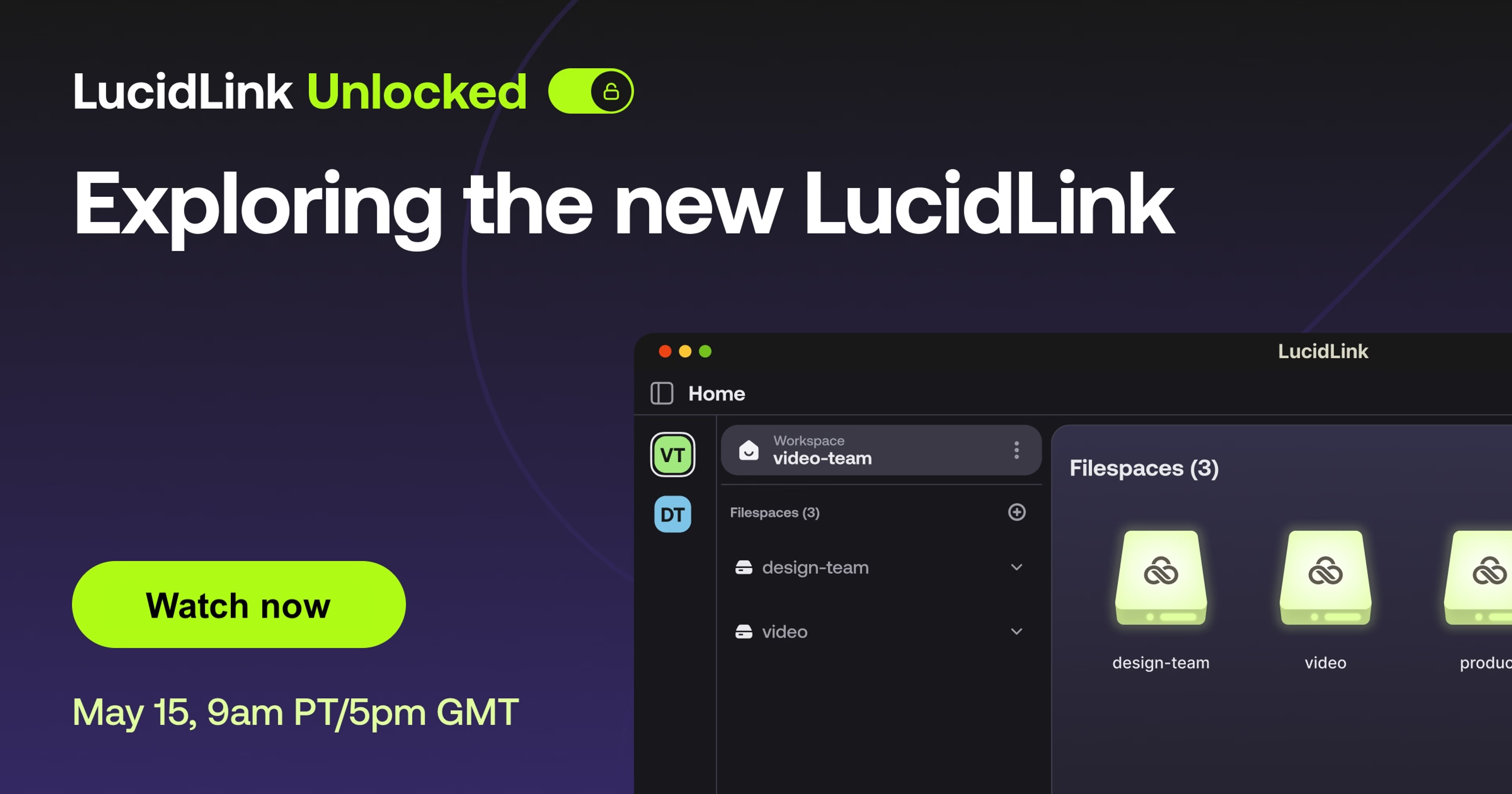
Welcome toLucidLink Unlocked — your inside look at how LucidLink can transform the way you work, without changing your favorite tools and workflows. Just add LucidLink.
"The new LucidLink" launched in November 2024, and we've been adding additional features each month to make it more and more valuable to our community. But what's all the hype about? What's different about the new LucidLink, and why will it make your life easier?
Join our Director of Product Marketing, Matt Schneider, as he shares everything you need to know about the new LucidLink.
Whether you're brand new to exploring any version of LucidLink, or you're a pro on using LucidLink Classic with your team, this will be a valuable session covering:
A live demo of the latest version of LucidLink highlighting the latest features
Differences between LucidLink Classic and the new LucidLink
The features you can expect to launch in the next 6 months
Answers to all your product questions in a live Q&A