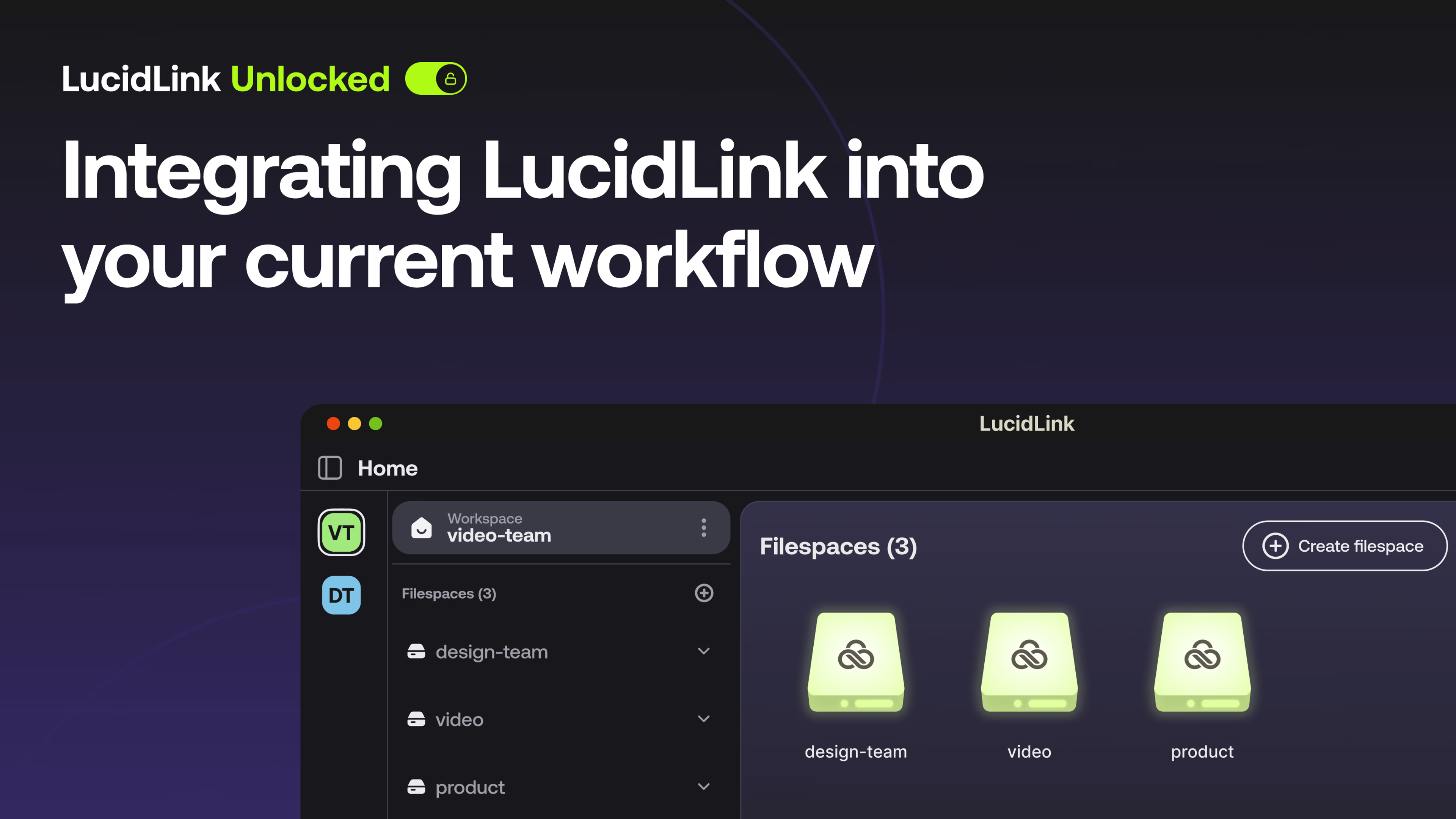
Welcome to LucidLink unlocked.
You are basically gonna see the inside look of how LucidLink can transform the way you work without changing any of your favorite tools and workflows, which is specifically what we're talking about today.
So this series is dedicated to going really deep into LucidLink. We're gonna nerd out a little bit, just to get you the pro tips and all the insider info. So we are so happy to have you here to join us.
Today, we have two of our solutions engineers, Charles Layton and Clayton Dutton, to explore how to integrate LucidLink into the tools you already use. Those are gonna be specifically monday dot com and Frame. Io today, but those are kind of, like, symbolic of all the other tools that you could integrate LucidLink into as well.
And that is, of course, the beauty of LucidLink. You don't have to change anything about your workflow. You just get to enjoy faster access to all of your files.
So Charles and Clayton, for folks joining right now, I still see that number ticking up and up. If they're wondering whether they should stay and watch for the next forty five minutes, an hour, what would you say to them? What are you excited about to share in this session?
I'm excited to share the art of the possible. The the the just just the stuff that can be. I'm still a dreamer after all these years, and that's my big thing. How about you, Charles?
I would say anyone interested in kinda streamlining workflows and increasing efficiency, especially if you're using multiple tools, I think they would maybe benefit from this from this.
Love it.
Clayton and Charles, are you ready to take this away?
Let's do it.
I think so.
Cool. Let's do it. Alright. Thank you all so much for being here and hosting this.
Appreciate it.
And I'm gonna take the entire screen because I'm greedy. Alright. Hello, everyone. Thank you so much for joining us today.
Really, we're gonna talk about the art of the possible today, and I alluded to earlier. I've been in the business thirty years. I spent seventeen of those years at Discovery Channel, both as a video editor for many years. When I realized I wasn't gonna be as good as some of the people around me, I actually, like solving problems globally.
So I ended up running, broadcast and post production for a while out of the group out of London, and then most of that time, though, out of, the US, overseeing the US and Latin America. So broadcast, postproduction is kinda my background and really big media supply chains and kinda what inspires me and gets me going about integrating. Right? We need to figure out how to do things faster.
Charles, tell us a little bit about you.
Sure. So I'm Charles. I'm based out of, Brooklyn, New York, like I mentioned earlier.
My background, I spent about ten years working in postproduction, specifically kind of the dailies finishing kinda color world. And I was, I did that for about ten years, and then I actually switched into a bit of, software engineering for a few years and then, joined this week last year. So I come kinda come from a postproduction slash software engineering background, and, yeah, really excited to be here and talking to you guys today.
Thanks, Charles. Alright. Look. We saw in the poll not everyone's a LucidLink user today. So it's we're gonna spend just two minutes talking about what we are. We are literally a a storage collaboration platform.
We we really represent that one single source of truth so you can get away from Clayton's version, Charles' version, Marcy's version, and just have one version that we can all work away from. But most importantly, my favorite part is this as a former editor. We remove the need to download. We're gonna talk about how and why a little bit, but that's really our our main value proposition in my mind is you bring me into a terabyte project.
I'm not gonna have to spend eight to twenty four hours to wait to work for you. I can simply start working. Again, just to kind of visually show this to you, we're a hard drive. That's what we are.
Each one of these represents a s three compatible storage bucket somewhere in the world. This one happens to be in Mumbai. This one's based in London. This one happens to be in the US, and they are just hard drives.
We can move content between the two. We can do anything we want. So that's really LucidLink in an overview. But let's why are we here today?
Well, let's talk about this. Okay. So we'll get out of this one. Really, we're talking about integrations and integrating LucidLink into your workflow.
Right? And I just wanted to spend a minute at a very high level to talk about specifically what do we mean. You know, Charles and I get cuss questions from customers every day. Hey.
Do you integrate with x? Do you integrate with y? Remember, we're a hard drive. So if Microsoft Word uses a hard drive, which it does, and cinema four d uses hard drive, which it does, then, yes, we integrate with every platform virtually.
But when they're talking about integration, they really mean automation. So there's a foundational action that I wanna perform. I wanna have some sort of processing here that leads me to a desired outcome. And most always, these are across two different systems.
And in fact, I'm gonna hand over to Charles in a little bit. We're gonna tell show you really an example of a project management system. We're gonna be catching a webhook and then sending some data to LucidLink. But let's zoom out just a second.
Clayton, what the heck is a webhook? Well, think about it this way. Charles and I are meeting for lunch on Friday. Right?
And I have to let him know that somehow. Otherwise, he's not gonna meet me. I'll be sitting in the restaurant alone. Right?
So when the idea comes into my head, right, a new asset arrives or a new project, I now generate an invite in Slack to send to Charles. Right? The invite is the webhook. Now Charles doesn't have Slack.
He can't catch the webhook. He can't see the invite. Right? So we're gonna talk a little bit about that.
Right? But he's gonna catch the invite or the webhook, and then he's gonna respond. He's gonna do something, the desired outcome. In this case, I want him to meet me for lunch.
And, Charles, you are on for lunch Friday?
I am. Yeah. I'll be there. I got the invite. Alright.
Alright. Good. You've got the webhook. You caught the webhook. There you go. So, guys, the reason I'm saying all of this is that there's something called an event based architecture in most systems, monday dot com, Frame.
Io. Right? When something happens, these webhooks are firing all the time. But nobody's if you're not subscribing to them or catching them, you don't know all this stuff is happening.
So it's likely that you're already in in the middle of a workflow that could be integrated and automated at a at a pretty easy touchpoint. So we'll get into a little bit of that. But, Charles, if you're ready, I think I'm gonna hand back over to you, and then you can start to show us what's going on there in the project management world.
Here we go. Okay. So I'm gonna show something that we actually did for, a client of ours, and, and I'll I'll kinda go over the issue, what they wanted to do, and and all of that.
But I'm on a Mac here in New York. You could see I've got a couple of file spaces mounted. Like Clayton said, they're just like hard drives. And if I go into one of these, let's go into Monday integration.
So we had a customer, and they were keeping their data on LucidLink in this projects folder. And they, they had a certain kind of, folder structure that they wanted to use. And this here is their, you know, template folder structure.
And but what they were also doing is they were they were tracking everything in monday dot com. So if I just pull this over real quick. So this is Monday. Right? So they're tracking all their projects. They also wanted to track the MSA numbers and the project ID numbers. Doesn't really matter what those are, but what they wanted to do is take those numbers and use them as their project, kind of folder names.
And so, you know, Clint talked about the the desired outcome and the action.
What the action is, they wanted once a project in Monday goes from, you know, not started to working on it, they wanted a folder to be created in this in this folder right here. And this was something they were doing manually. They were having to copy the folder, paste it in there, copy all the information from Monday, and do it all there.
And so we were able to yep.
Sorry to interrupt, but they were also having to take information from multiple fields and copy it into, you know, and try to make it a a a directory structure with multiple fields of information. Right?
Exactly. Exactly.
And, you know, it's a it's a small thing, but, you know, it's a repetitive task. And any kind of repetitive task is maybe a great thing to be automated. So what we did is we worked on a a script here. So I have a script here that's running the background.
And and then we, got we tied up a webhook coming from Monday. So whenever this status column would change, we will we would be able to automate that task. So I can kinda demo that for you guys here if I just move this over. So let me just add a new task.
Let's call it LucidLink Studios. Oops.
Okay. And I'm gonna add in an MSA number. This could be anything.
And then I'm also Could be a budget code.
Could be work order number. Yeah.
Yeah. And then I'll add in a project ID. Again, these these are random numbers, but just for the sake of the demo.
So it's not currently in here. Right? But what they wanted to happen is whenever they change this from not started to working on it, it would fire off an automation, which would then land in their LucidLink file space that has their FSA number, the project name, and then the project ID.
And, and, again, this is in LucidLink, so anybody connected to this file space with access to this folder is gonna immediately have access to that. And we even went a step further and even carry through that name into some template After Effects and Premiere projects. And then finally, we just added a little green dot there just to signify this is a new folder.
If we could get a thumbs up from anyone who is had confusion around this or thinks they need a better naming convention and a tighter workflow, that'd be great just to kinda see wherever you know, how everyone's dividing all of this. But that After Effects and Premiere project templatized. Right? We're talking about project settings are already preset.
Right? These things that commonly trip us up in scaled postproduction environments when we're out of money, we're out of time, and we know we can't fix it in post. So what do we do? We need to be able to react quickly.
Exactly. Exactly.
And now everybody can use this this, folder structure. They can, you know, drop some media in there if they want, and, you know, you can can be anywhere in the world as long as you're connected to the file space. You're gonna have access as soon as that automation runs. So that that that's what we did for them. It's a small thing, but like Clayton said, at scale, it really saves a lot of time and a lot of lot of clicks.
That's right. Well, thanks, Charles. I think that so great. Everyone kinda following this art of the possible workflow that we're doing here.
We now have a directory structure. We have a green lit project. Right? We have, the everything's sitting there, sort of the landing zone done for lack of a better term.
So what are we gonna do? Right? I can see because I'm part of Charles's LucidLink Filespace or, technically, he's part of mine. I can see there's a new project here.
I can see, oh, there's a folder called frame link. Charles, is that where you wanted me to stash assets? Because I'm gonna be doing location scouting, and I'm gonna be simulating some camera to cloud stuff. Is that right?
Yeah. If you could throw it in there, that would be perfect.
Alright. Great. Well, for those of you who don't know, Frame. Io is a great review and approval, solution.
In fact, I was the founding solutions engineer there very proudly. A great product, but, you know, if you use content from Frame. Io, you have to download it. So what we're trying to do here is avoid that step.
Right? So I've created a project here that is exactly what, is named exactly the same thing as what Charles' project, was in Monday. I've also enabled camera to cloud connections here. And this has got nothing to do with LucidLink, but it allows me to do what I'm gonna be showing you here in just a second.
But I but Frame. Io is a separate system in LucidLink. They are not connected. So one of the things that, Charles and I worked on together is this app called FrameLink, and it's just a little thing.
It's not available. Guys, this is just a prototype that we use internally, but we're gonna get into this stuff later. If you're interested in running things like this, please, please, please do contact us. We'll get a we'll provide you with that information later.
But, basically, I need to do a few things here. And just to kind of explain a little bit about the background in terms of what's going on, you know, you guys are probably familiar, but in case you're not, there's something called a developer token. So when you start running integration workflows, right, automations and things like that, there's not gonna be a human being to enter a username and a password. So So you're gonna wanna be, to create a developer token to give you the permission to do things like that we're showing you today.
You also Frame. Io allows you to create custom webhooks. So in this case, we're creating a webhook, and we're gonna be triggering off of the asset ready webhook. I'll show you that in a minute, but we'll we'll get to that.
Right? We're tailoring that invitation, that analogy that I got back to you earlier. Okay. So we're here in Frame.
Io. Today, I'm gonna be using Filmic Pro. It's just a little prosumer film app, and I'm gonna be simulating some location scouting. Right?
And what I ultimately want to happen is this. So let's go to finder real quick, and let's bring ourselves up. Okay. I want assets to pop up in here.
Ultimately, whenever my directors or location folks are out shooting things, this should be casting calls on their iPhones or b roll, and that stuff is coming into Frame. Io. I wanna I wanna hear that that's happened, and I wanna grab that data and write it into LucidLink. So everything goes well.
We should see a folder pop up automatically in LucidLink with the the project name. And I chose my the uploader name, so it will be mine in this case because, typically, if Charles is my director and I'm editing, I'll get a call at a million o'clock on a Saturday, and he'll say, hey. Clayton just shot some stuff I need in this cut. So let's quickly just go ahead and shoot.
Oh, no.
Can I can I ask how how would how will it know where to put the media?
That's a great question, actually. It wouldn't know now. In fact, notice I just did this. So I'm gonna actually delete this because we haven't actually connected it.
Great call out, Charles. Alright. So the first thing I need to do is authorize. I've put my token in already for for, security reasons.
And you can see that any teams I have in my Frame. Io account are gonna be piped to me. I'm gonna choose this particular team. I'm gonna create a new webhook this time.
I'm gonna add a webhook. I'm gonna call it webinar, and I'm gonna create the webhook. Great. Now I need to select the destination folder.
So let's go to where Charles left us some breadcrumbs. Right? He wants us to put assets in a certain area. Here's my new project.
I can tell with the green dot. Great. And I'm gonna put everything there, and now I have to hit connect.
What's great is we can tell now that I have a HTTPS address to catch the webhook. And we'll talk a little bit about ngrok in just a second and what all of that means. But, basically, we're now connected. Charles, thank you so much.
I was really getting ready to space that whole thing. Appreciate that. So let's go ahead and shoot that content now. And, everybody, I can just put my finger in here.
Alright. Great. Now Frame. Io is gonna handle this first part and create a bunch of folders here that's got nothing to do with LucidLink.
Okay? But as soon as this is done rendering, so it's preparing for playback. Once that's done and it's the asset is ready, we should see a new folder pop up here. There it is with LucidLink Studios.
Again, I inherited the project name. If I open this up, I should see Clayton Dutton. There I am. And is that asset or is that thing I just so I just shot this.
I just shot it, automatically uploaded it to Frame.
Io, and automatically moved it to LucidLink in two seconds. And in fact, I could, if I wanted to, just go right into Premiere and and take any of these things and do whatever I need to. Charles, anything that pops out that you think I should kinda hit on again while I just grab this asset real quick?
Or Yeah.
I mean I mean, you know, an important aspect of this that, you know, for for some of the new users is anybody connected to the Filespace is immediately gonna have access to that file that Clayton just shot. So it's, you know, as soon as it copies it to the Filespace, it's available for everyone, which I think is, you know, a great a great feature there.
So cool. And and, again, just to kinda take everybody through something real quick. We talked a little bit about ngrok briefly. Okay.
Because you cannot catch a webhook natively on your computer because of security. You need an HTTP. You need a secure way to do that. Right?
So ngrok is a service that does that. It's available for free. I don't you know, I'm not here to talk about ngrok or Monday or Frame necessarily, but you need a way to catch a webhook. Right?
Some of you may use Zapier or Zapier or, you know, some of the other no code solutions out there. They have this ability themselves natively. So first first thing you need to do is be able to just create a webhook. You can do this right on your laptop, and you don't need any special equipment to do anything that we've showed you today.
It's just kind of natively built into what LucidLink does. LucidLink, by its very nature, is a hard drive. We say this all the time, but we don't yet have a public facing API that's coming out later this year, but we don't need one. One of the reasons we don't have one is that we're a local drive.
So I can catch data, and I can just say write it to this local drive, which happens to be LucidLink. Charles, anything you wanna add there to kinda expand on that that concept a bit more?
Yeah. I mean, I think I I I think you got it. It's it's just a local drive. I mean, it's it even goes so far just to say it doesn't even need to be, you know, media content.
You know? This could be, you know, an a whole another industry. We have, you know, we have a lot of customers in the architecture, engineering, construction world. So it really is just a local drive that everybody can access and work directly off of without having to download.
So that's really the the the beauty of it.
And I just noticed we have Matt Schneider here, Charles, our director of products, so we're in great shape. Thank you. Matt, please keep answering the questions for us, brother. We couldn't have a better resource with us in this.
So, and, yeah, exactly what, Matt said, Eric. The thing of the thing to think about is this. Microsoft Teams. Right?
Big platform. Big enterprise platform.
Definitely an event based architecture that has a very well documented API.
So, yeah, you're gonna be able to trigger off all kinds of stuff there if you like. Right? So that's a very, very, great question and good point.
One of the reasons we asked about the command line folks is that one of the things I really wanna share with everyone that's so simply, beautifully elegant is that we're not doing anything fancy here. We're just running command line stuff really in the background. We're going through the command line of the terminal.
We're not yeah. There's some JavaScript involved and things like that, but, you know, Charles is a way better coder than I. I happen to learn JavaScript and Python during quarantine because I was bored, but I'm not a developer. Our product team this and, also, I want to make clear, these things aren't productized for lots of reasons.
Number one, Charles and I, in case you haven't noticed, aren't product designers. Right? We are really providing just functional quick fixes for clients while we have our amazing developer and engineering team and product team really design everything and really test it and make it robust.
But that said, all the both those automations we showed you today are very lightweight. The Framelink automation I've been I've been running for two years in July, and it hasn't broken. It doesn't do that much. So intelligent, targeted, well scoped automations and integrations are not only fast and easy to roll out, but they're also scalable because you're not webhooking yourself to death.
Right? You need to be careful. Just because you can automate it doesn't mean you should. But things like rendering and proxy creation and or directory structure, things that everybody moans when they have to do it, so they end up doing it not so great, are really ripe candidates in my mind.
And you, Clayton, you mentioned briefly the API SDK that is coming out in a couple months. Can you expand on what that means for everyone on this call listening? What does that mean they're gonna be able to do in the future?
Well, yeah, it's it's not a I mean, yeah.
Really, it's just about taking LucidLink to that scale to the next level. Right? Like, I have let's say I'm doing a big animation, two hour animation feature film. Right?
And everything's done, and I need to render it. Now I wanna just have a central location. I wanna have LucidLink on, you know, this sort of media supply chain on steroids for lack of a better term, but maybe I need to just have a bunch of render nodes spun up really fast and then go away. This programmatic access at scale and things like that.
It's really helpful there, but it's also helpful for the individual user.
Gang, that all these things that we're showing you, I mean, if you're not using things like ChatGPT and Gemini and things like that, now you're missing a trick. These things are not hard to do. And Marcy is gonna leave you with our our contact information. If any of you are interested, you should really do get a hold of us.
Reach out over email. Charles and I will carve out some time for you to follow-up with. But you'd be astounded about how easy this stuff is to do these days. It looks intimidating, truly.
And by the way, a couple years ago, it was.
Not so anymore.
Yeah.
We are gonna take questions for the next several minutes. So if you have questions, please put them in the q and a, and I will start going through those.
We do have one from Ian that I wanna share. I'm gonna share it on the stage because it's a little technical, and I wanna make sure I get the wording correct.
So is the directory structure that's instantiated each automation and loose links somewhere and editable?
It's a great question for me. And go ahead, Charles, to take it.
Yeah. Well, so for I mean, the the the answer is it can really be whatever you like. I mean, the directory structure, you know, it's it's as it's just a hard drive, you you know, you can create whatever directory structure you like. If I just share my screen for a second, for this, this demo that we did, this was the base directory structure here.
So, what the what the what the code is doing is it's copying this folder here, pasting it in here, and renaming the root folder and the project folders using the information it gets from the webhook, which is, you know, the task name, MSA project ID that you get from monday dot com. But if I would, I could change this folder I could, you know, add another folder in here. I could rearrange this, whatever I want, and it's just gonna copy that over. So, I mean, the answer is you can you can do whatever you like, in terms of project structure.
You're not we don't confine you to any certain project structure, folder structure.
Clint, I don't know if you wanna add anything to that.
But Yeah.
Because I think he's also asking, is it hard coded right, or are we referencing back somewhere to grab that information?
And we've done it both ways to answer your question. I prefer to look back. Like, for example, when I used to automate a lot of stuff in Frame. Io, like automated directory structure whenever you create a new project in Frame, I would refer back to a source project where I kept all my directory structure. And if I change the source project at all, any subsequent run of that of that automation would then inherit that new change. Right? So you can do it both ways depending on how how often you change stuff is kinda what I would recommend in terms of approach.
Awesome. Thank you.
Eric is asking, which we get this question a lot, so I think it's important to to pull this one up. How is latency with video and audio editing?
I love this. And, Charles, I'm gonna lean on you for a second after just a brief intro.
I love that question. We get it every single call. So let's keep it real and transparent. I've been in this business too long to ruin my reputation with BS.
Okay.
Technically, the minimum required connection to use LucidLink, technically, is hotspot.
Are you gonna enjoy editing high resolution off a hotspot? No. You will not, but it will work.
So it's a lot of variables in that question, and I want you all to do me a favor and think about bit rate. And when I ask customers what's what's their bit rate, almost always, I get things answers like four k. Well, that's a resolution. Right?
That's a picture size. Your bit rate is how much data am I trying to push? How much you know, what you can think of it as resolution too. Right?
Like, log footage. Right? Deep bear you know, pure raw footage is over a gigabit per second. So we're not magic and we're not unicorns.
We don't create bandwidth where it doesn't exist.
So couple things. If you're working at reasonable resolutions, and when I say reasonable, I mean, like, ProRes quad, you know, four two two or something like that, and you have a good Internet connection, you'll likely notice no latency at all. If you're at Starbucks Wi Fi trying to edit that same content for the first time, it will probably be pretty latency.
But the way our caching works is it's only the first time. So when you play something back, we're caching all that data. We only ever go back to the cloud if the data aren't in the cache, and we support cache sizes up to ten terabytes.
But let me be ultra clear. We're not caching technology per se. You can work directly off the cloud. Obviously, that's gonna be high latency, but my point is that's not all we do.
Right? It's the way we store the data. It's the way we send the data. We just send the little bits of data that the application requires, and we're not bound to these huge single file objects.
We don't ever need them. We don't store them that way. We don't retrieve them that way. We don't sync them ever locally unless you drag and drop them out of LucentLink.
Charles, anything to add there? I likely missed some things.
Yeah. I mean, I think I think you you you hit it right on the head. I mean, it's it's it's really just a math equation at the end of the day. It's, you know, what's the data rate of, or the beta rate of what you're trying to, you know, access or play?
And then what's your what's your download speed? And if those match up, then, you know, you'd probably not have an issue. If they don't, then, you know, you are gonna have some some latency. But, that you know, we do have a a feature called pinning, which allows us to, kinda circumvent that in a way.
And I can show you, quickly here if I just A free cache.
Yeah. So if I have all all of these, you know, video files here, if I open them one of these up, let me just bring that over.
What's a good rate on that one? Yeah.
So this is three hundred three hundred megabits a second. That's probably a little too much for, like, a Wi Fi connection.
But what I could do is I could pin this file or even pin the whole folder, and what that would do is it's gonna pull the blocks down, into my cache, instead of pulling them down as I'm accessing that. So, you know, Clayton mentioned working at Starbucks. You can work at Starbucks with high res footage if you're pinning it first because then you're not gonna be fetching it from the cloud. The metadata is still gonna be in the cloud, so you're still gonna need that connection there, but that's very lightweight.
So there are there are, you know, ways around that if you have, you know, latency issues or or problems with your bandwidth, let's say.
Thank you, Jess.
Hoping yeah. I was hoping pending it was gonna come up. Thank you for for adding that. K.
Let's skip topic.
Yeah. Grant asked an amazing question that I bet is on a lot of people's minds.
Can you talk about, premier team projects with LucidLink? A lot of folks use the Adobe Suite and premier pro specifically.
So what is your experience like with with that?
It's seamless. We're just a hard drive.
Use teams, use productions just like you do today, but instead of your local SSDs in internally or sitting next to you, LucidLink is your drive. It's brilliant. We stay out of the way of the feature set completely. In fact, we even work with Avid Nexus environments.
You need a little help with bin locking, but as you know, teams in productions inside of Adobe kinda handle that. So it's absolutely native, and it in case you're not aware, Adobe is actually a rather large investor of ours too. So we we keep all their stuff running real nice as you can imagine. By the way, through and including, if Adobe supports a growing file type, so do we. So MXF files, m p four files are really good at that. So you can actually start to play those files back as you're uploading them in LucidLink.
And you can literally bring them into your premier timeline, and your timeline will grow as it's uploading. So, yeah, that's kinda part of our magic.
Perfect. Sorry. I'm I'm choosing which q and a to do next.
Charles, your turn.
Jimmy is asking, is high res is high res footage loaded as proxies, raw, transcode, both, or does it depend?
Oh, interesting.
Yeah. I'm assuming this means is it, loaded into LucidLink as proxies or transcoded?
So we actually have a zero knowledge security policy where we can't see any of your data or neither can the cloud provider. So what you put in is what you get out. We don't do any transcoding. We couldn't even transcode the media even if we wanted to.
So it's exactly what you put up there is exactly what you're gonna be accessing. So if you put up proxies, you're gonna be, you know, working with proxies. If you put up full res stuff, you're gonna be working with full res stuff. So it's it's it's it's exactly what you put up there.
I guess it's the answer to that.
Perfect. Yeah. Good question, Jimmy. Yeah. I love this one from Greg too. This is a bit about, like, onboarding and getting your team comfortable with LucidLink.
So when setting up automations with LucidLink, what best practices would you recommend to post production teams? Documentation.
I love that you clap whenever someone has a good question, Clayton. That's so funny.
I love it.
Because this stuff used to kill me at scale, and I'm guessing Greg stopped the paint.
Yeah. And, Charles, I'd love to hear from you too because you have some such great development experience. Yeah. It's all the listen.
Notice Charles and I's automations that we showed you, they do very targeted specific things. So I would recommend at first until you really get good at scoping what you need, because first thing you're gonna do is everyone's gonna sit around and have different ideas about what they want done. So what I recommend is pick something really chunky, you know, bite sizable, and come to a consensus and start there. You can change.
It will always evolve. We all know workflow is always a snapshot in time. There's never a destination with your workflow, at least in my experience.
But I do like dedicated machines for lots of reasons. One, processing. Two, we have something called audit trail that you can turn on in LucidLink. It's really important to know who's doing what to your data, folks.
Right? So I'd like to have, service accounts named properly. I have logged in as in LucidLink as themselves, right, on dedicated machines. And the integrations we showed you can be run locally, but, preferably, they're run-in the cloud.
So if you're moving data, it never comes down into your public Internet either. It just stays up there, but it depends. If if you're a smaller outfit, you're likely not investing in cloud infrastructure like that. But so it really depends.
But documentation, dedicated machine for sure.
Yeah.
Yeah. I was I was just gonna say I I I I definitely agree. If you if you have the means, it's it's great to be able to, you know, spin up a, you know, e c two instance or a cloud instance and and run your automation there. You don't want the, you know, the I don't know. Someone coming overnight to clean the office to accidentally, you know, unplug the computer, and then the automation's not working, and then you lose a bunch of, stuff there. So you kind of, you know, can avoid those kind of situations with that.
And in terms of, yeah, documentation, I think you definitely want actually, I mean, Clayton, we're actually talking about this earlier. You definitely wanna be documenting, what you're doing, what it does. Because, you know, if it works, no one's gonna ask questions. People are just gonna accept that it works.
But if it breaks or maybe maybe the person that created the automation at the at your company moves on to another job. No one knows what it does anymore. How are you gonna troubleshoot it? How are you gonna, you know, improve it if you need to, change it if you need to, or, you know, restart it if you need to?
So you you definitely wanna have some documentation. So you you you have a somewhat of an understanding of of how it works.
Yeah. Because, Charles, if you left the company and your automation was c late and everybody be looking for Clayton. You see what I mean? It gets weird.
Yeah. So Yeah. Right. And, you know, in all seriousness, you know, we used to have something at Discovery.
You know, it was someone's name soft. It was like some software they developed on a share on SharePoint or somewhere, and it's just nobody knows how to get to this thing or change it. So that's yeah. Yeah.
Definitely don't worry about that.
One thing I'll one thing I'll add as well is, you know, if you're not very comfortable with developing or if you don't have a lot of experience, you can also use, you know, some AI tools or, you know, you could use, like, ChatGPT to help you write, write these scripts. Net all of that's great, but it's also good to understand what it's doing as well. You you you don't wanna just leave it all to, like, you know, I got AI to write me a script and how it works. But if you don't know what's actually doing, you know, you might you know, you're you're kinda setting yourself up to come up to some issues. So you can even put the script back into, like, say, chat gbt and say, hey. Write me some documentation for that for this. And, you know, even that would be something that would just give you a baseline understanding.
So Smart.
Love that.
Sci fi is asking a great question. Also, sci fi, I've seen you at, like, our last four community events, so you deserve a shout out. Thank you for being, so dedicated.
So does Lucid offer custom configurations to satisfy differentiations in company internal IT security policies? Was the class required some manual overrides? How has this been reimagined in the new version?
I'm gonna give you a second to reread that question.
So No worries.
I think I think he's probably talking about losing link classic users. You know, if you're on the Mac platform, there were some overriding that you needed to do on some security settings due to the way we were leveraging MacFUSE with the, new Apple silicon chips. Great question.
Come to three point o, gang. It's you know, again, if you don't have to, it's the same end user experience. But, for example, downloading the application doesn't even require a restart any longer. We're connecting in a brand new way with the three point o environment.
And so, also, we're gonna be coming out with, you know, migration tool to help people move and things like that. So there's no burning need to move at this second. But I think, yeah, inviting people is much easier and slick, you know, ease and all the way down to onboarding users is absolutely seamless. So, yeah, we spent a lot of time there.
Meanwhile, part of the reason it's so tricky is we need to maintain the security policies. You know, you kinda touched on that sci fi. We can't mess around with that. Zero knowledge is really, really important, and I will tell you, sets us apart from our competition pretty heavily.
We cannot see your data, neither can our data providers, or if even if you brought your own AWS bucket to the party, they can't read your data or decrypt your data either. So everything we do, every change we make, we need to keep that in the forefront of our minds so that we keep our customer data as safe as possible.
Mhmm.
Yeah. Thank you for asking that question so we can kind of brag about, three point o a little bit. I I mean, I'm relatively new to LucidLink. I think I'm about six months in, and I was onboarded to Classic and three point o on the same day.
So I got those, experiences, like, side by side. I am obsessed with the new LucidLink. I mean, both are great. Both function exactly the same like Clayton said, but I'm I'm definitely a three point o fan for sure.
Okay. Jimmy, I don't totally know what this means, so I'm gonna let you read this one and answer it, Charles and Clayton.
An AEPP, is that a familiar term to to? Great. Okay. Cool. I'll let you take it from there.
Thomas, you want dynamic linking or go for it.
I'll I'll I'll leave the if you want this.
It works. It works just as it does with other, but it is the dynamic link workflow in AE and Premiere Pro.
And then and I welcome comments. It it's not you're asking a lot of your processor depending on your computer. Right? So it's got not not much to do with LucidLink.
Again, we're just the storage drive in the background. Right? But you're running both instances on your on your app application at once. Right?
So it's a real heavy lift. So test it. Work it. We have a free trial for exactly this reason.
Right? We don't want you to believe a word we say. We want you to go in and test it.
So I've had some of my users.
They love it. It works beautifully. Others, not as much. And when I get into the call with them to help troubleshoot, it's almost always their computer.
And it's usually manifest in a lot of they've been working with Dropbox and g drive and filled up their hard drives and things like that. Right? So everything starts to slow down. So for example, Premiere Pro supports log footage.
Does it do it seamlessly, like editing with an m p four? No. It does not. Right?
So, yeah, it really depends more on the platform, I would say, than us because we're just a hard drive. We're delivering that data at wicked fast speeds right into your cache, and Premier is working off the cache.
So, really, the performance around Premier isn't as much to do with LucidLink as you might think once the data are cached. And once you've once you've accessed the data once, it stays cached until we absolutely can't cache it anymore.
We are up to date on our q and a. So if anyone has any final questions, please submit those.
One that I I can answer for you is, yes, this is recorded. I think Paul asked that. And you will get the recording probably within the next twenty four to forty eight hours. Please feel free to share this with your team. If there's anyone on your team who would actually set up integrations like this, of course, share it with them too.
Clayton mentioned this earlier, but we will be sharing Clayton and Charles' emails. Thank you for both for being brave and putting your emails out into the world.
They're both obviously so fantastic and so energized by topics like this, so I would absolutely encourage you to set up time with them to talk more.
We do have another q and a, so I'm gonna put that on the stage now. But I'm glad I got a chance to say that nonetheless.
And then we can interject on that one point before we read the next question.
Please don't.
The gang. You reach out. We're happy to share code with you that we we've already written. Right?
It's not proprietary. One of the reasons we don't just send the apps out into the wild is we cannot confuse people. These are written by Charles and I, not LucidLink support, not our development team, not our engineering team. Right?
We're solving problems for for specific customers kind of on an ad hoc basis, and we love doing it. But if, you know, we our fear is that we hand these things off to people, and then people start contacting support. And support's like, what is this? These are prototypes.
Right? These are this is all about the art of the possible. But there's no sense in reinventing the wheel either, so reach out to us if you're interested.
Jimmy, I love this question. This gives us another chance to kind of brag on, the new LucidLink. So high level, what are the differences between classic and new?
Really, it's about the for me, two things.
Not in not having to even restart my computer and onboarding people. I can generate one invite link for nine hundred people, and I don't have to do passwords for them. And then the third thing is if I had multiple file spaces in LucidLink Classic, I need to add Charles to each one individually.
Not true with three point o. You add someone to your domain, and then you can add them to any of your hard drives, one or all of them. It doesn't matter. So the agility, the ability to add and remove people, invite people, having people join me in the LucidLink world, all of that got easier. And the GUI's awesome too. So that kinda counts. It does to me.
And I think Ian asked a similar question, and I I wonder if the root of this question is kind of, like, are there things that Classic is still doing that new is not yet doing? A lot of that has been resolved in the past few months. So is there Yes.
I mean, other than net new features that are not on either system, are there things that folks might wanna stay on classic four that new doesn't have yet? Like, how is that looking these days?
Charles, you wanna take this one, or I'm I'm gonna think about it.
Yeah. I mean, I I it's it's you know, we we we're considering them as a feature parity. There there's, you know, slight difference in the way certain things work.
If you're a new user, you there's there wouldn't be any reason to to, you know, join classic if you wanted to join three point o.
If you are a classic user, then maybe, you know, they're they're I mean, the user model is a little different. The way you kinda manage file spaces with the you know, if you have multiple file spaces, you know, that's a little different than it is in three point o.
But, I'm just reading this real quick.
I don't think there's there's go ahead. Go ahead.
I was just gonna say we do support SSO in, in three point o now. It's it's a new protocol. It's a SAML based protocol.
So it's a different, you know, version, but it allows us it opens us up to a lot more providers. So it's, it's it's kind of an upgrade.
Yeah. Understands that.
But you're right, Ian. At first, when on our first right after launch for, like, the first sixty days, we were kinda starting to roll stuff in, but we've really we're almost there. There's a couple edge things, but I I expect those to be resolved fairly quickly as well. But SSO is amazing.
Now you can actually register your domain. You could do things like anyone with your email domain can can come in and things like that. So, again, back to that ease of onboarding and bringing people in. And, again, so not just OID CSSO support, but now SAML too as well.
So, just increasing our our, you know, our ability to to onboard, you know, whoever regardless of need or platform.
And I think, importantly, to this next question that I'm so glad SoFi asked, the new LucidLink also works with our iOS and Android mobile apps. So that will also be an important differentiation too.
So, yeah, let's share real quick. Everybody see my see me okay?
Wait. Let me let me sorry. That's that's on me. There you go.
That's okay.
Alright. So let's go up here and sorry. I just need to unlock. I'll just show it real quick because we can. There we go.
Alright.
Cool.
I know. It's telling me that I can't do okay. So let's go over here, and let's go to LucidLink. Yeah.
This is my iPhone. I Android is out as well. So, yeah, you've got everything we were just talking about today sitting right here, right in front of you. Right?
So, yeah, pretty easy to deal with and lots of fun. Right? Any questions?
I'll just show some stuff too. Why not?
I love it.
Oh, I showed the most boring video. That's so funny. It doesn't it doesn't move until the end.
Watch.
There it goes. Alright. So, yeah, it's great. You know, as people are uploading, I can just, you know, easily do my thing. So yeah.
Okay. Now we're getting a bunch of questions.
How are we going to oh, we still we still got ten minutes. Okay. Great.
Okay.
Mike is asking about hot cold storage. So I I actually don't know. Do we have a demo of this yet, or is this just something we're kind of, like, previewing verbally at this point?
I think what he's talking about is what we're call you know, obviously, you can tell with LucidLink, we do not like duplicating data. That's why we don't push all that those file objects back down to your computer like everybody else. We also hate moving media. We'd love to be able to give you the price point of an a glacier like experience, but the immediacy of LucidLink hot.
And we're doing that today with what we're calling our blended pricing deals. So for enterprise customers, you know, give us a call, you know, hit the website, you know, contact us, or just email Charles and I. We'll connect you with someone. So we're doing that now while we continue to work with our strategic partners like AWS to really get the technical nailed down because our long term is we'd like you to pay how you're using it, but not have to move it. So would the rest of the planet.
Right? Nobody likes moving data. No no one wants to pay for it or wait to do it. Right? So I don't blame them.
Actually, what is that is that already an option for enterprise folks, or is that coming soon?
No. It is. Indeed.
Okay. Sorry. That's news to me.
Fantastic.
Kent is asking about InDesign.
Is it true that we are considering expanding our integrations to InDesign and Photoshop, or would that come with the API SDK?
Already integrated. Yeah. We're the hard drive. They have all day. Like, for example, if I'm work go ahead.
Go ahead. Charles, you wanna show it even? I don't know.
Or Oh, I I was just gonna say, I don't know if everything up here. But, yeah, you can already use it in Photoshop LooseneLink without a problem. A lot of our customers do that.
In terms of the integration, I'm not sure, exactly what that might be referring to. But but, yeah, you can you can open up a InDesign project. You can open up a Photoshop project. You can open up an InDesign project that references Photoshop projects, all all inclusive links. So that's that's probably something you can do, and we're happy to talk to you more about that.
Yeah. And that was kinda warbled, Kent. So just to kind of, yeah. So if I'm in InDesign and Charles is in Photoshop and our projects are linked, any change he makes, I'm gonna get that refresh option in InDesign.
Remember, we're the hard drive folks. I'm gonna keep saying it. We stay out of the way of the feature set. So if you're working today with InDesign and Photoshop, that exact workflow will work with LucidLink.
We're just using a different hard drive, LucidLinks, but nothing else changes. That's part of the beauty. You don't need to reinvent your entire workflow to use us. Just we become the hard drive.
So instead of everybody having a project locally that they upload the g drive or something as the final, there is only ever one project. Right? And we can depending on the application, some applications allow two people to work at once, some don't. We we handle file locking with InDesign just like it's designed to do, etcetera.
So, yeah, it's kinda seamless.
Yeah. And, Kent, if you have, like, a follow-up question to that or any specifics you wanna add, feel free to put that in the chat. We can we can come back to it.
Eric has a great question because this also alludes to another feature that we're excited is coming soon.
Does the new LucidLink have shareable links of folders that non team members can access and utilize the content?
Yeah. So in case you're let me actually just show you all some stuff real quick because, you know, picture's worth a thousand words, isn't it? It? And I'm a video guy, so, you know, I gotta show some stuff.
Okay. So if I go to something here today, and I'll go to this just this. And I'm gonna right click. I'm gonna hit copy link.
Okay? I'm gonna drop that link into a web browser, and you're gonna see something interesting come up. Alright. So it's good.
Well, I have LucidLink installed, so it automatically did that. But notice, so let me go back here. I'm gonna continue in the browser. What I'm actually gonna see is I'm visualizing my LucidLink file space in a web page right now.
Right? So really cool. Now you still need to be part of my LucidLink world to kind of take advantage of that goodness as far as I'm aware. I could be.
We're close. But, obviously, we hate sharing external links outside of LucidLink, and that is something that is very, very, very close to being released.
Yep.
Is mobile app available in both two and three?
I believe it is only three on iOS. I don't know. That's a good Charles, do you know that?
The mobile app?
Because I know we released yeah.
The mobile app. I know there was a classic version, or do you know we're still supporting that?
I think it's only a three point o.
Okay.
We will check back, and Matt may know too if he's there. I'm not sure. But, yeah, we'll get back to you if that's wrong, but I believe it's only three point o.
Matt is saying that mobile app is only three point o. Thank you.
That is perfect. Thanks, Matt, for confirming. Great questions, though, guys. You got some edge ones there. We were really caught.
Yeah. Jimmy is asking, could you trigger a work in progress to, I assume that's what that means, to complete in Monday from LucidLink or a reverse script?
Yes. So how would you how would you mark something comp how would we know it was complete, could trigger work in progress to complete in Monday? So once you completed it in Monday, you marked it the project was done, that what? It would what? Then pull assets into Monday for long term storage or delete content from LucidLink? Either one of those would be possible.
If I hope I'm covering right.
So if we've got When I think is Go ahead, Charles.
I was just gonna say this I don't know the exact use case here, but this may be something that the API would open up doors to, you know, you know, more integrations directly from LucidLink to other applications.
Mhmm.
Yeah. So it's really up to you. Right? When we come because LucidLink itself doesn't send out notifications when we do things yet.
Right? When we have our API and SDK out, that will change. But for now so you have to figure out a way to to to figure that out. Like, what is so I like that you're doing it for Monday.
That makes a lot of sense. Right? So, Charles, you marked it working on it. I'm imagining this time they're marking it complete.
So maybe we grab the final m p four or something like that, and that gets pulled over into Monday. But I would pause it. Be careful with that. I'm guessing our storage is way cheaper than Mondays. So you might wanna leave it just where it lives, but I don't know. Check check that. I don't know that to be true, but I would guess that.
Right.
You guys just answered twenty five, q and a questions. So round of applause for Charles and Clayton. Thank you, guys. That was amazing. Thanks so much.
That was I love how energetic you both are about this topic. It makes it so much more fun to learn about.
So thank you both. I hope it was fun for you too. And for the forty, fifty something of you watching, I hope it was super helpful.
Yeah. Any any last words you wanna you wanna share with us?
This is me. Don't stop dreaming, folks. This stuff, please. Everybody loves automations and integrations. They talk about them.
Very few actually do it. It is not hard. You're this close. You haven't you've you were here for a reason.
You have an idea.
It's not hard to take that all the way. And just reach out to us. And if we can help you get there, we really, really love to do that. That's what that's why Charles and I do what we do. We talk about it all the time.
I love it.
Yeah. I would say if you're there's anything that you're doing over and over again, you can probably automate it. So so, you know, have a look. Think about ways to do it. Think about how, you know, you can integrate LucidLink with that repetitive task, and I'm I'm sure there's a way to do that.
Love it. Yeah. Again, highly recommend meeting with the two of these folks. They are absolutely fantastic and can tailor whatever question you have to you.
Also, shout out to folks in New York, LA, and London. LoosidLink is coming to you over the next month. We're gonna have some lucid link ups in June in those three cities, so look out for those. We're also having another virtual event, I think, the twelfth of next week or of June, which is next week. And that's gonna be, with the sandwich team, which is a four person marketing agency.
They are using do you know the sandwich team?
Yeah. They're awesome. You gotta go.
They're the best. They really are. So they're gonna walk through their workflows, how they have been able to scale to the the workload of a huge agency with only four people. So that's gonna be super interesting too.
I know. Yep. Okay. I will let y'all go for the day. Thank you so much.
Again, Charles and Clayton, thank you for being here, and we will see you at another event very soon. Bye, everyone.
Thanks.
Welcome to LucidLink Unlocked — your inside look at how LucidLink can transform the way you work, without changing your favorite tools and workflows. Just add LucidLink.
Join us for a deep dive into integrating LucidLink with the tools you already use. From project management to review and approval systems, see how to seamlessly include real-time collaboration in your existing workflow. We know every second counts, so we’ll walk you through setup, best practices and time-saving strategies — so you can focus on creating, not waiting.