Collaboration
Creative production
Video editing workflow: a guide for collaborative teams
Last updated 31 August, 2026
14 mins
Sometimes old advice is the best. And this adage still holds true for today’s video editing workflows:
If you want to go fast, go alone.
If you want to go far, go together.
Today, going far means juggling formats and delivering top-notch content at speed, while also figuring out how to work with collaborators across time zones and locations.
These added layers of complexity mean delivering quality output at scale takes more than individual brilliance. You need an easy-to-follow remote video editing workflow that keeps everyone aligned and moving fast.
With the right setup, creative agencies like Casual deliver 1000+ projects each year. Here’s how they do it, and how you can too.
What is a video editing workflow and how has it evolved
A video editing workflow is the structured process that takes you from a mountain of raw footage to a finely crafted final video. By breaking your workflow into a set of clearly defined steps, you turn a seemingly overwhelming project into a series of manageable tasks.
Following a defined video editing workflow ensures creative consistency, quality and collaborative efficiency across a single video or multiple batches of content.
As we’ll explore, it’s (relatively) easy when you know how.
But collaborative video editing workflows have changed dramatically in recent years. Video creators need to stay on top of new tech, platforms and audience demands to keep up.
Let’s briefly look at what’s changed and why that matters.
Traditional workflows:
Footage from cameras is transferred to local video hard drives
These are shipped to the video editor, or kept at a single office location
Producers and Directors sat in the same room as the editor
Clients came into the office to review edits and give feedback
Final deliverables are handed over on external drives
Backups and masters are stored at the central office location
As you can imagine, this didn’t make for a fast, efficient or flexible video editing workflow!
Modern workflows:
Footage from cameras can be uploaded directly to the cloud
Video editors have instant access to these files from anywhere
Producers, Directors and creative collaborators can contribute in real-time
Stakeholders can review and feedback on videos instantly and asynchronously
Final deliverables can be uploaded to cloud storage or downloaded directly
Backups and masters can be stored in the cloud or offloaded to multiple locations
This cloud-first video workflow makes powerful real-time collaboration a reality.
Teams of internal creatives, external freelancers, clients and agencies can all work together without the need for expensive infrastructure or the slow, expensive shipping of physical drives.
What changes with a remote video editing workflow?
A remote editing workflow doesn't just mean shifting your workflow onto Zoom calls and cloud drives and hoping for the best. You have to consider what happens at each stage (and what could break if you don't account for it).
Access replaces proximity
In a local workflow, being in the same room solves a lot of problems by accident. You can glance at someone's screen, grab a drive off their desk or shout across the office to check a detail.
Remote teams don't get that. Every one of those small, informal exchanges needs to become a deliberate part of the workflow. That usually starts with shared storage for video editing, rather than individual local copies.
Speed depends on the file, not the connection
Bandwidth matters, but it's not the only bottleneck. With large files even a fast connection can’t speed up a workflow that assumes files need to be fully downloaded before anyone can touch them.
Cloud file streaming makes better use of the connection you have: editors can open and scrub through a large video file the moment it's uploaded, streaming only what they're using rather than waiting for the whole thing to land.
Communication has to be structured, not assumed
Feedback that would happen in a hallway conversation now has to happen somewhere trackable.
A shared review link, a documented naming convention, an agreed number of revision rounds. Remote workflows that skip this step tend to drown in scattered comments across email, Slack and calls.
What's the best workflow for remote video editing?
The most effective remote video editing setups share three things: a centralized filespace everyone works from directly, file streaming rather than downloads or sync tools, and clear conventions for organization and feedback agreed before the project starts.
Get those three right, and location stops being a limiting factor.
Common challenges in remote video editing workflows
We've touched on what changes conceptually. Here's what that looks like in the day-to-day reality of running a remote workflow.
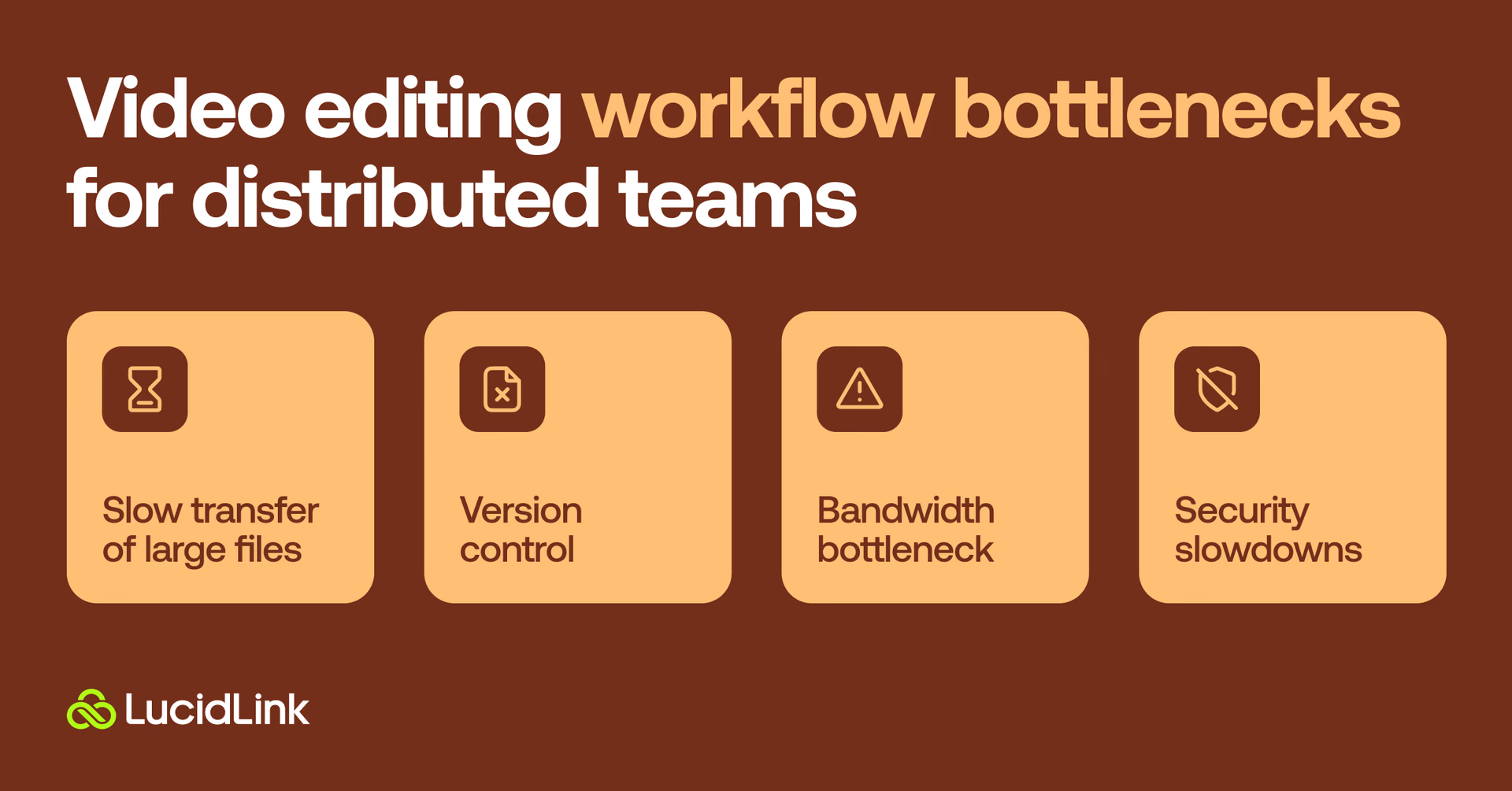
Not all cloud video editing workflows are created equal. Without a defined process you’re more likely to struggle with the remote video editing workflow bottlenecks that often delay and derail video projects.
So what are they and how do you side-step them?
The endless slow transfer of large files
The client wants to deliver a high-resolution 4K file, which means all of the source footage needs to be shot in 4K (or greater). This can lead to massive amounts of source media to upload, download and keep in sync and makes many teams wonder how to send videos without losing quality while still keeping projects moving fast.
Not only does the producer or videographer need to upload the files, each editor, colorist, sound designer or motion graphics artist must individually download their own copy too. Plus they must store them in similar file paths if there’s any hope of keeping those project files in sync.
This process of downloading, syncing and sending large video files eats up hours. It also creates an unnecessary expense that only compounds the more contributors are involved across each project.
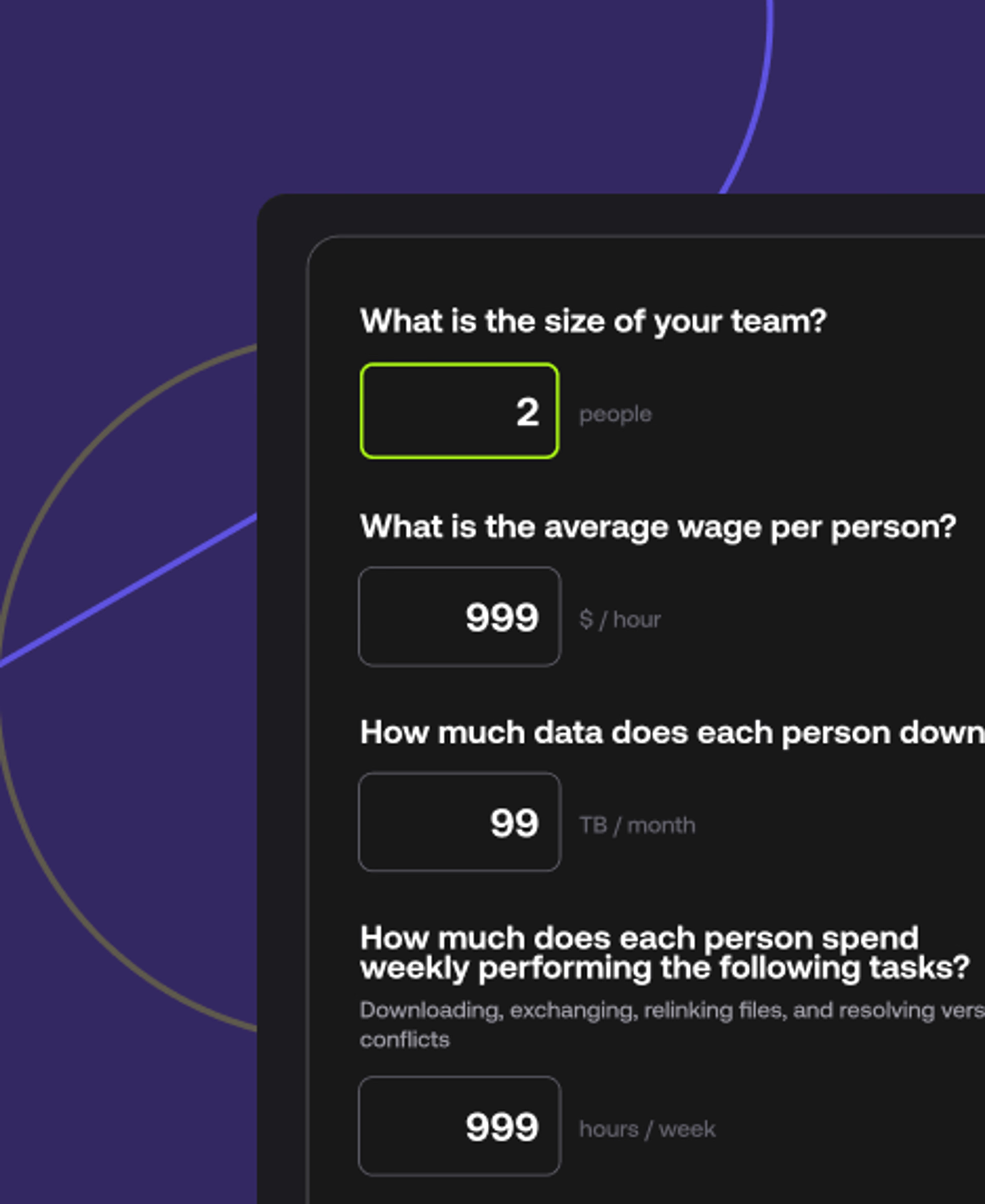
You can check just how much this kind of workflow inefficiency is costing you with our calculator below.
LucidLink’s solution? Add files to your shared filespace once. From there you can instantly give everyone on your team access to the files they need. Thanks to our unique file streaming, they don’t need to download an entire video file to get started working with it.
LucidLink will stream only the video frames they need as they need them for a magical lag-free video editing experience that eliminates the need to wait around for huge files to finish downloading.
Version control is a serious problem
A sister challenge to making sure everyone has the files they need is version control. Is everyone actually working from the latest version of the project or the source media?
When sharing files across a distributed team, each contributor must accurately store and manage their version of the files or project. If someone misses a key update or shares the wrong file, everyone might spend the rest of the day working on an outdated version.
Yet more wasted time and effort.
LucidLink’s solution? Our cloud-native file streaming keeps everyone in sync, wherever they are in the world. Because files never leave the cloud, there’s no need to maintain file paths, re-link files or manage separate versions of a file. LucidLink provides a single source of reliable truth everyone can trust.
Bandwidth bottleneck blues
If trying to edit video files from the cloud has felt anything but magical, you’re not alone. Chances are, you’re familiar with running into internet bandwidth bottlenecks:
Your ISP is throttling your data-hungry connection.
Your home internet just isn’t up to the task.
Your entire office is trying to hit their Friday upload deadline at the same time.
LucidLink’s solution? Block-level streaming means we only transfer the small sections of data you need, when you need them. This makes the bandwidth you need to successfully contribute to your team's creative process all the more accessible.
Meanwhile, our smart caching automatically stores your frequently accessed files locally, giving you less reliance on internet bandwidth. If you’re working on some particularly big media files, LucidLink file pinning lets you pre-cache essential files and folders so you can ensure uninterrupted access, even if you’re offline.
This gives you the best of both the cloud’s unlimited storage and fast local cache with the ability to seamlessly skip between them as needed.
For a closer look at how block-level streaming works to maximize your bandwidth, read cloud file streaming performance: beyond the headline speeds.
Security slowdowns
Media assets can be closely guarded secrets. So secret that some traditional media producers demanded that they be kept away from the internet all together, ‘air-gapped’ from the outside world.
Not only does this limit collaboration to only those with local access it’s also an antiquated notion.
And when distributed teams are allowed to ‘remote-in’ to on-premise storage, they often have to squeeze through a private VPN connection to try to maintain a secure online perimeter.
That said, if you’re using a traditional video editing workflow in which everyone has to download their own copy of the media, let’s hope they’ve properly secured their home Wi-Fi network.
LucidLink’s solution? Everything on our secure cloud platform is kept safe through zero-knowledge encryption. This means only those with permission can ever access your files.
Storing all your media centrally on LucidLink also allows you to track chain-of-custody and maintain access logs, without unnecessary duplicates finding their way into the wild.
Thanks to centralized user management and industry-standard SSO logins it’s easy to promote and revoke user access to projects, folders or individual files in a couple of clicks.
Without the addition of a VPN or other gateways to move through, everyone has secure remote access without a VPN to our network of enterprise-grade cloud servers for the best possible connection for distributed video editing.
The 7 stages of a video editing workflow
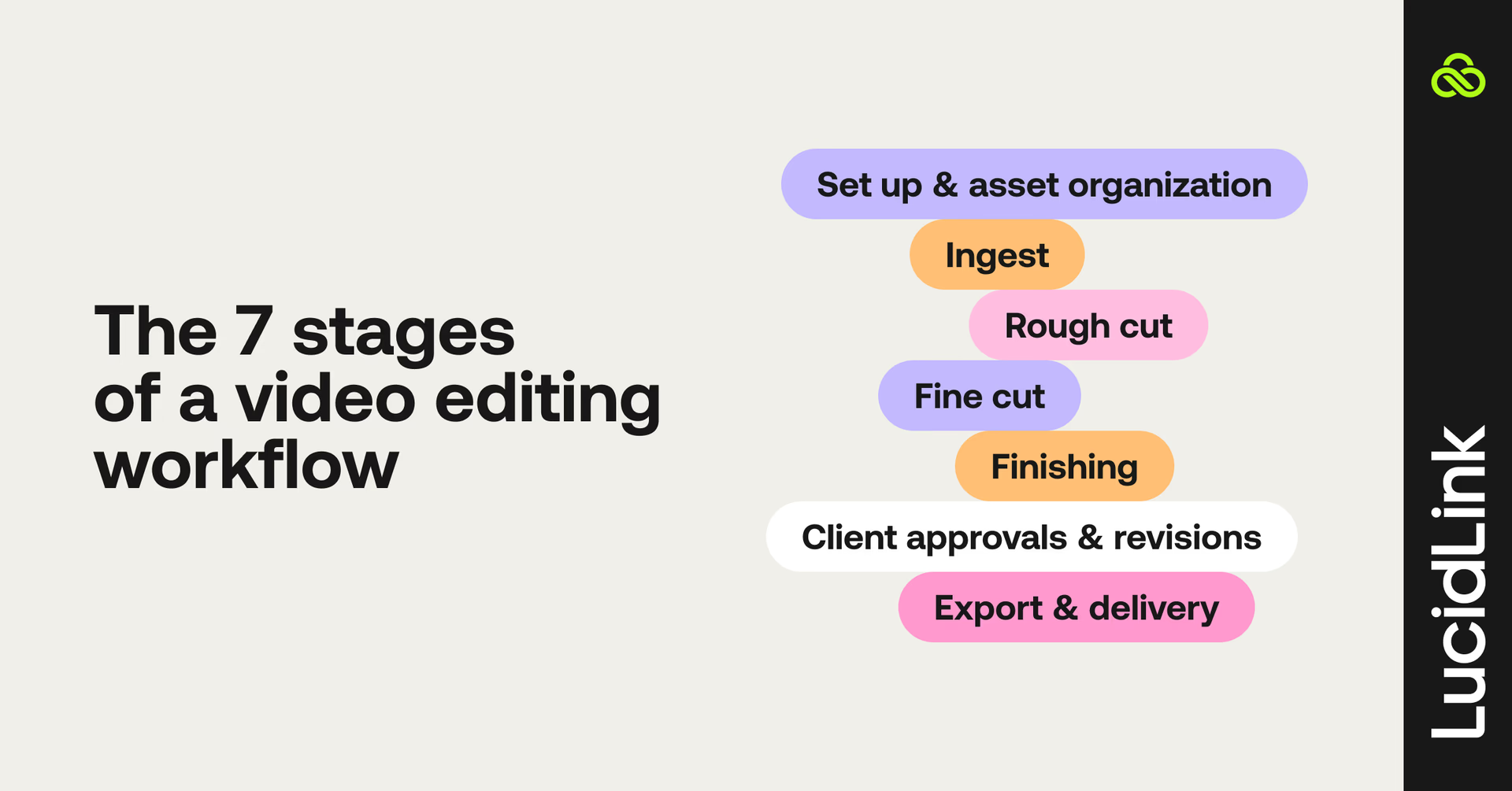
So what are the structured steps in a video editing workflow that will take you from a pile of footage to a finely-tuned finished video?
Quick video editing workflow checklist:
Set up & asset organization
Ingest
Rough cut
Fine cut
Finishing
Client approvals & revisions
Export & delivery
For each step in our checklist, we’ll explain each stage, offer some practical advice and share a useful tip to help improve your creative collaboration, with specific notes on what changes when you’re remote.
Whether you’re working on a small project or managing a large-scale post-production workflow, these stages are key to keeping your process efficient and organized.
1. Set up & asset organization
Before editing even begins, taking the time to lay out your folder structure and file naming conventions for the team in a logical and consistent fashion will pay dividends later on.
Every time you need to find something it will be quick and easy to do so.
Tip: establish a single source of truth for both project files and source media by using a central collaborative storage platform like LucidLink. This will save you more in workflow efficiencies and collaborative enjoyment than it will cost you in subscription fees.
For remote teams, ingest is often the first real bottleneck because footage needs to reach every collaborator, not just a local drive.
Uploading directly to a shared cloud filespace as part of ingest means editors anywhere can start working the moment footage lands, rather than waiting for a physical drive or a slow transfer.
2. Ingest
The first stage of the edit is to bring all of your footage into the system, to ‘ingest’ it in industry lingo. This involves copying the camera cards to your editing drives or uploading the media files to your collaborative storage platform of choice.
Depending on your project and the video editing software you’re using this might involve further steps such as creating proxies or transcoding media.
All of the footage needs to be organized into folders, labeled, tagged and viewed by the editor or assistant editor so they know what they have to work with.
Tip: agreeing on a video asset management strategy, including using a universal folder structure and logically consistent file naming convention across all of your projects, will make it faster for everyone to find the files they need, even if they’re new to the project or team.
3. Rough cut
Now that the editor has everything they need to work with, they can actually get started. If you’re cutting in Adobe Premiere Pro, this is where you’ll begin to assemble the first sequence, focusing on story structure before fine-tuning.
At this point, the main goal is to get the story structure working, without worrying about all the rough edges. These will be taken care of later on.
Tip: using LucidLink as the central filespace for your creative team to collaborate, eliminates the need for editors to export rough cuts for producers to download. They can just open the project and view the current progress. This saves everyone time and effort and because LucidLink looks and acts just like a local drive, there’s zero learning curve.
4. Fine cut
As the edit gradually iterates towards its final version it becomes more polished with the addition of illustrative b-roll footage, music and temporary graphics.
This is an inherently collaborative creative process in which different ideas are tried and tested. The more time that is given to exploring what is possible the better the final output usually is.
Tip: finding ways to shorten the feedback loop between idea and response lets you iterate through more ideas faster. That’s why real-time feedback is so crucial. LucidLink gives multiple users instant access to shared files and projects making it a real-time collaboration powerhouse.
5. Finishing
Once the internal team is generally happy with edit, it will be passed to specialized artists adept at color grading, VFX, motion graphics and sound design. These all lift the quality of the final video up several notches.
For smaller creative teams, these skills might be outsourced to dedicated professionals who have the right skills, talent and equipment to deliver on these parts of the workflow.
Tip: editing in the cloud directly from LucidLink means there’s no need to share, download and relink the hundreds of assets that might be involved in a project.
For example, say your team is using software like DaVinci Resolve for the editing, color grading, visual effects and sound design. Everyone could be working from the same shared project and media, via LucidLink, as if it was all stored on their own local hard drives.
6. Client approvals & revisions
This element of a video editing workflow often occurs several times during the previous stages. If the client is savvy enough to understand the limitations and goals of a rough cut they might have fed back on a less polished version of the project.
Otherwise, sending them a review link to view the ‘almost final’ version of the project can help avoid confusion, but if they make more drastic changes, more work may have to be redone.
Tip: the review process can often generate endless new versions as ‘just one more tweak’ is made. That’s why it’s best to consolidate and agree on the actionable feedback from every stakeholder before starting work on the revisions. It is also why it’s a good idea to pre-limit the number of rounds of changes a client or stakeholder can make.
Remote review adds its own hurdle: without an in-person screening, feedback often arrives as scattered comments across email, Slack and calls.
Centralizing review by sharing a single link to the latest cut, in one place helps keep revisions organized when your client isn't in the room.
7. Export & delivery
Once your client or stakeholder is happy and the project is signed off, the final files need to be exported and delivered in the appropriate specification for their destinations. That could be everywhere from cinema screens to iPads, but it all needs to work and look right.
Establishing the requirements for the deliverables at the very beginning of the project can help avoid any last-minute surprises or additional work.
Tip: having your team export files straight to your shared LucidLink Filespace helps ensure that everyone always has access to the latest version of the file. And sharing the file between peers and stakeholders is easy and secure.
How LucidLink makes video editing workflows work anywhere
So, what does this all look like in practice?
Casual, a video production agency, delivers over 1,000 projects a year through teams spread across eight offices and three continents. Each project could have anywhere from 500 GB to 5 TB of data associated with it, meaning they needed a seriously robust way to manage all that media.
Since 2023 LucidLink has been the backbone of their global video production workflow, covering office teams and remote collaborators.
“Now, we can work globally and enable a 24-hour working day. For example, our Australia team can shoot something during their day, our London team can pick up the edit overnight and then it can be passed to a colorist in New York and a sound mixer in LA to finish off.” — Sanica Apte, Executive Producer, Casual.
Here’s how LucidLink transformed their process:
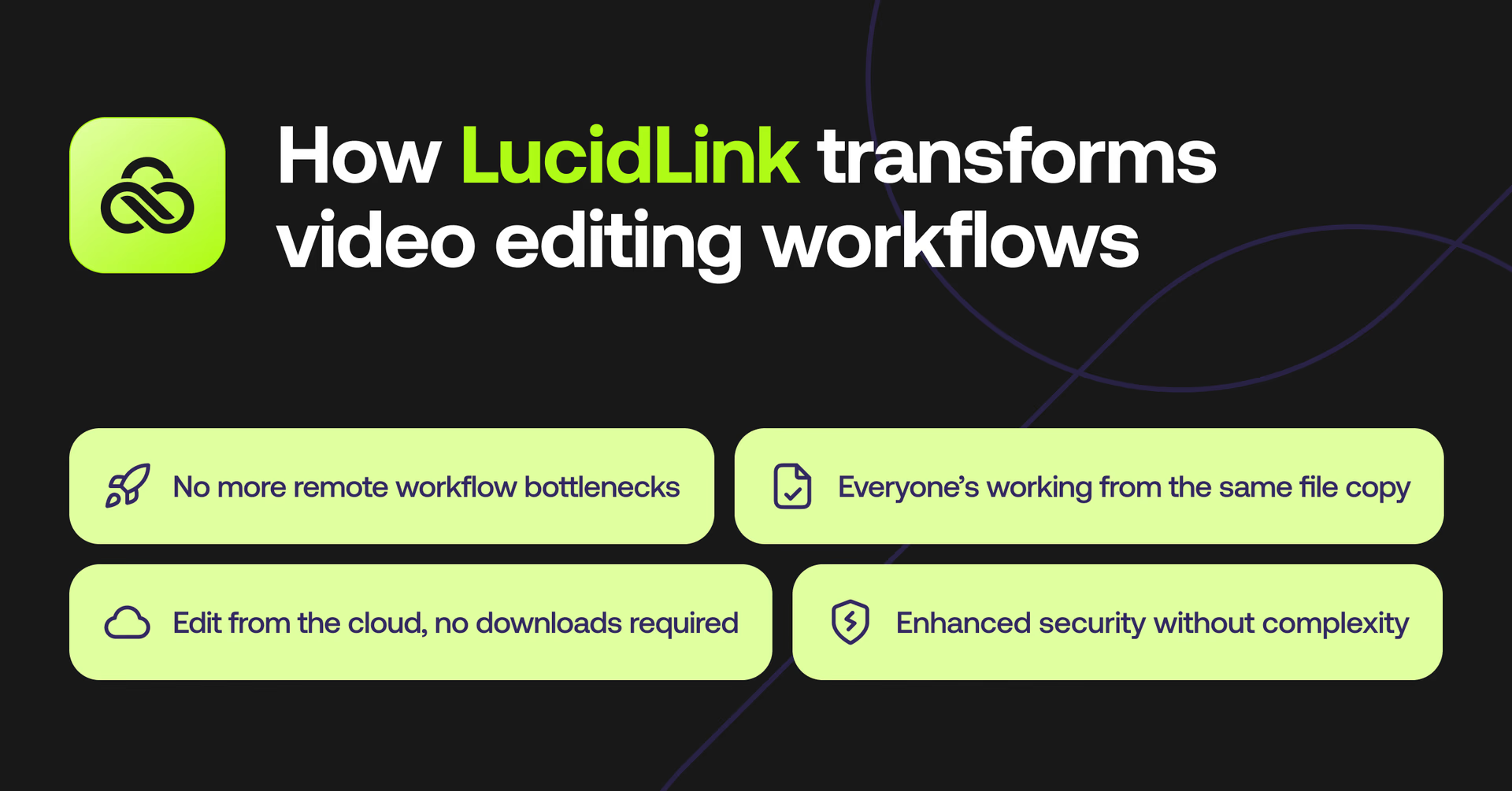
No more remote workflow bottlenecks: shipping hard drives or waiting on slow uploads used to kill momentum. Now, Casual’s team accesses everything instantly from one shared filespace wherever they’re working. This cuts a huge amount of downtime and delays.
Everyone’s working from the same file copy: with 21 editors and freelancers collaborating across continents, version control used to be chaos. Now, there's just one file structure and a single source of truth — no duplicates, no mix-ups, no wasted time. Everyone works in real time on the latest version, wherever they are.
Edit from the cloud, no downloads required: Casual’s editors open and work on massive video files straight from the cloud — even 5TB projects — without syncing delays or waiting around.
Enhanced security without complexity: LucidLink’s built-in access controls let Casual keep complete control over projects and files while working with both internal and external creatives globally.
By giving everyone access to the same live files, instantly, regardless of location, LucidLink lets remote and distributed video teams collaborate in real time.
The future of video editing workflows
As demand for high-quality video content grows so does the need for efficient, collaborative video workflows. It also naturally leads teams to work with a broader talent pool, meaning your workflows need to work remotely too.
Embracing tools that let you work together in real time, wherever you’re based, turns a team with top-notch editing techniques into one that delivers consistently.
Ready to build a workflow that works from anywhere? Try LucidLink free today.
FAQs
A video editing workflow is a structured process that turns raw footage into a finished video. It includes steps like asset setup, ingest, rough and fine cuts, color grading, review and final delivery, helping teams stay consistent, efficient and aligned.
Keep reading
Collaboration
Creative production
The content readiness gap: why finished doesn’t mean ready
Content creation has never been faster. But here's why finished still doesn't mean ready to use, and what the readiness gap is costing your team.
27 October 2026, 4 mins read
In the field
Collaboration
Setting up AI agents for reality capture in AEC
How Diorama.studio used an AI agent connected to LucidLink to organize field data in real time, during a two-week deadline drone survey.
16 September 2026, 6 mins read
Collaboration
In the field
Access over movement: rethinking media infrastructure for distributed teams
Tim Burton from 7fivefive explores why the future of media infrastructure is less about moving data and more about making it accessible where it already lives.
08 September 2026, 6 mins read
Join our newsletter
Get all our latest news and creative tips
Want the details? Read our privacy policy. Not loving our emails?
Unsubscribe anytime or drop us a note at support@lucidlink.com.