For developers
Product & news
A dashboard for your filespace, built where your keys are
by Joshua Katinger,
Product Line Manager, LucidLink
Last updated 19 October, 2026
4 mins

If you've ever asked us for a usage dashboard inside the LucidLink web portal, you've heard the following answer: we can't see your file names, your folders or who opened what. Zero-knowledge encryption means your filespace is decrypted on your machines and nowhere else, our servers included. So there's no way for us to build that dashboard there.
The data to build it exists, though, and it sits in your filespace. Every filespace with the audit trail enabled keeps a record of every read, write, move and delete, with the user or agent that did it. It's encrypted like every other file. So the dashboard has to be built on your side of the boundary. We've published an agent skill that does exactly that.
What the filespace dashboard skill builds
filespace-dashboard is the first skill in lucidlink-skills, a Claude Code plugin that also works as a plain skills folder for Codex. It's an example published under our examples license, and you're free to change and customize it to fit your own needs.
Install it, then ask your agent for a dashboard of a filespace. It confirms which filespace, who the dashboard is for (a production lead, a storage admin or a developer), which folders matter, how much to spend and where to put it.
A few minutes later there's a Dashboards folder in your filespace with one HTML file in it. Anyone with the drive mounted opens it. No server, no build step, no network requests.
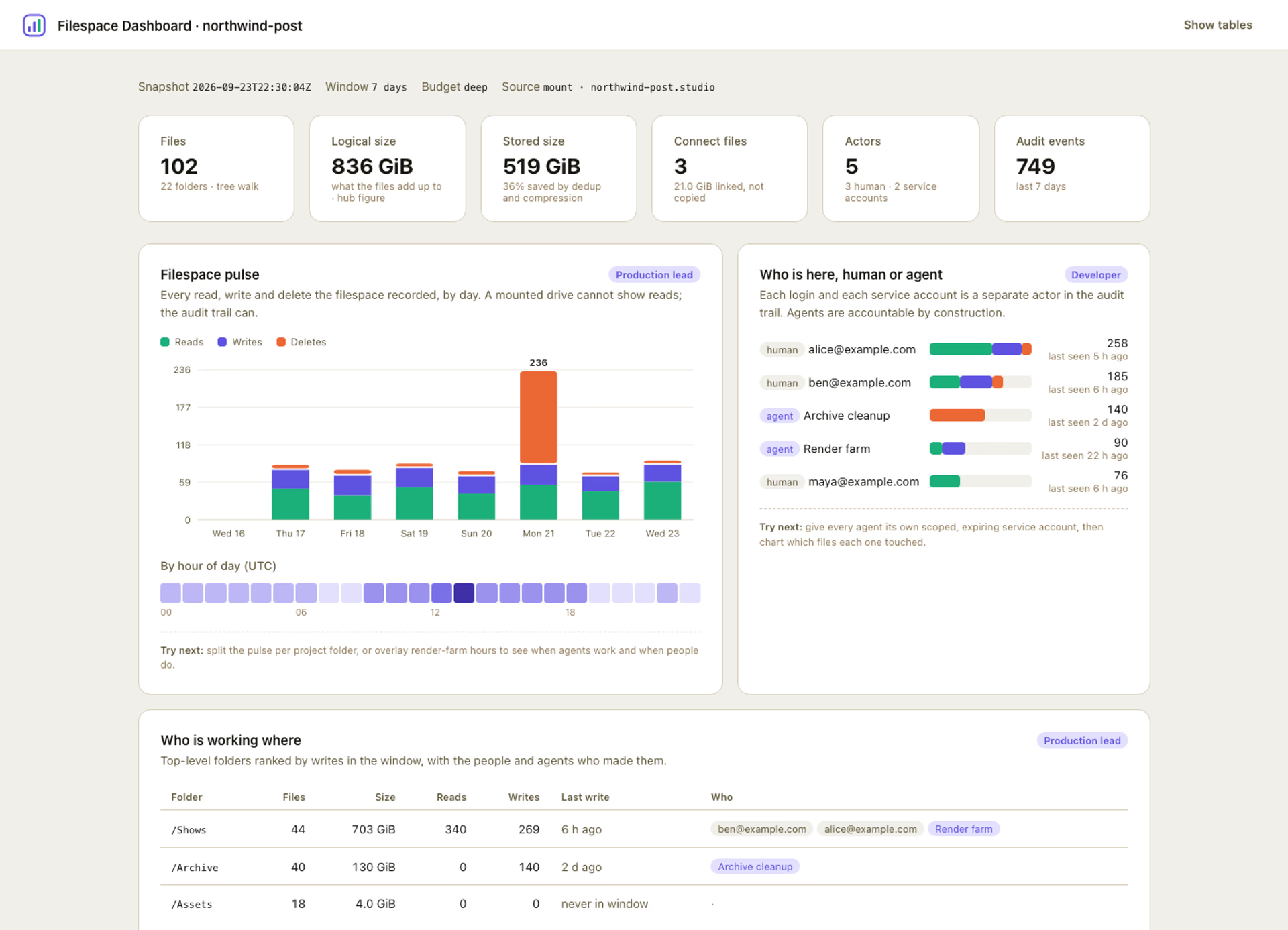
We grouped the tiles by who tends to want them:
Production lead: a daily pulse of reads, writes and deletes with an hourly profile. Top folders ranked by writes, with the people and agents behind them. A ticker of the newest changes.
Storage admin: bytes by age with archive candidates. Size by file type, with stored size next to logical size so you can see what deduplication saved. A flags panel for patterns worth a second look, such as a burst of deletes in one hour.
Developer: every login and every collaborator service account as its own actor, so an agent working through the MCP Server shows up with its own line.
Every number in the header says where it came from. Sizes come from LucidLink's own records and are exact. File counts come from walking the folder tree, and when the walk stops early on a large filespace the header says so.
Before you point it at real data
The audit trail has to be on, and only events after that moment exist.
The skill is read-only: it reads metadata and the audit trail but never file contents, and the only thing it writes is the dashboard folder. Run it through the MCP Server in read-only mode with a service account scoped to the filespace.
And remember that some actors are people. The page lists who did what by account name, human logins and collaborator service accounts alike, and a person's login is personal data. The page lives inside the filespace by default, where the same permissions that protect the files protect it.
Customize the dashboard to your workflow
The template is one HTML file plus one JSON file, and most changes are config:
Folders: group by show or client instead of top-level folder.
Names: give service accounts friendly names, so sa-render-01 reads as Render farm.
Archive rule: change the size and age thresholds to match your retention policy.
Output: point the dashboard at a different folder.
Adding a tile is a small job for anyone comfortable in a text editor, or for the agent itself. The schema and a catalog of further tile ideas are in the repo for that reason.
Keeping it fresh, and what it costs
Two ways to refresh, with different costs.
Ask the agent. "Refresh the production dashboard" in Claude Code or Codex runs the skill again. That's the right move while you're exploring or changing tiles. It spends tokens every time, so the skill has three budgets:
Lite: a handful of calls and a seven-day window.
Standard: adds the hourly profile and the flags panel.
Deep: widens to 30 days and walks everything.
Or schedule the scripts. The collector and the renderer are two Python files with no dependencies beyond the standard library on a mounted filespace. Put them in cron, launchd or Task Scheduler and the page refreshes hourly with no agent and no tokens. For anything recurring, use the scripts. Agents are for deciding what the dashboard should show. Scripts are for showing it every hour after that.
Get started
Start at the lucidlink-skills repository for the full README, the demo screenshot and a troubleshooting table, then install with one of the following.
In Claude Code:
/plugin marketplace add LucidLink/lucidlink-skills
/plugin install lucidlink@lucidlink-skills
In Codex:
git clone https://github.com/LucidLink/lucidlink-skills.git ~/.codex/skills/lucidlink
Then ask for a dashboard of your filespace. If you add a tile that belongs in the shared version, open an issue on the repo so we can fold it in for everyone. The MCP Server, the Python SDK and the rest of the developer tooling start at LucidLink Developer Tools.
Keep reading

For developers
Shared memory for LangGraph agents
How 3 LangGraph agents use a LucidLink Filespace for scope enforcement, file locking, and an attributed audit trail with zero servers to run.
12 October 2026, 7 mins read
Product & news
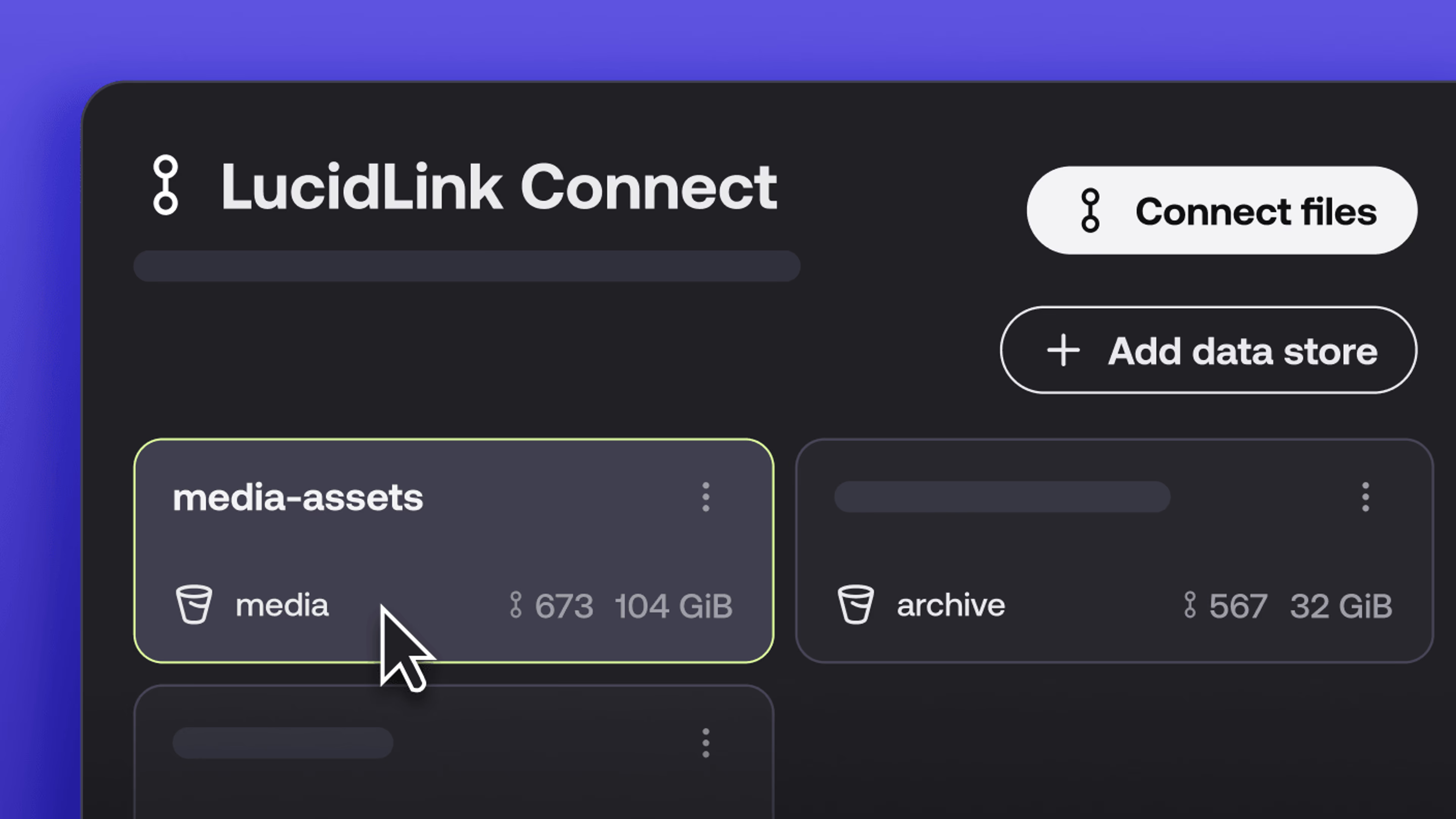
New in LucidLink Connect: simpler storage management
LucidLink Connect makes distributed storage easier to manage, with a new UI for connecting and managing data available through LucidLink.
06 October 2026, 2 mins read

Product & news
LucidLink named Leader in G2's Cloud File Storage report: here’s what customers say
See why LucidLink is a leader and rated #1 for customer satisfaction on G2’s Cloud File Storage report.
03 September 2026, 3 mins read
Join our newsletter
Get all our latest news and creative tips
Want the details? Read our privacy policy. Not loving our emails?
Unsubscribe anytime or drop us a note at support@lucidlink.com.