Cloud storage
The best Google Drive alternative in 2026
Last updated 14 April, 2026
4 mins

Teams explore Google Drive alternatives for lots of reasons, but for many it comes down to one thing: working with large files.
Google Drive is great for docs, sheets and lightweight collaboration. (We wrote and edited this blog on Google docs.)
But when it comes to large files like video, design and engineering files or huge datasets, it's a different story.
If you're working on large assets in Drive, you already know the problems: stop-start workflows, lengthy uploads and downloads, wrong versions and folder chaos. The bigger your files, the worse it gets.
That's why teams look for a Google Drive alternative for large files. Here's what to look for, and what actually works.
Google Drive: great for documents, frustrating for big files
Google Drive is great for documents, but frustrating for big files.
It’s built around downloading, syncing and browser-based access. That works perfectly for docs and Sheets: files are small, changes are incremental and collaboration feels instant.
But large-file workflows are a different story.

If you're using Drive for video, design files, engineering data or massive datasets, you’ve likely run into these issues:
Work waits
Every file has to download or sync before you can use it. Multi-GB assets can take minutes (or hours) just to open, slowing down every step.
Confusion reigns
Local copies, duplicate folders and inconsistent naming create multiple sources of truth. No one’s quite sure what’s current.
Too many handoffs
Upload, download, re-upload. That loop becomes the workflow, and “which version is final?” never really goes away.
Large files break or stall
Browser-based access struggles at scale. Uploads hang, downloads fail and performance drops as files get bigger.
Control is lost
Once files are downloaded, they’re out of your hands. Permissions are limited and revoking access isn’t straightforward.
At its core, Google Drive is file transfer plus sync. It works brilliantly for documents, but not for large-file, production-grade workflows.
That’s why teams start looking for a Google Drive alternative.
For a deeper dive, read our breakdown of file streaming vs sync-and-share.
What to look for in a Google Drive alternative
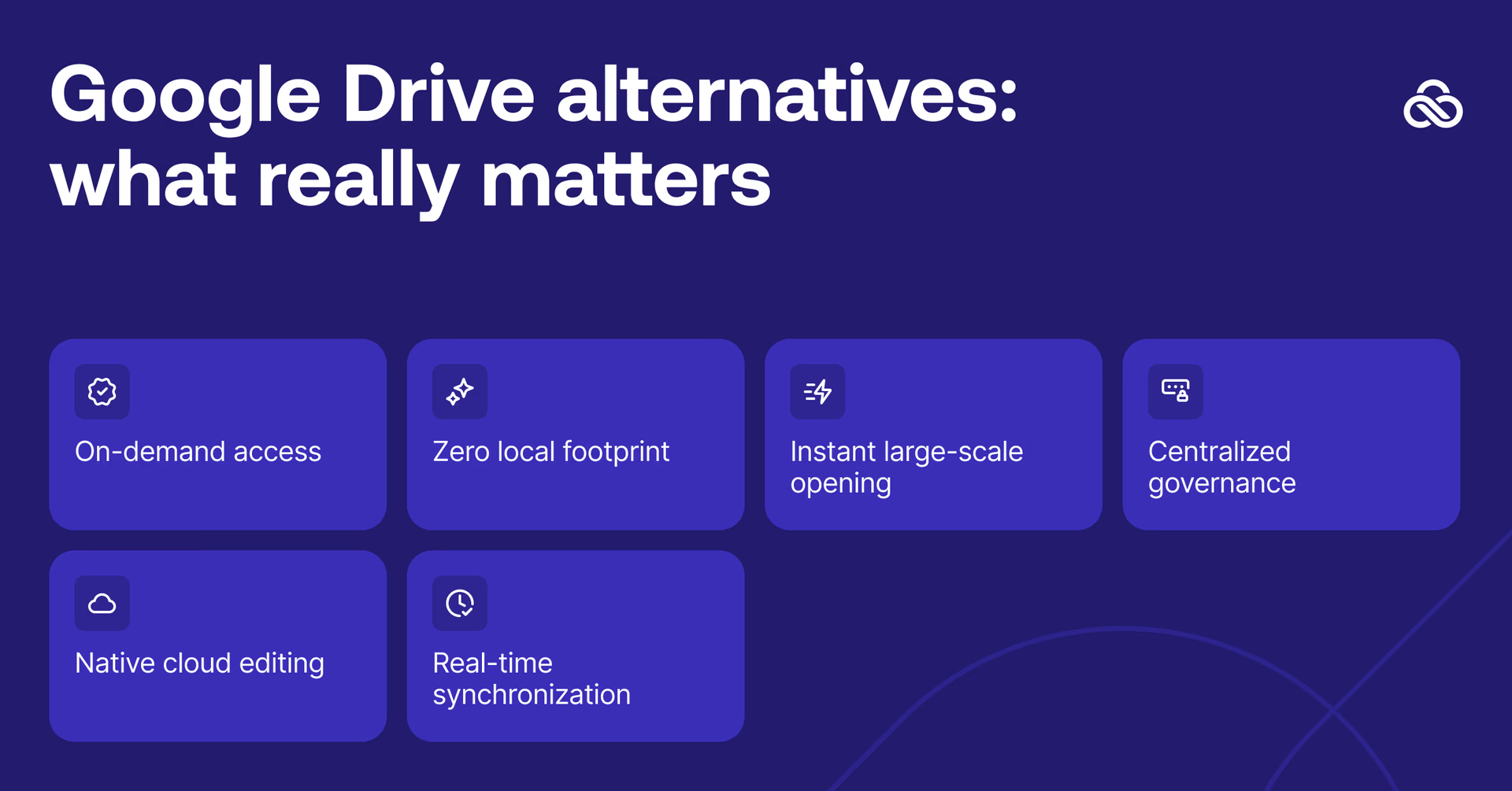
Full disclosure: we're obviously not a neutral party. But we'd never recommend LucidLink for your docs and spreadsheets, Google Drive handles those just fine.
If you're working with large files, LucidLink is a better alternative to Google Drive.
Where we were built specifically to help is large-file workflows: media and entertainment, AEC, marketing and advertising and any team that struggles working with files too large to sync. Here's how:
Files stream on demand
Instead of downloading entire files, LucidLink streams only the data your application needs. This means files feel local, even though they live in the cloud. Work starts instantly without progress bars, syncing or waiting.
No syncing, no local copies
With one centralized filespace, files are accessed directly, not copied. Teams can work on projects larger than their local drives and always see the same live version. No more juggling multiple copies or worrying if someone’s working from an outdated file.
Open large files instantly
Multi-gigabyte or even terabyte-scale files open in seconds. Navigate, scrub and review assets immediately without waiting for downloads or syncs to finish.
Edit directly in the cloud
Changes save instantly to the shared filespace. No manual version tracking or replacing files. Edits are live, accurate and immediately accessible to the team.
See teammates’ updates immediately
Everyone sees changes the moment they’re saved. Multiple people can edit, organize, review and prepare deliverables simultaneously with no version chaos and no guessing which file is current.
The result: real-time collaboration on files of any size, not back-and-forth file transfers.
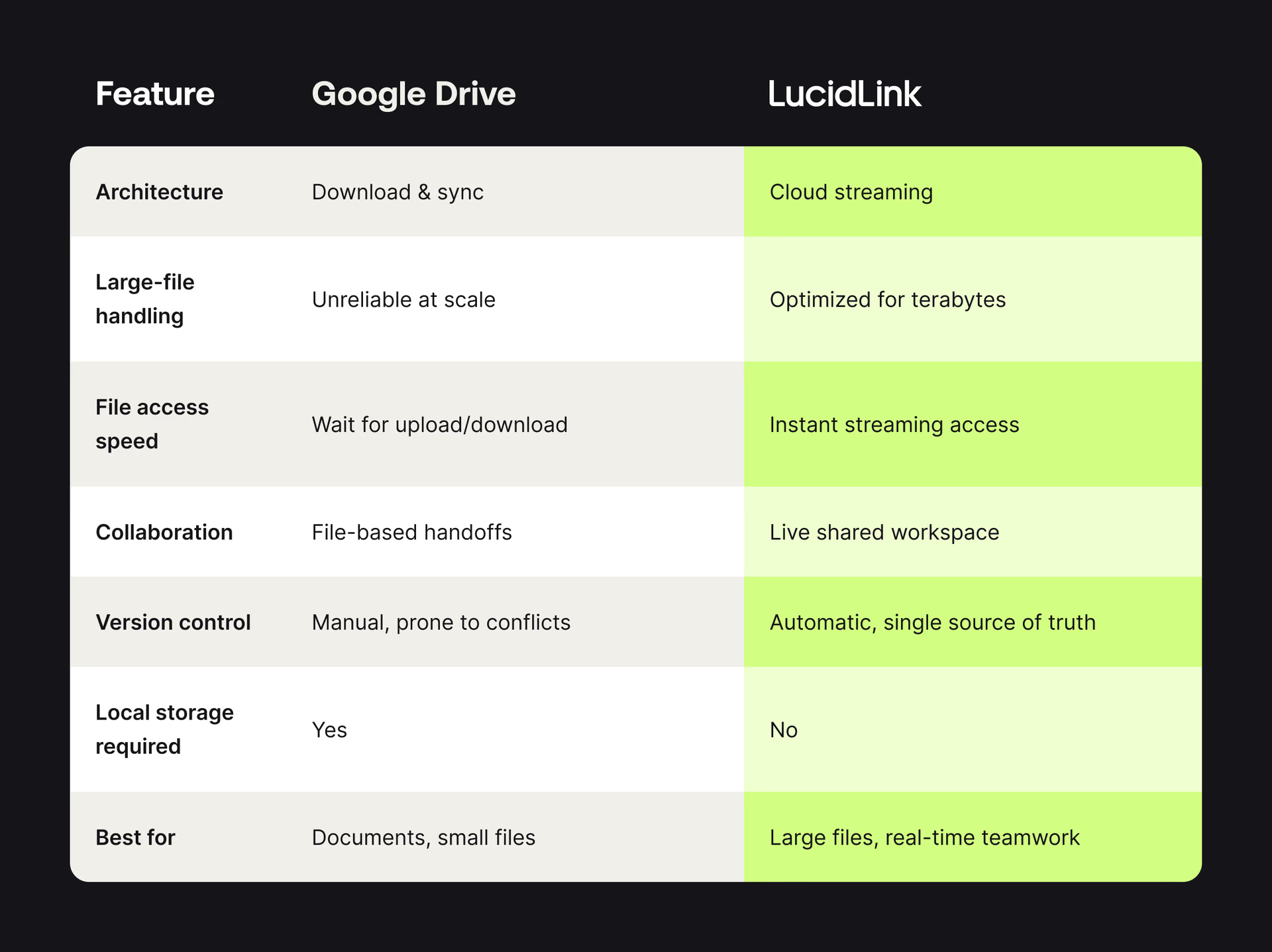
Google Drive vs LucidLink
When LucidLink is the best Google Drive alternative
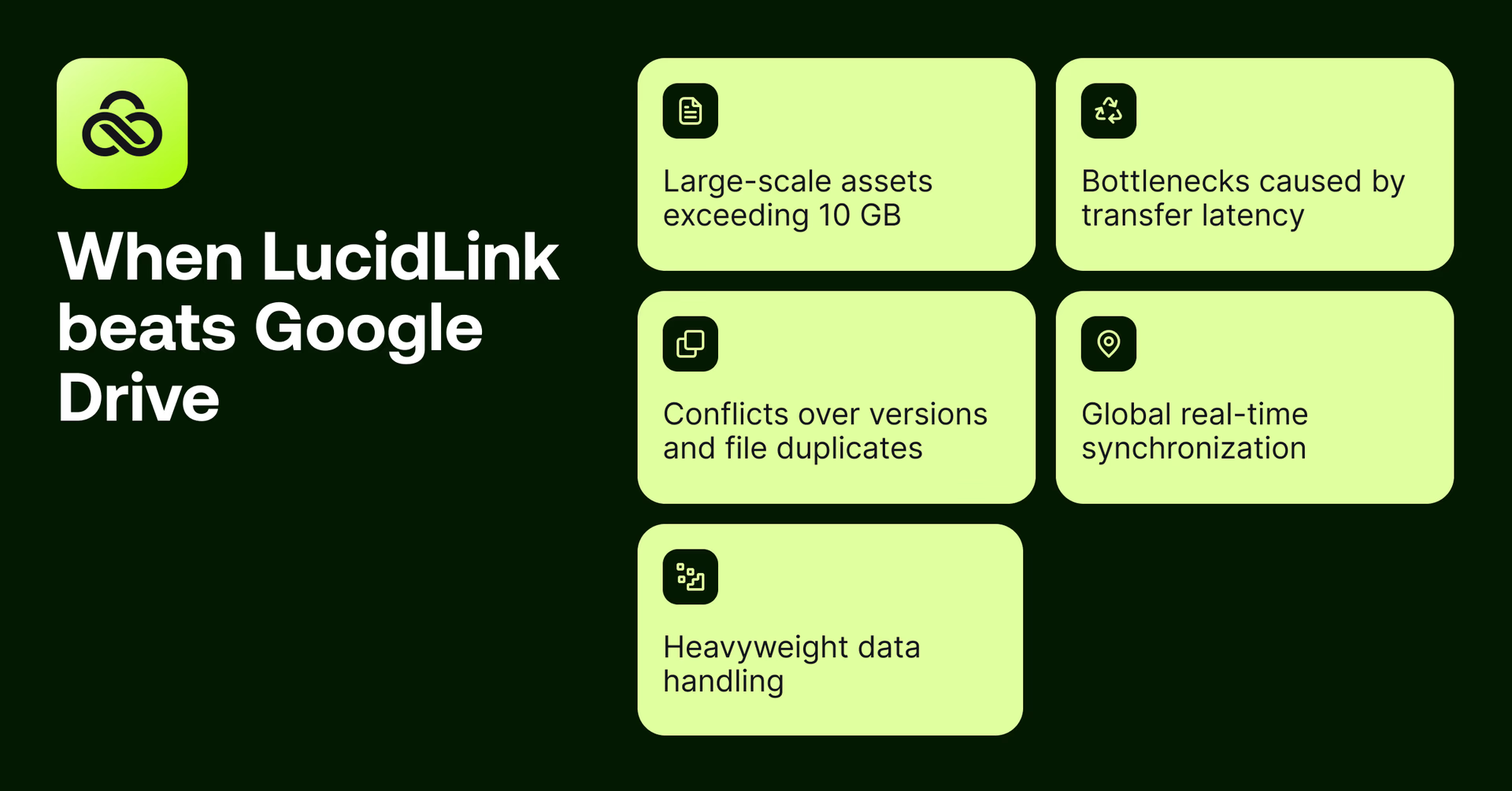
LucidLink fits teams who:
Regularly work with files over 10 GB
Face upload/download delays
Struggle with version conflicts and duplicate files
Need real-time collaboration across locations
Work with huge video, design and engineering files, large datasets
Teams that switched from Google Drive to LucidLink
When Google Drive slowed video production, Minute Media moved everything to LucidLink
Challenge: video teams working globally, large media files, constant downloads and handoffs
Minute Media originally used Google Drive for video storage and collaboration. It worked, until scale became the problem. Editors had to download files before they could work. Collaboration meant waiting. Archives lived elsewhere. Momentum slowed.
Once the team tested LucidLink for active video editing, the decision was straightforward.
Read the full storyWith LucidLink, we upload files to the cloud and work directly from there. There’s no downloading and syncing, making it much easier to manage large files, and we don’t need to ship physical hard drives.
Hagai Lazar,VP of Global Video Production, Minute Media
When Google Drive became a bottleneck, Vuela needed something built for media
Challenge: unreliable uploads, constant downloading, wasted time moving files around
Vuela tried Google Drive, WeTransfer, FTP — all the usual options. None were reliable enough for large media files or fast-paced post workflows
We tried uploading media from local hard drives directly to our staff and our clients using online solutions like WeTransfer and Google Drive, even FTP, but none were reliable for our needs. You’d also have to go through the process of downloading files, uncompressing them and copying them to a project folder, and then the reverse on export. This was inefficient and wasting precious time.
Julian Crespi,Owner and Colorist, Vuela
Every project meant downloading, uncompressing, copying files into folders, then reversing the whole process on export. Time disappeared into file handling instead of creative work.
“We immediately tested LucidLink and it just worked brilliantly straight away. It quickly became a standard part of our service,” summarized Julian.
When Google Drive caused relinking chaos, Madecraft built a better hybrid workflow
Challenge: Google Drive for remote editors, on-prem storage for others, constant relinking and confusion
Madecraft’s workflow was split down the middle. On-site teams worked from a Synology SAN. Remote editors relied on Google Drive. The result was predictable: relinking issues, missing files and slow collaboration.
Switching to LucidLink gave everyone access to the same live files without changing the tools they used.
“We didn’t have to change how we work, LucidLink just made it faster and simpler,” Ben Nitka, Post Supervisor, Madecraft.
If your team and files have outgrown Google Drive, try LucidLink free today.
FAQs
The best Google Drive alternative for large files is a platform that lets teams work directly from the cloud without waiting for downloads or syncing. Solutions like LucidLink stream files on demand, support multi-GB and TB-scale projects, and keep one live version so collaborators are always in sync.
Keep reading
Cloud storage
Introducing the new LucidLink MSP: one platform for your whole book
LucidLink MSP runs on the LucidLink Management Platform, giving MSPs centralized deployment management and pricing that scales with growth.
09 September 2026, 2 mins read

Product & news
Cloud storage
Beyond headline speeds: what cloud file streaming needs to succeed
Block-level streaming, smart prefetching and metadata coordination: here's the architecture behind how LucidLink performs on standard internet connections.
05 August 2026, 6 mins read

Product & news
Cloud storage
Why cloud storage speed claims don't reflect reality
Many cloud storage vendors promise 20Gbps+ speeds. Here's why those numbers rarely match real-world performance, and what to look for instead.
30 July 2026, 5 mins read
Join our newsletter
Get all our latest news and creative tips
Want the details? Read our privacy policy. Not loving our emails?
Unsubscribe anytime or drop us a note at support@lucidlink.com.