For developers
Put your metadata to work: getting started with the LucidLink MCP Server
by Joshua Katinger,
Product Line Manager, LucidLink
Last updated 01 September, 2026
9 mins
Most conversations about AI and enterprise data start in the same place: embeddings, retrieval, indexes, pipelines. Get the content into a model and the value follows.
That work’s worth doing, but there's something simpler you can do first: query your filespace metadata.
It takes a few minutes, you don't need to move, copy or expose a single byte of content and it tells you more about how your team works than most analytics tools will.
Your filespace already knows a great deal about itself. Every file has a name, a path, a size, a creation date and a last-modified date. Every folder has a shape. Across a few hundred thousand files, that information alone describes how your team actually works: what's active, what's finished, what's named the way your standards say it should be and where your most valuable material lives.
The LucidLink MCP Server lets you talk to your filespace in plain language. This post walks through why metadata is the right place to start, and how to turn what you learn into something permanent.
Why metadata is the fastest place to start
When an MCP client connects to a filespace, it doesn't need to download anything to see the structure.
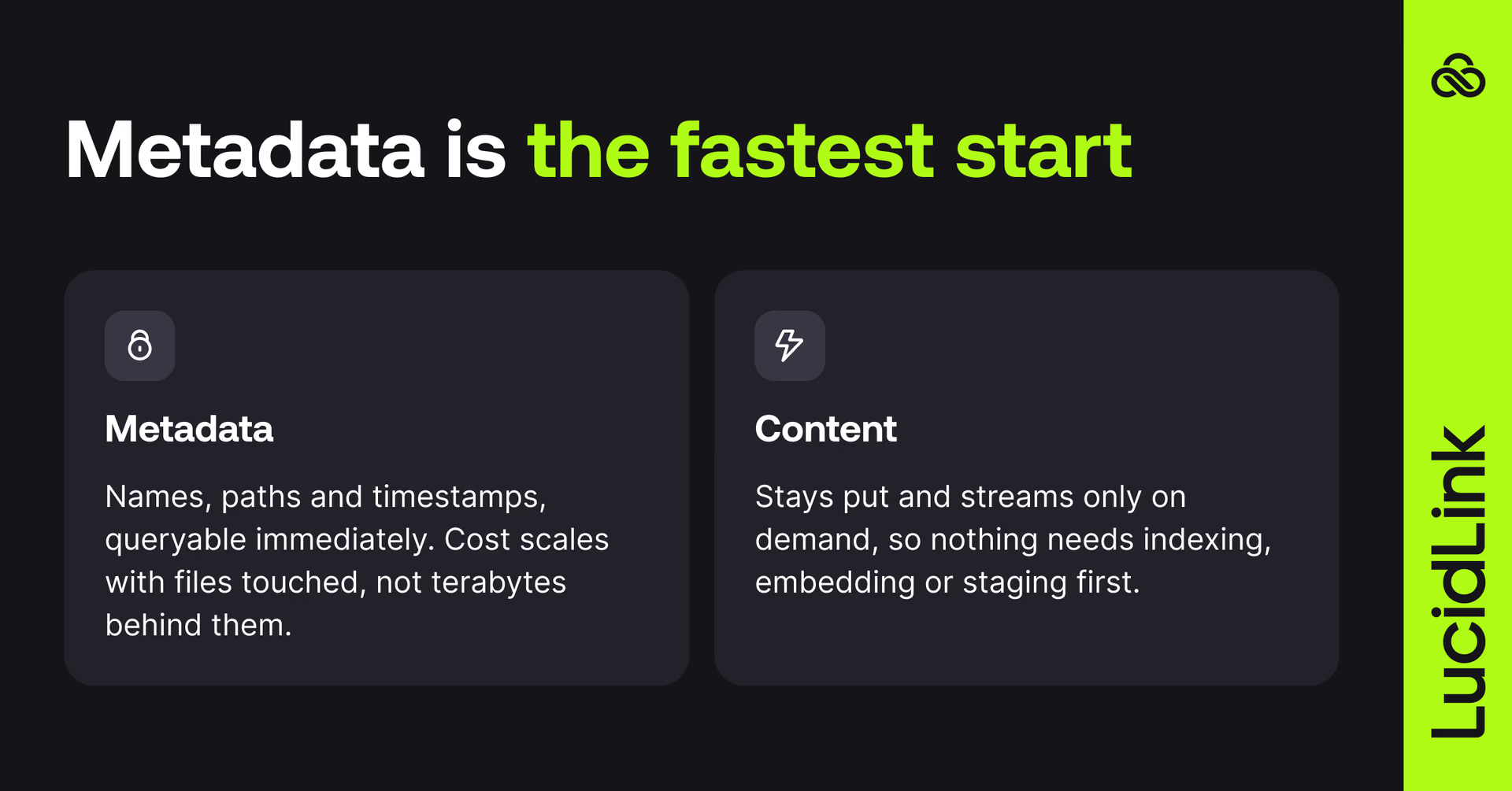
LucidLink separates metadata from content, so listing a directory, reading a file's timestamps or walking an entire folder tree are metadata operations. Content streams on demand, and only when something asks for it.
The practical effect is that questions about the shape of your data get answered without a preprocessing step. There's no index to build, corpus to embed or staging bucket to fill. You point an agent at the filespace and start asking.
Until now, a question like this meant scoping a project: write the crawler, schedule the run, wait for results (and hope you framed the question right the first time). But metadata lets you follow your curiosity and refine the question as you learn, without committing to a lengthy preprocessing job.
What this costs scales with the number of files you look at, not the size of the data behind them. Asking about a 50 TB folder doesn't move 50 TB; it reads the metadata for the entries in it.
That means you can start at the top of a very large tree and narrow down from there, rather than committing to a full sweep up front.
Conversation one: what have you got?
Most teams with a large filespace have never had a fast way to answer this one. Somewhere in your project archive is a large amount of material that no one has touched in years.
Some of it is finished work that's still valuable and nobody remembers is there, some of it is under a retention obligation you need to be able to evidence. Nobody knows which is which, because finding out has always been a project.
With the MCP server connected, it's a question:
You: Walk /Projects and tell me how much data hasn't been modified in the last 24 months. Break it down by top-level project folder and give me the total.
Claude: Walked 47,318 files across /Projects. 11.4 TB was last modified more than 24 months ago — about 38% of the tree.
Northgate Phase 1 — 4.2 TB (last activity Mar 2024)
Harbour Point — 3.1 TB (last activity Nov 2023)
Westbrook Retail — 2.6 TB (last activity Jan 2024)
14 smaller folders — 1.5 TB combined
Note: Conversations in this post are illustrative. Representative prompts and responses rather than verbatim transcripts. They use Claude, any MCP-compatible client works the same way.
No file was opened to produce that. It walked the tree, read the timestamps and grouped the results. On our own test filespace, tens of thousands of files spanning tens of terabytes, a complete walk finished in seconds.
The first answer is rarely the end of it:
You: Exclude anything under a folder named Legal or Contracts. Of what's left, which project folders are over 500 GB and completely dormant?
Claude: Three qualify: Northgate Phase 1 (3.8 TB after exclusions), Harbour Point (3.1 TB), Westbrook Retail (2.4 TB). No file in any of the three has been modified since March 2024.
You: For the top three, show me the ten largest files and what file types they are.
Claude: Across the three, the 30 largest files account for 4.1 TB. Northgate Phase 1 is mostly survey point clouds (.rcs, 180–320 GB each); Harbour Point is archived Revit models and Navisworks federations; Westbrook Retail is rendered walkthrough exports. The single largest is a 318 GB point cloud, last modified 14 March 2024.
You're not writing queries. You're following a thread. Each answer suggests the next question, and each new question is seconds away.
Within a handful of exchanges you know something concrete about your own archive that you didn't know that morning: which projects are finished, which are still moving and where your reusable material sits.
What you do about it — archive under your retention policy, tier it or go mine it for reuse — becomes a deliberate decision rather than a guess.
Conversation two: does anyone actually follow the naming convention?
Anyone working to a BIM standard will recognize this one.
If you work to ISO 19650, your information containers are expected to carry structured metadata in their names, and to sit in the right state: work in progress, shared, published or archived. The standard doesn't hand you a field list. It expects your project to define one and hold everyone to it. Which means the convention that matters is yours.
It's a good standard. It's also a standard applied by people working to deadlines, so even well-run projects drift a little. A file sits in Published that was never issued. A revision code got skipped. Someone appended FINALv2 to a filename that already had a revision field.
And you don't have to type your convention into the prompt every time. Put it where the files are. A short naming-convention.md in the filespace, or the project's own information protocol document, which you probably already have, becomes the thing the agent reads first.
Everyone's agent reads the same version, and when the standard changes you update one file rather than everyone's habits. Teams that also mount the filespace often keep shared prompts and agent skills in the same place, so the whole team's tooling updates together.
Then it's a question:
You: Read /Standards/naming-convention.md, then check every file under /Projects/Northgate/Published against it. List anything that doesn't comply and tell me what's wrong with each one.
Claude: Checked 1,204 files against the convention in /Standards/naming-convention.md. 1,161 comply. 43 don't:
28 are missing the revision field entirely (e.g. NGT-AHR-XX-00-DR-A-2001.dwg)
11 use an underscore where the convention specifies a hyphen
4 have a second revision appended to an already-valid name (e.g. …-P03_FINAL_v2.dwg)
None of that required opening a file. The filename is the metadata — and the convention came from the filespace too. Because you're in a conversation rather than reading a report, you can go straight to the fix:
You: For the 28 missing a revision, propose corrected names. Don't rename anything yet — show me the list first.
Claude: Proposed renames, nothing changed yet:
NGT-AHR-XX-00-DR-A-2001.dwg → NGT-AHR-XX-00-DR-A-2001-P01.dwg
NGT-AHR-XX-01-DR-A-2104.dwg → NGT-AHR-XX-01-DR-A-2104-P01.dwg
…plus 26 more following the same pattern.
All 28 are in Published with no prior revision in their history, so P01 is the safe assumption. Want me to apply these, or write the list out for review first?
From reading to acting
Everything up to this point has been read-only, which is a good place to start.
The MCP Server has a read-only mode, and if you want to explore a production filespace with no possibility of modification, that's how to do it.
But the server also writes. Once you've agreed on what needs to change, the agent can create directories, move and rename paths, copy files and delete them.
The metadata-only workflows above become metadata-only remediation: renaming a thousand non-compliant files, restructuring a folder tree to match your CDE states or moving a dormant project into an archive location. None of it touches file content, and all of it would otherwise be done a file at a time.
Before you point this at real data
Destructive operations are flagged for explicit confirmation. Read-only mode is enforced by the server, which simply doesn't register the write tools. And an agent can take an advisory lock on a whole file or a byte range before editing, which matters once several agents are working the same tree.
Where audit is enabled, agent activity appears alongside everyone else's and content stays encrypted end-to-end, the server runs locally under a service-account token, and plaintext exists only in that process and in whatever the agent is given.
Making your answers permanent
Once you know the answer, you don't need to keep asking for it.
An MCP conversation is a round trip. Every tool call travels from your client to the model and back. That's a fine price for exploration, where the value is in not knowing what you're looking for yet. For a job you want to run every Monday at 6 a.m., there's something better.
So promote it. The same operations are available in the LucidLink Python SDK, which authenticates with the same service-account token and needs no desktop client installed. The dormant-file audit you worked out in conversation becomes a script that runs in seconds, on a schedule, with no model in the loop. The naming-convention check becomes a pre-issue gate.
It's also where the exhaustive pass belongs. A conversation is the right place to work out which sweep is worth running; a script is the right place to run it across every file you own.
You don't have to write it yourself, either. The same agent that helped you discover the rule can write the script that enforces it, using Claude Code, OpenAI's Codex, Cursor or whatever you already have in your terminal.
That's the workflow:
Explore in prose. Codify in Python. Use the MCP Server as an experimentation tool, a way to talk to your files until you understand them. Then ask the same agent to turn what you learned into something deterministic, fast and scheduled. Rules-based work should be run by rules. Models are for the part where you don't know the rule yet.
Getting started
If you have a LucidLink Filespace and a few minutes here’s how to get started:
Create a service account and generate a token: see Getting Started with Service Accounts.
Install the MCP Server and register it with Claude, Cursor, Codex or any MCP-compatible client. The MCP Server page has the commands; the package lives on PyPI. There's no infrastructure to deploy, your client launches the server on demand.
Turn on read-only mode for your first session.
Start with a question you've never had a quick answer to. "How much of this haven't we touched in two years?" is a good place to begin.
When you're ready to make things permanent, the Python SDK examples and the agentic framework examples are on GitHub, and our Developer Tools act as the front door for everything else.
The MCP Server and the Python SDK are available now. If you build something with metadata alone that we should know about, tell us.
Keep reading

For developers
Product & news
A dashboard for your filespace, built where your keys are
Build a dashboard for your LucidLink Filespace from its audit trail with an agent skill for Claude Code and Codex, without touching zero-knowledge encryption.
19 October 2026, 4 mins read

For developers
Shared memory for LangGraph agents
How 3 LangGraph agents use a LucidLink Filespace for scope enforcement, file locking, and an attributed audit trail with zero servers to run.
12 October 2026, 7 mins read

Collaboration
Creative production
The content readiness gap: why finished doesn’t mean ready
Content creation has never been faster. But here's why finished still doesn't mean ready to use, and what the readiness gap is costing your team.
27 October 2026, 4 mins read
Join our newsletter
Get all our latest news and creative tips
Want the details? Read our privacy policy. Not loving our emails?
Unsubscribe anytime or drop us a note at support@lucidlink.com.