Cloud storage
NAS vs cloud storage: differences, costs and use cases
Last updated 01 June, 2026
7 mins

Your storage shouldn’t feel like something you have to babysit.
But if you’re still running on traditional NAS, it probably does.
You’ve likely felt it:
Remote access that turns simple edits into a waiting game
VPNs that behave… until they don’t
Storage limits creeping up faster than expected
Hardware upkeep — updates, failing drives, overheating racks
Quiet costs from downtime, power and maintenance
NAS was built for a different way of working: everyone in the same place. Files moving inside one network. Work days that had clearer edges.
That’s not how teams operate anymore.
Teams are spread out, files are bigger and work doesn’t pause when someone logs off in one time zone.
The real question isn’t just NAS vs cloud. It’s whether your storage still fits the way your team actually works.
NAS vs cloud storage: what’s the difference?
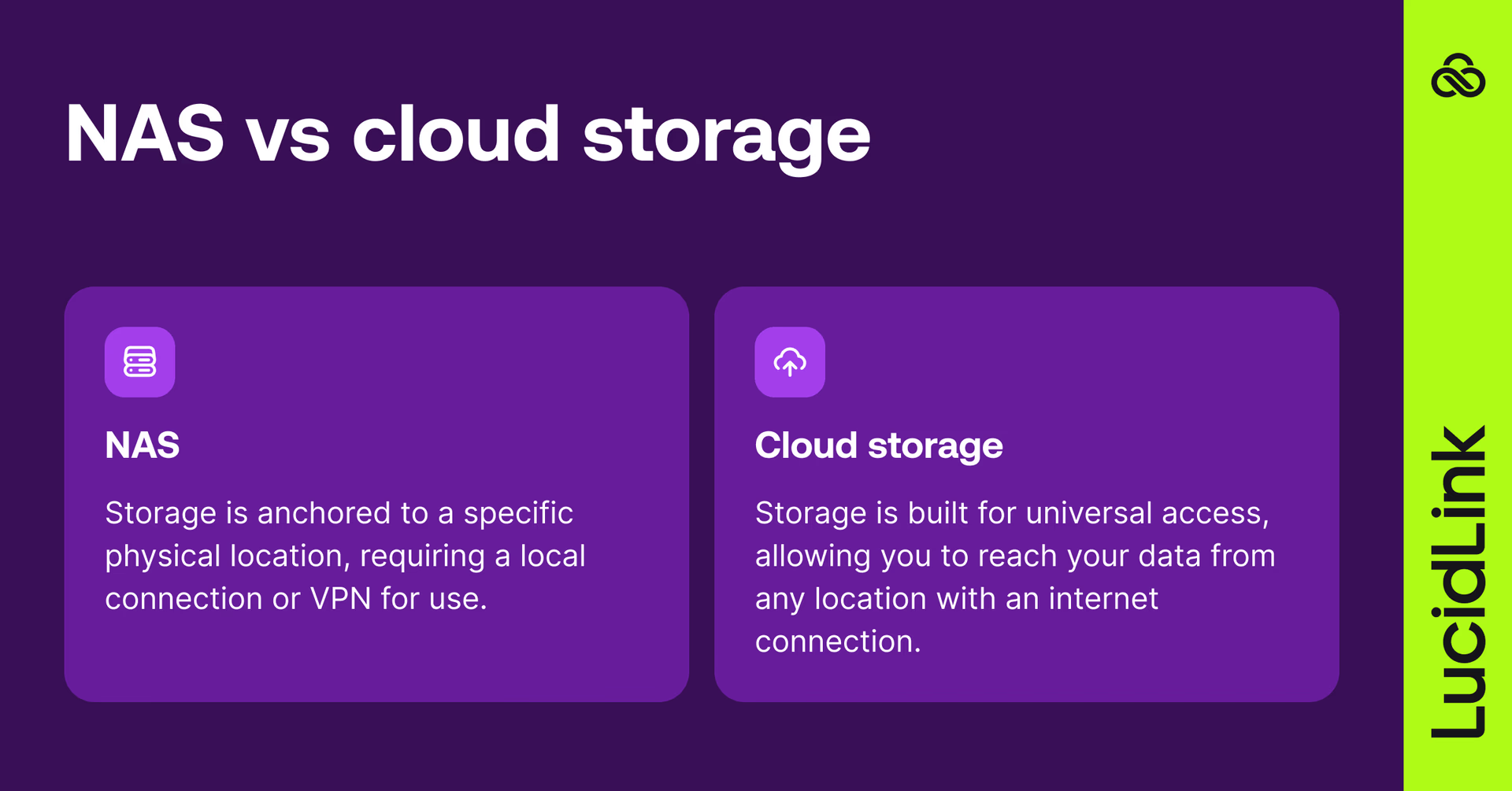
NAS (network attached storage) is straightforward. It lives in one place, usually your office or data center, and everything revolves around that location.
If you’re there, it’s fast. If you’re not, you’re going through a VPN.
NAS tools like Synology, QNAP and Netgear ReadyNAS are common setups.
Cloud storage flips that model. Files live in the cloud, not tied to a single location. Cloud platforms like Azure, Google Drive and Dropbox make them accessible from anywhere with an internet connection.
To summarize, the main difference is that NAS is tied to a physical location, while cloud storage is designed to be accessed from anywhere.
Traditional cloud storage doesn't work for every workflow
Sounds simple, but traditional cloud storage workflows don’t work for everyone. Here’s why.
Most cloud tools still rely on syncing and downloads. So instead of one file, you end up with copies. And lots of them. On different machines, in different states, taking up local storage and slowing things down.
That’s fine for documents. Not so much for multi-gig video, game assets or CAD files.
Modern cloud storage solutions like LucidLink take a different approach, acting as an access layer rather than a sync tool.
Files stay in the cloud and stream on demand, so you open what you need, when you need it, without downloading the whole thing.
No duplicates, syncing delays or wondering if you’ve got the latest version. Whether your team is in LA, London or halfway through a long train ride, it just feels like your files are local.
NAS vs cloud: performance, cost and security
Performance
On a local network, NAS is fast. Open a large file in the office and it behaves exactly how you’d expect.
Step outside that environment, though and things change. VPNs introduce latency. File transfers take longer. And the bigger your files get, the more noticeable it becomes.
Cloud storage removes the location issue, but if you’re still downloading full files, you’re trading one delay for another.
LucidLink sidesteps that completely, it streams only the parts of the file you need. Instead of waiting on a multi-terabyte video file to download, you open it in seconds and start editing instantly. Copies don’t clutter your desktop.
Cost
NAS looks like a one-time investment (until it isn’t).
You’ve got upfront hardware costs, then ongoing power, cooling, maintenance and eventual upgrades. And when you hit capacity, it’s not a small tweak. It’s another purchase cycle.
Cloud storage moves that investment from CapEx to OpEx. You pay for what you use and scale as you go.
With LucidLink, there’s another layer of savings: less local storage needed, less IT time managing hardware and fewer workarounds to keep things running. Costs become easier to predict and a lot less tied to physical infrastructure.
Security
With NAS, control is in your hands. That’s a benefit and a responsibility. Your team handles patching, backups, encryption, access controls. Everything.
Cloud providers take on a lot of that heavy lifting. Encryption, redundancy, compliance standards like SOC2, HIPAA, GDPR, it’s all built in.
LucidLink adds zero-knowledge encryption, granular permissions and snapshots on top. So data stays protected, without turning security into another thing your team has to manage day-to-day.
NAS vs cloud storage features
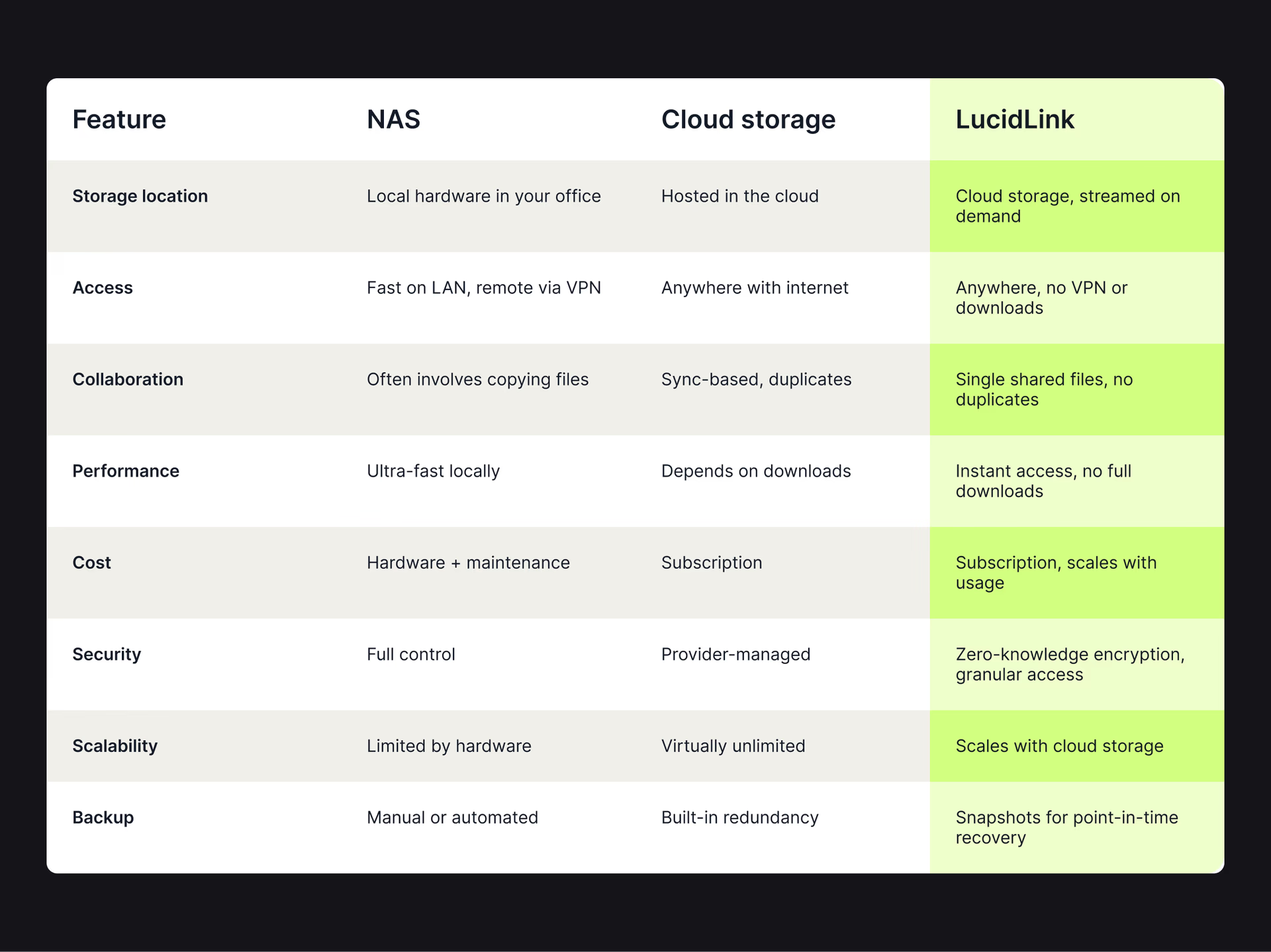
File streaming solutions like LucidLink let teams work directly from cloud storage without downloading files, combining cloud flexibility with local-like performance.
5 ways modern cloud storage goes beyond NAS
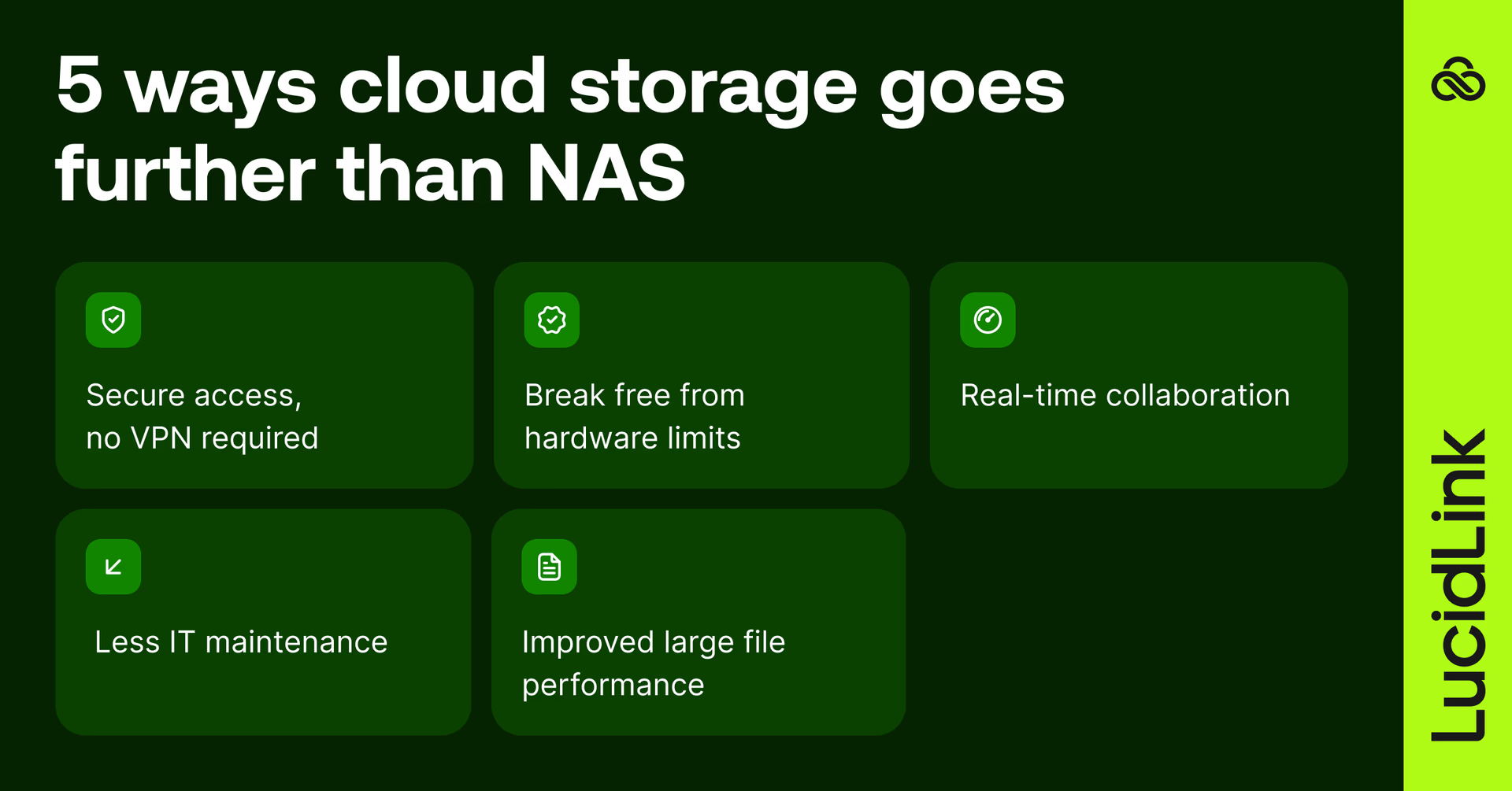
Remote access without VPNs
VPNs are often the weakest link for NAS teams. They work, until performance drops or files get too large, making secure remote access harder to maintain.
Cloud storage removes that extra layer. Access is direct, consistent and doesn’t depend on tunneling back to one location.
No more hardware bottlenecks
With NAS, you’re always planning ahead. Capacity, upgrades or replacements.
And even then, you’re managing multiple file versions across machines.
Cloud storage grows as you do. Hardware stays out of the picture and there’s always room for more files.
Faster collaboration
NAS workflows tend to revolve around handoffs. Copy a file, pass it along, then wait your turn.
Cloud-native setups remove that friction.
With LucidLink, everyone works on the same large files at once. Forget duplicate copies and the endless ‘who has the latest?’ questions.
With LucidLink, teams can work on the same large files at the same time, without juggling duplicates or wondering who has the latest version, making global file collaboration much simpler.
Reduced IT overhead
NAS comes with a long to-do list: monitoring drives, applying patches and planning upgrades.
Cloud shifts that burden away from your team, while still giving IT control where it matters. LucidLink keeps the experience simple for users, without taking away control from IT.
Better performance with large files
Large files expose the limits of both NAS (remotely) and traditional cloud (downloads).
Streaming changes that. With LucidLink, teams open massive datasets (video, 3D, CAD) almost instantly. Work starts right away, not after a progress bar finishes loading.
NAS vs cloud storage: what’s best for your team?
When NAS makes sense
Teams in one location
Extremely large datasets that need constant local access
Environments with strict control requirements
When cloud storage is a better fit
Remote or hybrid teams
Collaboration across locations
Projects that need to scale without adding hardware
Hybrid storage: NAS + cloud
Many teams don't choose one or the other. NAS handles local performance and fast on-site access. Cloud handles remote collaboration, backup and scale.
Used together, they can cover more ground than either does alone, though managing both adds complexity and the two systems don't always talk to each other cleanly.
How LucidLink bridges NAS and cloud storage
LucidLink removes the tradeoff.
Stream files on demand so they feel local, work from a single shared filespace and ditch the syncing, VPNs and version confusion without changing how your team works.
For creatives, it means opening large files instantly and getting straight to work. For IT, it means secure access, predictable costs and no hardware to maintain — while still controlling where data lives.
Already storing data in S3, OneDrive or other cloud drives? LucidLink Connect lets you stream directly from existing storage without migrating anything.
Teams that made the switch from NAS to LucidLink
When collaboration hit a wall with TEAM LEWIS
Challenge: a global creative team, growing volumes of video and 3D work and a NAS setup that couldn’t keep up, especially once teams went remote.
“People would be in the office five days a week as normal, and we had an internal NAS which would stream data to that singular person. Clients would also ship physical drives of 40 GB – 60 GB of raw files and video. There was no real way of enabling collaboration. One person would have to quit what they were working on for someone else to go into the same asset, “ Kelly Redding, IT Director, TEAM LEWIS.
It worked, until it didn’t.
With LucidLink, remote offices across 20+ locations now work seamlessly, sharing files in real time without VPN bottlenecks.
“There really wasn’t anything out there we could find that could do the job as well as LucidLink. From my point of view, I don’t think I’ve ever implemented a product that has been so well received within our company.”
When moving files takes longer than making them with DC Thomson

Challenge: a patchwork workflow of Dropbox, WeTransfer, Adobe tools (and even couriers) made it hard to move large video files between teams.
“Our uploads were capped at 2GB, and speeds were awful. We literally had someone driving SD cards to my house — 40 minutes each way just to move 60GB, “ Drew Farrell, Group Video Editor, DC Thomson.
LucidLink integrated into their workflow instantly, letting multiple editors work on the same files without delays.
“LucidLink is light touch. We didn’t need a huge video CMS, just something that worked. And LucidLink does, “ Mark Asquith, Head of AV, DC Thomson.
Storage that matches how your team actually works
NAS gives you speed and control, as long as you stay close to it.
Cloud gives flexibility, but often at the cost of performance.
LucidLink brings those together.
Files stay in the cloud but feel local. Teams open large files instantly, work from a single source of truth and collaborate without the usual delays.
Try LucidLink and see how it changes the way your team works with large files.
FAQs
The main difference between NAS vs cloud storage is where your data lives and how you access it. NAS is stored on local hardware and works best on-site, while cloud storage is accessed over the internet from anywhere. Modern tools like LucidLink combine both, letting teams work on cloud files as if they’re local.
Keep reading

Cloud storage
New research: what your storage bill doesn’t tell you
New research from Situation Publishing explores the hidden costs around file infrastructure, from egress and duplication to lost time and manual work.
14 October 2026, 4 mins read
Cloud storage
Introducing the new LucidLink MSP: one platform for your whole book
LucidLink MSP runs on the LucidLink Management Platform, giving MSPs centralized deployment management and pricing that scales with growth.
09 September 2026, 2 mins read

Product & news
Cloud storage
Beyond headline speeds: what cloud file streaming needs to succeed
Block-level streaming, smart prefetching and metadata coordination: here's the architecture behind how LucidLink performs on standard internet connections.
05 August 2026, 6 mins read
Join our newsletter
Get all our latest news and creative tips
Want the details? Read our privacy policy. Not loving our emails?
Unsubscribe anytime or drop us a note at support@lucidlink.com.