Cloud storage
Why replacing your file system doesn’t always fix the problem
Last updated 29 June, 2026
5 mins

Most IT teams evaluating file access tools have been here before.
You change the system and performance improves (for a while). But then the same complaints return in a slightly different form: slow remote access, version conflicts, rising support tickets. Or a mix of all three.
The tools may change, but your problems don’t.
That’s because most file access systems are built on the same assumption:
performance relies on bringing users or data closer together.
Until that assumption changes, switching tools just moves the problem elsewhere.
Different tools, same constraint
Enterprise file access tools, whether it’s sync and share, edge filers or VDI, depend on bringing users or data physically closer together.
You see it in different forms:
Sync clients download files to endpoints
Edge appliances cache files per location
VDI moves users closer to the data instead of moving data to them
They might be different implementations, but they have the same underlying dependency: proximity before performance.
How each architecture handles it differently
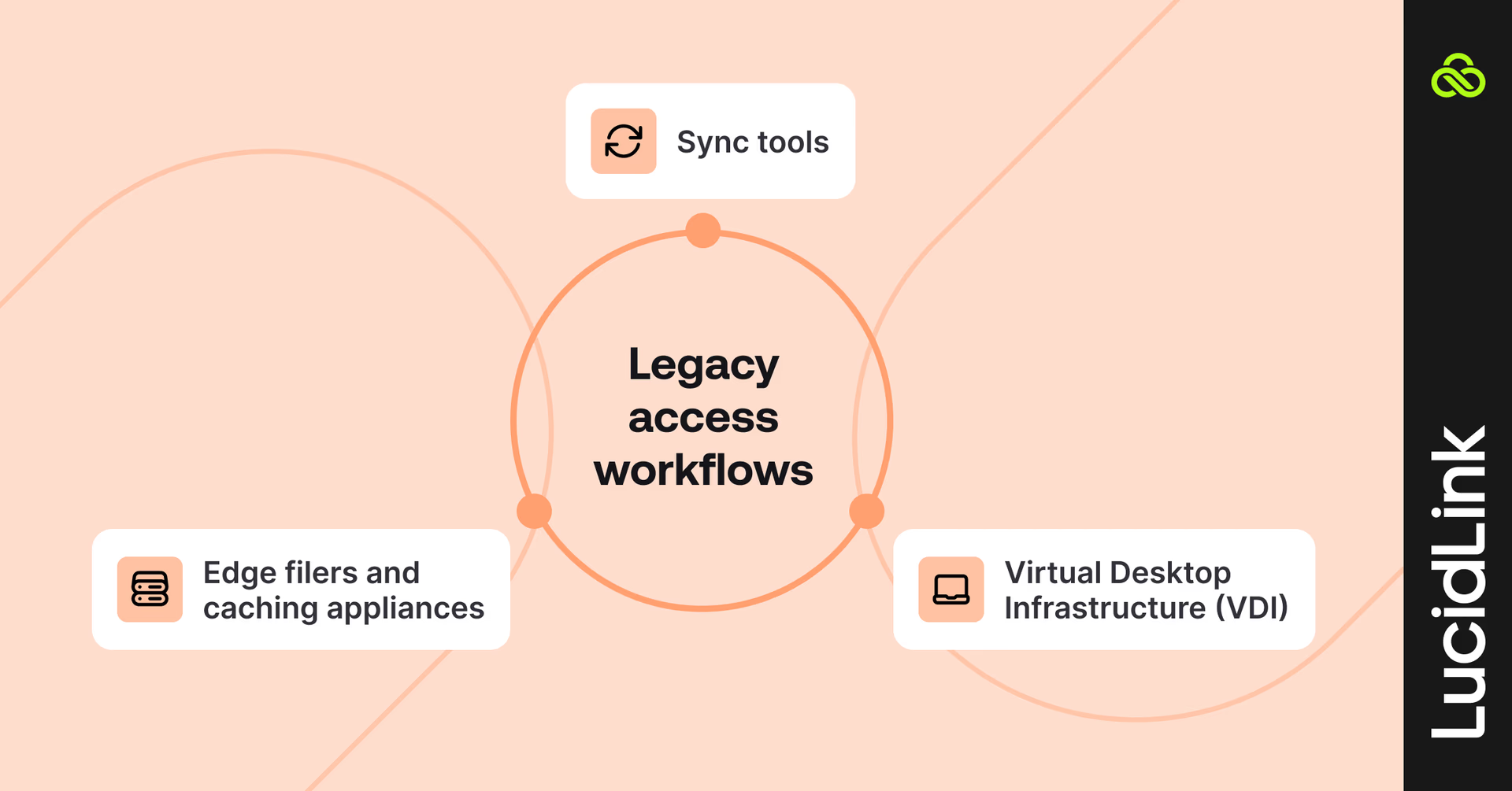
Each model tries to manage the same requirement in its own way and introduces its own failure mode in the process.
Sync tools
Sync-based tools replicate full files to user devices.
That works at a small scale. At enterprise scale, it creates:
Version conflicts when copies diverge
Endpoint sprawl with sensitive data everywhere
Rising egress and storage costs
The more people and files involved, the harder it is to maintain consistency, because replication is doing the heavy lifting.
Edge filers and caching appliances
Edge filers place hardware at each office to keep files close to users.
This improves local performance, but introduces:
Hardware lifecycle management at every site
Single points of failure per location
Continued reliance on VPN for remote users
You gain speed in specific locations, but the system still depends on moving data closer to where work happens.
VDI
Virtual Desktop Infrastructure (VDI) avoids file movement by moving users instead.
Files stay centralized. Users access them through remote sessions.
This improves access performance, but at a cost:
High infrastructure and licensing spend (often six figures annually)
Operational overhead to maintain environments
A workaround that scales expense with usage
It removes the symptom by relocating the workload rather than changing the underlying access model.
The approaches we’ve covered are different, but they all rely on the same underlying constraint: work still depends on being close to the data. That’s why the same issues keep coming back.

A different way to think about file access
Once you change the underlying model, you can resolve the recurring problems.

From storing to connecting
Traditional file access infrastructure is built around capacity: where does data live, and how much can we hold?
That made sense when teams were co-located and files moved sequentially between people. Distributed work has different demands.
The real question now is: who needs access, when and from where?
The right filesystem makes that access immediate and reliable, without duplicate files, workarounds or delays.
From managing files to maintaining shared state
Files aren’t static objects. They’re shared, evolving states.
Multiple people work on the same data at the same time.
Systems built for sequential handoffs break here. They create:
Version conflicts
Uncertainty about which file is correct
Workarounds that erode trust
The version someone opens this morning should be the same one everyone else is working on.
From periodic security reviews to continuous governance
Security that slows work gets bypassed.
When the fastest way to get something done is outside the system, people will take it. That’s how shadow IT grows and with it, risk.
The alternative is simple in principle: make the governed path the easiest path.
When access is fast, seamless and secure by default, behavior changes naturally.
Infrastructure that works is infrastructure nobody talks about
You know your file infrastructure is working when no one talks about it.
No complaints about access.
No confusion about versions.
No tickets about storage limits.
That’s the bar.
What modern file access actually requires
Once the architectural issue is clear, the requirements become straightforward.
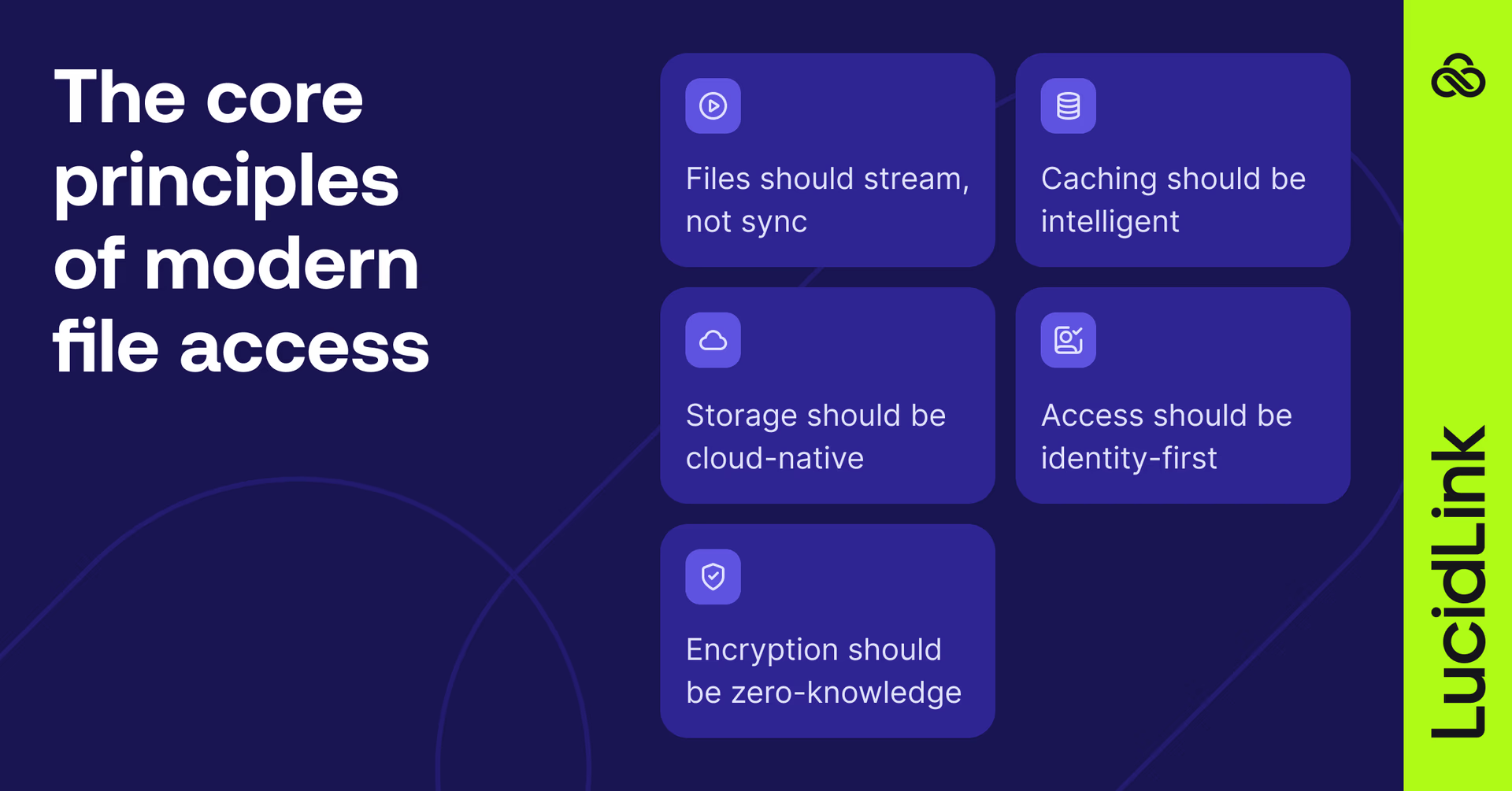
Files should stream, not sync
Sync-based tools copy entire files locally before work can begin. That model breaks down with large, complex datasets.
File streaming delivers only the data an application actively needs. There’s one version of every file, accessible in real time from the cloud. But the file doesn’t move, eliminating duplication and cutting delays.
Storage should be cloud-native
Object storage has become the backbone of modern infrastructure, but it doesn’t behave like a file system out of the box.
The right architecture bridges that gap, presenting cloud storage in a format applications already understand. No hardware constraints or artificial limits, just storage that scales with demand.
Encryption should be zero-knowledge
Encryption alone isn’t enough if providers control the keys.
Zero-knowledge architecture ensures that only your organization can decrypt its data. For teams handling sensitive information, that’s a baseline requirement.
Caching should be intelligent
Streaming depends on network performance, which isn’t always predictable.
Intelligent caching mitigates that risk by keeping relevant data local and anticipating what’s needed next. The system manages this dynamically, without the overhead of full synchronization.
Access should be identity-first, not network-dependent
Network-based access introduces latency, complexity and scaling challenges.
Modern systems shift security to the identity layer: using authentication, permissions and audit logs to enforce access. When the fastest path is also the most secure, compliance becomes the default.
The real shift: no data movement
For years, file infrastructure has been built around proximity.
File streaming removes that dependency. Data stays in one place. Teams access it directly, wherever they are, streaming only what they need in the moment.
There’s no need for continual replication, appliances or routing users into virtual environments. Teams work from one shared filespace, consistently accessible from anywhere.
Time for a different approach
If you're still running into the same file access problems, it's time to take a different approach.
Until the architecture changes, the outcome won’t.
And once it does, something interesting happens: your team stops talking about file infrastructure altogether.
Because it finally just works.
Download the enterprise file infrastructure playbook to diagnose where file access systems are breaking down and what to replace them with.
Or try LucidLink free today.
Keep reading
Cloud storage
Introducing the new LucidLink MSP: one platform for your whole book
LucidLink MSP runs on the LucidLink Management Platform, giving MSPs centralized deployment management and pricing that scales with growth.
09 September 2026, 2 mins read

Product & news
Cloud storage
Beyond headline speeds: what cloud file streaming needs to succeed
Block-level streaming, smart prefetching and metadata coordination: here's the architecture behind how LucidLink performs on standard internet connections.
05 August 2026, 6 mins read

Product & news
Cloud storage
Why cloud storage speed claims don't reflect reality
Many cloud storage vendors promise 20Gbps+ speeds. Here's why those numbers rarely match real-world performance, and what to look for instead.
30 July 2026, 5 mins read
Join our newsletter
Get all our latest news and creative tips
Want the details? Read our privacy policy. Not loving our emails?
Unsubscribe anytime or drop us a note at support@lucidlink.com.