Cloud storage
Collaboration
File streaming vs on-prem + VPNs: stop waiting, start working
Last updated 18 June, 2026
5 mins

Waiting...
Waiting for files to download, changes to sync and for your VPN to just work.
Traditional on-prem storage worked well when everyone sat in the same office.
But once teams became distributed, VPNs became the workaround and delays and disruption just started to feel like part of the workflow. Today, there are better options.
This piece looks at where on-prem and VPN setups start to break down and what teams are moving to instead.
The on-prem + VPN premise
On-prem storage has real strengths.
Fast local access, full hardware control and predictable performance make it a strong fit when teams are working in the same location.
But once work extends beyond the office, VPNs become the bridge connecting remote users back to centralized infrastructure.
And VPNs were designed for network access, not for how large files move or how distributed teams actually collaborate.
That distinction matters more as teams, projects and file sizes continue to grow.
The reality behind the problem
Hybrid work changed where we work and how work moves.
Projects span offices, homes and time zones. Teams collaborate continuously instead of passing files back and forth. File sizes keep growing, but workflows still depend on moving entire files between locations and devices.
That’s where the delays start to compound.
VPNs can connect users to centralized infrastructure, but they can’t eliminate the latency, duplication and coordination issues built into the workflow itself.
As teams scale, those small delays become operational bottlenecks.
Many teams naturally turned to traditional cloud storage to reduce the friction, but it largely inherited the same constraints of file movement and syncing, just in a different form.
For a deeper look at how sync-based tools create their own bottlenecks, read file streaming vs sync and share.
Where on-prem + VPN starts to break down
Large files over VPN
On-prem + VPN was never designed for how files move today.
VPNs route traffic back through a central gateway. With large files, that means every action has to travel back through office infrastructure before anything happens.
Opening a file really means waiting for distance, latency and network congestion to catch up first.
“Opening or saving a file could take five to ten minutes. Multiply that across dozens of engineers, and you’re burning expensive hours just waiting for files,” Wally Warwick, IT Manager at EVS.
Version control isn’t part of the workflow
VPNs provide access, not coordination.
The connection may be secure, but collaboration still revolves around local copies, manual handoffs and hoping everyone is working from the latest version.
That leads to:
Multiple local copies of files
No single source of truth
Overwrites and lost work
Security at the network level doesn’t fix workflow fragmentation.
Local storage becomes the hidden constraint
VPN workflows still depend on downloading files to individual machines.
Which creates a second problem that often gets overlooked:
Constant storage shortages
Manual file cleanup
Expensive scaling through hardware upgrades
Every user becomes their own storage endpoint.
And the bigger projects get, the more infrastructure quietly accumulates around them.
Security stops at the device
VPNs encrypt data in transit, but once files land on a device, control changes.
That introduces risk:
Lost or stolen devices
Unmanaged endpoints
Limited visibility into file usage
Security doesn’t end at the network, it needs to follow the file.
So what does a workflow look like when teams no longer depend on VPNs, syncing or file downloads?
Read more about how to get secure remote access without a VPN here.
File streaming: a faster path to your files
Modern distributed teams don’t just need remote access.
They need:
Instant access regardless of location
Real-time collaboration on large files
Security that persists beyond download
No dependency on VPN tunnels
This is where the model fundamentally changes.
Instead of extending legacy infrastructure with VPNs, sync layers and local copies, file streaming removes the need to move entire files around in the first place.
So rather than moving files to people, it streams files to where they’re needed, on demand.
How file streaming replaces the VPN layer
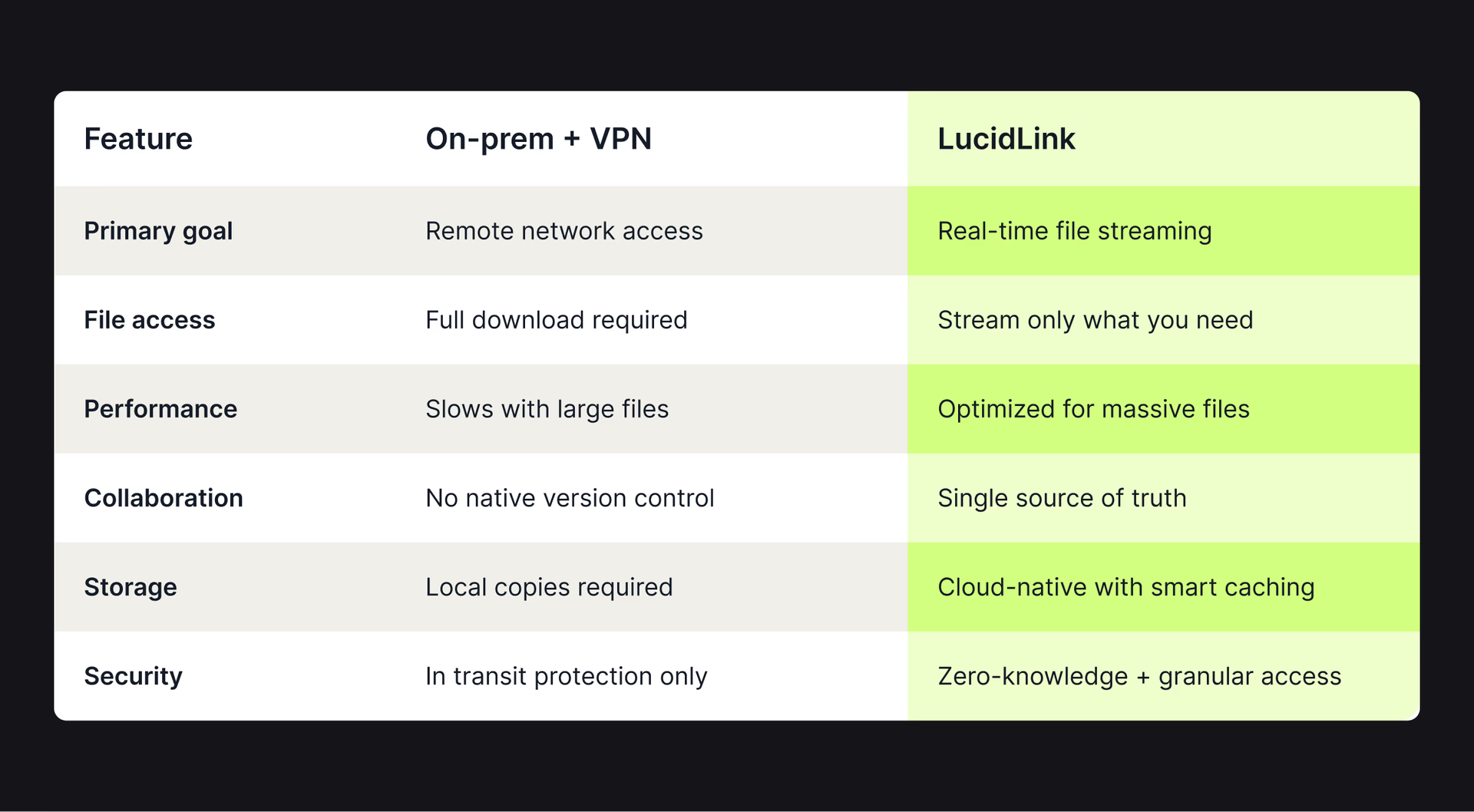
With LucidLink, files stay in the cloud but feel local.
Teams stream only the data they need, exactly when they need it. No full downloads, syncing delays or routing everything back through a VPN tunnel first.
LucidLink mounts like a local drive, so existing tools and workflows stay exactly the same. Security is built in, not bolted on later.
“Users are on tight deadlines. They want to turn on the computer, open Civil 3D or MicroStation, and get to work. LucidLink makes that possible — without us babysitting storage,” Brent Morris, IT Manager, Widseth.
LucidLink vs on-prem + VPNs
How LucidLink works in practice
File streaming changes the infrastructure model, but the real difference shows up in day-to-day work.
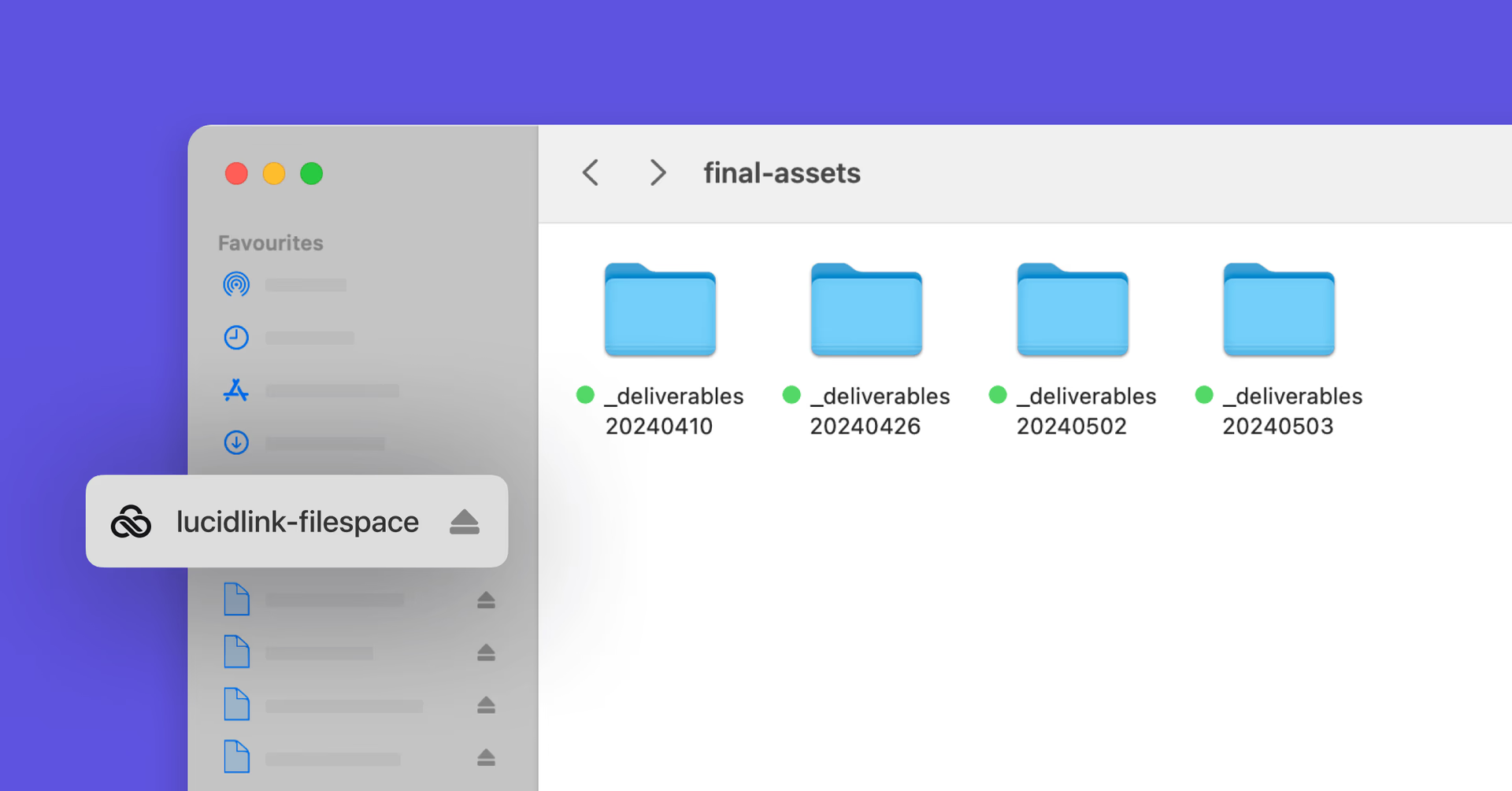
LucidLink delivers four core shifts:
Local drive experience: use your existing tools seamlessly
Your tools stay the same. Premiere Pro, DaVinci Resolve, AutoCAD and Revit all behave normally, just without the storage constraints.
No re-linking assets or changing workflows. You open, edit and save files exactly as before.
Real-time collaboration: one shared filespace, no duplicates
Everyone works from the same live filespace in real time.
No syncing delays, duplicate project folders or guessing who has the latest version.
Instead of juggling copies across machines, teams stay aligned through a single source of truth.
Streaming performance with smart caching
Only the data you need is streamed, while frequently used files and file segments are cached intelligently in the background.
That keeps performance fast without overwhelming bandwidth or local storage.
Instead of rebuilding workflows, teams just work faster inside them.
Enterprise-grade security built in
Security sits inside of the workflow, not around it:
Data encrypted in transit and at rest
Zero-knowledge architecture ensures only authorized users can access files
Granular permissions control access at every level
Instant revocation when projects end
Sensitive assets stay protected without slowing teams down.
Cost vs. value: the hidden inefficiency
On-prem infrastructure and VPN access often involve significant upfront investment: hardware, licensing, setup and ongoing maintenance. And for teams already deeply invested, the switching cost away from that model can feel high and disruptive.
But continuing to operate in this mode introduces a different kind of burden: costs and inefficiencies that accumulate quietly over time:
Lost productivity waiting on files
Duplicate storage across devices
Expanding hardware and storage capacity
Ongoing maintenance and IT overhead
Workflow slowdowns as teams scale
VPNs solve connectivity. They don’t remove the bottlenecks that emerge as teams and projects scale.
Our AEC customers typically see up to 30% cost savings when they move from on-prem storage to LucidLink. It gives teams fast, secure access to large project files — without the need for VPNs or hardware. LucidLink also offers AEC businesses a simple, secure way to collaborate with external contractors.
Darren McKay,CTO, Technical Manager at Garnes Data
Work without waiting
Most storage infrastructure still assumes teams are working from the same location, but today’s workflows don’t.
Teams are distributed, files are massive and projects move continuously across offices, homes and time zones.
LucidLink removes the bottlenecks that slow modern collaboration down.
Instead of waiting for infrastructure to catch up, teams can access files instantly, collaborate in real time and keep work moving without interruption.
When access, collaboration and security are built directly into the workflow, distributed teams move faster together.
Ready to see how LucidLink can transform your workflow? Try it free for 30 days or book a demo today.
FAQs
VPNs route file traffic through a central network gateway, which adds latency and slows performance, especially with large video, CAD or dataset files. The bigger the files and the farther apart your teams are, the more noticeable the delays become.
Keep reading

Cloud storage
New research: what your storage bill doesn’t tell you
New research from Situation Publishing explores the hidden costs around file infrastructure, from egress and duplication to lost time and manual work.
14 October 2026, 4 mins read
In the field
Collaboration
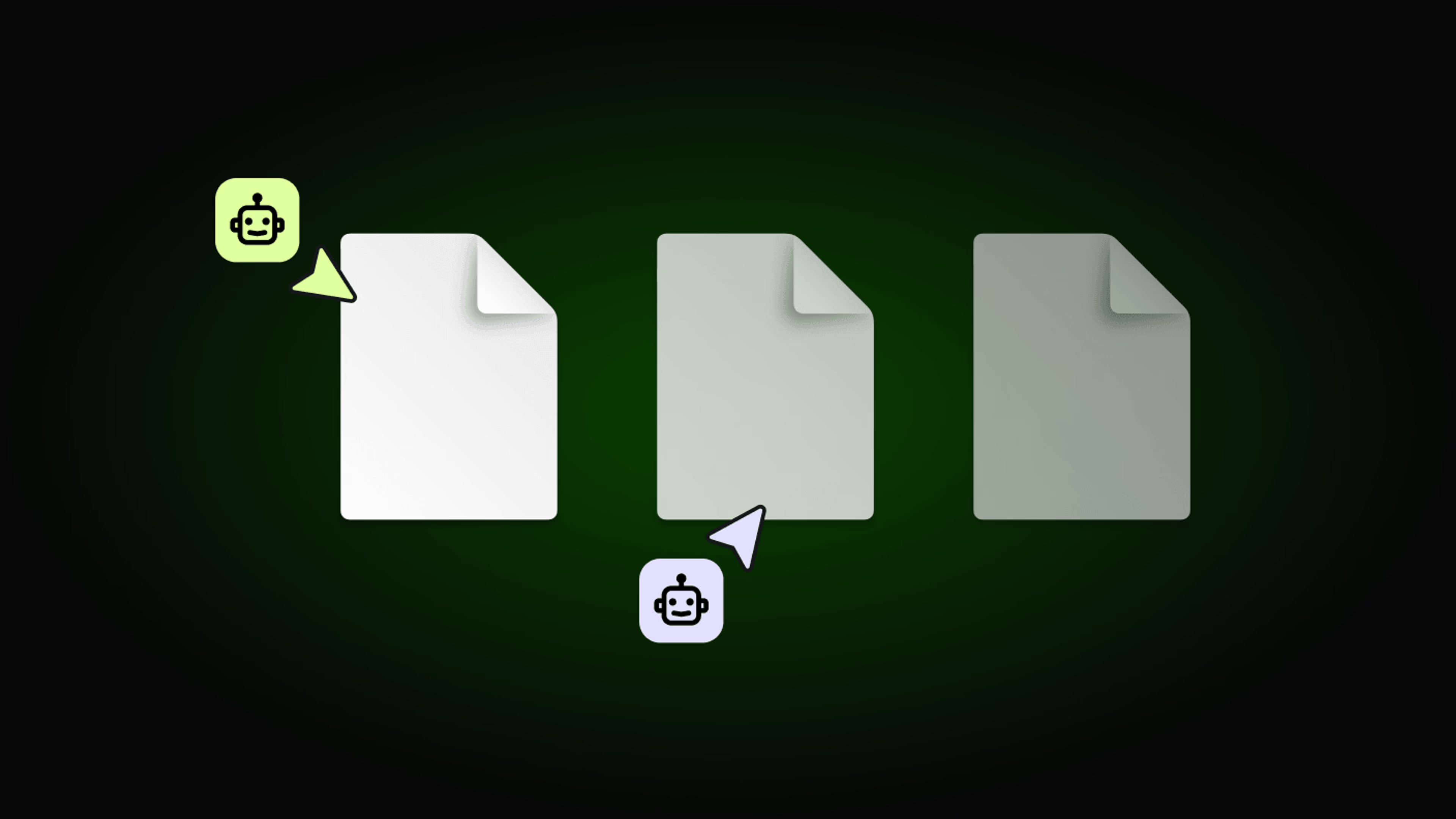
Setting up AI agents for reality capture in AEC
How Diorama.studio used an AI agent connected to LucidLink to organize field data in real time, during a two-week deadline drone survey.
16 September 2026, 6 mins read
Cloud storage
Introducing the new LucidLink MSP: one platform for your whole book
LucidLink MSP runs on the LucidLink Management Platform, giving MSPs centralized deployment management and pricing that scales with growth.
09 September 2026, 2 mins read
Join our newsletter
Get all our latest news and creative tips
Want the details? Read our privacy policy. Not loving our emails?
Unsubscribe anytime or drop us a note at support@lucidlink.com.