Cloud storage
Best cloud storage for large files: how to choose in 2027
Last updated 25 November, 2026
9 mins

You're juggling rising storage demands, network bottlenecks and duplicate data across offices. Every new project puts more pressure on your infrastructure, budget and IT resources.
When you're comparing cloud storage for large files, capacity and price are natural places to start. But those numbers won't tell you whether a new setup reduces these problems or just moves them somewhere else.
The better tests are how quickly people can work with files, what happens when multiple offices need the same project and how much infrastructure your team needs to maintain. These factors all affect performance, day-to-day workflows and the total cost of ownership.
Here's how the main options compare and what to consider before choosing one.
What’s the best cloud storage for large files?
The best cloud storage for large files depends on how your team uses the data. Object storage works well for archives and backups, sync-and-share platforms cover everyday documents and transfer tools handle one-off deliveries.
For teams working with large files every day, file streaming is often the best fit. It gives team, applications and agents access to files in a shared cloud filespace without requiring a full download first.
You can also combine approaches. Plenty of teams keep archives in object storage and use file streaming when those assets return to production. If files are rarely opened, prioritize storage and retrieval costs. If people work with them daily, weigh performance, application compatibility and collaboration just as heavily.
Why is storing large files in the cloud challenging?
Large files slow down everyday work, complicate collaboration and introduce costs that aren't always obvious when comparing plans.
Downloads put your team on hold
When a workflow depends on downloading or syncing a whole file, work can get stuck behind a progress bar.
But waiting is only the most visible cost. Downloaded and synced copies take up local disk space, add network traffic and create the risk of versions falling out of sync.
For IT, that means more storage to manage, more pressure on the network and more support requests when people can't find or trust the right file. Moving large datasets between cloud environments adds another layer of transfer costs.
File streaming can reduce that wait by letting compatible applications access the data they need without downloading the entire file first.
See how file streaming compares with sync-and-share.
Network conditions change the result
Advertised speeds don't always match real-world performance, which depends on your network, file size and how many people are accessing files at once.
A setup that flies in a vendor demo can stall when an editor opens a project over home Wi-Fi or three offices pull the same folder.
Before comparing providers, look beyond advertised speeds. Here's why cloud storage speed claims don't always tell the whole story.
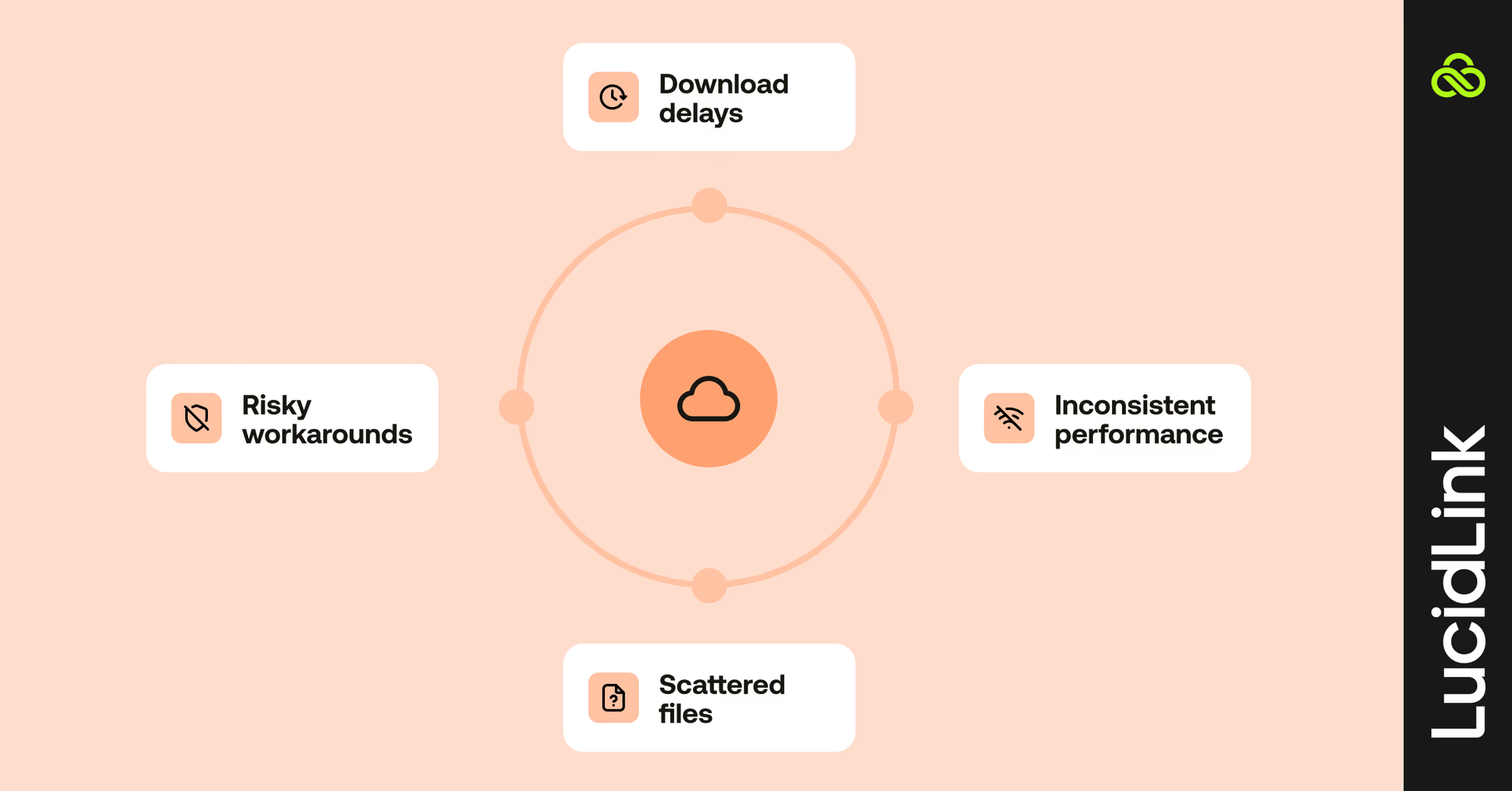
Files are already spread across systems
Large datasets are rarely stored in one place. Archives might live in object storage, active projects in a shared workspace and older files on infrastructure you’re not ready to replace.
Moving that data every time you adopt a new tool or workflow adds transfer time, storage costs and more copies to keep track of.
Instead of moving everything, consider whether you can give teams access to the storage you already have through a shared access layer.
Workarounds create security risks
When remote access can’t keep up, teams find their own ways to keep work moving. They ship drives, use unauthorized file-sharing tools or set up local storage outside IT’s oversight. Over time, these workarounds become part of everyday workflows, leaving IT with less visibility and control over where files live and who can access them.
That creates more than a support headache. Unmanaged tools and copies of sensitive data can introduce security risks and make it harder to enforce consistent access policies. Enterprise file access needs to work reliably across locations so teams don't have to find their own ways around it.
Types of cloud storage for large files
The challenges above often come down to how your team stores, accesses and shares files. Different cloud storage approaches handle these needs in different ways.
1. File streaming
File streaming lets applications read the parts of a file they need straight from the cloud, so your team doesn’t wait for a complete download.
LucidLink, a cloud-native file streaming platform, mounts your shared filespace as a drive on your computer. Your editors, architects and artists keep working in the applications they already use while LucidLink streams the data those applications request.
That makes it built for active work on video, CAD and BIM models, 3D assets and large datasets. Everyone works from one filespace instead of keeping separate working copies.
Zero-knowledge encryption and enterprise access controls protect the data. Performance still depends on your network and applications, so test it against your own workloads.
2. Object storage
Amazon S3, Azure Blob Storage and Backblaze B2 store data as individual objects in infrastructure designed to scale to very large volumes. They're common choices for backups, archives, application data and large datasets.
On their own, they don’t give desktop applications the file-system experience those applications expect. You need another layer to browse, open and work with the assets. If your data already lives in S3, LucidLink Connect can make those assets accessible through your filespace without moving the underlying data.
3. Sync-and-share platforms
Dropbox, Google Drive, Microsoft OneDrive, SharePoint and Box support file sharing, document collaboration and access management. For office documents and presentations, one of them may be all you need.
Large active datasets can introduce different demands. Depending on the service and configuration, users may need to download files or maintain local copies.
On-demand access can reduce local storage requirements, but check how quickly large files can be retrieved and how the platform handles concurrent edits, version history and application compatibility.
For large media or engineering files, test with your actual applications before you commit.
4. Cloud NAS and edge filers
Nasuni, Egnyte and Panzura extend network file access across distributed offices and support established file-based workflows.
These approaches often rely on appliances, local caches or infrastructure at each site to support performance. Edge filers are one example of how local infrastructure helps deliver file access closer to users.
That architecture supports existing applications and specific access patterns. When comparing NAS vs. cloud storage, look at licensing and cloud costs alongside hardware, administration and support.
Architecture and engineering firm Widseth reduced its storage costs by 25% compared with Nasuni while gaining more usable storage. BGE moved away from Panzura and eliminated six-figure VDI costs, showing how a change in file infrastructure can reduce expenses beyond storage alone.
5. File transfer and acceleration tools
WeTransfer and MASV are file acceleration and transfer tools that help you send large files fast. They're useful for delivering finished media packages, collecting assets from external contributors or handing off large files to a specific recipient.
A transfer gives the recipient a copy rather than an ongoing shared workspace. If the project changes after delivery, you may need to send updated files. For occasional handoffs, that's a reasonable approach. If several people need to work on the same assets throughout production, a shared filespace may be a better fit.
How the approaches compare at a glance
The table below summarizes how the five approaches handle large files and where each one fits.
Example providers
Best for
How large files are handled
Cost model to watch
Main trade-off
Approach
Object storage
Amazon S3, Azure Blob, Backblaze B2
Archives, backups and large datasets
Stored as objects and accessed through APIs or additional tools
Capacity, requests, retrieval and egress
Needs an access layer for many interactive file workflows
File streaming
LucidLink
Active collaboration on large files
Streams the data applications need from a shared filespace
Subscription, storage and applicable usage fees
Requires a suitable network and workflow compatibility
Sync and share
Dropbox, Google Drive, OneDrive, SharePoint, Box
Everyday collaboration and sharing
Files may be synced or downloaded to user devices, depending on the service and workflow
Per-user plans, storage tiers and transfer limits
Local copies and sync management can become harder at scale
Cloud NAS and edge filers
Nasuni, Egnyte, Panzura
Distributed enterprises with file-system requirements
File-system access, often with caching or site infrastructure
Licenses, appliances, support and cloud costs
Can require additional infrastructure and administration
File transfer and acceleration
WeTransfer, MASV
One-off deliveries and handoffs
Transfers a copy from sender to recipient
Transfer volume, plan limits and delivery features
Doesn't replace an active shared workspace
How to choose the best cloud storage for large files
Use these questions to evaluate providers against your actual workflows.
How do people access files? Find out whether users need to download entire files, maintain synced copies, rely on edge caches or access data on demand. Match the access model to your workload.
How does performance hold up? Test your largest files over your actual network. Include the applications your team uses and simulate concurrent access where relevant.
Does the security model meet your requirements? Check encryption in transit and at rest, SSO, SCIM, granular permissions and audit logging. Understand how cloud storage security works in practice, including who controls the encryption keys and how zero-knowledge encryption protects sensitive files from provider access.

Can you predict the total cost? Compare storage fees, user licenses, retrieval charges, egress and infrastructure maintenance.
How does it protect file integrity? Review file locking, version history, snapshots and recovery options. Make sure the controls fit your applications and collaboration model.
Will it work with your existing data? Check application compatibility, including support for tools that expect a local drive. Then ask whether teams can access files already stored in object storage or other repositories without migrating or duplicating them first.
How much infrastructure will IT maintain? Account for hardware, VPNs, local servers, troubleshooting and support across locations.

Choosing cloud storage for large video and media files
Video, VFX and animation workflows involve high-resolution footage, RAW media and complex project files, often shared by editors and artists in different locations throughout production.
When you evaluate cloud storage for large media files, test application compatibility and playback performance.
Check how much media has to be retrieved before editing can begin, how several people will access the same project and whether the workflow still depends on local copies.
Explore our guide to the 10 best video cloud storage solutions.
How much does cloud storage for large files cost?
Storage rates are a starting point. What you pay overall depends on how much data you keep, how your team accesses it and what it takes to maintain the setup.
Storage fees and user licenses
Some providers charge by the amount of data stored, others per user and others bundle storage with collaboration and management features.
Per-terabyte pricing suits large archives that rarely get retrieved. Per-user pricing is easier to budget for a small team but climbs as more people need access. With bundled plans, check what’s included and where extra charges start.
Compare plans against how your team actually works: how much data you store and how many people need regular access.

Egress, retrieval and migration
Moving data between archive, production and collaboration environments can add costs beyond the storage rate.
Depending on the provider and architecture, you may pay for retrieval requests, cloud egress fees when transferring data out of a cloud environment or data movement between systems. Migration can also mean paying for duplicate storage while files move.
If your team regularly moves large datasets, ask how often data needs to move, where charges apply and whether people can work with files where they already live.
With LucidLink’s bundled AWS-backed storage, pricing is egress-free: it’s tied to storage volume, not transfer activity. If you bring your own storage, your provider’s transfer rates apply.
Costs that never reach the invoice
Hardware, VPNs, local appliances and file servers all take time to maintain. Duplicate copies add storage costs, and slow downloads eat into your team’s working hours. These hidden expenses are part of why your storage bill isn't the real cost.
Torti Gallas + Partners consolidated seven network drives and more than a dozen data silos into a single LucidLink filespace, saving $30,000 a year on storage and on-premises infrastructure.
When you compare providers, include infrastructure and operational effort next to the direct charges.
Test it on your largest files
Before you commit to a platform, run a real project through it. Use your largest files, the applications your team opens every day and your actual network. Test shared access, security controls and recovery, then calculate the full cost.
Watch how quickly people get started, how well the setup supports collaboration and what IT will have to maintain.
If your team needs cloud storage for large files that supports direct access and collaboration, start a 30-day free trial or request a demo.
FAQs
File streaming tools, like LucidLink, give teams access to large files without waiting for full downloads, making them a strong fit for active workflows. Other options include Object storage for archives and backups, sync-and-share platforms for everyday collaboration and transfer tools handle one-off deliveries. Compare access patterns, security, performance and total cost before choosing.
Keep reading

Cloud storage
New research: what your storage bill doesn’t tell you
New research from Situation Publishing explores the hidden costs around file infrastructure, from egress and duplication to lost time and manual work.
14 October 2026, 4 mins read

Product & news
Cloud storage
Beyond headline speeds: what cloud file streaming needs to succeed
Block-level streaming, smart prefetching and metadata coordination: here's the architecture behind how LucidLink performs on standard internet connections.
05 August 2026, 6 mins read

Product & news
Cloud storage
Why cloud storage speed claims don't reflect reality
Many cloud storage vendors promise 20Gbps+ speeds. Here's why those numbers rarely match real-world performance, and what to look for instead.
30 July 2026, 5 mins read
Join our newsletter
Get all our latest news and creative tips
Want the details? Read our privacy policy. Not loving our emails?
Unsubscribe anytime or drop us a note at support@lucidlink.com.